Use one product key on several sites
You can enter the same product key on all your Drupal sites, so they share the user licences of one subscription. A person who edits on three sites uses one licence. Use this page when you add a site, or move your editors from an old site to a new one.
How sites share licences
- Each site reports its editors to dxpr.com, together with its domain name.
- An editor counts once per email address, however many sites they edit on. Two accounts with different addresses count as two licences, even for the same person.
- Excluding a user on one site only stops editing on that site. They keep their licence while they can edit on another site.
- The Content Items tab of each site shows the content items of that site.
Set up
- Copy your product key from dxpr.com/getting-started or from the first site.
- On the next site, go to DXPR Studio >
DXPR Builder > General Settings
(
/admin/dxpr_studio/dxpr_builder/settings). - Paste the key in Product key in the License section and click Save settings. General settings explains the storage options.
What you see
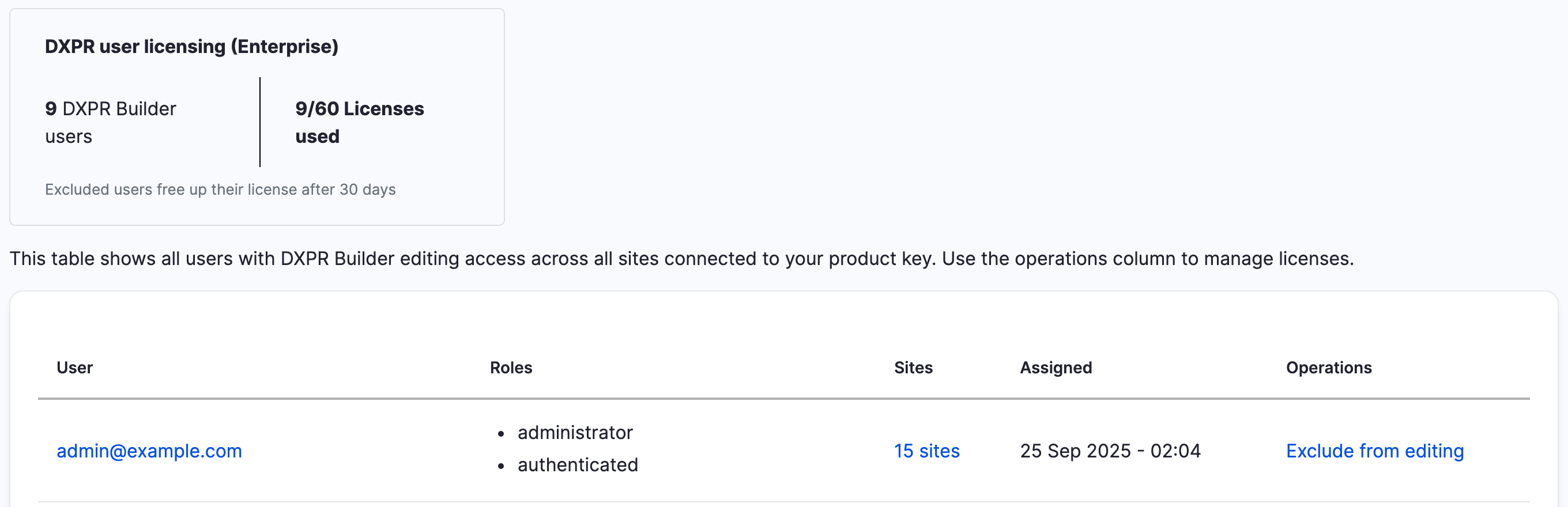
The User Licenses tab
(/admin/dxpr_studio/dxpr_builder/user_licenses) is
the same on every site: it lists the editors of all
sites that use the key. The Sites column shows
on how many sites each person edits. Click it to see
the domain names.
Move editors to a new site
- Save the same product key on the new site, as above.
- Before the old site goes offline, exclude the people who will not edit on the new site, as described in User licences.
- After the old site is gone, open User Licenses on the new site. Click Delete license data for each address that has no account there. This removes the address from all sites.
If you don't see your editors
- A person counts twice. Their accounts use different email addresses on different sites. Use one address for the person on every site.
- A person still counts after you excluded them. They can still edit on another site. Open their Sites link and exclude them there too.
- Delete license data is missing for a person. The link only shows for addresses without an account on the site you are on. Exclude the account instead.
- The table is empty. The tab needs a connection to dxpr.com. See Licence and product key errors.
What's next?
- Feature comparison: what each tier includes
- Keep your editors within your licence: free licences you no longer need
Something wrong or missing on this page?
Report it
or edit the page.