AI use cases
Examples of how content teams, webmasters and developers combine the AI tools in DXPR Builder. Each one links to the guide with the steps.
For content marketers
Launch a campaign landing page
- Draft the page from a brief that names the offer, the reader and the sections.
- Rewrite paragraphs with Improve Tone of Voice in your brand's tone.
- Generate a hero image where the draft has a placeholder.
- Check every fact, then save and publish.
Announce an event
- Write the announcement in a Text element.
- Use Make Shorter for the version on the home page, or Summarize for a teaser.
- Generate a photo of the venue or the atmosphere, then give it alt text.
Try two headline styles
- Select the headline in the text toolbar.
- Choose a tone under Tone of voice, for example Persuasive, and run Improve Tone of Voice.
- Keep the version you like, or click Undo in the toolbar and try another tone.
For webmasters
Prototype a client site
Draft each main page (home, about, services, contact) from a short brief, then apply the client's layout and branding by hand. Realistic draft text makes client reviews easier than placeholder text.
Draft translations
- Build the page in your main language.
- Select a paragraph and type "Translate into French" in the Ask AI to edit box of the AI Agent menu.
- Have a native speaker review the result before you publish.
Fix old photos
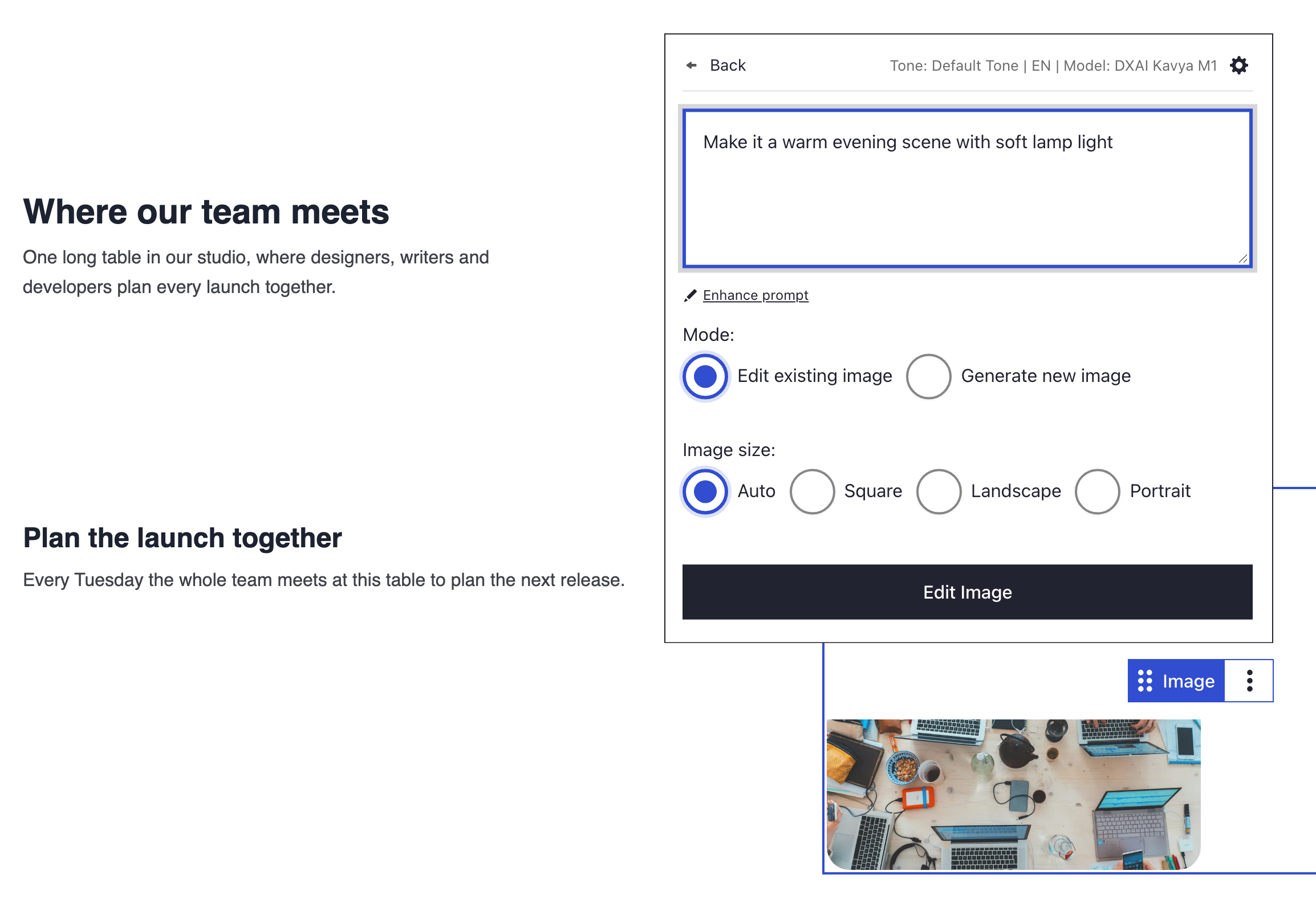
Change photos with AI to brighten dark pictures or calm busy backgrounds, instead of searching for new ones.
For Drupal developers
Test layouts with real-looking content
Draft pages of different lengths with AI. Use them to check a theme, to test layouts with long and short texts, and to run accessibility checks on real-looking copy.
Call AI from your own code
The AI routes serve the editor. They need a logged-in editor session, a CSRF token from the page and a licence seat, so they do not suit cron jobs or batch scripts. For server-side work, call the DXPR provider through the Drupal AI module instead, as described in Models and providers.
What's next?
Draft a page with AI to try the first use case.