AI models and providers
DXPR Builder's AI features run through the Drupal
AI module and the DXPR provider module
(ai_provider_dxpr). This page explains what a
provider is, how the DXPR provider fits in, which
models exist and what the "service providers" and
weights on the settings pages mean.
The video chooses the EU model in the editor and shows it in the AI Agent panel.
Providers in the Drupal AI module
In the AI module, a provider is a plugin that connects one AI service. Each provider declares the operation types it supports, such as chat, text to image, image to image and translate text. It also lists its models and holds its own API key settings.
Installed providers are listed at Configuration > AI > AI Infrastructure > AI Platform Providers (/admin/config/ai/providers). This needs the administer ai providers permission. The default provider and model for each operation type are set at Configuration > AI > AI Infrastructure > Default Models for AI Operations (/admin/config/ai/settings). They are stored in ai.settings as default_providers.
The DXPR provider
ai_provider_dxpr registers the provider with ID
dxpr and label "DXPR". It supports chat,
text_to_image, image_to_image and
translate_text, streams chat output, and talks
to kavya.dxpr.com/v1 with the API key selected
from the Key module. Its settings form is at
/admin/config/ai/providers/dxpr (DXPR AI
Provider):
- DXPR API Key: the Key entity that holds your
DXPR API key (created at
/admin/config/system/keys; on install the module selects a key whose label contains "DXPR") - AI Usage Tracking: credit balance and use
- Default model and Allowed models: see Models below
- AI Service Providers: Automatic or Manual Override, with a drag table of upstream services
- Em-dash processor: post-processing level, with per-language overrides
Saving the form also registers dxpr as the
default provider for each operation type that has
no default yet. Chat variants
and translate text get kavya-m1. Text to image
and image to image get kavya-image. Saving
also sends one short test request to check the
key and the account's rate limit.
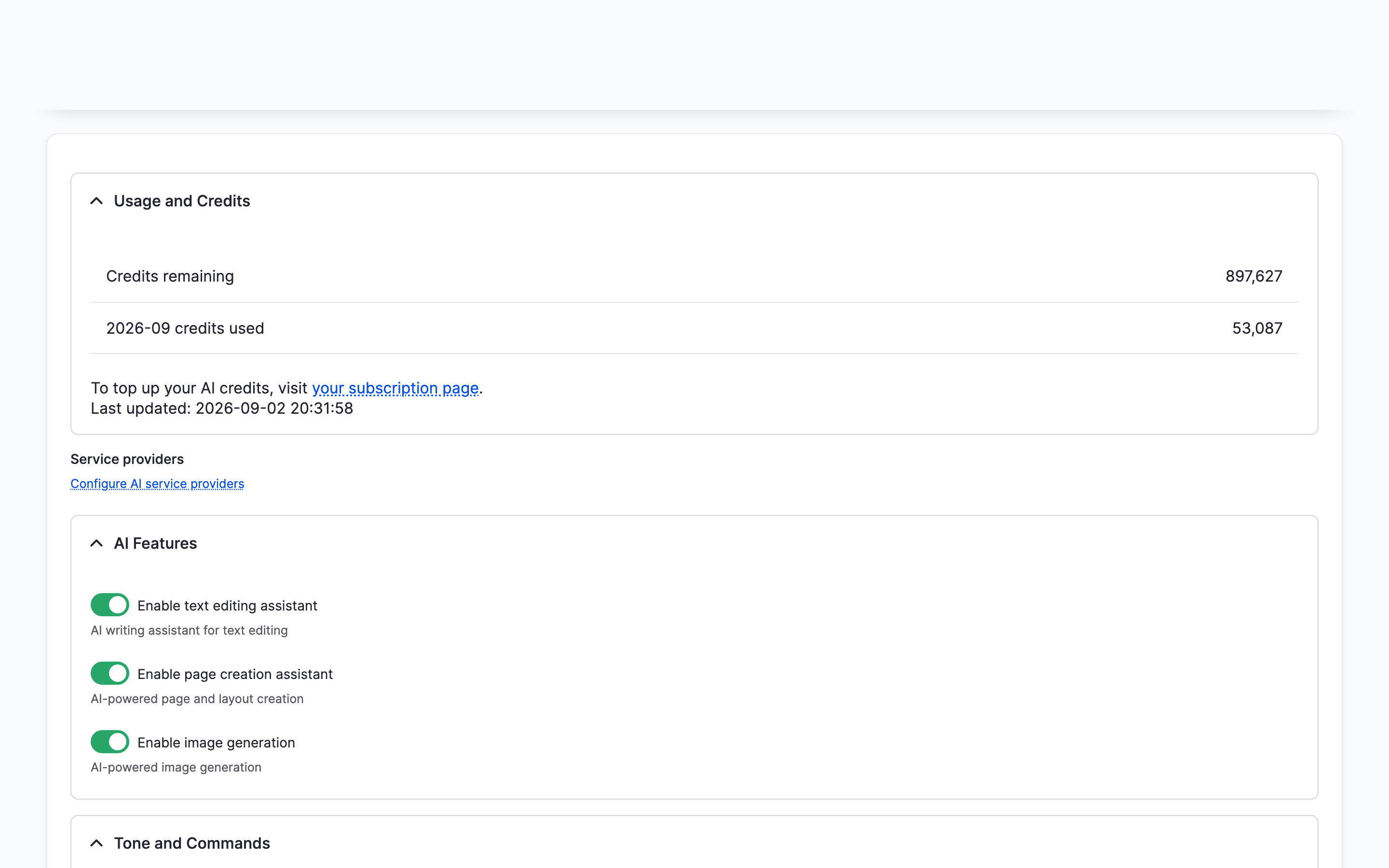
DXPR Builder's own AI page then shows your credits and a link to this form: Configure AI service providers.
Which provider DXPR Builder uses
DXPR Builder sends every AI request to the DXPR provider by name. So text commands, page creation, image generation and image editing always use the DXPR provider. The defaults at /admin/config/ai/settings do not change this. The routes behind these features are on AI API reference.
Other providers in the AI module, such as OpenAI, Anthropic or Mistral, cannot serve DXPR Builder features. They can still be the defaults for other AI features on the same site, for example AI Image Alt Text or AI Translate.
Models
| Builder key | API model | Used for |
|---|---|---|
dxai_kavya_m1 |
kavya-m1 |
Text commands and page creation (default) |
dxai_kavya_m1_eu |
kavya-m1-eu |
Text, routed to MistralAI (France) |
dxai_kavya_m1_fast |
kavya-m1-fast |
Text, lower latency |
| (none) | kavya-image |
Image generation and editing, always |
A model that is not on Allowed models is refused. DXPR Builder's chat route answers 403 with "The selected model is not allowed. Please refresh the page to update your model options." For other AI module features, the provider answers "The selected model is not allowed by the administrator."
Where the default text model is set:
- With
ai_provider_dxprinstalled: Default model at/admin/config/ai/providers/dxpr(ai_provider_dxpr.settings, keyai_model). The DXPR Builder AI settings page then only shows a Configure AI service providers link - Without it: Default model and Allow
users to choose model at DXPR Studio >
DXPR Builder > AI
(
/admin/dxpr_studio/dxpr_builder/ai_settings,dxpr_builder.settings)
Choose a model in the editor
Editors can pick the model for their own AI requests:
- On the DXPR Builder toolbar, click More and choose AI settings.
- Under Model, choose a model, for example DXAI Kavya M1 EU.
- Click Save.
- Click AI Agent on the toolbar. The panel's header names the model you chose.
The choice is stored in the browser
(ck5-ai-agent:model). With Allowed models
limited to one model, no selector is shown.
Service providers and weights
Kavya M1 is served by upstream AI services. The
settings forms call these "service providers":
OpenAI, MistralAI, Anthropic, Google Gemini and
XAI. They are unrelated to Drupal AI module
providers; they only steer routing inside the DXPR
service. Two config keys control this, stored in
ai_provider_dxpr.settings when that module is
installed and otherwise in dxpr_builder.settings
(schema in config/schema/dxpr_builder.schema.yml):
| Key | Values | Effect |
|---|---|---|
ai_provider_selection_mode |
automatic (default) or manual |
Automatic: no provider list is sent and DXPR routes on live performance. Manual: the enabled providers are sent with the request |
ai_providers |
Per provider: enabled, weight, region |
weight is an integer; lower means higher priority. region is enabled or disabled (the table section the row sits in) |
In manual mode the field formatter passes the
enabled providers to the browser. The browser
sorts them by weight, lowest first, and sends them
as a comma-separated providers string with each
chat request, for example openai,mistral,anthropic.
The DXPR service uses the first provider and falls
back to the next enabled one when it is unavailable
or slow. Weights are only sent when the model is
kavya-m1; the EU and Fast models have fixed
routing.
Default weights: OpenAI 0, MistralAI 1, Anthropic 2, Google Gemini 3, XAI 4. Dragging a row up in the table lowers its weight.
To change the order:
- Go to
/admin/config/ai/providers/dxpr(or/admin/dxpr_studio/dxpr_builder/ai_settingswithout the provider module) - Set Default model to DXAI Kavya M1; the provider options are hidden for other models
- Choose Manual Override (Manual priority on the DXPR Builder page)
- Drag providers between the Enabled and Disabled sections and into the order you want
- Click Save configuration (Save settings on the DXPR Builder page)
AI credits
AI features consume DXPR credits from your subscription. Check remaining credits at DXPR Studio > DXPR Builder > AI under Usage and Credits, or under AI Usage Tracking on the DXPR AI Provider form. Top up at dxpr.com/user/me/subscription/credits.