See which content counts towards your limit
Your DXPR subscription can limit how many content items you edit with the builder. The Content Items tab shows how many you use, your limit, and every item that counts. Check it before you add DXPR Builder to another content type, or when an editor reports a limit warning.
Before you start
- Your role needs Administer DXPR Builder configuration.
- Save your product key under General Settings first. Without a key the tab stays empty.
Set up
- Go to DXPR Studio > DXPR Builder > Content items
(
/admin/dxpr_studio/dxpr_builder/content). - Read the DXPR content items box at the top of the page.
- Scroll the table below it. It lists 20 items per page, with page links at the bottom.
What counts as a content item
An item counts when its content type or block type shows a field with the DXPR Builder formatter, in any display. It counts even when that field is empty. Each translation counts as its own item. On the table, View modes names the displays that use the builder.
What you see
The DXPR content items box shows your total next to DXPR Builder content items. Beside it, Max items used reads as items used out of your limit, or unlimited. Below the box, a link leads to upgrading your subscription tier.
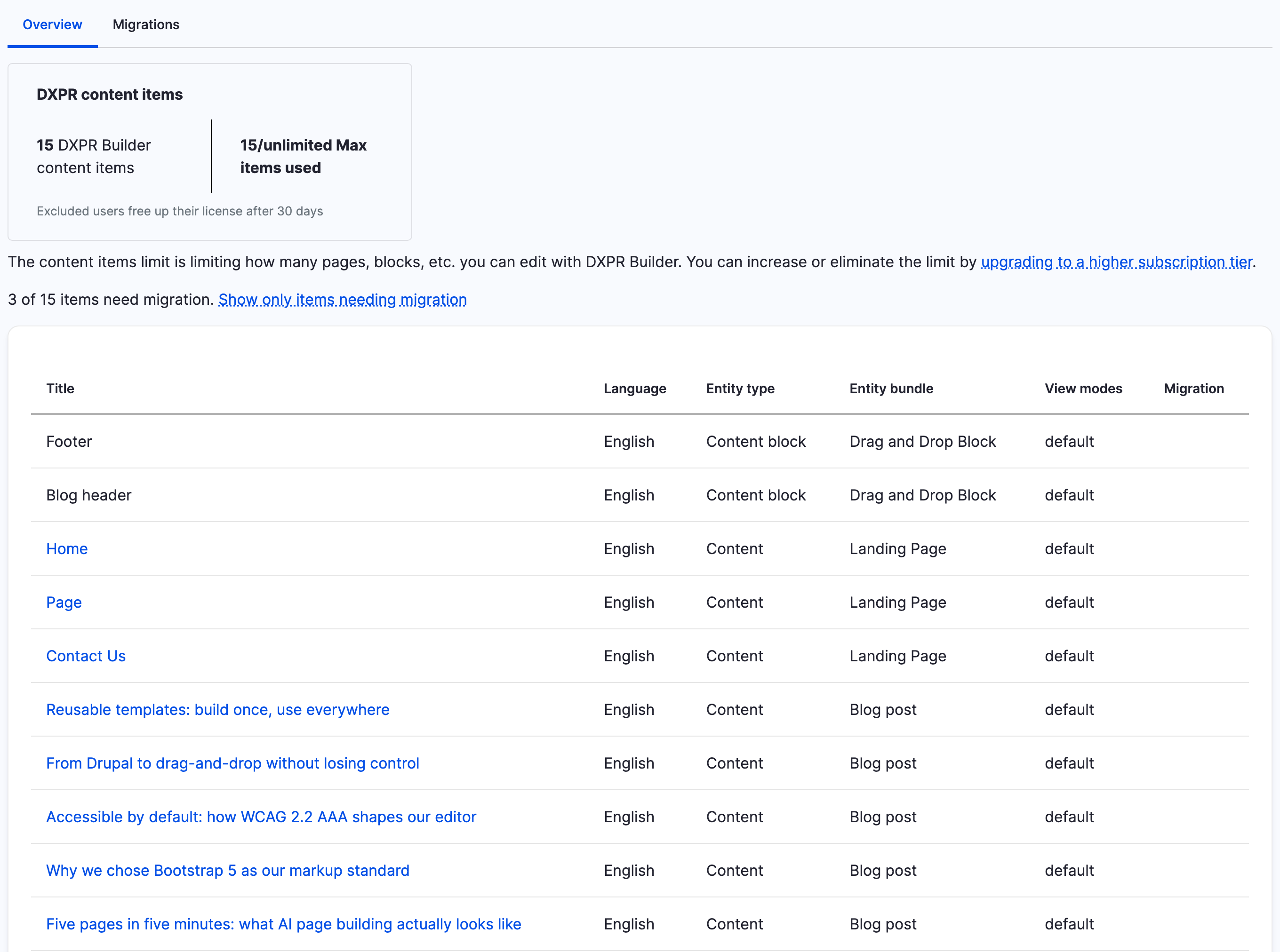
The table has the columns Title, Language, Entity type, Entity bundle, View modes and Migration. Titles of content link to the page; block titles are plain text. Migration notes the items that a module update still has to convert. When some do, a line above the table offers Show only items needing migration. The Migrations tab next to Overview runs those updates.
If you don't see your items
- The page shows no box and no table. No product key is saved, or
the site could not reach DXPR to check your subscription. Save the
key under General Settings (
/admin/dxpr_studio/dxpr_builder/settings). - A content type is missing from the table. None of its displays uses the DXPR Builder formatter. Set it up as in Installing on existing content types.
- The count is higher than your number of pages. Translations and items with an empty builder field count too. Delete items you no longer need.
- Editors see "Sorry, you cannot author more than ... content items". You are over the limit, so the editor no longer loads on the newest items. Visitors still see those pages. Delete unused items or upgrade your subscription.
- The limit did not change after you upgraded. The site checks
your subscription once a day. Click Clear all caches at
Configuration > Development > Performance
(
/admin/config/development/performance) to check now.
What's next?
- User licences: the other limit, on the number of editors.
- Migrating from DXPR Builder 1.x or 2.x: what the Migration column and tab are for.