Canonical link and hreflang
Read what a content page tells search engines about its other addresses, and change it for one content item.
Needs Sites Metatag
Part of Sites Metatag.
Content that several sites show has an address on each of them. Two kinds of link in the head of the page say how these addresses relate.
The canonical link
The canonical link names the one address search engines should index. Each site decides where it points:
- The content's origin site, the default: Torqline showing the group's press release names the page on Valtora.
- This site: every site names its own page.
- None (Sites adds no canonical link).
Under the default, a site's own version of the content names that site (Adjust content for one site): Hydrion, with its own title for the press release, names its own page. On sites with a region, the link stays within the site's region: it names the content's origin site when that site is of the region, else the region's main site before a sub-site, and among several the one with the lightest site weight, so give a region's main domain the lightest weight.
A disabled site answers nobody, so no link names its pages. While the content's origin site is disabled, the enabled sites showing the content stand in, a main site before a sub-site and among several the one with the lightest site weight; the alternates name that site's translations.
A platform administrator sets Canonical link and Region in the site's Identity section (Sites Metatag); the site's settings sections do not show them.
The hreflang alternates
The hreflang alternates name the translations of the content on the site the canonical link names, in the languages that site speaks. Where every site showing the content has a region, they name each site's version per language and region, like en-GB. An x-default alternate names the fallback, the version on the content's origin site where the set has one.
A page carries the alternates on the site its canonical link names, or on every site when all of them have a region, and only when there are at least two.
Change them for one content item
Before you start
- The content type has a meta tags field, which a platform administrator adds.
Steps
- Edit the content and open the meta tags field in the sidebar.
- Under Advanced, choose the Canonical URL:
- Automatic (the site's setting), the default;
- The site serving the page;
- The origin site of the content;
- Deactivated (Sites sets no canonical link).
- Under Sites, set Hreflang alternates (Sites) to Automatic or Deactivated.
- Save the content.
Automatic follows the setting of the site serving the page; the other choices replace it for this content item. On pages that show no content item, Metatag's own tags apply.
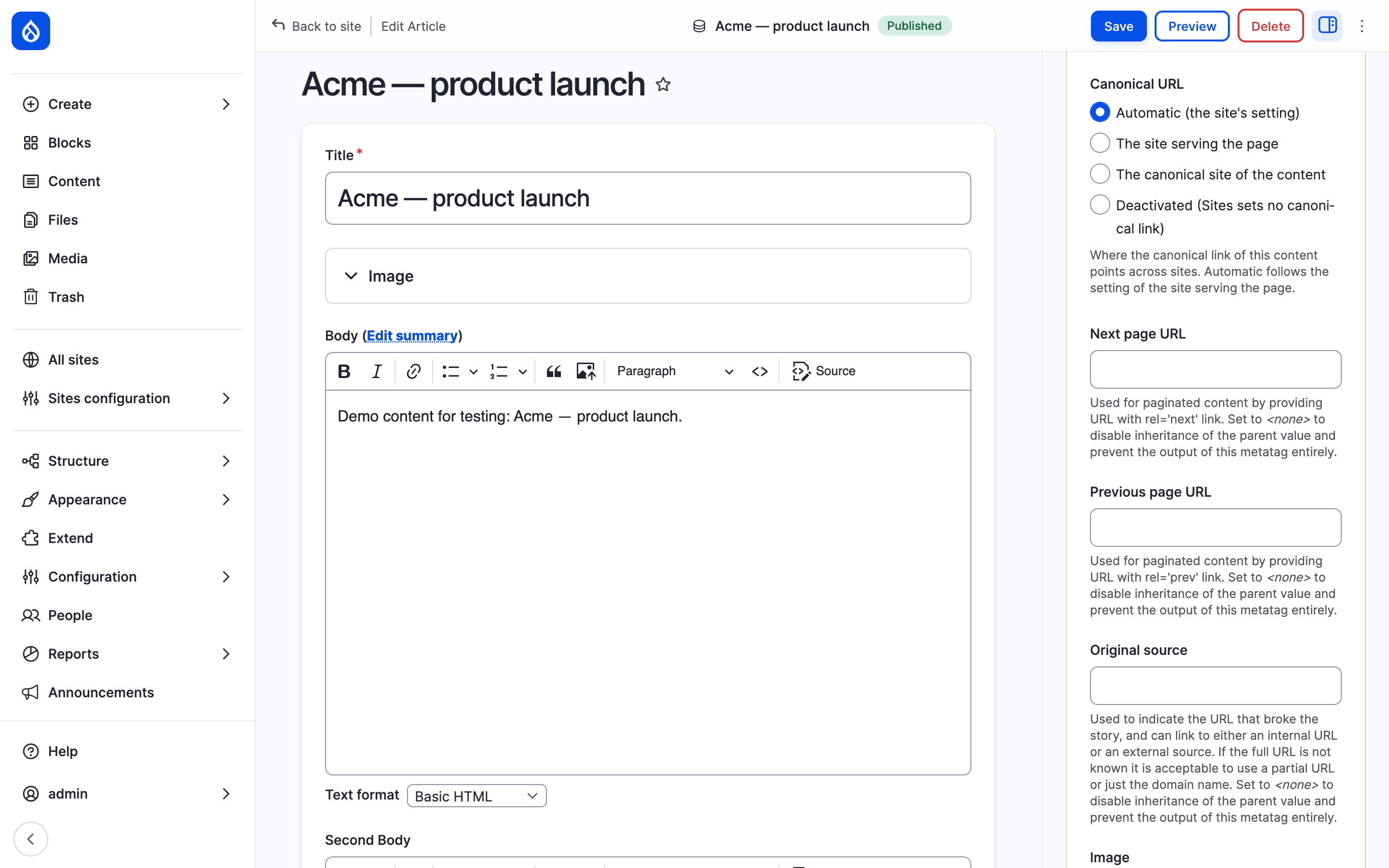
The Canonical URL choices of the X5 page.
Last updated 2026-10-22