Create a site
Create a site with the quick-create wizard and change what makes it a site in its Identity section.
Needs Sites content and Sites UI
Part of Sites content and Sites UI.
Sites are content: you create them on each environment (Deployment).
Before you start
- The permission Administer sites.
- At least one site type.
- For sub-sites: Sites path prefix.
Create the site
The examples add Velmora, a new valve brand of the group, next to Hydrion and Torqline.
- Go to Sites at
/admin/sitesand click Add site. - Enter the Site name, like
Velmora. The ID derives from it (velmora); Edit next to it changes it. The ID is set once: lowercase letters, digits and underscores, at most 32 characters. - Under Structure, choose Main site or Sub-site.
- Enter the Hostname of a main site, like
www.velmora.example. For a sub-site, choose its Main site and its Address: Under the main site's hostname with a Path prefix, like Hydrion andfrfor Hydrion FR, or A hostname of its own with a Hostname. The wizard proposes the path prefix from the name, and the hostname as the name under the hub's domain: onhub.valtora.example, Velmora getsvelmora.valtora.example. - Choose the Site type, like Brand site. The question appears when more than one site type exists.
- Click Create site.
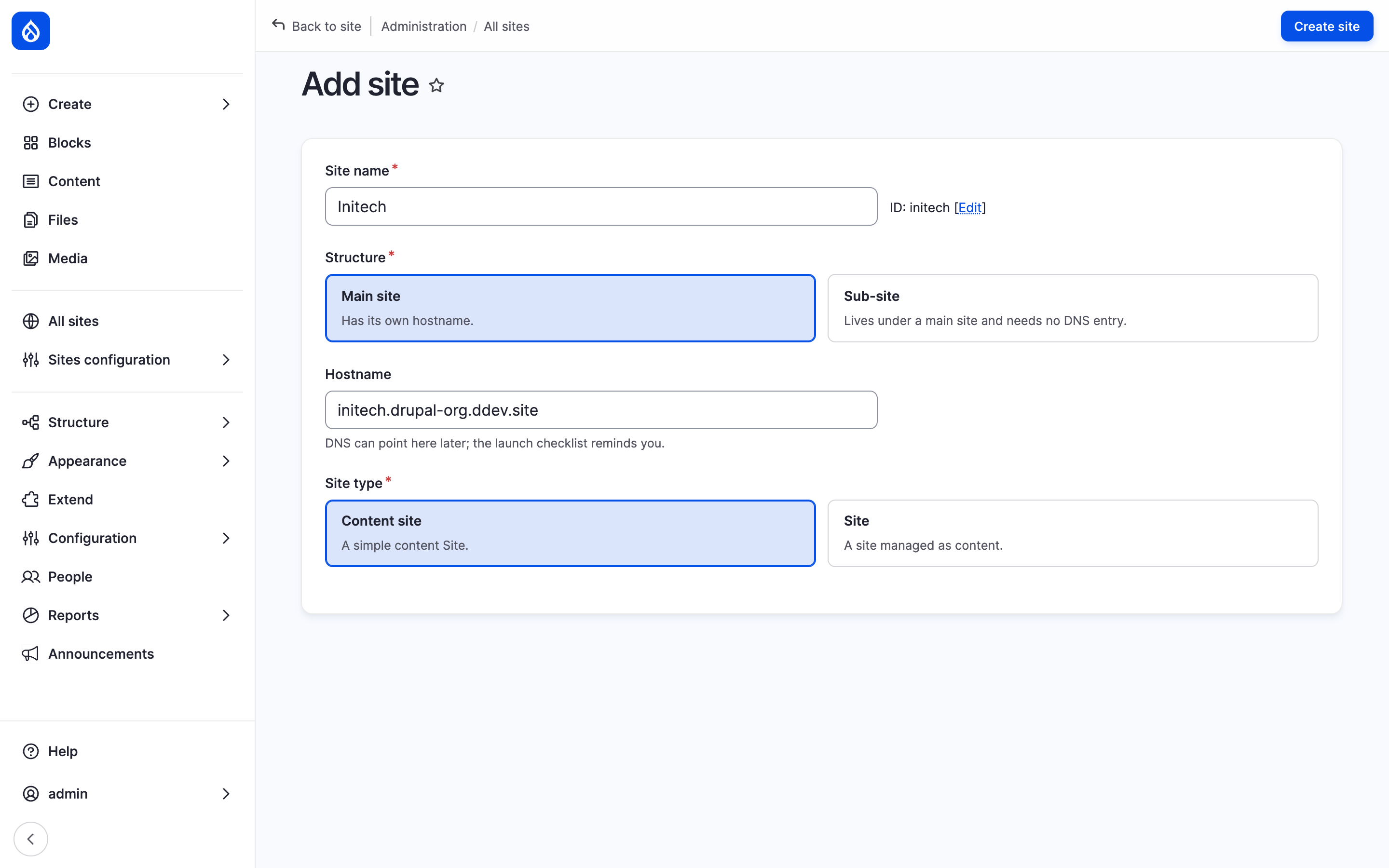
The Add site dialog for Velmora with Structure, Hostname and Site type answered.
The new site opens on its dashboard and starts disabled. Its launch checklist leads through the remaining steps and ends with enabling the site. drush sites:create asks the same questions (Drush).
Change a site
Edit in the Site panel of the dashboard opens the Identity section at /admin/sites/{site}/identity.
| Field | What it holds |
|---|---|
| Title | The site's name; also the name visitors see until the site sets its own (Site settings). |
| Hostname | Where a main site, or a sub-site with a hostname of its own, answers. Changing it moves every address; enter the old one under Hostname aliases to redirect it. The Environments tab sets one per environment (Hostnames). |
| Structure, Main site | Main site or Sub-site, and the main site of a sub-site. Locked. |
| Address | Where a sub-site answers: Under the main site's hostname at a path prefix, or on A hostname of its own (Sub-sites). |
| Path prefix | Where a sub-site answers under its main site's hostname. Changing it moves every address; nothing redirects the old ones. |
| Enabled | Whether the site answers (Disable and delete a site). |
It also holds the locked ID, the Region, the Canonical link (Canonical and hreflang) and the Weight.
The Inheritance section (/admin/sites/{site}/inheritance) holds Inherit from, the site whose values this site takes for the settings its type inherits (empty: a sub-site inherits from its main site, a main site inherits nothing), and Run by the main site's people (Delegate a site). Below them it lists the settings the type inherits and what each holds now (Setting layers).
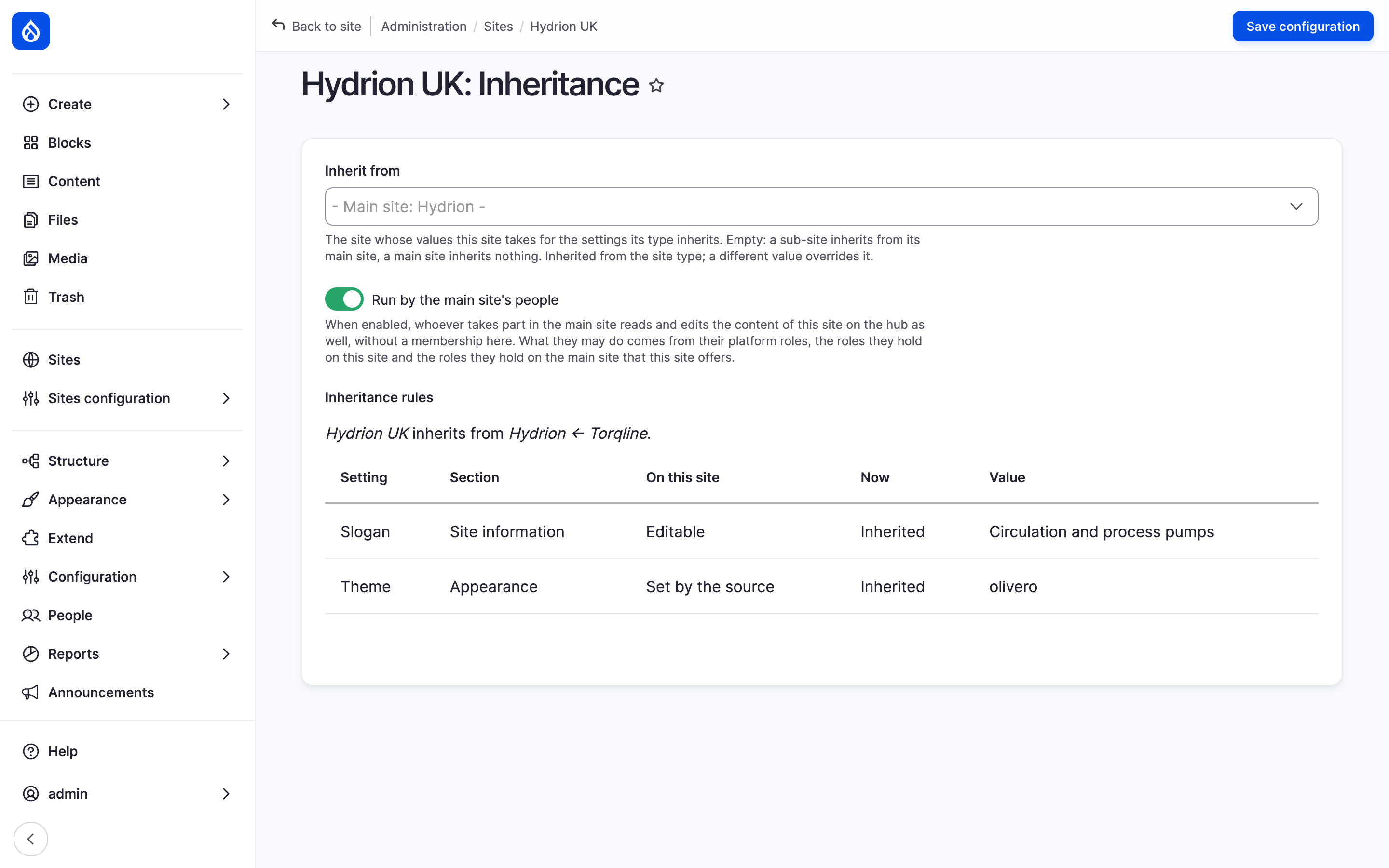
Hydrion UK inherits from its main site Hydrion.
A site keeps its site type, and stays a main site or a sub-site of the same main site. To have it elsewhere, create a new site or clone it.
Every save writes a revision of the site with author, time and a log message such as "Identity edited." Revisions have no admin page.
Last updated 2026-11-02