Access report
See who holds which role on which site, and what those roles allow there.
Needs Sites UI
Part of Sites UI.
The reports only read. Roles are granted on a site's People page (Members and roles).
Where they are and who opens them
| Report | Where | Opens with |
|---|---|---|
| Site access, the platform report | /admin/sites/reports/site-access, under Sites configuration > Reports |
View site access reports or Administer sites configuration in a platform role |
| A site's report | the Access report card in the Reports group of the site's dashboard; /admin/sites/{site}/access |
the same, or View site access reports in a per-site role on that site |
| A user's report | the Site access tab of the user; /user/{user}/site-access |
the same as the platform report |
Administer sites opens none of them. An administrator role held on a site opens the site's report only when View site access reports is added under Administrator roles on a site (Roles and permissions).
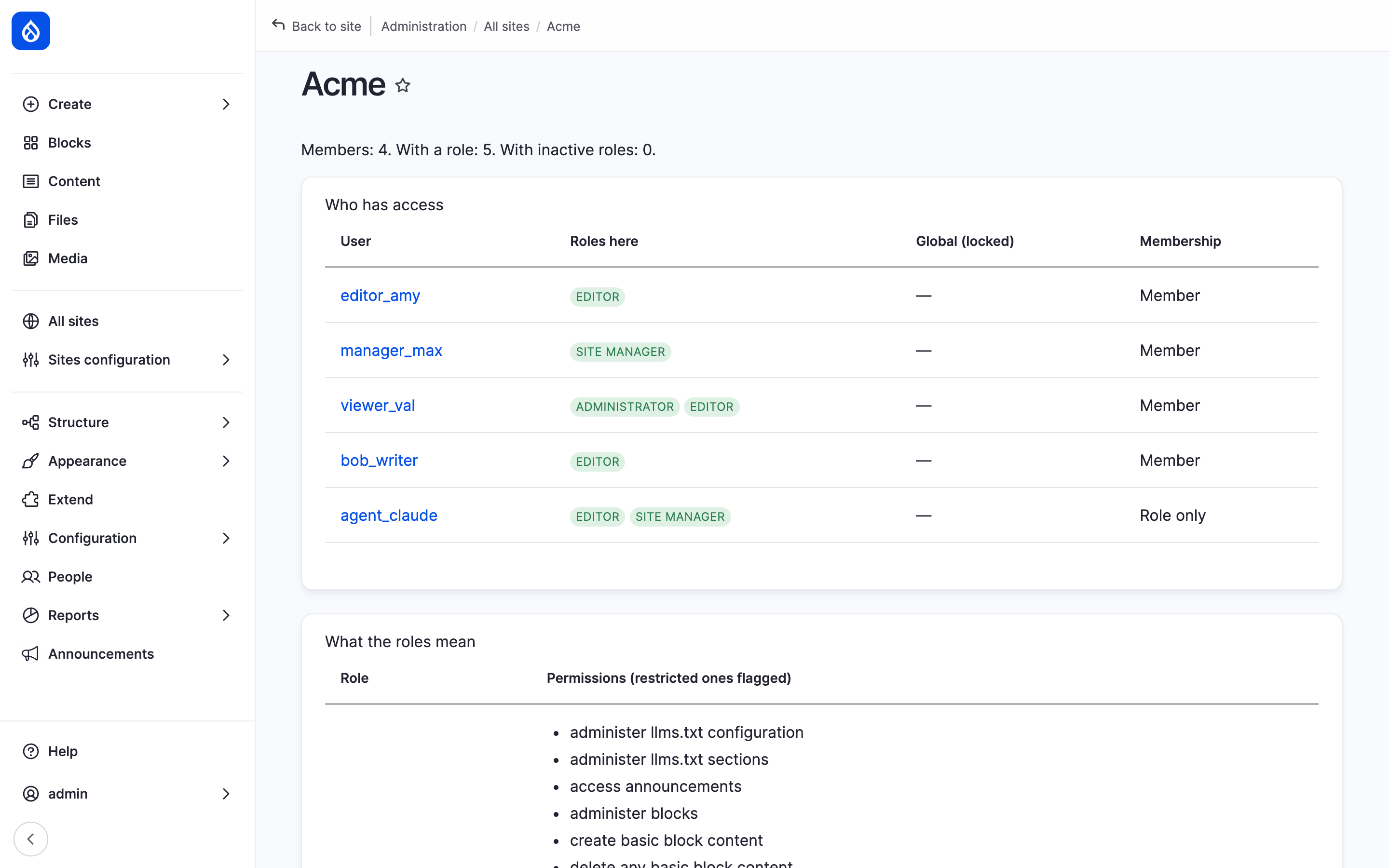
Hydrion's access report; the table of roles and their permissions follows below.
The platform report
One row per per-site role assignment: User, Context and Roles. Filter by Site, Role and Username contains. The user links to their report, the context to the site's report. Platform roles are not listed; the user's report shows them.
A site's report
Who has access lists the site's members and role holders:
- Roles here: the roles held on the site;
- Global (locked): platform roles the site also offers;
- Membership: Member for a member of the site, Role only for a role holder who is not.
A line above counts the members, the holders of a role and those with inactive roles. What the roles mean lists each role the site offers with its permissions, restricted ones flagged.
A user's report
Where name has access has a row for Global, the platform roles, then one row per site where the user is a member or holds a role, with Member or Role only, Administrator role where one applies, and the Effective permissions there.
Effective permissions are what the roles stand for on that site: the permissions they list; for an administrator role, every permission not restricted plus those added under Administrator roles on a site; never a permission that controls the platform (Roles and permissions).
Inactive roles
A role assigned on a site that the site does not offer grants nothing. The reports show it struck through. Remove it on the site's People page.
Not shown
Access that other modules grant through their own access policies.
Last updated 2026-10-18