Disable and delete a site
Take a site offline and keep everything, or delete it and decide what happens to its content.
Needs Sites content
Part of Sites content.
Disable a site
A disabled site, like Velmora while it is being set up, keeps its content, settings and people. Its address answers visitors with "Not Found" (HTTP 404).
Accounts whose platform role has Administer sites or Access disabled sites still reach it, for a check before launch. A per-site role never opens its address. The site's own people (members, role holders, and the main site's people of a sub-site they run) open it in the preview.
- Open the site's dashboard and click Edit in the Site panel.
- Clear Enabled.
- Click Save configuration.
drush sites:disable and drush sites:enable do the same (Drush). A Drush command run with --uri set to a disabled site's address runs on the hub, and a warning on stderr says so. A new site starts disabled; a holder of Manage site settings on the site enables it with the last step of its launch checklist, and later switches it off and on through the Enabled or Disabled badge in the dashboard's Site panel.
Delete a site
Before you start
- The permission Administer sites.
- A main site with sub-sites cannot be deleted. The delete form lists its sub-sites; delete them first.
Steps
- Open the site's dashboard and click the Delete tab. Sites offers Delete among the site's operations too.
- This deletion affects: lists how many users hold roles on the site, how many content items belong to it, and how many of those belong to it only.
- Under What should happen to the content?, shown when content belongs to the site only, choose one; the form preselects nothing:
- Reassign content and users that belong only to this site to another site, and the site under Reassign to;
- Delete content that belongs only to this site, and tick I understand this permanently deletes the content that belongs only to this site.
- Click Delete.
A site whose content all belongs to other sites too asks nothing: that content leaves the site and keeps its other sites.
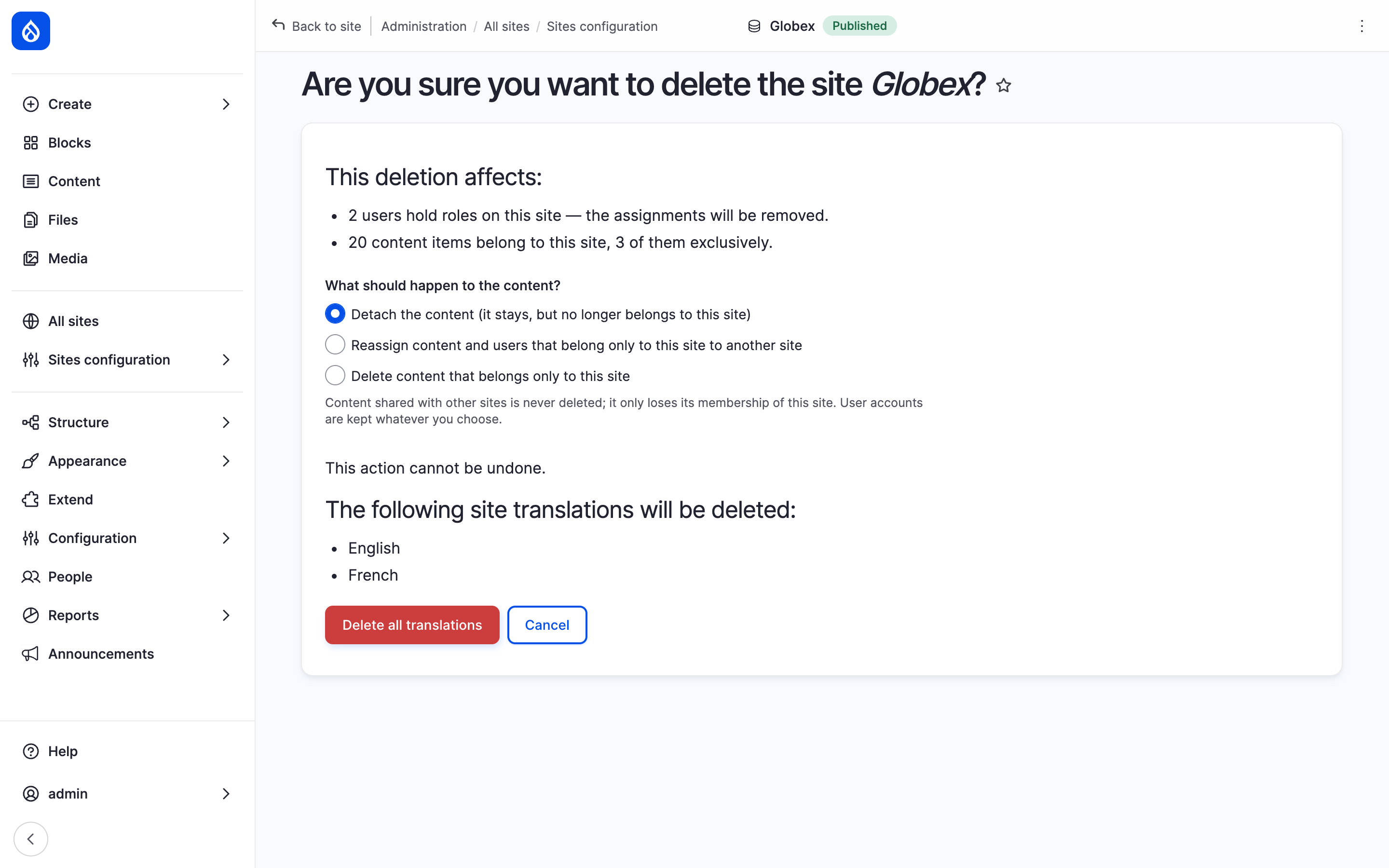
The delete form of Velmora, a site with content, and the three content choices.
A batch settles the content, then deletes the site. drush sites:delete asks the same with --content, required as soon as content belongs to the site only (Drush).
What happens to the content
- Content shared with other sites is never deleted: it only leaves this site. Where this site was its origin site, the oldest of its remaining sites takes over.
- Reassigned content gets the chosen site as its origin site. Reassign to lists the other sites you manage content on.
- User accounts are never deleted. With Reassign to they move to the chosen site; otherwise they leave the site.
- With Sites Trash, Delete deletes for good, content in the trash included.
What else goes
With the site, these are deleted:
- the per-site role assignments on it;
- its settings and per-site configuration;
- the links of its per-site menus;
- its URL aliases and redirects;
- its content overrides and its sitemap data.
Last updated 2026-10-25