Getting around
Find your sites, open a site's dashboard, and reach the pages where you work on its content and settings.
Needs Sites UI
Part of Sites UI.
The hub and a site's address
The hub is the platform's own address, like hub.valtora.example, where you open your sites' dashboards and sections and work on all their content.
On a site's address, like www.hydrion.example, you work on that site alone: overviews list its content, new content belongs to it, and you edit the content it is the origin site of.
Sites
Sites in the navigation's Sites menu shows a card per site whose dashboard you may open, or opens the dashboard when there is one. A card names the site, its ID, address and type, with a Disabled badge while the site is off. Platform administrators see every site there (Create a site).
The site dashboard
A card opens the site's dashboard, which takes Access the site dashboard on the site.
- The Site panel shows Status, Type, ID and Hostname; the hostname opens the site. With Manage site settings, the Enabled or Disabled badge opens the switch This site is enabled.
- The Launch checklist lists the steps left (Launch a site).
- Cards open the site's pages, grouped under Content, Structure, Search and metadata, Regional and language, People, System, Settings and Reports. A card shows when you may open its page.
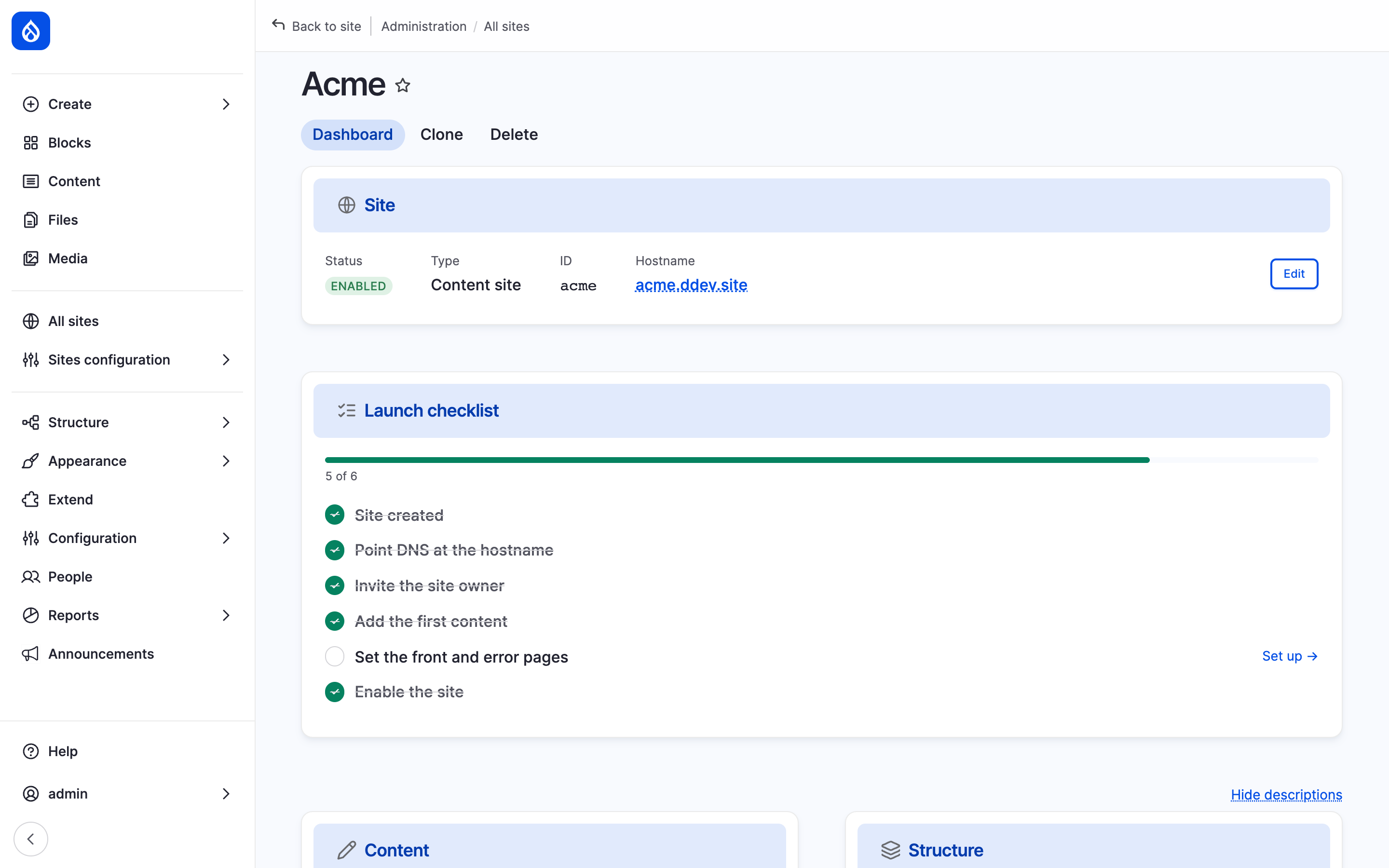
Hydrion's dashboard with the Site panel and the card groups.
A site's sections
A card opens a section of the site, like Menus, Taxonomy, Redirects, Site information or People (Site settings). A section takes its page's permission on the site, like Administer menus and menu links for menus.
The hub's admin pages lead there too: Structure > Menus opens your site's menus, or first asks for the site when you work on several.
The top bar
Needs Sites preview
Part of Sites preview.
On the hub, a content page shows Preview as… in the top bar: pick a site that holds the content, like Hydrion for the group's press release, to see the page as that site shows it; Preview: Hydrion then names it (Preview).
Sites in admin listings
On the hub, the overviews of content, media, content blocks and people list your sites' content. When you work on more than one site, they add:
- a Sites column: the origin site, then a counter that lists all the item's sites, the origin site marked Origin, like Valtora and +2 for the group's press release;
- a Sites filter, with Originating content only to keep the content whose origin site is among the chosen sites.
On a site's address, Originating content only keeps the content the site owns.
Last updated 2026-10-25