Troubleshooting
Find what is off on the platform, and fix the problems site builders meet most.
The Sites status report
Sites status at /admin/sites/reports/status (Sites configuration >
Sites status) lists what the installed Sites modules flag. It takes
Administer sites configuration or View site access reports.
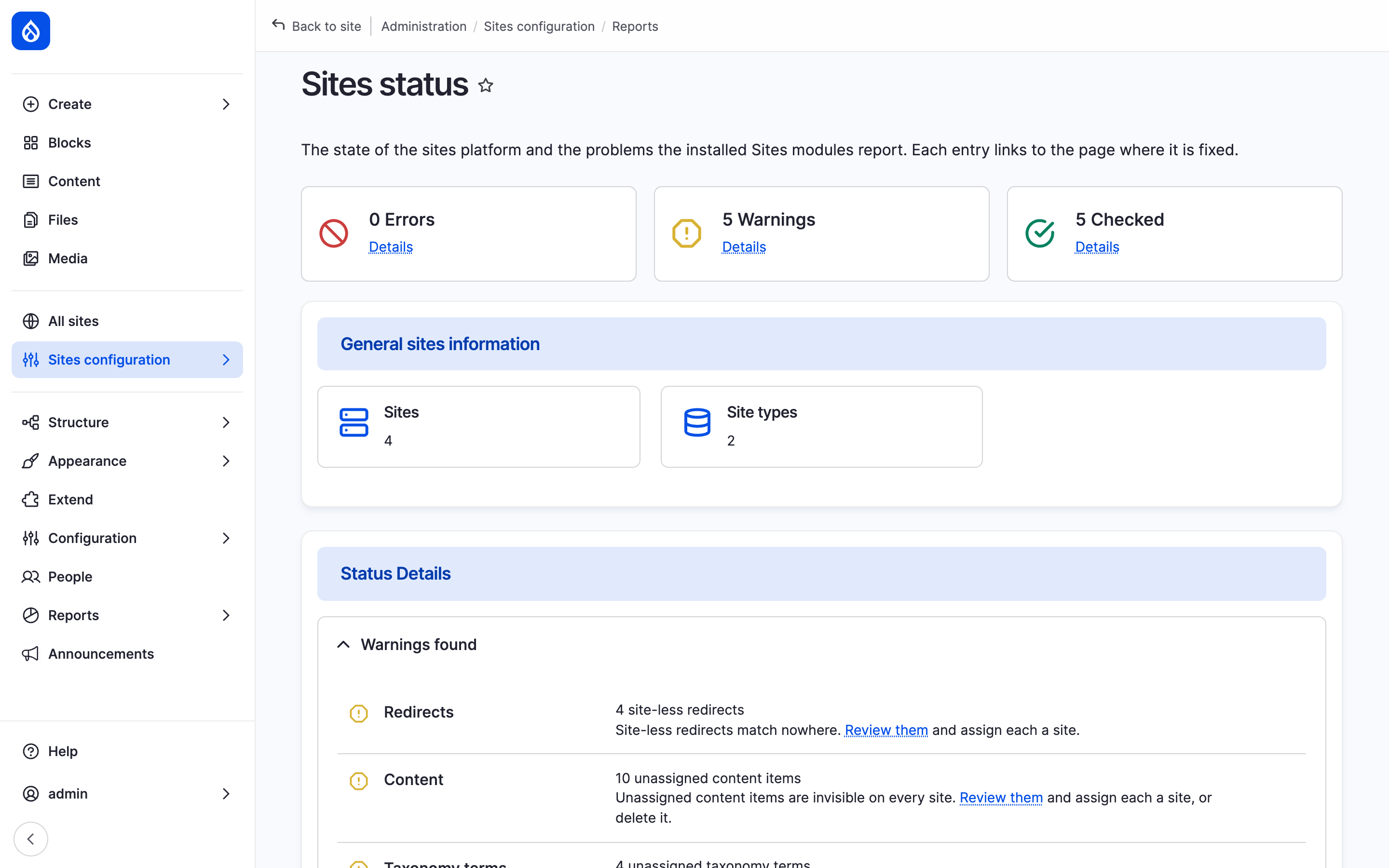
The Sites status report with its counters and the first warnings.
It counts errors, warnings and passed checks, shows the number of sites and site types, and has one entry per check:
- Content that belongs to no site, per kind of content (content items, terms, media, users, ...). No site shows it. Review them opens the Unassigned content report.
- URL aliases, redirects and other entries bound to one site: those without a site, which work nowhere.
- Per-site menus: links in a per-site menu of a site that does not exist.
- Webforms (Sites Webform): webforms assigned to no site.
- Content overrides (Sites content overrides): types that are switched on for overrides but cannot be overridden.
Core's status report at /admin/reports/status has four Sites entries:
trusted host patterns, the Navigation module, canonical and hreflang links,
and administrator roles on sites.
Common problems
"The provided host name is not valid for this server."
The hostname matches no pattern in trusted_host_patterns. The sites entry
covers site hostnames only; the hub's hostname needs a pattern of its own.
Without the sites entry, every site hostname needs one too. Fix the list in
settings.php (Installation).
A site's hostname answers a plain "Not Found"
The site is disabled; every new site starts so. Everyone without
Administer sites or Access disabled sites gets this bare 404. Use
Enable the site in the dashboard's Launch checklist, or
drush sites:enable velmora (Disable and delete a site).
A hostname answers "Page not found" for every visitor
No site has this hostname in the current environment, so the request reaches
the hub, which serves visitors only login, password reset and registration
(Anonymous hub routes on /admin/sites/configuration/general). Check the
site's Hostname for this environment with drush sites:info hydrion.
A page answers "Page not found" on one site and works on another
The content does not belong to the site. On a site's hostname, content of
other sites does not exist: Torqline's T200 page works on
www.torqline.example and answers "Page not found" on www.hydrion.example. Share the content
with the site, or link to it on its origin site.
A webform answers "Page not found" or is missing from a page
The webform does not belong to the site, or belongs to no site. On a site's hostname, such a webform's page answers 404 and a webform field or block shows nothing. Assign the site on the webform's Settings > Sites tab (Webforms).
"Access denied" or "Page not found" under /admin/sites
The page was opened on a site's hostname. Sites are administered on the hub: open the page on the hub's hostname.
A content form has no Sites section
No site accepts this type of content, or the user may add content to none of the sites that do. Set the type under Assignable content on the site type, or grant Add content to a site (Roles and permissions). On a site's hostname the section is always absent: new content belongs to that site.
Add site shows "No site type exists yet."
Add a site type at /admin/sites/types first
(Site types).
Add site offers no sub-site
No site type allows sub-sites. Set Structure to Main sites and sub-sites or Sub-sites only on a type (Site types).
Add site offers no path prefix
A sub-site under its main site's hostname needs Sites path prefix:
drush en sites_path_prefix. Without it, a sub-site gets a hostname of its
own.
The site switcher and the preview controls are missing
They live in the top bar of the core Navigation module: drush en navigation.
A changed setting has no effect on the site
A more specific layer sets the value: settings.php or the current
environment (Setting layers). drush sites:info hydrion
shows the value in effect.
Stage shows production hostnames or settings
Stage and production share a cache backend (Caching and performance).
Last updated 2026-11-02