Quick start
Go from a fresh Drupal installation to two sites of one site type:
Hydrion, the site of a pump brand, on its own hostname, and Hydrion FR, its
French site, under it at /fr.
Before you start
- Drupal installed with the Standard profile, and Sites in the codebase (Installation).
- A hostname for Hydrion, like
www.hydrion.example, that resolves to the server. With DDEV, add it as an additional FQDN:ddev config --additional-fqdns=www.hydrion.example, thenddev restart. - An account with Administer sites and Administer sites configuration.
- Work on the hub, the installation's own hostname.
Steps
-
Enable Sites and sub-sites:
drush en sites_content sites_path_prefix -
Trust the hostnames in
settings.php(Installation). - Go to Sites configuration > Site types and click Add site type.
- Enter the Label
Brand site. - Under Base site plugin, select Content site, and click Save.
- Go to Sites and click Add site.
- Enter the Site name
Hydrionand choose Main site. - Enter the Hostname
www.hydrion.exampleand click Create site. The dashboard of the new site opens; the site is disabled. - In the Launch checklist, click Set up next to Enable the site.
- Check This site is enabled and click Save.
- Go to Sites and click Add site again.
- Enter the Site name
Hydrion FRand choose Sub-site. - Select Hydrion as the Main site, enter the Path prefix
fr, and click Create site. - Enable Hydrion FR as in steps 9 and 10.
With one site type the wizard does not ask for it. On a platform with more than one, it also asks for the Site type, as in the screenshot.
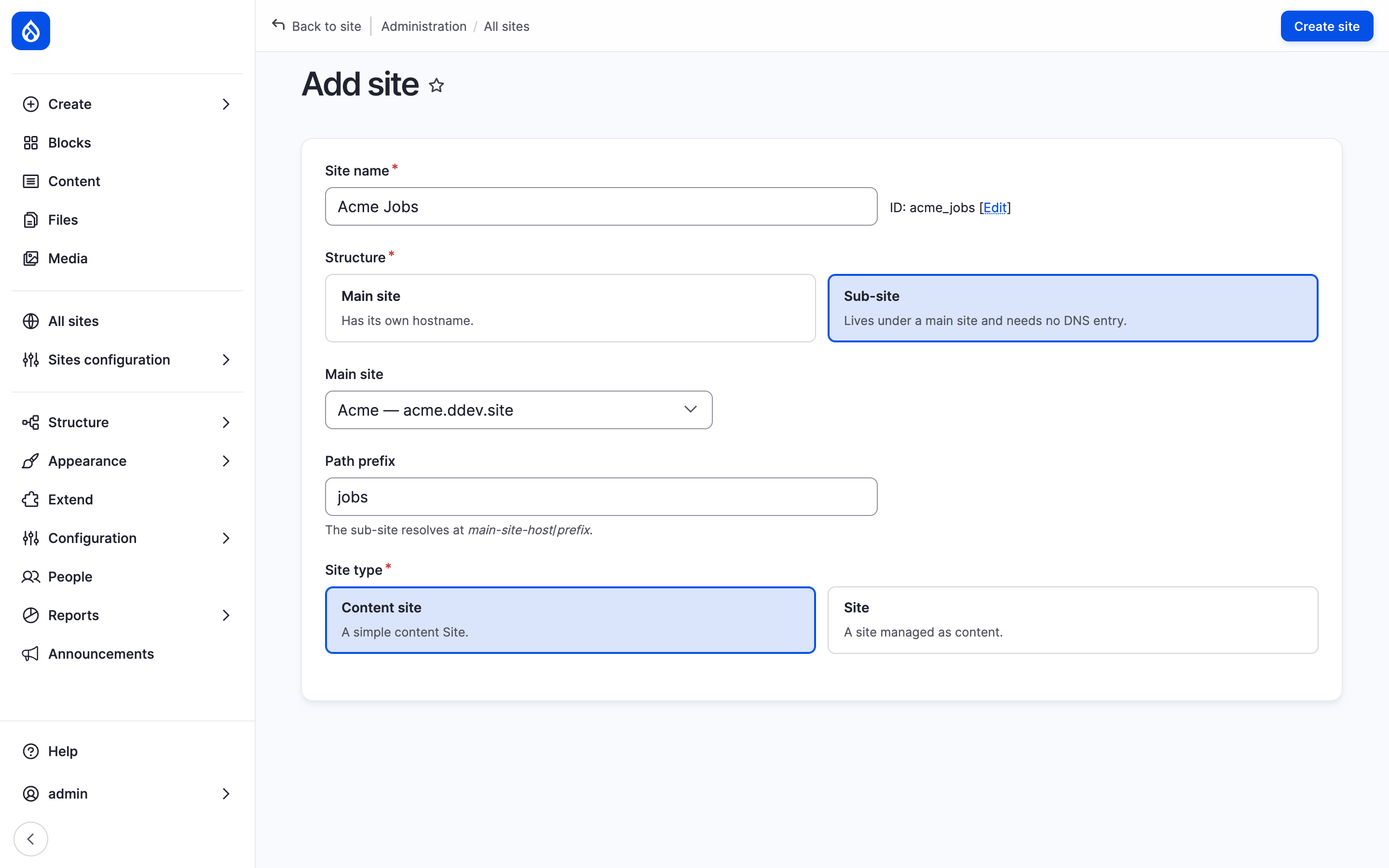
The Add site dialog for Hydrion FR as a sub-site of Hydrion.
Result
https://www.hydrion.example serves Hydrion, and
https://www.hydrion.example/fr serves Hydrion FR. Each site has its own
content, settings and people.
The site type keeps its defaults: its sites can hold content items, taxonomy terms, media, content blocks and users of every type, and offer no per-site roles. Next:
- Site types: choose what the type's sites hold, offer and set by default.
- Content on sites: put content on the sites.
- Launch a site: the rest of the launch checklist.
Last updated 2026-10-25