Content overrides
Set up overrides, so that a site can change shared content for itself, and decide which fields each site may change.
Needs Sites content overrides
Part of Sites content overrides.
An override is a site's own version of content whose origin site is another site, like Hydrion's version of the group's press release, titled "Hydrion pumps at the new Valtora test center". Only the fields the site may override differ; the others follow the original. Editors work with overrides as Adjust content for one site describes. Each override stores a full copy of the content as a revision, so the database grows with every site that overrides an item. Sites content overrides revisions adds a revision history per site.
Choose the entity types
- Open Content overrides at
/admin/sites/configuration/content-overrides(Sites configuration > Content authoring). It takes Administer sites configuration. - Under Overridable entity types, tick the types that may carry overrides. The list offers the types sites hold as content and composite types such as Paragraph.
- Choose how the override form shows fields a site may not change: Hide fields a site cannot override hides them; unchecked, the form shows them read-only, marked (same on all sites).
- Click Save configuration.
Removing a type deletes every override of that type.
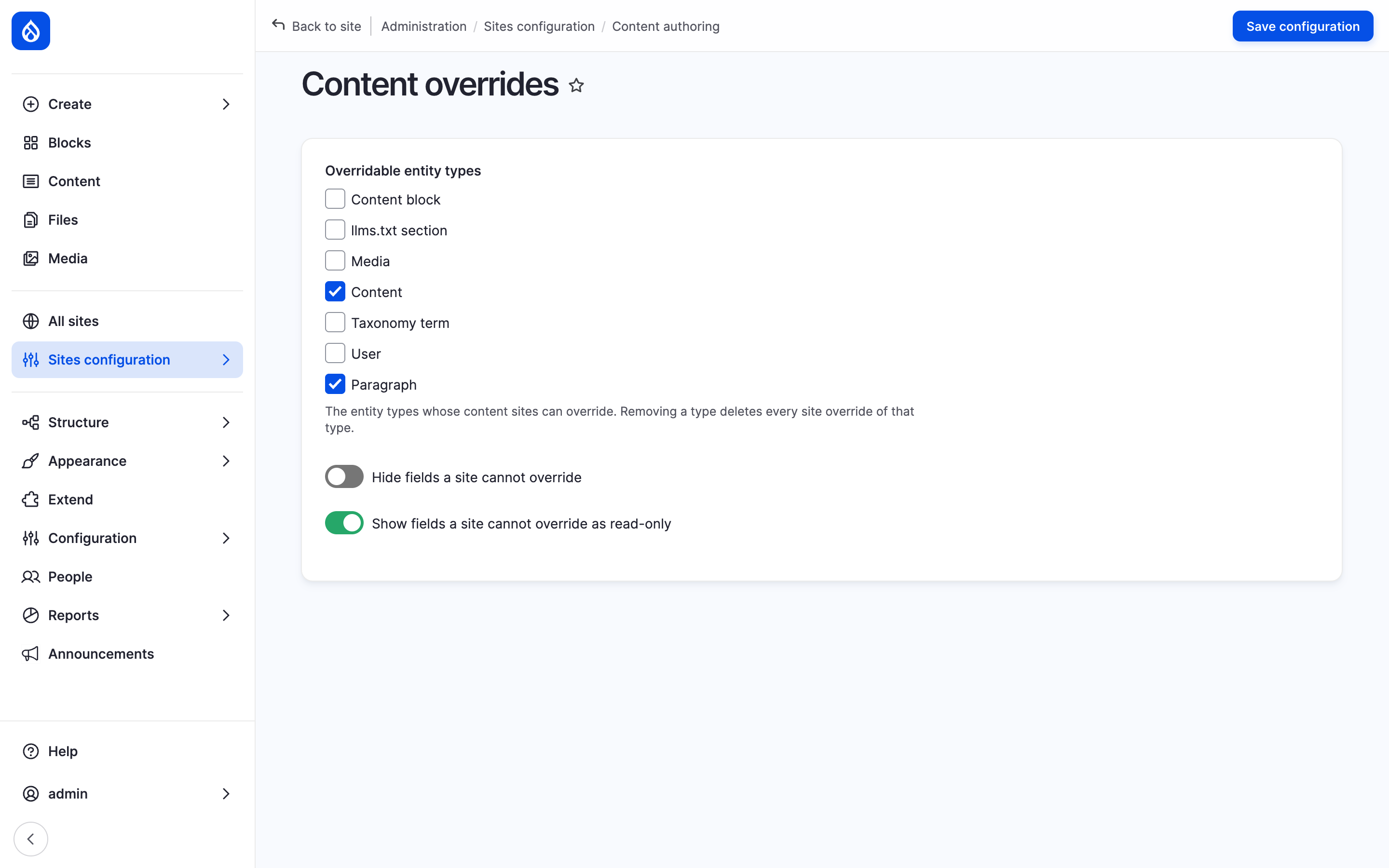
The Content overrides form with the overridable entity types and the two field display options.
Choose the overridable fields
A field is overridable on a site when either of these says so:
- Allow per-site overrides on the field's edit form: on every site.
- The site's Overridable fields section
(
/admin/sites/{site}/content-overrides, a card on the site dashboard): a checkbox per field the type's form edits, grouped by content type. A field marked overridable on its own settings shows ticked and locked. It takes Manage site settings.
The Overridable fields rows of a site type give its sites a default with the same checkboxes; clear Value per site there to keep sites from changing it. Valtora's site types free the title and the body: Hydrion UK changes the body of the X5 page for its delivery note, and the other fields follow Hydrion.
Stored, the choice is a comma-separated list per entity type, the shape a
tool or Drush sets: page.body frees the body of pages, a bare body frees
it on every content type that has the field. A stored name no field matches
is listed under Unknown fields, to be unticked on purpose.
With Sites content overrides Content Moderation, the moderation state of a content type under a workflow is a field like the others: tick Moderation state and the site's own version carries a state of its own, saved as a draft and published on its own. Without the tick the site's version follows the original: edited while the original has a draft, it is a draft too, the site keeps showing its current version, and publishing the original publishes the site's version with it.
With their submodules, two more parts of an item are overridable on every site without an entry:
- The layout, with Sites content overrides Layout Builder: where the content type's display of full content (Full content, or Default without one) uses Layout Builder with Allow each content item to have its layout customized.
- Behaviors, with Sites content overrides behaviors: each behavior ticked Overridable (Behaviors).
Paragraphs
A paragraphs field shows the same paragraphs in the same order on every site. A site overrides fields inside a paragraph, never the list.
- Tick Paragraph under Overridable entity types.
- Tick Allow per-site overrides on each paragraph field a site may change, or tick it under Paragraph: overridable fields in a site's Overridable fields (one group per paragraph type).
Behaviors
Each enabled behavior in the Behavior settings of a content type or paragraph type has an Overridable checkbox. A site overrides each ticked behavior on its own. The override form treats the other behaviors like the fields a site may not change, as step 3 of Choose the entity types sets.
Aspects
A site's URL alias (Sites Pathauto), menu link (Sites menu) and sitemap settings (Sites Simple XML Sitemap) for a content item are part of its override: edited on the override form and reverted with it. They need no setup.
The origin site
The origin site has no own version: its people edit the content itself, and
what they save is what every site follows. Overrides on the original in a
site's Content overrides section (/admin/sites/{site}/content-overrides)
changes that for one site. The site gets an own version of the content it is
the origin site of, with the same overridable fields; the other sites keep
following the original. Use it where the original's fields inherit to many
sites and only a few roles may change them: on such a site, saving the
original needs Edit the original on its origin site (or Administer
sites); anyone else saving there writes the site's own version. A change of
the origin site to such a site keeps its own version instead of taking it as
the original.
Permission
Override site content counts through a per-site role on that site, or through a platform role on the sites the user belongs to. Administer sites counts on every site. The account's roles on the site must also allow editing content of that type: a role that may not edit products gives its site no own version of a product either. Editing the original stays with the origin site. Edit the original on its origin site matters only on a site with Overrides on the original (The origin site).
A site's layout also takes one of Layout Builder's layout permissions. See Roles and permissions and the permission list.
Last updated 2026-11-02