Site settings
Change your site's name, look, search and tracking settings, also per language and per environment.
Before you start
- Manage site settings and Access the site dashboard on the site.
The sections
Each section is a card on the site's dashboard, shown where the site type lets the site change one of its settings.
| Section | What it sets |
|---|---|
| Site information | Site name, Slogan, Email address, the front page and the 403 and 404 pages |
| Appearance | Theme, Admin theme, Thumbnail, Logo, Favicon |
| Analytics | the site's Matomo and Google Tag ids, or Disable tracking on this site |
| Sitemap | per content type: Index, Priority, Change frequency, Include images |
| robots.txt | robots.txt for this site; left empty, the platform's file applies |
| Languages | the languages the site speaks and its default; Detection and selection |
| Inheritance | the site this site inherits from, Run by the main site's people, and the settings the site type inherits; for platform administrators |
| Cards in the Settings group | which content and roles the site takes, and further rules |
A site without a Thumbnail shows its theme's screenshot in the site list, the arrange table and on its dashboard.
Analytics, Sitemap, robots.txt and Languages exist where their module is installed (Add capabilities, Analytics). A sub-site uses its main site's sitemap and robots.txt. A platform administrator sets Password protection (Password protection).
The site's /llms.txt lists the llms.txt sections that belong to the site; you add them like other content (Share content between sites).
Change a section
- Open the section's card.
- Change the fields on the Edit tab, like Hydrion's Slogan, "Circulation and process pumps".
- Click Save configuration.
The fields show the values in effect. Saving stores only what differs from the value below.
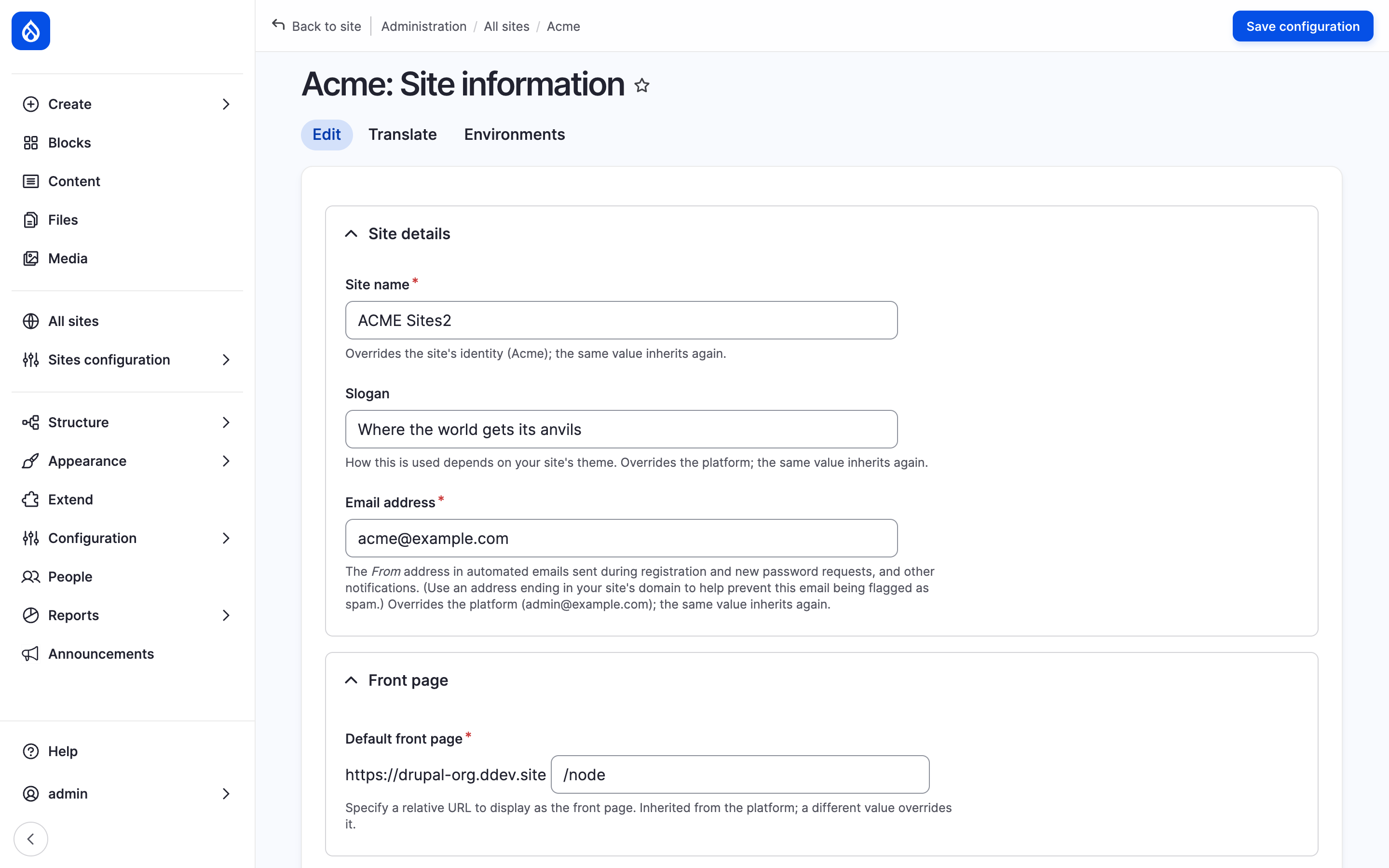
Hydrion's Site information section with its tabs; the hint under each field names the value below it.
Inherited values
A hint under each field names the source of its value:
- "Inherited from the site type; a different value overrides it."
- "Overrides the site type (…); the same value inherits again."
- "Inherited from Hydrion: Circulation and process pumps. A different value replaces it; the same value inherits again." on a site that inherits the setting from another site, like Hydrion UK's slogan.
- "Set by Hydrion: olivero." on a setting the site inherits without being allowed to replace it: the field is read-only.
Other sources are the platform, the source language and the default environment. Site name inherits the site's title ("Inherited from the site's identity"): the site carries its title as name, like Hydrion, until you enter another. A platform administrator changes the title.
Which settings a site inherits, and from which site, is the site type's and the platform administrator's decision (Setting layers); the site's Inheritance card lists the rules. A value fixed on the server wins over yours, while the form keeps showing yours.
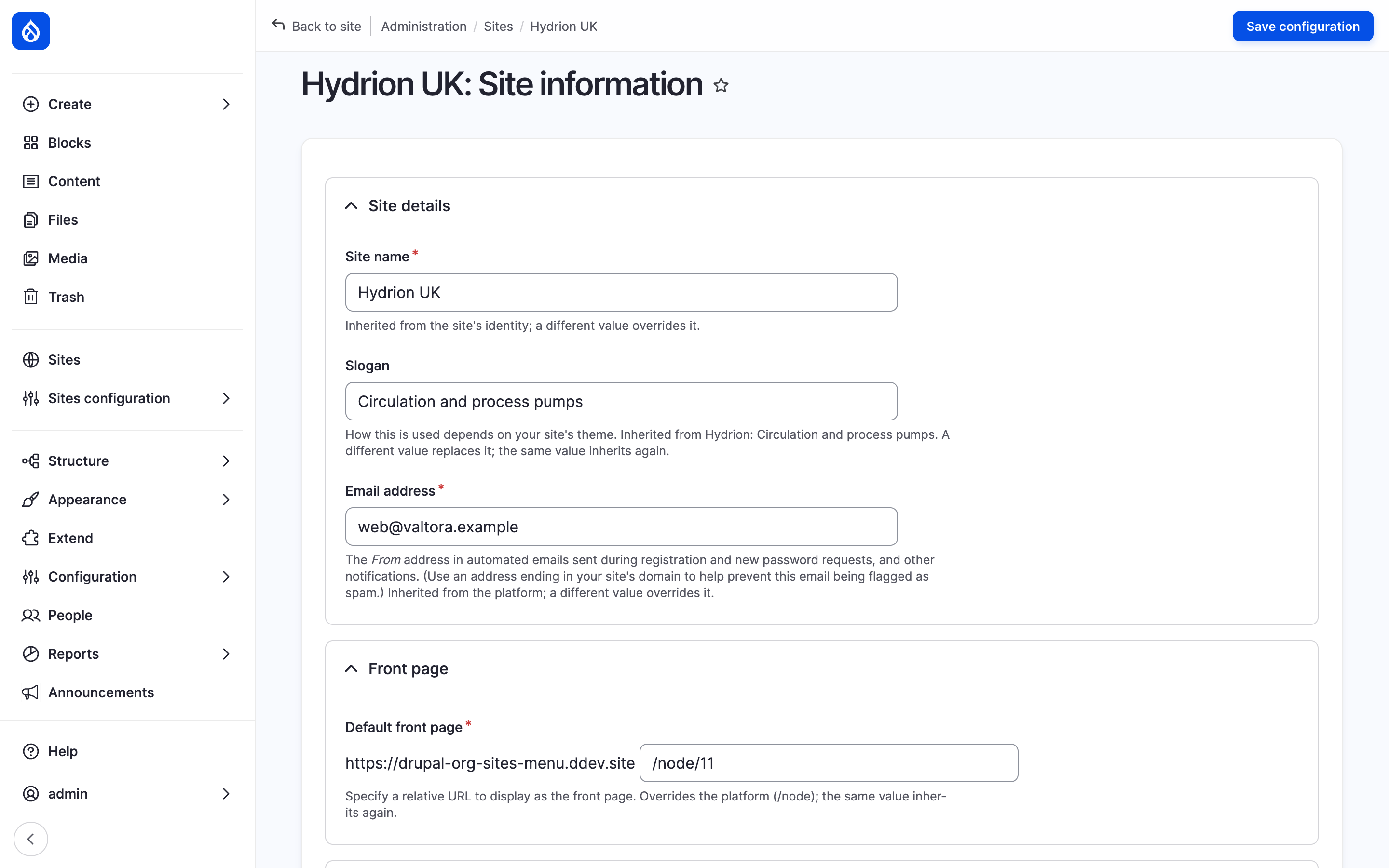
Hydrion UK inherits Hydrion's slogan and may enter its own.
Translate and Environments
- Translate lists the site's other languages, Translated or Not translated. Add or Edit opens the section in that language. It shows where the site speaks several languages and the site type makes a setting translatable.
- Environments lists the environments, like staging, Inherited or Overridden. Override or Edit opens the section for that environment, Translate its translations there. It shows where the site type lets a setting differ per environment.
Last updated 2026-10-16