Preview
See any page of your site the way its visitors will, from the hub, and share review links for each site.
Needs Sites preview
Part of Sites preview.
A preview renders a page with the site's theme, blocks, menus, settings and URL aliases, at an address on the hub: /preview/hydrion is the front page of the site with the ID hydrion, /preview/hydrion/contact its page /contact.
Before you start
- You are a member of the site or hold a role on it.
A disabled site opens in the preview to its own people as well, so you check a new site, like Velmora, before it goes live. Its address stays closed until the site is enabled.
Open a preview
- Open content on the hub: it opens in the preview of its origin site.
- In the content overview, the Sites column links each site's name to the content's preview there.
- Enter
/preview/followed by the site's ID, which the Site panel of the dashboard shows. - The hub's front page opens the preview of one of your sites.
While you preview
- The top bar shows Preview: and the site's name, with an eye. Where the page belongs to other sites you may preview, it is a list: choose a site to see the same page there. The group's press release, for example, switches from Hydrion to Valtora or Torqline.
- Open live site in the sidebar opens the page on the site's own address, in a new tab.
- Links to editing and administration lead back to the hub. Links within the site stay in the preview.
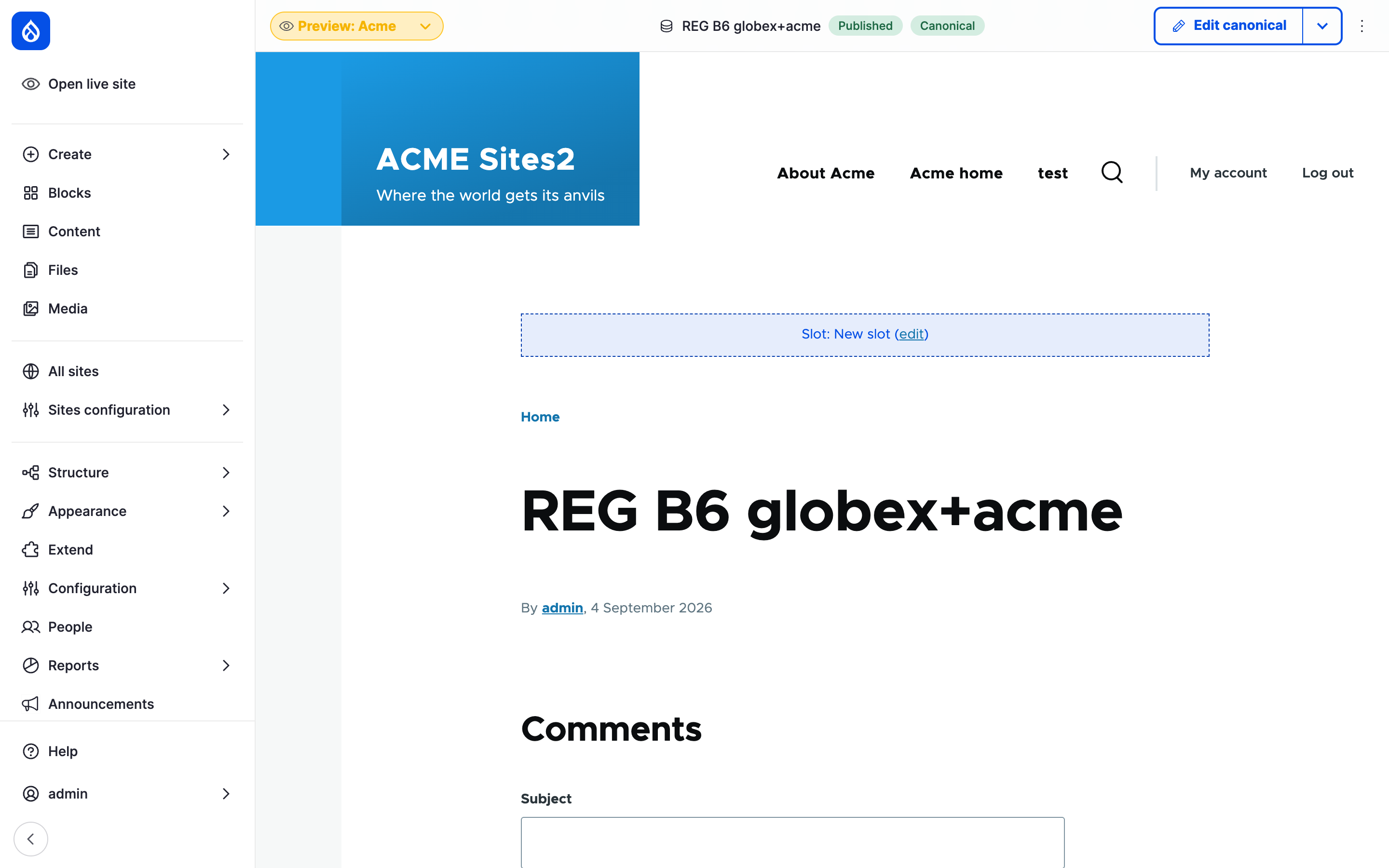
Hydrion's preview of the group's press release; the list in the top bar switches to the other sites that show it.
Share a preview link per site
Needs Sites Preview Link
Part of Sites Preview Link.
A preview link shows the latest version of content to anyone who has the link, without an account, until it expires.
Before you start
- Generate preview links.
- A platform administrator has enabled preview links for the content type.
Steps
- On the content, click the Preview Link tab.
- Under Preview links for the sites you manage:, copy the link of the site under review. Each link carries that site's address.
Expiry: shows how long the links still work. Reset lifetime starts that time again. Save and regenerate preview link replaces the links of every site at once; the old ones stop working.
Content on none of the sites you manage gets no link.
Last updated 2026-10-24