Creating a User Account
Goal
Create Vendor user accounts for Sweet Honey and Happy Farm vendors.
Prerequisite knowledge
Site prerequisites
The Vendor role must exist on your site. See Creating a Role.
Steps
- In the Manage administrative menu, navigate to People (admin/people).
- Click Add user.
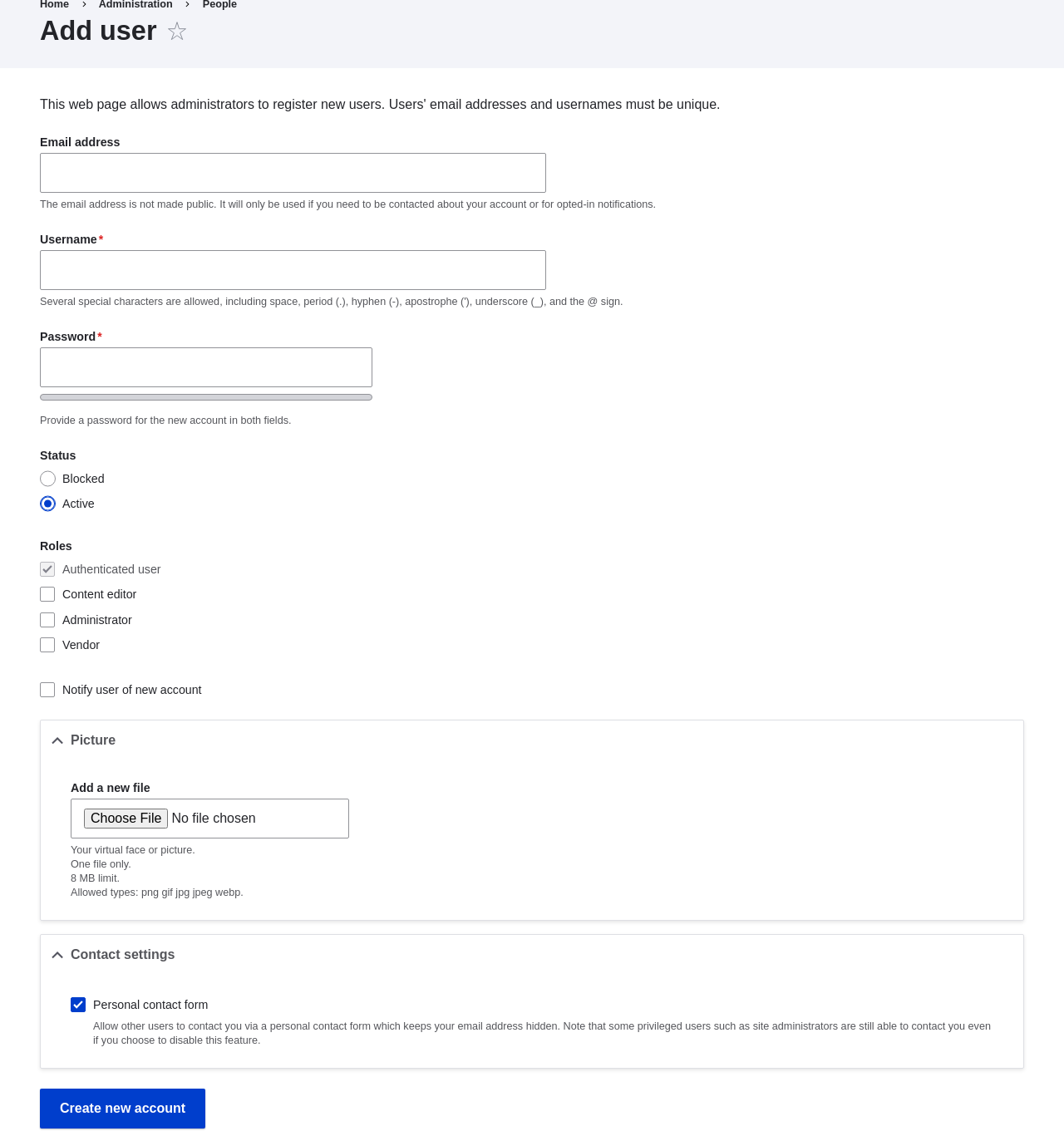
- Fill in the form fields. See the table below.
Field name Explanation Example value Email address A valid email address for the vendor. All emails from the system will be sent to this address. The email address is not made public. honey@example.com Username A username for the vendor that they will use to sign in or author content items. Spaces are allowed; punctuation is not allowed except for periods, hyphens, apostrophes, and underscores. Sweet Honey Password A password the vendor will use to sign in to the site. You can see how safe the password is on the Password strength gauge. You also get tips on how to make it safer. (Make a secure password) Confirm password Type the same password to avoid any typing mistakes. (Repeat password) Status Set the status of the user account. Blocked users will not be able to sign in. Active Roles Set the role of the user account. Vendor Notify user of new account Whether or not to send a notification to the vendor's email address. Checked Picture Click Browse and select a picture to upload. Pay attention to size restrictions. Photo of the vendor Contact settings Enable or disable the display of a contact form for the account. Checked - Click Create new account. You will get a notification about the user account
creation.

- Create a second Vendor account for Happy Farm by following the steps above.
Expand your understanding
Create a user account for yourself.
Videos
Attributions
Written by Diána Lakatos at Pronovix.