Creating a Role
Goal
Create a Vendor role to allow some - but not all - users to perform specific tasks.
Prerequisite knowledge
Concept: Users, Roles, and Permissions
Steps
- In the Manage administrative menu, navigate to People > Roles (admin/people/roles).
- You will find default roles Anonymous user,
Authenticated user, and Administrator already present.
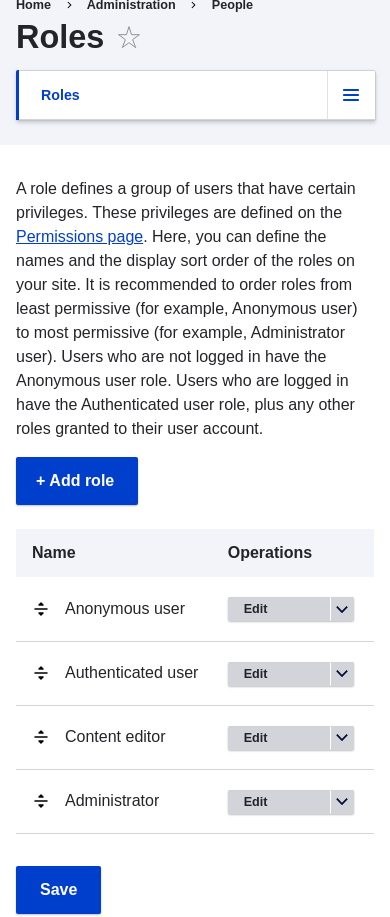
- Click Add Role to add a custom role.
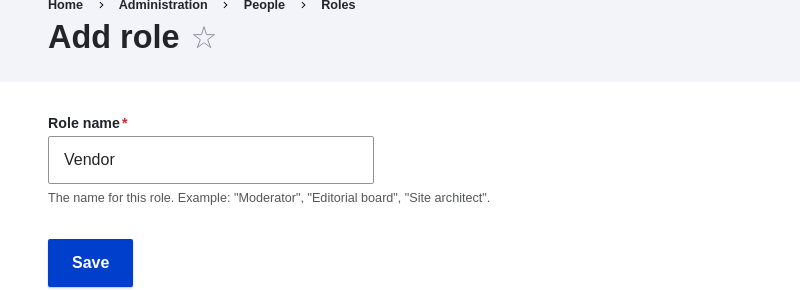
- Type Vendor in the Role name field. Click Save.
- You will see the message "Role Vendor has been added." displayed at the top
of the page.

Expand your understanding
Videos
Additional resources
Drupal.org community documentation page "User Roles"
Attributions
Adapted and edited by Jack Probst, Boris Doesborg, and Joe Shindelar from "User Roles", copyright 2000-2026 by the individual contributors to the Drupal Community Documentation