Creating a Content Item
Goal
Create and publish a content item that will be used as the home page of the site.
Prerequisite knowledge
Site prerequisites
The Basic page content type must exist. This is created on your site when you install with the core Standard installation profile.
Steps
- In the Manage administrative menu, navigate to Content > Add content > Basic page (node/add/page). The Create Basic page form appears.
- Click Edit summary.
-
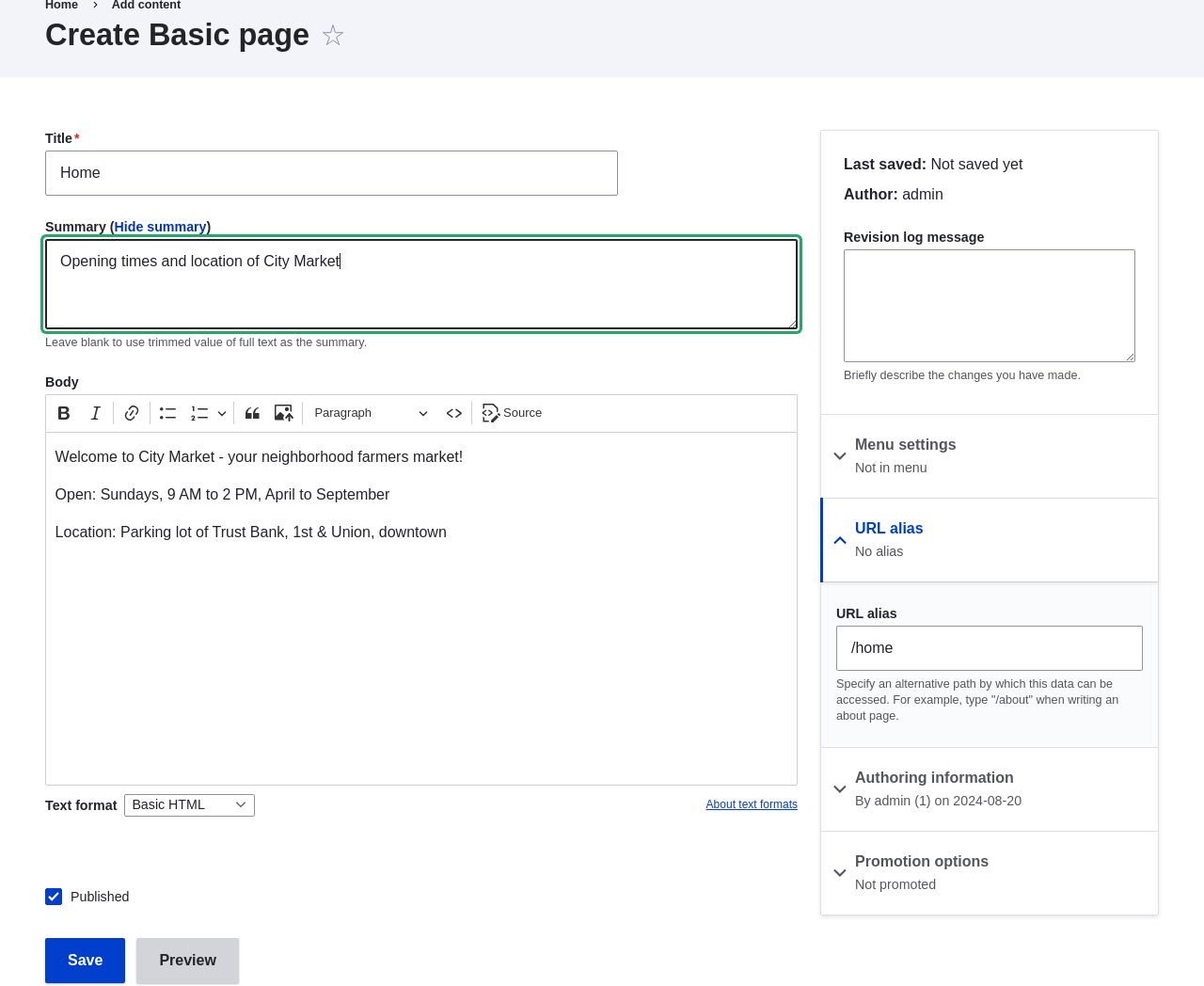
Fill in the fields as shown below.
Field name Explanation Value Title Title of the page. Will also be used as a meta tag in the source code, URL alias, and as label of the content item in administration screens Home Summary Summary of the value of the body field. Can be used as teaser Body Full content of the page Welcome to City Market - your neighborhood Published Whether the content is published for public view or not Checked URL alias > URL alias Alternate relative path for the content /home By clicking the Source button in the rich text editor toolbar, you can see the HTML source code of the text that you are editing.
-
Click Preview to ensure everything looks like expected.
- Click Back to content editing.
- Click Save. The content is saved and can be found on the Content page.
- Follow the same steps to create an About page, with title "About", and a body telling about the history of the farmer's market.
Expand your understanding
Related concepts
- Concept: User Interface, Configuration, and Content translation
- Concept: Paths, Aliases, and URLs
- Editing a Content Item
Videos
Additional resources
Drupal.org community documentation page "About nodes"
Attributions
Written by Agnes Kiss and Boris Doesborg.