Setting Up a Taxonomy
Goal
Create an Ingredients vocabulary and add it to the Recipe content type as a field that can contain an unlimited number of values and that allows adding new terms to the vocabulary.
Prerequisite knowledge
Site prerequisites
The Recipe content type must exist. See Adding a Content Type.
Steps
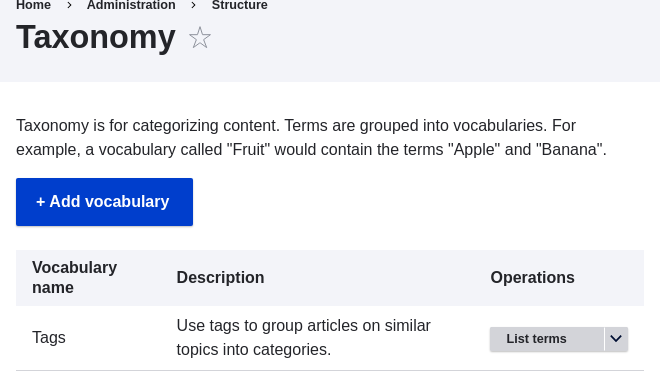
- In the Manage administrative menu, navigate to Structure > Taxonomy
(admin/structure/taxonomy). You will see the Tags vocabulary that was
created with the core Standard installation profile. (Note that the name and
description of this vocabulary are shown in English on this page; see
Concept: User Interface, Configuration, and Content translation for an explanation.)
-
Click Add vocabulary, and fill in the values below.
Field name Explanation Example value Name The name of the vocabulary Ingredients Description A brief note about the vocabulary (Leave blank) 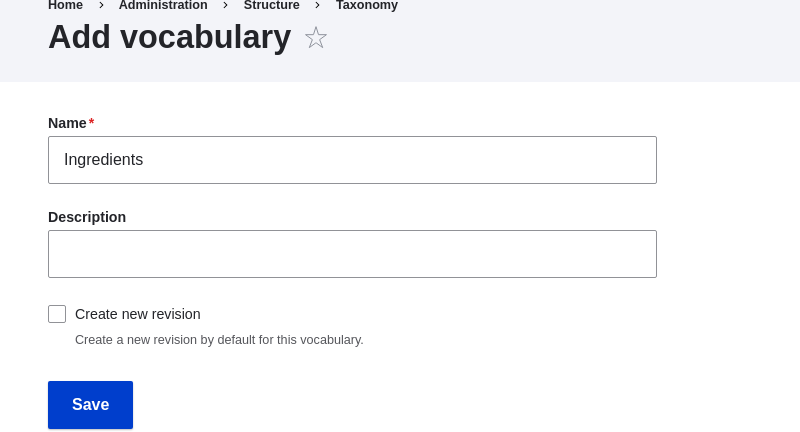
-
Click Save. You will be taken to the Ingredients page, which shows a list of all the terms in this vocabulary.
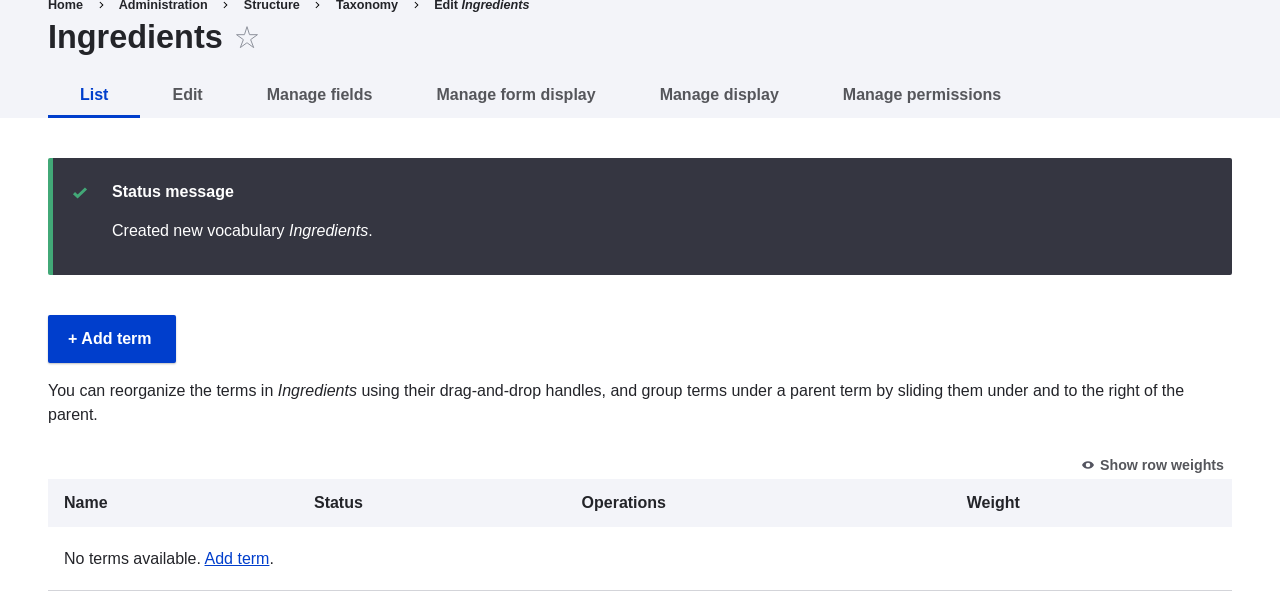
- Click Add term. Enter "Butter" in the Name field. Click Save.
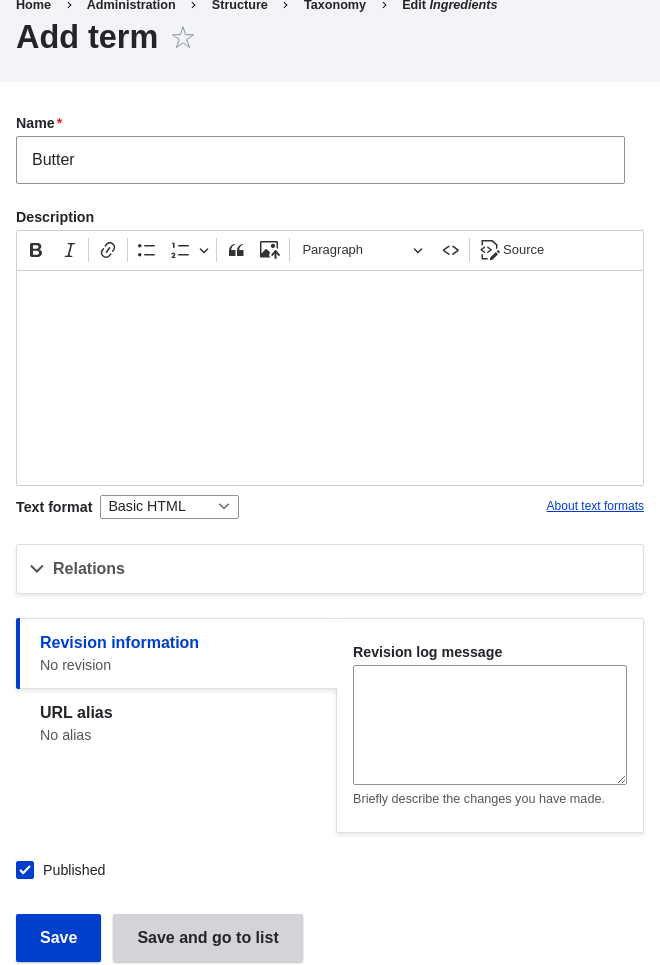
- You will receive a confirmation about the term you created. Add more terms. For example, "Eggs" and "Milk".
- In the Manage administrative menu, navigate to Structure > Content Types (admin/structure/types). Click Manage fields for your Recipe content type.
- Click Create a new field. The Add field page appears. Choose the Reference field type from the Choose a field type options. Click Continue. The Add field page appears with a form to configure the field.
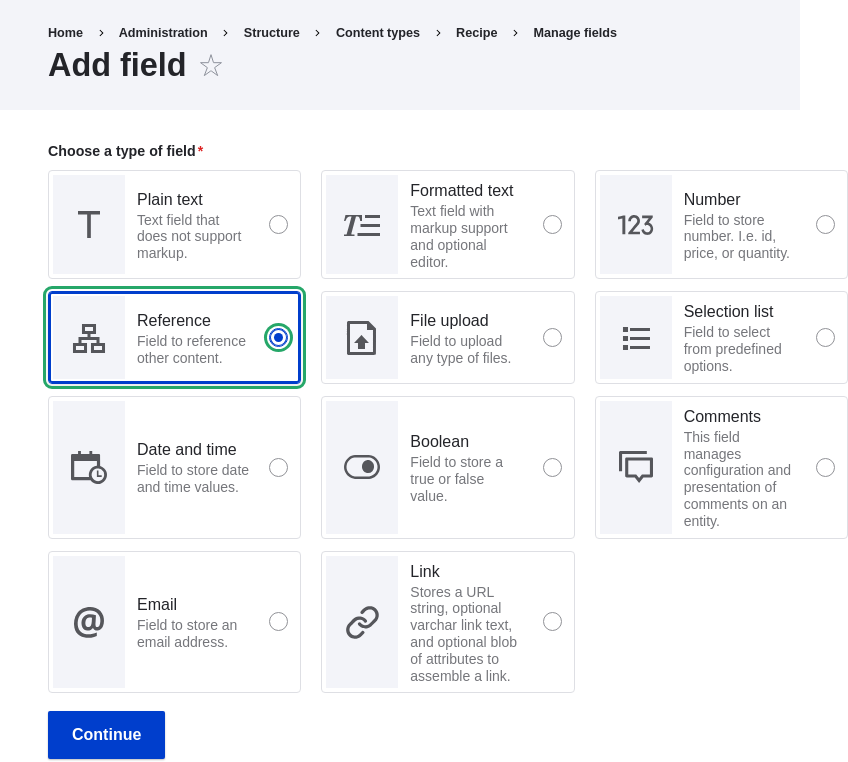
-
Enter values from the table below. Click Continue.
Field name Explanation Value Label The title to give the field Ingredients Choose an option below: Type of content to reference Taxonomy term 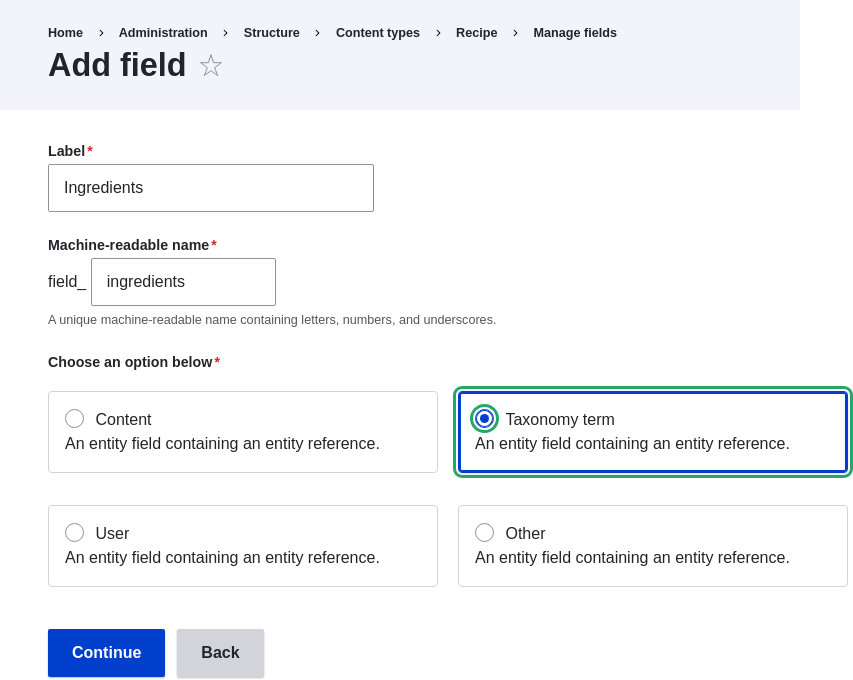
-
On the following configuration screen, enter the values from the table below. Click Save settings.
Field name Explanation Value Help text Help shown to users creating content Enter ingredients that site visitors might want to search for Type of item to reference The type of entity that is referenced by the field Taxonomy term Allowed number of values The number of values a user can enter Unlimited Reference type > Reference method Select the method used to choose allowed values Default Reference type > Vocabulary Select the vocabulary to choose allowed values from Ingredients Reference type > Create referenced entities if they don't already exist Whether new ingredient terms can be created from the content editing form Checked 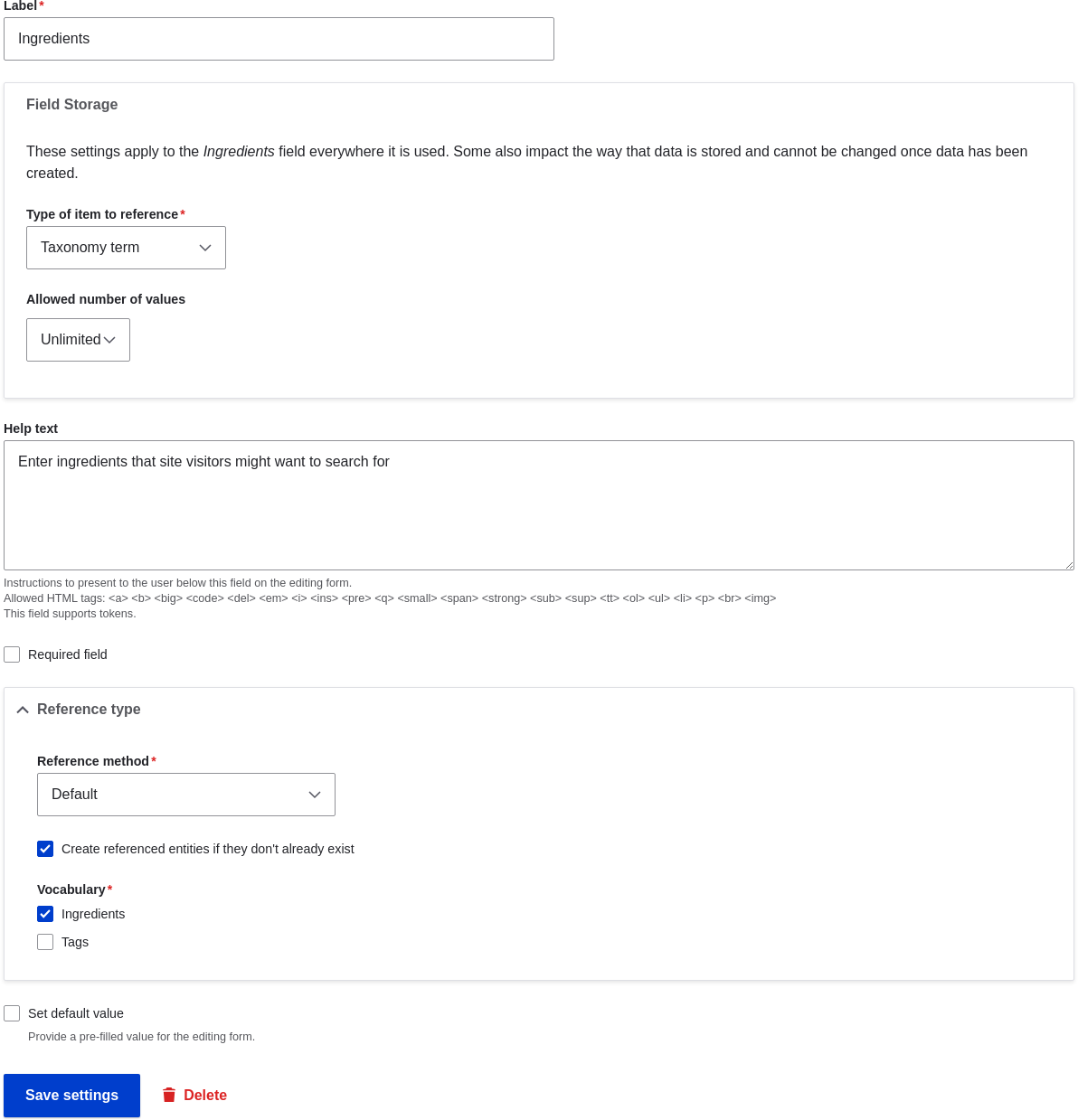
-
Click Save settings. You will be taken back to the Manage Fields page. A message will be displayed saying that the configuration for Ingredients is complete.
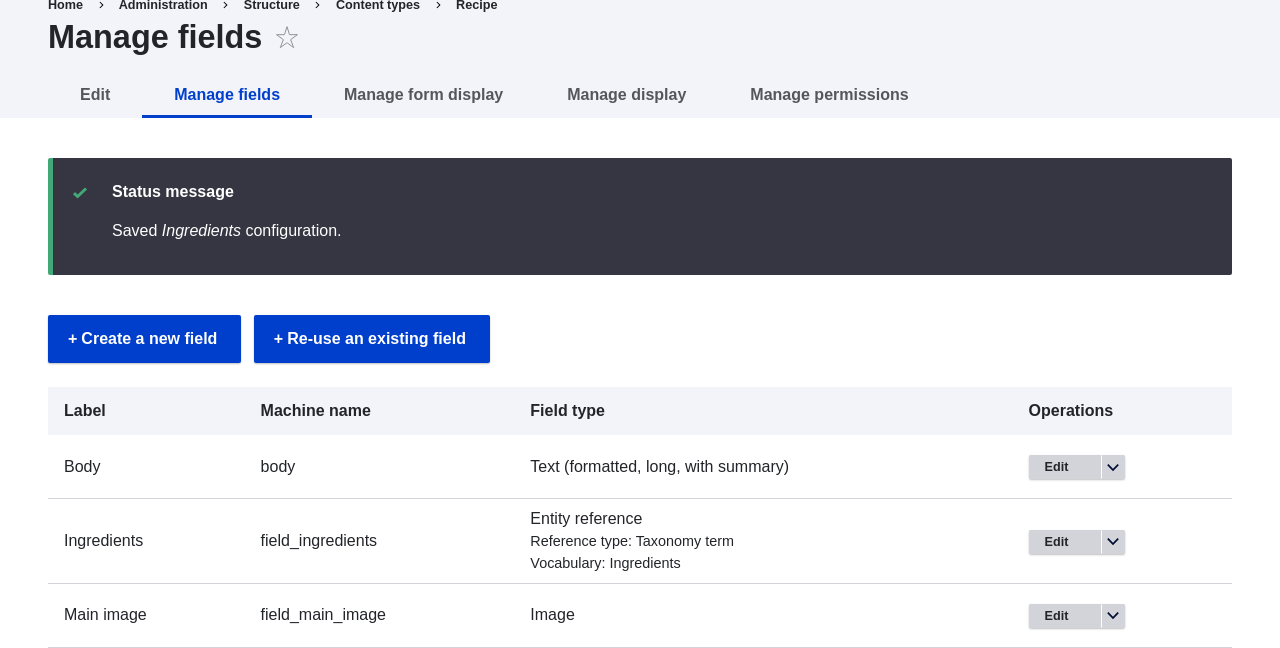
Videos
Attributions
Written and edited by Bob Snodgrass, and Jojy Alphonso at Red Crackle.