Creating A Custom Block
Goal
Create a block showing the hours and location of the farmers market.
Prerequisite knowledge
Steps
- In the Manage administrative menu, navigate to Content_ > Blocks (admin/content/block).
- Click Add content block. The Add content block page appears.
-
Fill in the fields as shown below.
Field name Explanation Example value Block description Name of the block shown to administrators Hours and location block Body Content of the block when it is displayed Open: Sundays, 9 AM to 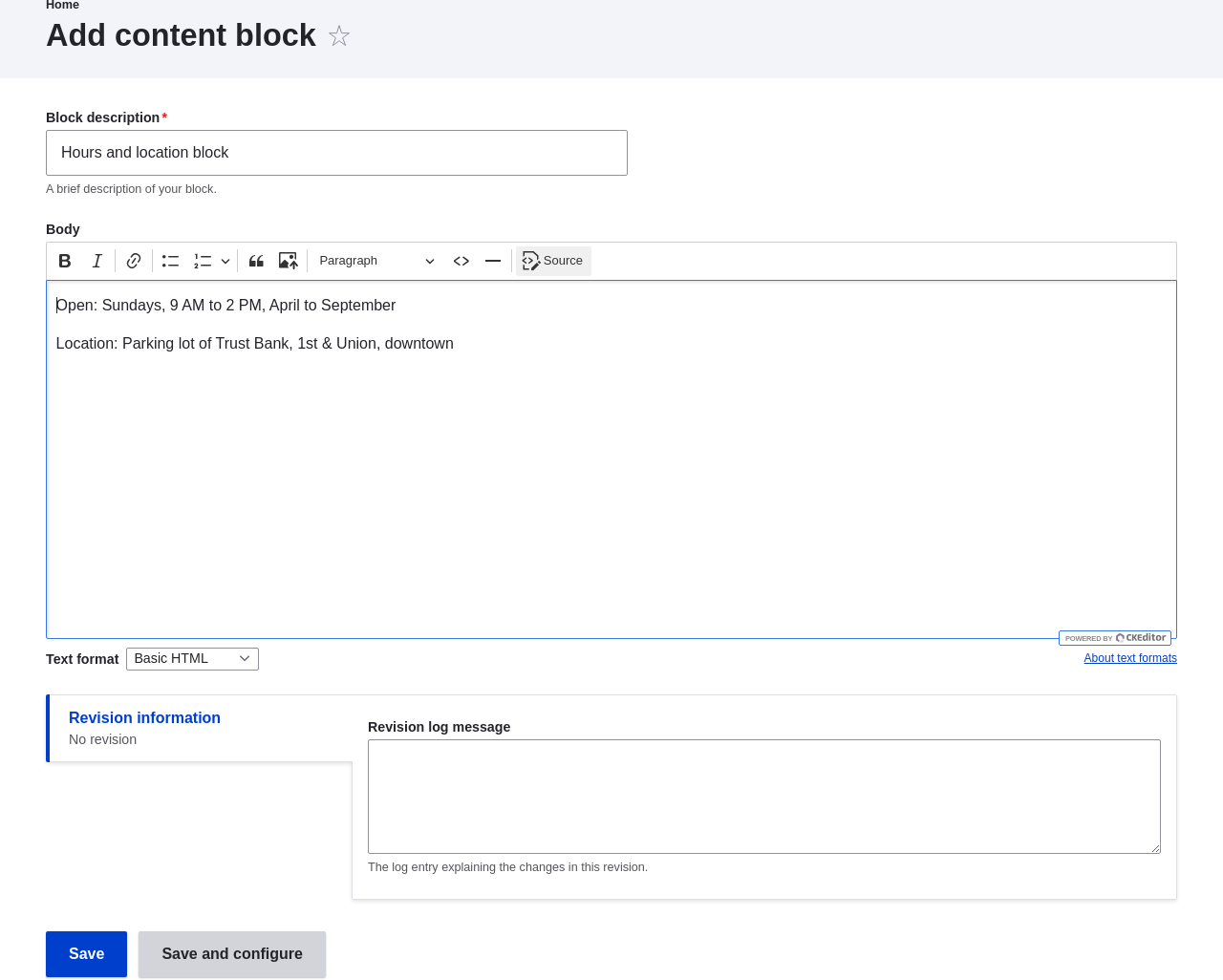
-
Click Save. A message appears indicating the block has been saved.
Expand your understanding
- Edit the content of your custom block. In the Manage administrative menu, navigate to Content > Blocks (admin/content/block). Find your block in the list and click Edit to make changes.
- Place the block you created in the sidebar. See Placing a Block in a Region for details.
Videos
Additional resources
Drupal.org community documentation page "Managing blocks"
Attributions
Adapted by Jacob Redding and Boris Doesborg from Managing blocks, copyright 2000-2026 by the individual contributors to the Drupal Community Documentation.