
Layouts per Manage display
What it does
Every bundle and view mode of content, taxonomy terms, users and media has a display: the page Manage display that lists the fields and their formats. With Frame, the display can be a layout instead: you design it in the Frame editor, like a page, and Drupal shows it wherever an entity is shown in that view mode:
- the page of a node, a term, a user or a media item;
- a teaser in a list: a view with the row style Content and a view mode, search results;
- the pages an entity reference field refers to, with the format Rendered entity and a view mode.
Nothing else is needed on the field or the view: they ask Drupal to show the entity in a view mode, and the display of that view mode decides how it looks.
Choose the layout
On Manage display of a bundle and view mode (for example Structure > Content types > Recipe > Manage display > Teaser) there is a box Layout:
- Standard fields: the fields and formats listed on the page, as always;
- Frame: a layout of components. The table of fields is hidden. The button Edit in Frame saves the choice and opens the editor on the display.
The fields and formats stay stored in the display. Choose Standard fields again and they are back; the layout is kept too, for the next time.
This works for content, taxonomy terms, users and media. A view mode that has no display of its own uses the default display: when that is a layout, so is the view mode.
In the editor
The editor is the same as for a page. Its address is /admin/structure/frame/display/<display id> (for example node.recipe.teaser).
- The Field blocks are the fields of the bundle (the title, the image, any field). A Field block shows the field of the entity that is being shown, not those of the page around it. Tokens such as
[node:title]read that entity too. - In the editor there is no entity being shown. A Field block shows the value of the latest published content of the bundle (the Recipe display shows the newest recipe). Where there is no content, or the field is empty on it, it shows an example made from Drupal's own sample values of the field (the same ones
devel_generateuses), through the real formatter, with its label: three examples for a field with many values, a grey image for an image. There is no Example field in the editor of a display: a display keeps no example data, and a layout that has one does not show it. Saving a display drops it. See what a Field block shows without a page. The labels are the ones of the bundle.
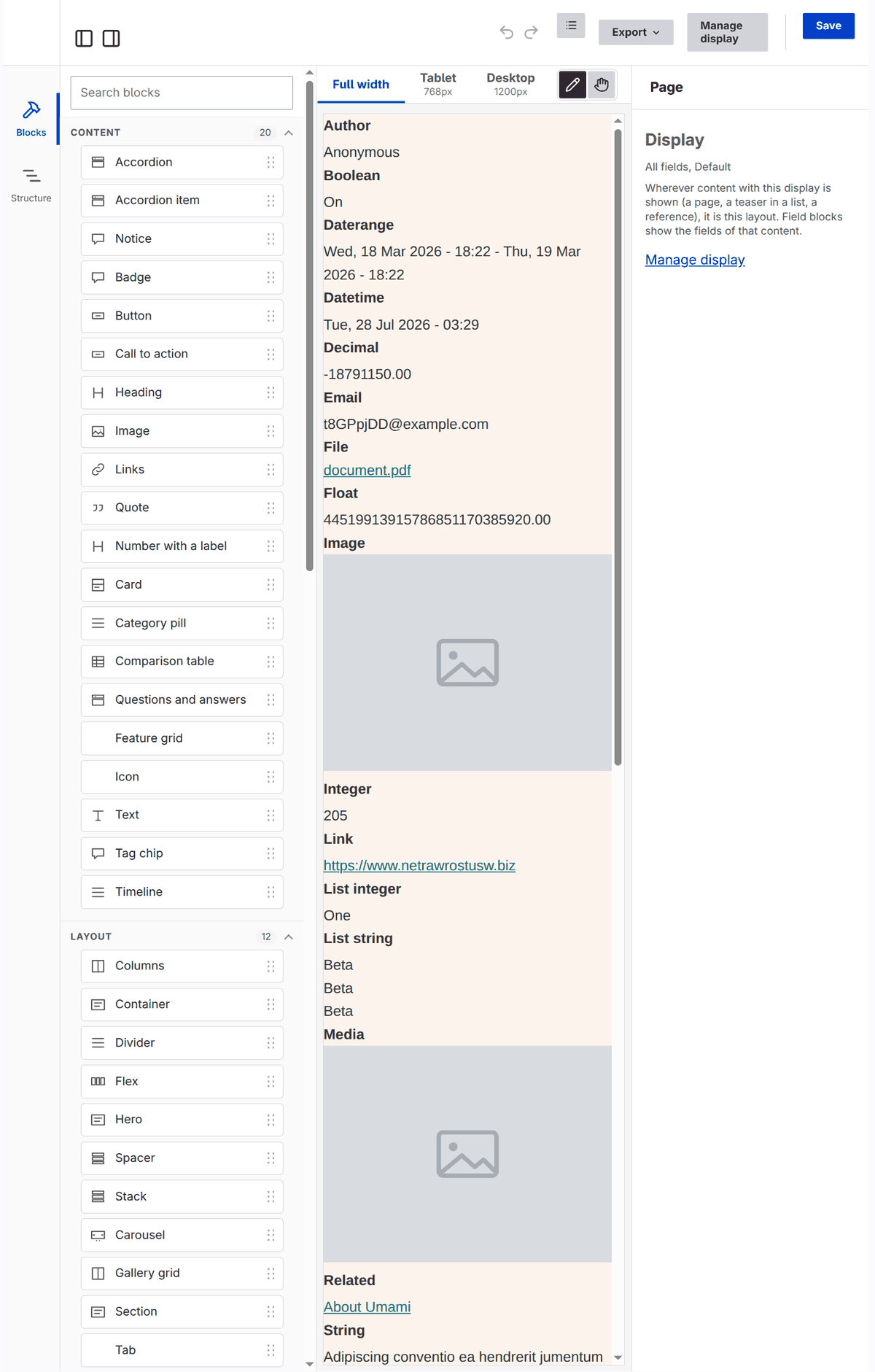
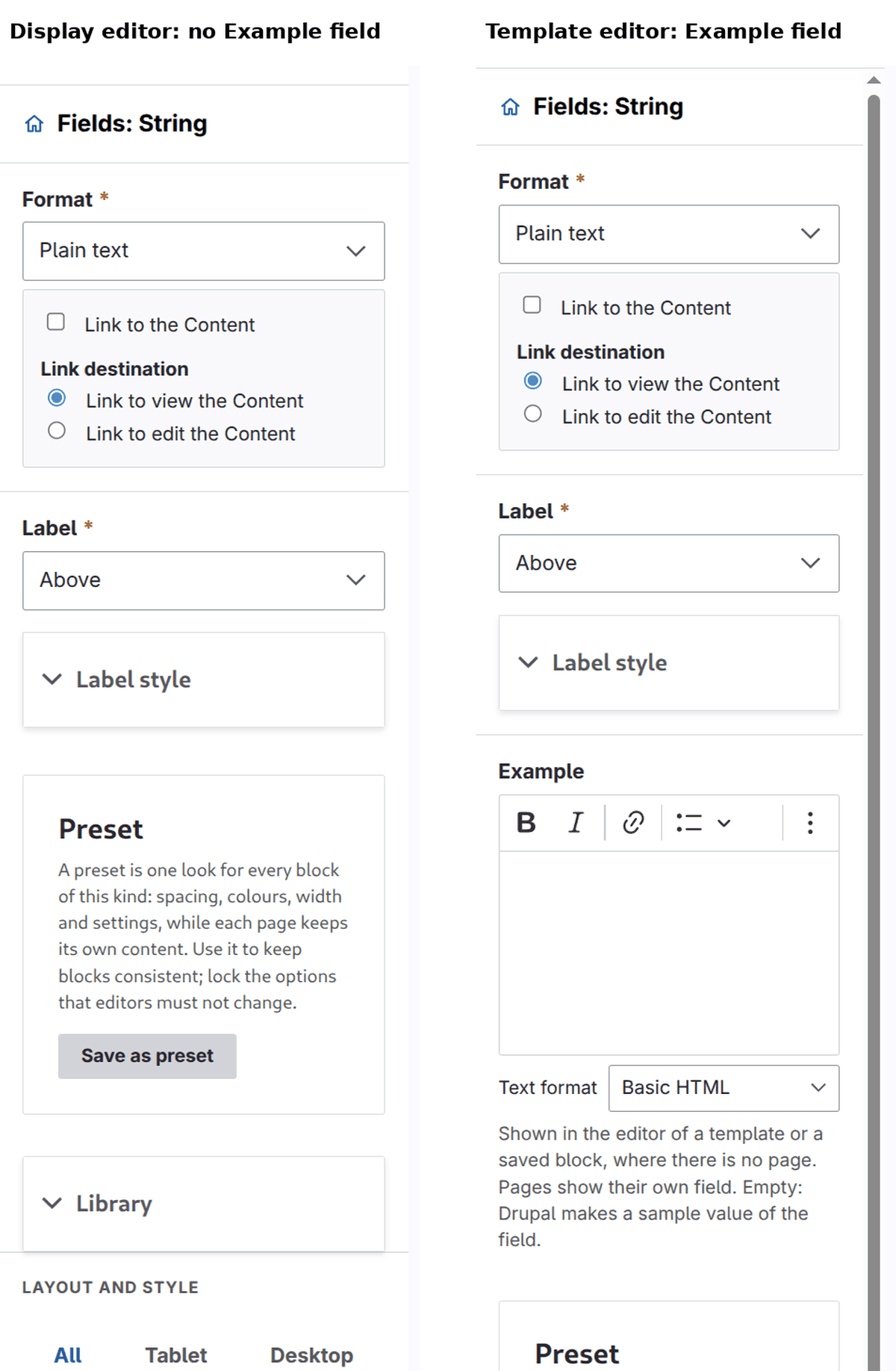
- For a field that refers to other content, choose the format Rendered entity and a view mode in the settings of the block (the gear): the referenced entities are shown with the display of that view mode.
- When nothing is selected, the right column says which display it is and links back to Manage display.
- The top bar has no Export, Import or Template buttons: none of them applies to a display.

- Save writes the display. Unsaved changes are kept per user, as drafts, until saved or discarded.
Who may use it: the permission Administer display of the entity type (for example Content: Administer display), the same that opens Manage display; and a place in the editor (see Build).
A page with a layout of its own
A node can have its own layout, built on its page. In the view mode Full content (the page of the node) that layout wins: a node that has one shows it, and the display is not used for it. A node without a layout of its own shows the display. In every other view mode (a teaser, a card) the display is used, whatever the page has.
Where it is stored
The layout is stored with the display, which is configuration: the third party settings of frame_editor on core.entity_view_display.<type>.<bundle>.<mode> (enabled, and layout, the document of the editor as JSON, in the same format as the layout of a page). It follows the configuration of the site: export, import and deploy it with the rest. There are no revisions, only the configuration itself. The layout is the same for every language; texts that come from fields are in the language of the entity.
Good to know
- Cache. The output has the cache tags of the display and of the entity, the content language, and whatever the blocks in the layout add. Saving the display changes every place that shows it. The output of a display with a layout is cached apart from the output of its fields.
- A layout inside a layout. A layout can show an entity reference field with a view mode that is a layout too. A display is never shown inside itself for the same entity, and layouts stop at a depth of 3: what is deeper shows the fields instead and is not cached.
- Access. An entity the user may not view is left out by the field or view that lists it, as for any display.
- Without Frame's theme. A display is a layout only while the default theme is Frame or based on it; otherwise the fields are shown.
- Library. The usage lists of the library and of Entity Usage do not count displays: a block of the library or a preset used in a display layout is not listed as used there.
- Entity types. Content, taxonomy terms, users and media. The settings of a field's format (the gear) are offered for the fields of these types.