Features
The Installation pages tell a site builder how to switch Media Directories on and configure it. This section is for the people who use it every day — it walks through what the Vue.js media browser can actually do and how editors get things done with it.
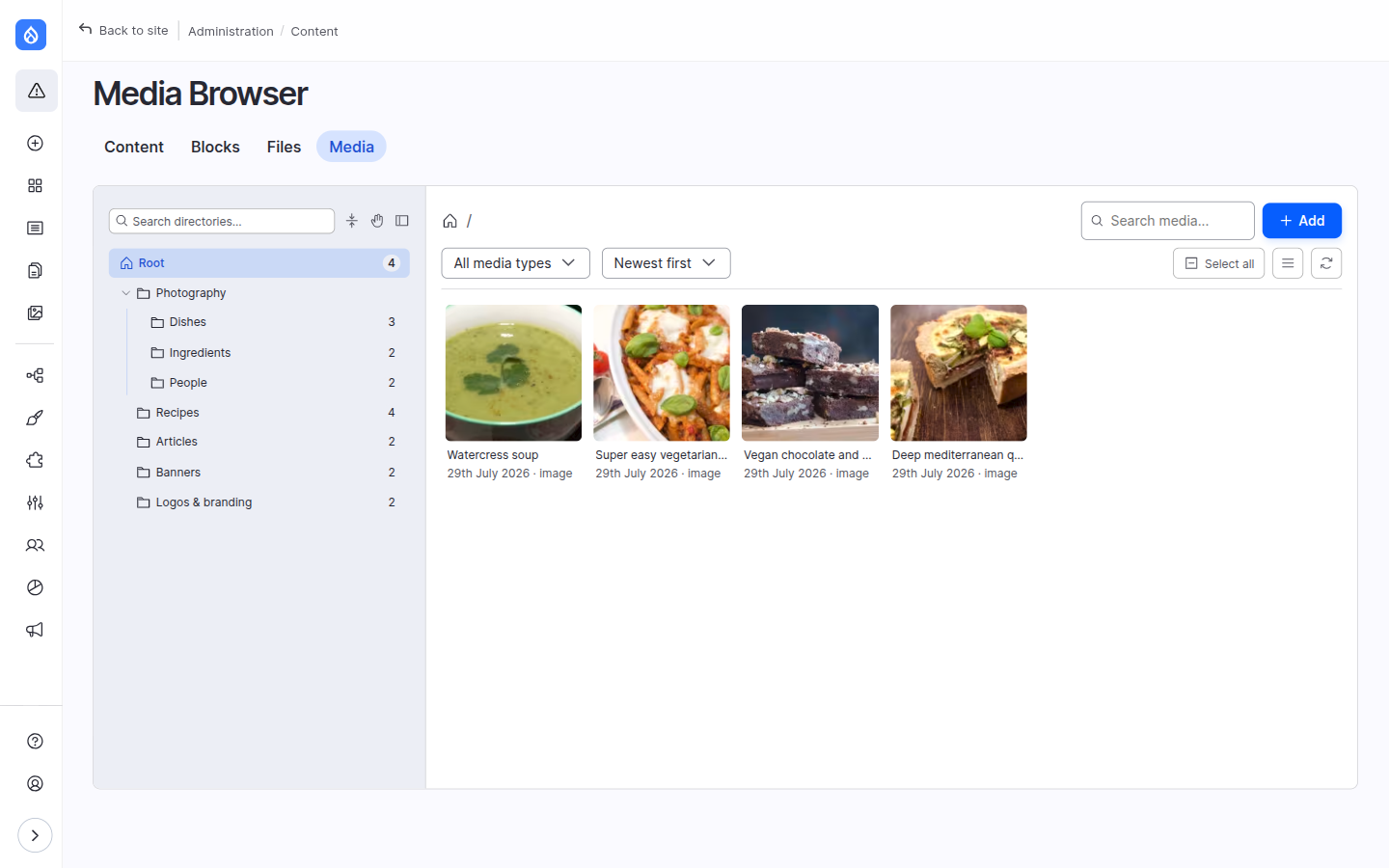
What the browser is for
Media Directories gives your Media library a folder structure and wraps it in a fast, keyboard-friendly browser. Editors organise media into directories, find it by browsing or searching, upload and edit it in place, and drop it into content — all from one screen, without bouncing between the Media library, the file system and the node form.
Feature map
| Area | What you can do |
|---|---|
| The browser interface | Get around: directory tree, grid/list views, toolbar, preview drawer, remembered state, themes. |
| Organising media in folders | Create, rename, move, delete and reorder directories; drag media between them. |
| Finding & previewing media | Search, filter and sort; multi-select; the selection and preview drawers. |
| Uploading media | Drag-and-drop upload, combined auto-routing drop zone, remote video, upload straight into a folder. |
| Editing media | Quick-edit modal, alt text, focal point, "open full form", the Directory field. |
| Bulk actions | Edit many items at once and autofill a field value across a whole selection. |
| Translations & AI assistance | Per-language editing in the modals; AI alt text and AI translation. |
| Using media in content | The field widget, the CKEditor embed flow, display options, file links and the Drupal Canvas page builder. |
| Keyboard & accessibility | Every shortcut, plus the accessible alternatives to drag-and-drop. |
Where features appear
The same browser is reused in three places, so a few actions are hidden where they wouldn't make sense. This matrix shows where each surfaces:
| Feature | Standalone page | Field widget | CKEditor |
|---|---|---|---|
| Browse, search, filter, sort | ✅ | ✅ | ✅ |
| Upload | ✅ | ✅ | ✅ |
| Edit / bulk edit | ✅ | ✅ | ✅ |
| Delete media | ✅ | — | — |
| Selection drawer | ✅ | ✅ | ✅ |
| Preview drawer | ✅ | opt-in | opt-in |
| Fullscreen / floating-add layouts | ✅ | — | — |
| Confirm / insert | (no confirm — you're already there) | Add / Replace | Insert Media |
The standalone page is at /admin/content/media-browser.
Some features are switched on by an administrator
Several capabilities below — the selection drawer, preview-in-modals, bulk actions, combined upload, directory counts, translations, embedded image styles and the AI helpers — are configuration-gated. Each feature page carries an Availability box telling you which setting turns it on (and links to the Browser settings) so you can check what's enabled on your site. The screenshots in this section were taken with those options on.