Media Directories
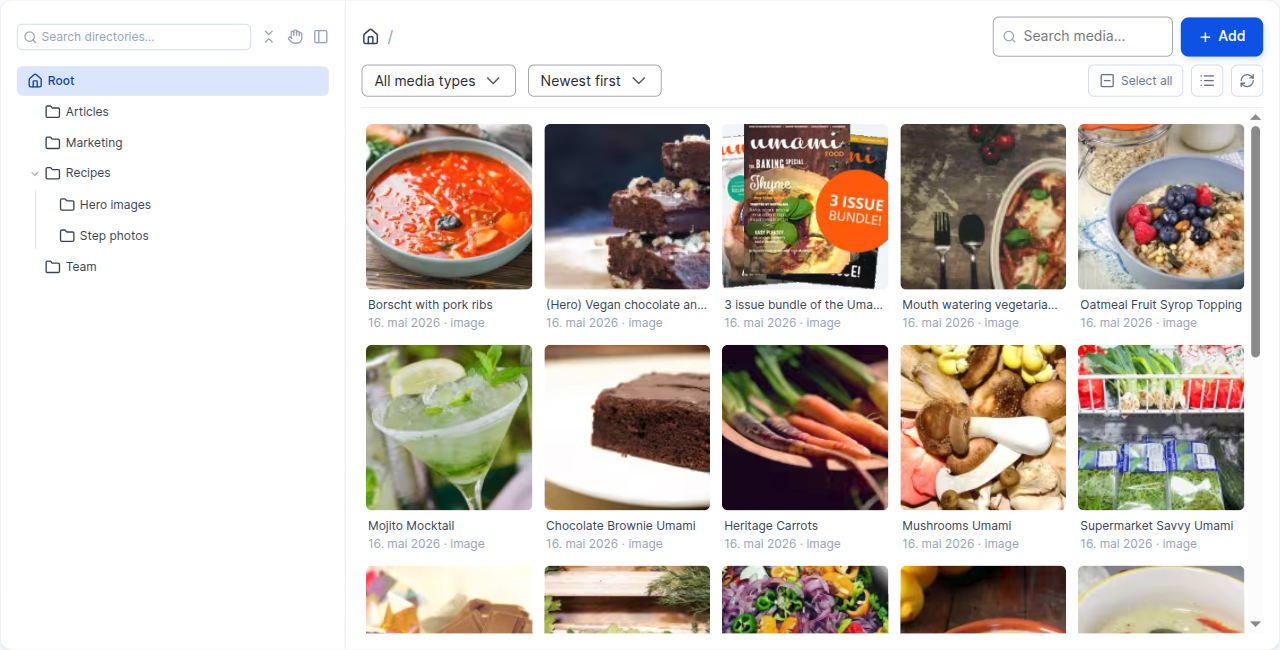
Media Directories adds a directory (folder) structure to Drupal Media entities, backed by a taxonomy vocabulary. On top of that it ships a Vue.js media browser and a set of CKEditor 5 integrations that let editors organise, find and embed media without leaving their content.
What's in the box
The project is a meta-module made up of several smaller modules. Each one has its own installation/configuration page — start with the base module and add the others as you need them.
| Module | Purpose | Setup |
|---|---|---|
media_directories |
Directory field on Media entities and Media Library integration. | Base module |
media_directories_browser |
Vue.js media browser and CKEditor 5 integration. | Browser |
media_directories_file_link |
CKEditor 5 plugin for inserting file download links. | File link |
media_directories_ai |
AI-powered alt text generation and translation. | AI |
media_directories_canvas |
Media browser for media selection in the Drupal Canvas page builder. | Canvas |
media_directories_image_resize |
Resizes inline images in rich text via explicit width/height attributes. | Image resize |
media_directories_compat |
Converts legacy <drupal-entity> embeds to <drupal-media> at render time. |
Compatibility |
Where to go next
- Features — what the media browser can actually do and how editors use it: folders, finding, uploading, editing, bulk actions, translations and embedding.
- Installation — pick the submodules you need, see the suggested companion packages, and follow the per-submodule pages for the setup steps and configuration options.
- Upgrading — moving an existing site off the deprecated
media_directories_ui/media_directories_editorsubmodules onto the browser, and what the module migrates automatically for you. - Integrations — optional contrib and core modules (Focal Point, SVG Image, Content Translation, Entity Usage, …) and what each one unlocks inside the media browser.
- Contributing — how to report bugs, request features and submit merge requests, and which branches are supported.