Nested containers
A child can be a container that holds more inputs. The container becomes one column and the inputs inside share the cell. In the value, the nested inputs are flattened into the item. The container key is not part of the value.
$form['choices'] = [ '#type' => 'element_multiple', '#title' => $this->t('Choices'), '#header' => TRUE, '#element' => [ 'value' => [ '#type' => 'textfield', '#title' => $this->t('Value'), '#title_display' => 'invisible', '#placeholder' => $this->t('Enter value'), ], 'option' => [ '#type' => 'container', '#title' => $this->t('Text and description'), 'text' => [ '#type' => 'textfield', '#title' => $this->t('Text'), '#title_display' => 'invisible', '#placeholder' => $this->t('Enter text'), ], 'description' => [ '#type' => 'textfield', '#title' => $this->t('Description'), '#title_display' => 'invisible', '#placeholder' => $this->t('Enter description'), ], ], ], '#default_value' => [ ['value' => 'one', 'text' => 'One', 'description' => 'This is the number 1.'], ['value' => 'two', 'text' => 'Two', 'description' => 'This is the number 2.'], ],];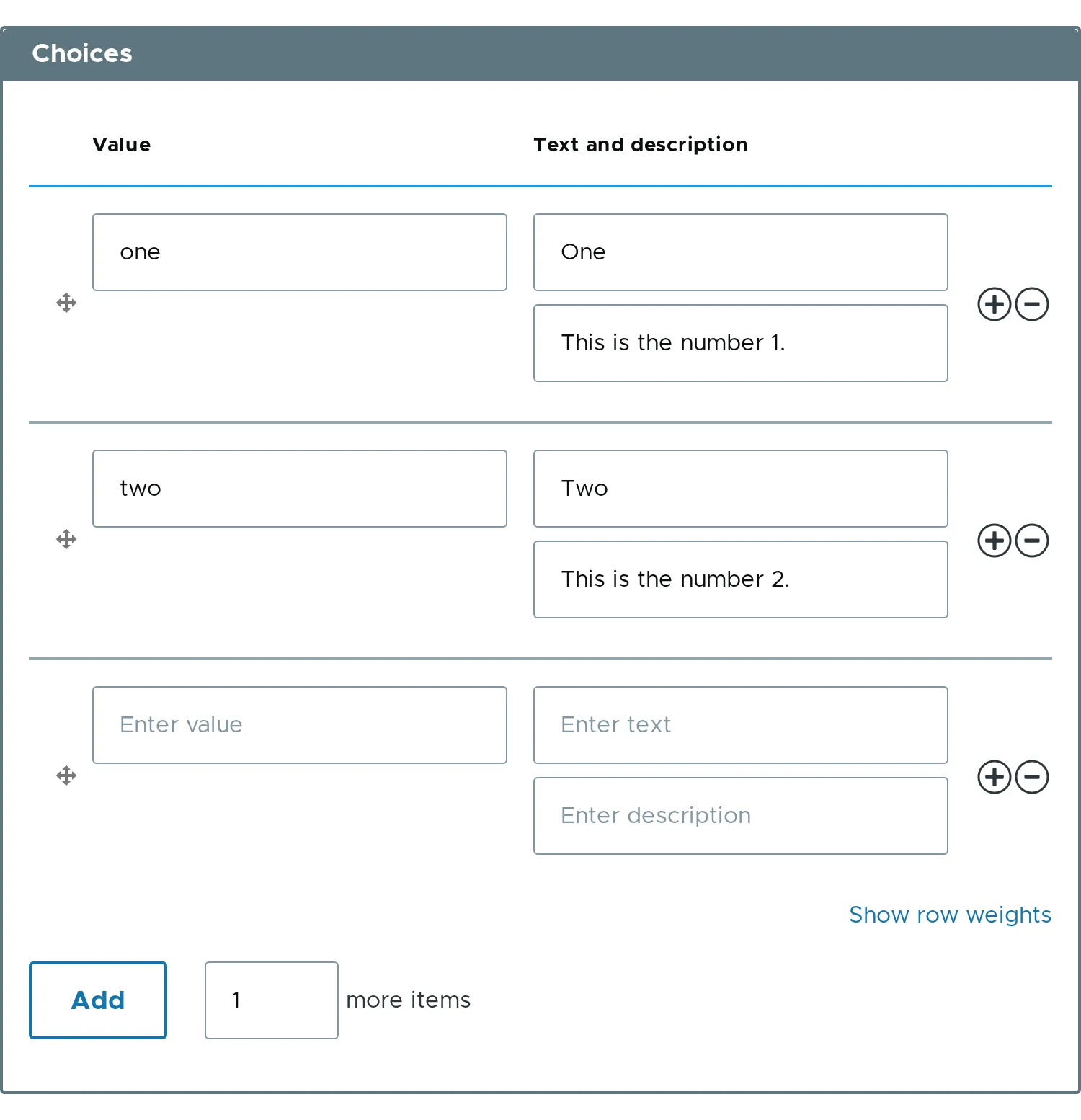
The value has no option key:
[ ['value' => 'one', 'text' => 'One', 'description' => 'This is the number 1.'], ['value' => 'two', 'text' => 'Two', 'description' => 'This is the number 2.'],]- Names of nested inputs must be unique across the whole row, because they all end up at the same level.
- Related property:
#element.