Keyed
#key names a child of a composite element. Its value becomes the array key of the row.
$form['options'] = [ '#type' => 'element_multiple', '#title' => $this->t('Options'), '#key' => 'value', '#header' => TRUE, '#label' => $this->t('option'), '#labels' => $this->t('options'), '#element' => [ 'value' => [ '#type' => 'textfield', '#title' => $this->t('Value'), '#title_display' => 'invisible', '#placeholder' => $this->t('Enter value'), ], 'text' => [ '#type' => 'textfield', '#title' => $this->t('Text'), '#title_display' => 'invisible', '#placeholder' => $this->t('Enter text'), ], 'score' => [ '#type' => 'number', '#title' => $this->t('Score'), '#title_display' => 'invisible', '#placeholder' => $this->t('Enter score'), ], ], '#default_value' => [ 'one' => ['text' => 'One', 'score' => 1], 'two' => ['text' => 'Two', 'score' => 2], ],];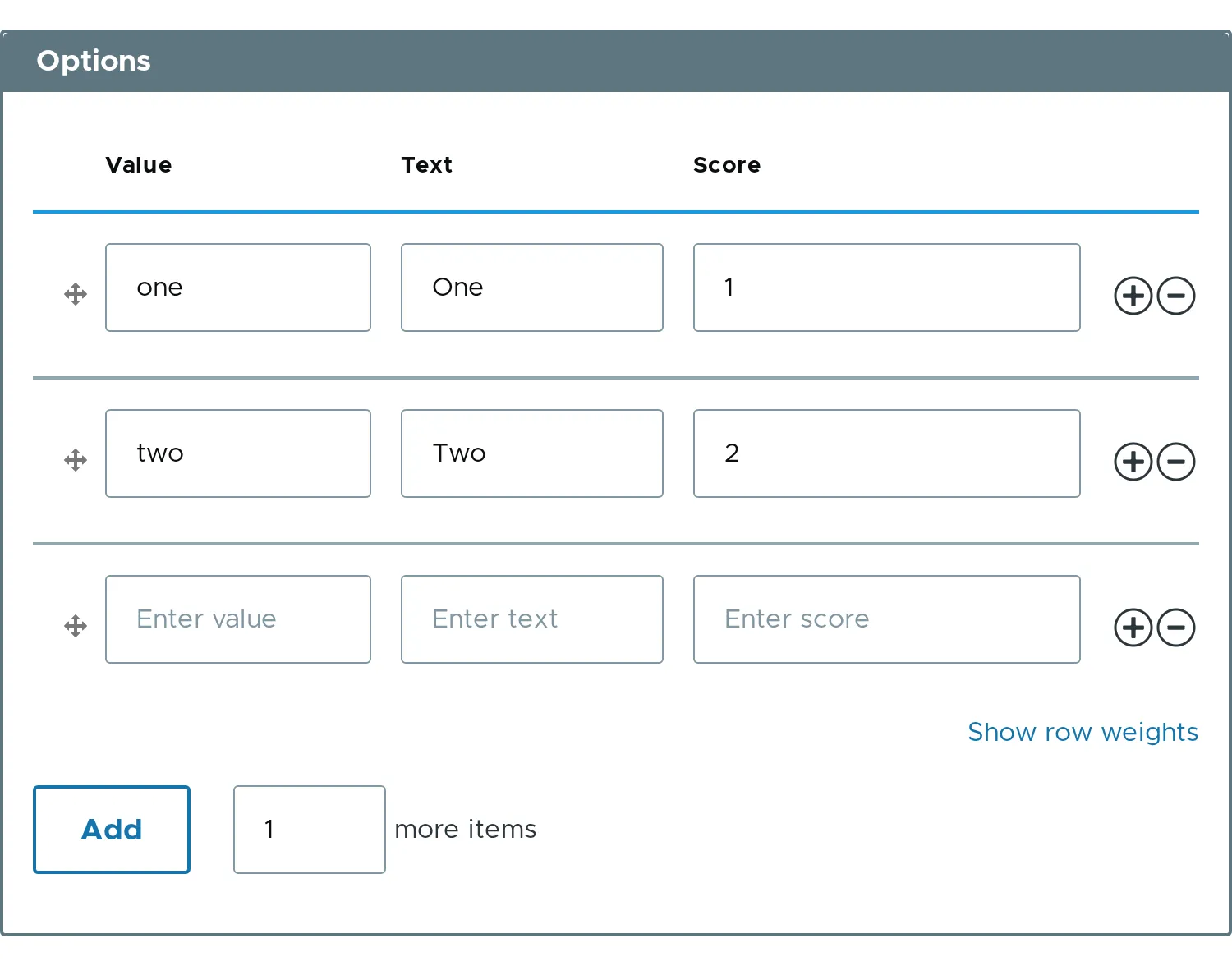
The value is keyed by the first column. The key is not repeated inside the row:
[ 'one' => ['text' => 'One', 'score' => 1], 'two' => ['text' => 'Two', 'score' => 2],]Disabled key
Section titled “Disabled key”Set #disabled on the key child to lock the keys of the rows from #default_value. A browser does not send disabled fields, so the module restores the key on the server. The key stays with its row, also after the rows are reordered.
$form['codes'] = [ '#type' => 'element_multiple', '#title' => $this->t('Codes'), '#key' => 'code', '#header' => TRUE, '#element' => [ 'code' => [ '#type' => 'textfield', '#title' => $this->t('Code'), '#title_display' => 'invisible', '#disabled' => TRUE, ], 'label' => [ '#type' => 'textfield', '#title' => $this->t('Label'), '#title_display' => 'invisible', ], ], '#default_value' => [ 12 => ['label' => 'Twelve'], 7 => ['label' => 'Seven'], 30 => ['label' => 'Thirty'], ],];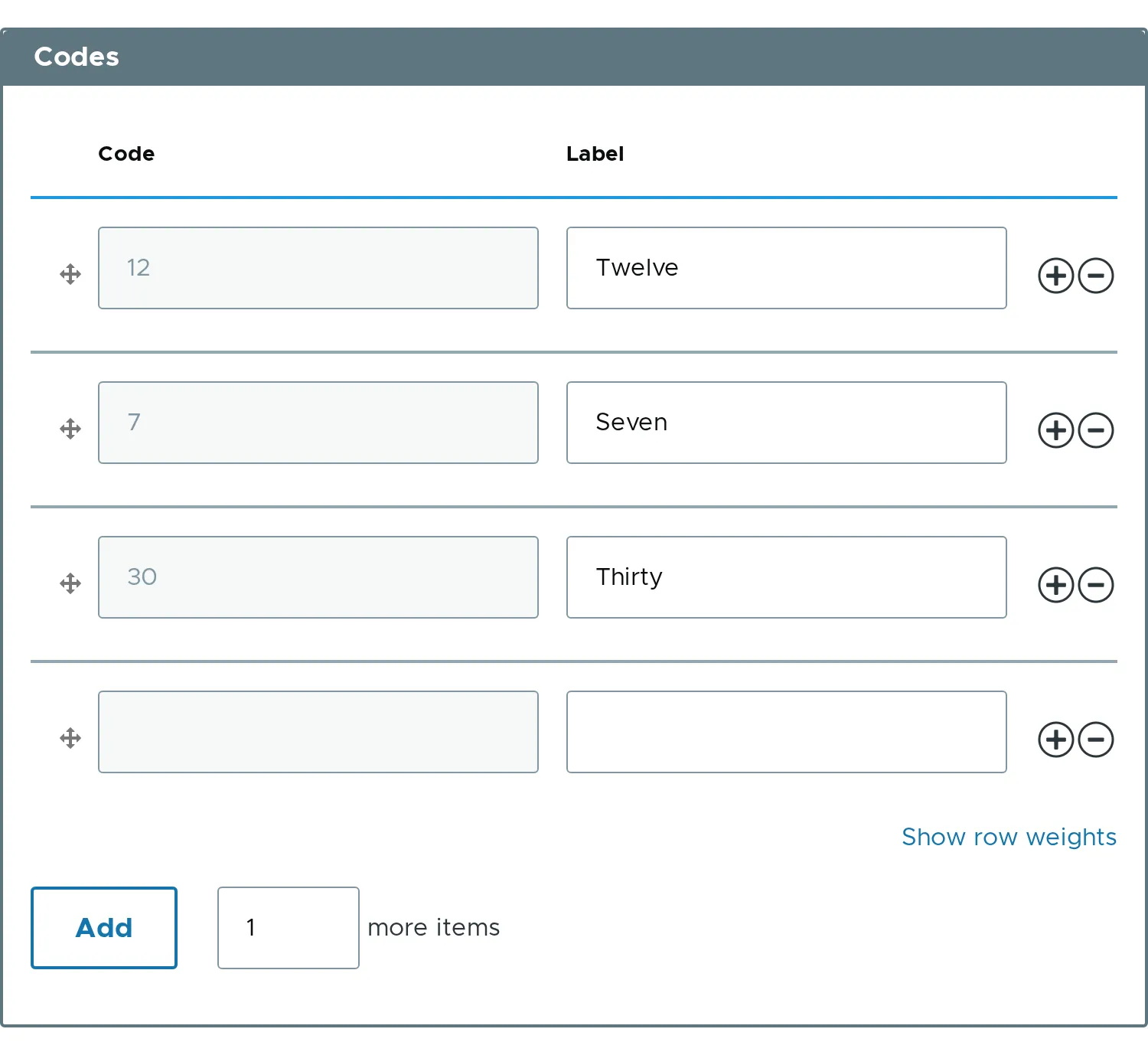
- Keys must be unique. A duplicate shows the error
The Value 'one' is already in use. It must be unique. - A row with an empty key and empty content is dropped.
#keyneeds a composite#element. With a single element the module throws an\InvalidArgumentException.- Related property:
#key.