Element Multiple
element_multiple is a form element type for module developers. It turns one input, or a group of inputs, into an editable list. Each item is a table row. A person can reorder rows, add rows after any row, remove rows and add several rows at once.
This is a developer module. It has no admin screen. You use it from PHP, in a form builder or in hook_form_alter().
Features
Section titled “Features”- A list of single values, or rows of several named inputs. See Single element and Composite element.
- A header built from the titles of the children, or set by hand. See Composite with header.
- One child as the array key of each row, with
#key. See Keyed. - Drag and drop sorting, with a weight fallback. See Sorting.
- AJAX buttons to add a row after any row and to remove a row, and an Add more control that adds several rows at once. See Operations and add more.
- A required list or required children, with your own error message. See Required.
- A limit on the number of rows with
#cardinality, and a hard cap with#max_items, both held by the server. See Cardinality and unlimited. - The number of rows shown at first, and a message when there are none. See Min and empty items.
- Children of type
value, children with#access => FALSEand disabled children keep their values on the server, so the browser cannot change them. A form whose defaults changed since it was shown asks for a reload. See Hidden and server-only children. - Several inputs in one column, with a flat value. See Nested containers.
#statesbetween the children of a row, machine names from a label of the same row, and date and datelist children. See States between siblings, Machine name children and Date and datelist children.- The
#is_emptycallback to decide when a row is empty, and the#row_altercallback to change each row. See Callbacks. - Your own attributes and labels on the markup and the controls. See Custom attributes and labels.
- A fieldset with a legend, native buttons, CSS custom properties and a layout that follows the width of its container. See Theming.
Requirements
Section titled “Requirements”- Drupal 10.5 or Drupal 11.
- PHP 8.3 or later.
Install
Section titled “Install”composer require drupal/element_multipledrush en element_multipleThe module has no configuration.
Minimal example
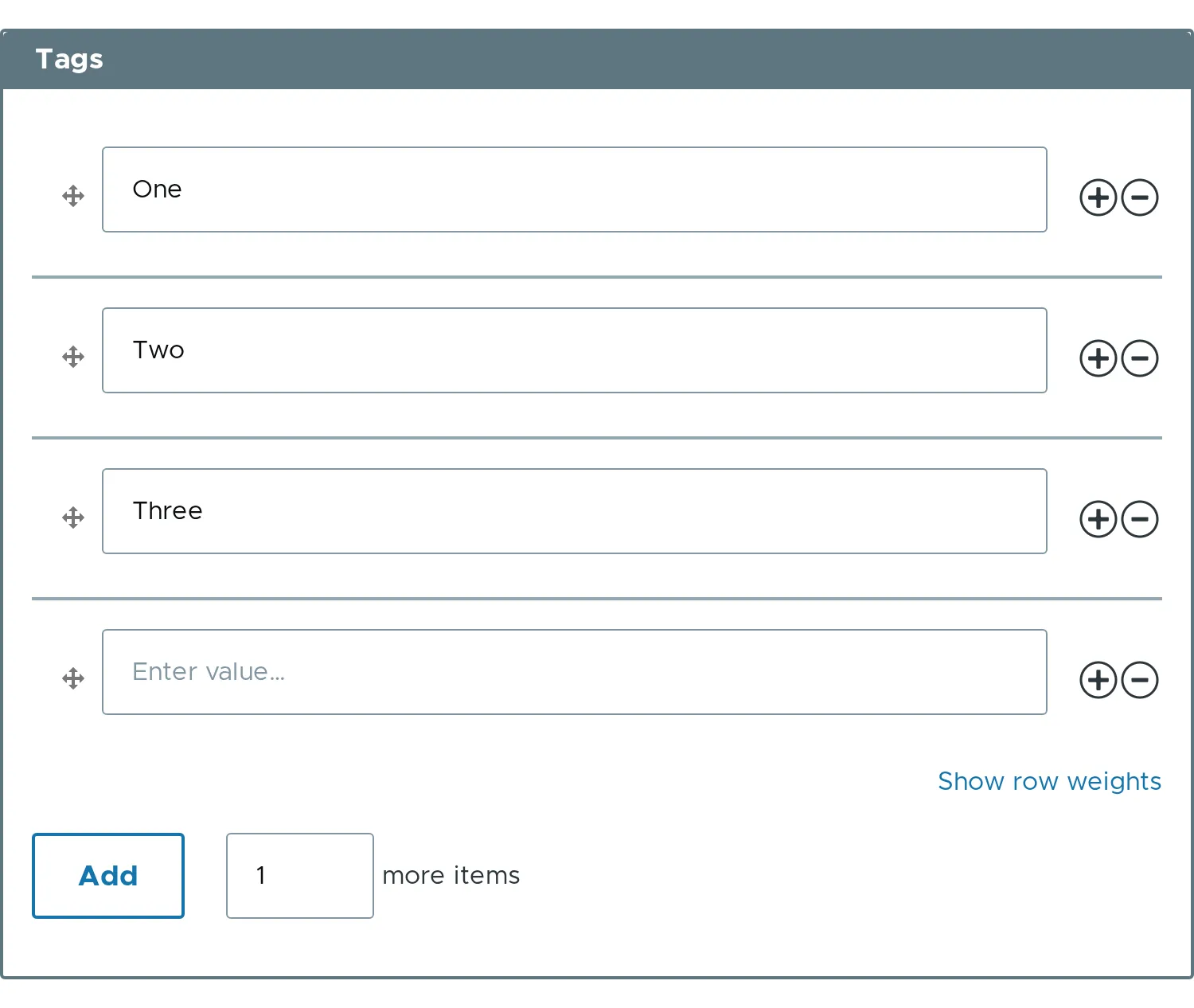
Section titled “Minimal example”$form['tags'] = [ '#type' => 'element_multiple', '#title' => $this->t('Tags'), '#default_value' => ['One', 'Two', 'Three'],];With no #element, every item is a text field. To repeat a group of fields, pass an associative array of elements in #element. See Composite element.
Submitted values
Section titled “Submitted values”The submitted value is a clean array. Weights, operation buttons and empty rows never reach it. When sorting is on, the order of the array follows the order of the rows on screen.
| Variation | Value in $form_state->getValue('field') |
|---|---|
| Single element | ['One', 'Two'] |
| Composite element | [['first_name' => 'John', 'last_name' => 'Smith'], ...] |
Keyed, with #key |
['one' => ['text' => 'One'], 'two' => ['text' => 'Two']] |
#default_value uses the same shapes.
Where to go next
Section titled “Where to go next”- Properties documents every option with an example.
- The example pages show one variation each, with a screenshot of the result.
Credits
Section titled “Credits”This module is heavily based on the Webform module. It is developed and maintained by Cambrico. The source is on git.drupalcode.org.