The suggestions listing
Every AI disclosure suggestion, in every status, lives under Reports, at
/admin/reports/ai-disclosure-suggestions, behind its own
access ai disclosure suggestions permission: restricted, because a row can
carry a note a third-party module wrote, which the
compliance report never shows.
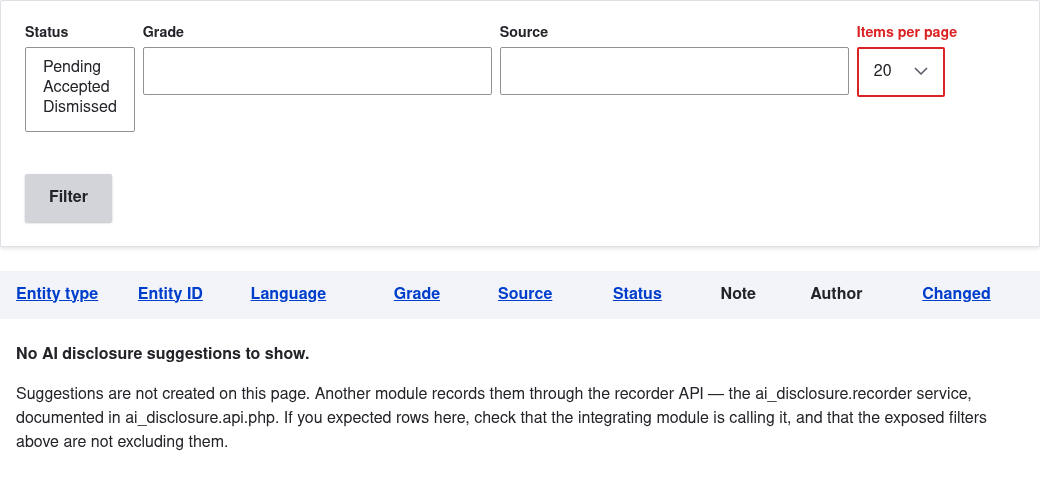
Suggestions are not created on this page, and no page creates them. The
module ships no interface for writing one by hand: a suggestion exists
because another module called the recorder API
(the ai_disclosure.recorder service, documented in
ai_disclosure.api.php), naming the entity, the grade it proposes and
itself as the source. The only human action on a suggestion is deciding it,
from the callout on the content's own form. If
the table is empty and it should not be, check that the integrating module
is actually calling it, and that the exposed filters below are not excluding
what it wrote.
Reading C2PA content credentials
AI Disclosure does not read C2PA manifests. The separate Content Credentials module does, and it is the recommended way to read credentials. C2PA Sign is the writing side. The reader suits files that come from somewhere else, when nobody on the site knows how the file was made but the file may say so. AI Disclosure does not depend on it. Without it, editors declare files as they do on any site.
Install
composer require drupal/content_credentials:^1.0@alpha
drush en content_credentials
The module's releases are alphas for now, so the constraint names the
stability. A plain composer require drupal/content_credentials stops on
Composer's minimum stability.
Reading a manifest needs one of three routes: a reading service, the
ext-c2pa PHP extension, or a verifier in pure PHP that needs neither and
also runs on shared hosting. The verifier is its own package:
composer require provemark/c2pa-verifier:^0.7
The module needs Drupal 11.3 or later and PHP 8.3 or later. On Drupal 10, Composer refuses it. Nothing is read until an entity type and a bundle are chosen on its settings page, under Configuration, Content authoring. Its own README covers the reading route and the setup.
What it reads
When content with a file or image field is saved, the module queues the file. A queue worker reads it later, never in the save request. Files of a type its reading library cannot read are left alone.
Only a manifest reported as trusted produces a suggestion. An untrusted
manifest is logged and ignored. The module takes the first
digitalSourceType URI of the manifest and looks for a grade that stores the
same IPTC URI. Its settings hold an ordered list of grades for each URI, and
the first one that exists on the site wins. A URI that no grade matches is
logged and no suggestion is made. A file over the size limit is skipped
unread.
Where the suggestion appears
A pending row with the source content_credentials is listed on this page,
and as the callout with "Accept" and "Dismiss" on the
disclosure field of the content. The note says which URI
was read and who signed the manifest. The content needs an AI disclosure field,
or nobody sees the suggestion.
When the same content is suggested again
The listing keeps one row per entity and language for each source. If the module reads the same file again, with the same grade and the same note, the row keeps its status, accepted or dismissed. If the grade or the note changes, for example after a new file replaced the old one, the row goes back to Pending.
Two files with identical credentials give the same note, so they share one decision.
A suggestion whose grade is less severe than the disclosure the content has now is not stored. The pending row from that source is removed. A suggestion with the same grade as the one in force is listed, and the widget says the grade is already set.
What it never does
The module writes no credentials and leaves the file as it
is. It sets no disclosure: it calls suggest() on the
recorder, and a person accepts. Visitors see
nothing from it. A provider's C2PA mark does not replace the editor's
declaration.
Round trip with C2PA Sign
A derivative signed by C2PA Sign carries the digital source type of its disclosure, see With C2PA Sign. When that file is uploaded to another site that runs Content Credentials, the module proposes a grade from that source type. A deep fake comes back as autonomously AI generated, since IPTC has one code for both, and a file that already carries a stricter grade gets no proposal. A pending suggestion from the same source about an earlier file is removed then, so it cannot linger.
Columns and filters
Each row shows the entity type the suggestion is about, its language, the suggested grade, the source that recorded it, the status (Pending, Accepted or Dismissed), the note, the user recorded against it, and when it last changed. Every value is shown by its label: the grade's name, the language's name, and the module's name for a source that is a module. A value with no label of its own, such as a source that is not an installed module, is shown as it is stored.
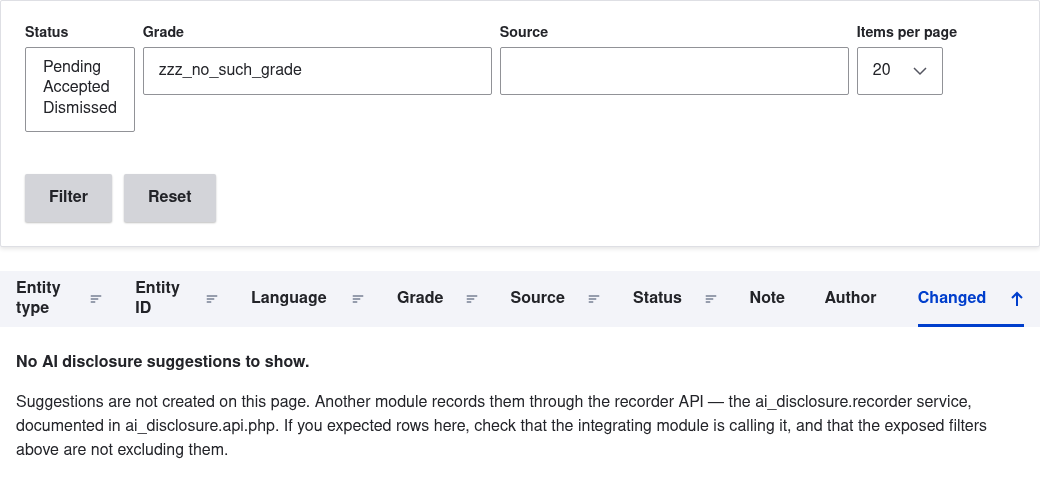
The exposed filters are title, status, grade and source. Title is a text
field that keeps the rows whose entity title contains the text, in the
language of the row. It only matches titles the user can see. The other three
are single selects that start on - Any -, like the filters of Drupal's own
admin listings. Grade and source list the values the site has, by label.
Existing links with ?grade= and ?source= keep working, but the value must
now be the exact grade or source.
The table shows 50 rows a page, with a pager and no page size
control. There is no default filter on status: accepted and dismissed rows have no other
reading surface in the module, and hiding them by default would defeat the
point of the page.
The "Entity" column shows the entity's label, linked to it: not a relationship, since a relationship joins to one entity type's table, and a suggestion can be about any fieldable entity type a site has. It checks access before showing anything: a user who cannot view the entity sees its raw entity ID instead of the label, the same as a suggestion pointing at an entity that has since been deleted. The entity ID itself is still available as a views field for a site that wants it in a view of its own. It is only absent from this shipped view.
The permission
access ai disclosure suggestions gates this table on its own, separately
from access ai disclosure report: holding the report permission does not
grant access here, and holding this one does not grant access to the report.
A view built on the same ai_disclosure_suggestion table (this one, or a
site's own) is gated the same way regardless of which permission the view
itself is configured to require, because the note a row carries is not
something the report's permission was ever meant to expose.
Uninstalling the module removes these views
Uninstalling AI Disclosure drops the ai_disclosure_suggestion table, so
nothing that reads it can survive. The module deletes this listing itself, and
Drupal removes any view a site built on that table, and any
view on another base table that merely uses the relationship toward
suggestions.
The second case is worth knowing before you build: a content view that adds the "AI disclosure suggestions" relationship is deleted with the module, not stripped of that one handler. It is Drupal's own behavior for a relationship whose provider is being removed, not a choice this module makes. Export a view you care about before uninstalling.