The disclosure field
A disclosure lives on the content it describes, one per entity and
translation, in an ai_disclosure field.
Adding the field
Add the field to a bundle from Field UI, or from the table at
/admin/config/content/ai-disclosure/fields, which lists every fieldable
bundle and both adds and removes the field in one step. The list pages at
fifty rows, so a site with fewer bundles than that sees no pager at all.
A field added from the table is shown right after the body when the bundle displays one, with its label hidden because the card has its own heading. Move it in Manage display if you want it elsewhere.
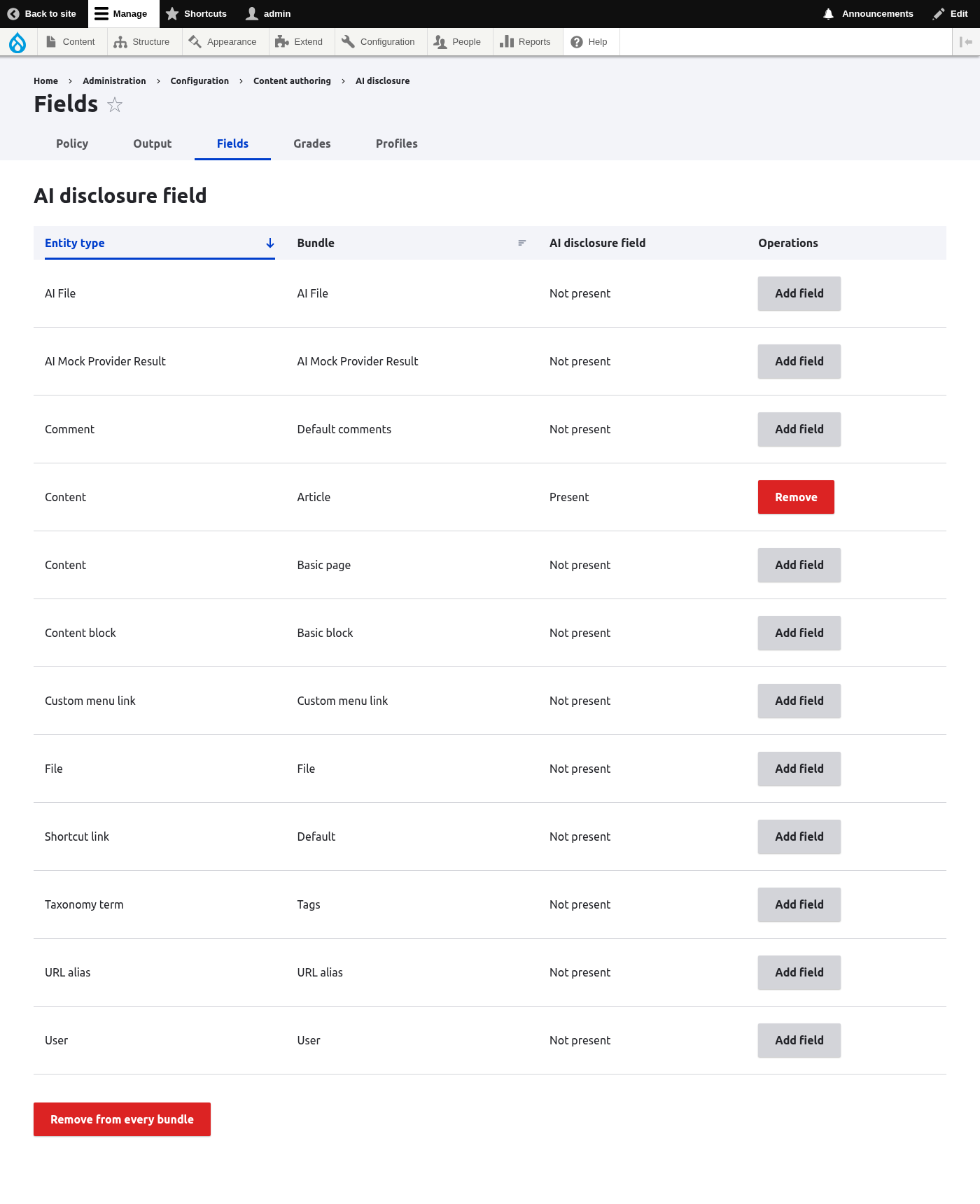
The "Remove" button on a row removes the field from that bundle after a confirmation that states what data is deleted. "Remove from all bundles" does the same across the whole site in one confirmed step. See Uninstalling.
The field's instance settings name a default profile. Content left in inherit mode takes its disclosure from there.
The four modes
An item has one of four modes:
inherit(the default) takes the disclosure from the field instance's default profile. An item left this way stores no row at all, so labelling a whole bundle costs nothing in the database, and changing the default profile applies everywhere at once.nonesuppresses the disclosure. Unlikeinherit, it does store a row: deciding not to label is a decision, and it is recorded as one.profilepoints at a profile, with an optional local description that overrides the profile's.customcarries its own grade, review flag, editorial responsibility, description and its own scope answers.
Scope answers are inherited as one block: the mode that supplies the grade
supplies all four answers. An item on inherit or profile takes the
profile's answers, not a mix of its own and the profile's: a mixture would be
a position nobody ever took. Only the description composes across levels.
The editing widget
Editing the field requires the set ai disclosures on content permission, on
top of whatever access the entity itself requires. Without it, the widget is
absent from the form and the field's stored value is left untouched on save.
Viewing the resolved disclosure is not affected.
The widget sits in the entity form's sidebar as a collapsible section, closed by default and sorted after the "Status" tab but before "Authoring information" and "Promotion options". The Disclosure select lists the default, "No AI involved", every profile by name, and custom. Custom mode opens the grade select, the "Reviewed by a person" checkbox and the description, plus the editorial responsibility field once review is ticked, and the four scope questions. Each question is yes, no or not assessed, and nothing is preselected: the module does not answer for you.
On media forms the "What is it?" question comes with a short guide, Is it a deep fake?.
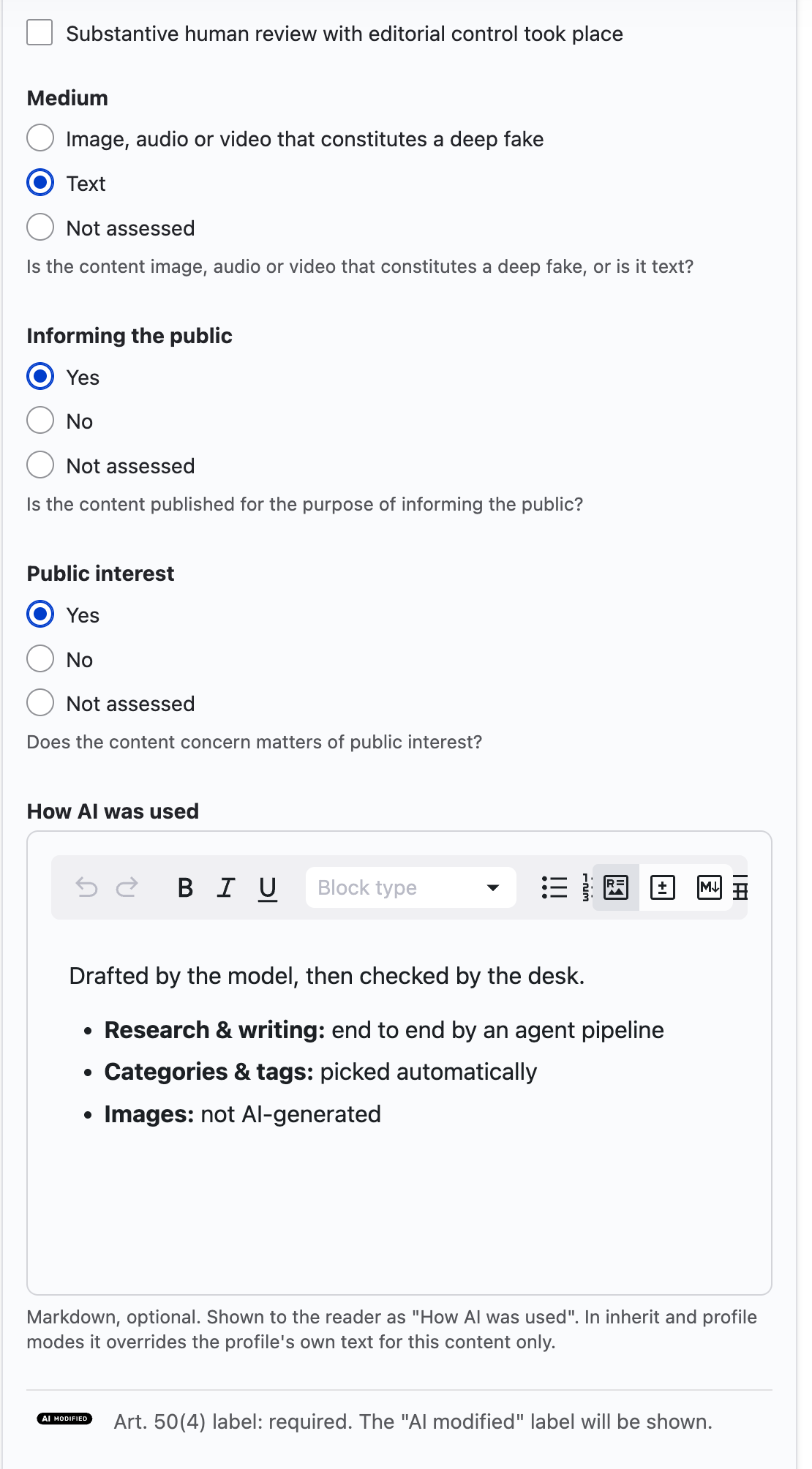
Below the fields, the widget states the live consequence of the current
selection: whether Article 50(4) requires a label, whether it does not, or
whether that is not yet determined, and in that case which question is
still open. A grade whose EU icon is none gets a warning that the reader will
see nothing.
The "How AI was used" description is markdown. With the AI module installed, the field uses its mdxeditor. In inherit and profile modes the description overrides the profile's own text for this content only.
The "Why this disclosure" box below it, in the shot above, belongs to the audit trail submodule and appears only where that one is installed. It is optional, the reader never sees it, and it is kept with the audit row rather than on the content.
When the editorial responsibility appears
Tick the review box and a required field appears. Article 50(4) exempts reviewed text only where a person or an organization holds editorial responsibility for the publication, so review on its own exempts nothing.
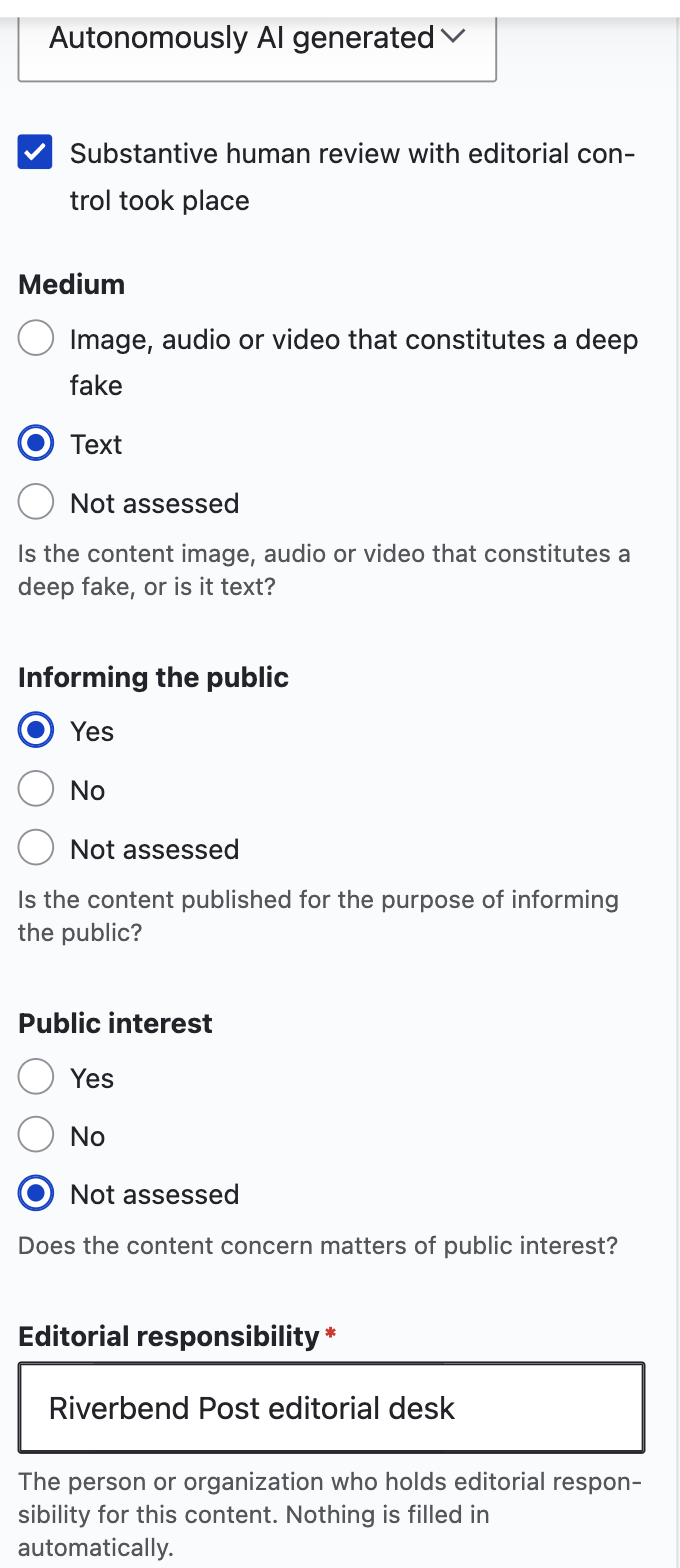
If nobody can be named, uncheck the review box. The content keeps its label, and no name has to be invented to save the form.
The panel on a media form
On a media form the widget is the "AI disclosure" panel in the sidebar. See The panel on a media form.
Worked examples
Five declarations, and what each one settles.
A wire story translated by AI and read by the desk before publishing. Grade: AI translated. Medium: text. Review: ticked. Editorial responsibility: the desk that read it. The paragraph 2 exemption applies, so no label is owed and the last two questions are never read.
An article generated by AI that nobody read. Grade: Autonomously AI generated. Medium: text. Review: not ticked. Informing the public: yes. Public interest: yes. The label is required.
The same article, on a page that informs nobody. As above, but informing the public: no. That single no settles it, and public interest can stay unanswered.
An AI generated face in a satirical piece. Grade: AI deep fake. Medium: deep fake. Artistic work: yes. The label stays, shown unobtrusively. Paragraph 1 has no review exemption, so the review box and the responsibility change nothing here.
A photo gallery a person shot and edited. Grade: Human only. No label, and no further question matters.
What the reader ends up seeing for each of these is in What the reader sees.
Suggestions
AI tools can leave a non-binding suggestion on content through the recorder API. The editor sees it on the entity form as a callout with "Accept" and "Dismiss". Nothing changes on the content until an editor decides.
"Accept" fills the suggested grade into the form, and only when that grade is more severe than the one already in force. It does not save the content, and it does not settle the suggestion. The suggestion stays pending until the content is saved carrying that grade. Leaving the form without saving, or saving a different grade instead, leaves the suggestion pending and the callout where it was: nothing was written, so nothing claims it was.
When the grade in force is already stricter than the suggestion, the callout says that "Accept" changes nothing and "Dismiss" clears it.
"Dismiss" takes the callout away at once, without waiting for a save. It does not delete the suggestion. The row is kept and marked dismissed, so a site can still read back what was suggested and what an editor decided about it. The suggestions listing is where those rows are read.