Configuration
The module configures everything under /admin/config/content/ai-disclosure.
It has six tabs, all behind the administer ai disclosure permission:
| Tab | Path | What it holds |
|---|---|---|
| Policy | /admin/config/content/ai-disclosure |
what the site declares: the disclosure policy and the editorial statement URL |
| Output | /output |
how it declares it: the default icon variant, and the JSON-LD and meta tag switches |
| Media | /media |
the labels on images and the settings of the media submodules: Images, and, where enabled, Video and audio and Spoken disclaimer |
| Fields | /fields |
the fieldable bundles, and the one-step add and remove of the field |
| Grades | /grades |
the nine shipped grades |
| Profiles | /profiles |
the reusable disclosure profiles |
Three pages live outside this section. The
compliance report is a view under Reports, at
/admin/reports/ai-disclosure, behind its own access ai disclosure report
permission. The suggestions listing sits at
/admin/reports/ai-disclosure-suggestions and needs
access ai disclosure suggestions. The status page sits at
/admin/reports/ai-disclosure/status.
Permissions
| Permission | Grants |
|---|---|
administer ai disclosure |
the six configuration tabs. Restricted: it changes what the site legally declares. |
access ai disclosure report |
the compliance report, and its CSV export where ai_disclosure_csv_export is enabled |
access ai disclosure suggestions |
the suggestions listing, including notes recorded by third-party modules. Restricted: it is the only surface that shows a suggestion's raw note. |
set ai disclosures on content |
editing the ai_disclosure field on content the user can already edit |
The Policy tab
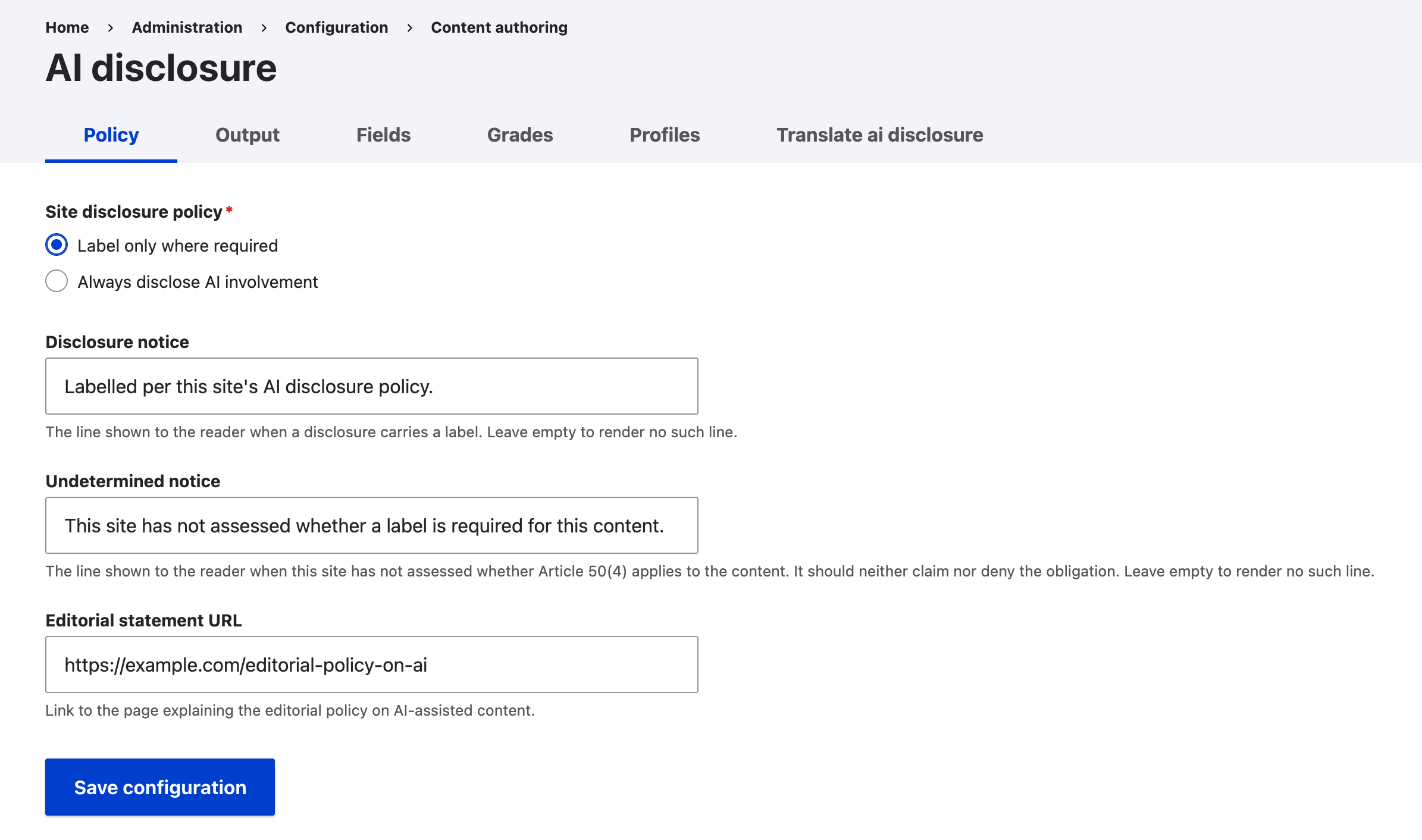
The tab has three settings.
When to show a disclosure: "Only where a label is required" shows the disclosure only where the grade requires a label. "Whenever AI was involved" shows every disclosure, voluntary ones included. Displays set to "Site policy" read this value. See What the reader sees for the exact rules.
Label notice: the line shown to the reader when a disclosure carries a label. It is translatable. Leaving it empty renders no such line, and so does unchecking the label notice on the grade.
AI policy page: where the reader finds the site's editorial policy on
AI-assisted content. It accepts an external URL, an internal path such as
/about-ai, or a reference to a piece of content. The reader-facing
disclosure links to it when set. An internal path takes the page's language
prefix when rendered, so a multilingual site can send each reader to their own
language. This holds for a path the site routes. A path that matches nothing
is rendered as typed, without a prefix. The setting is translatable, for
statement pages that are not translations of one another.
The Output tab
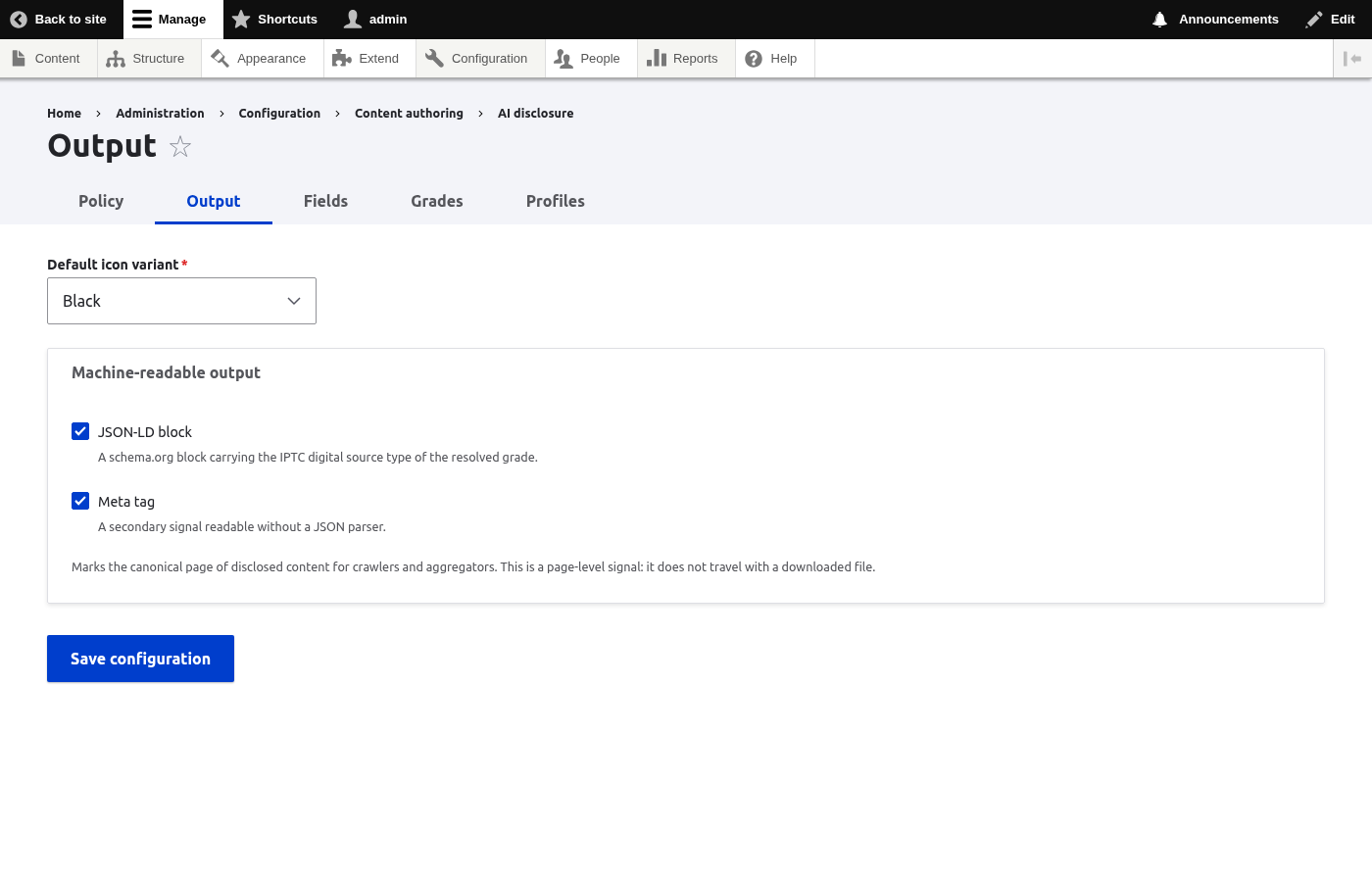
Icon color: Black, White, Black with no background or White with no background. This is the site-wide default. A display can override it per field. The display option "Match reader's light or dark mode" keeps the background chosen here and picks light or dark from the reader's color scheme. Beside the list sits a preview of the chosen variant on a light and on a dark background, so a white icon shows itself as invisible against light. The same preview is on the field display's own icon color setting.
Machine-readable marks: two checkboxes, both on by default. They switch the
schema.org JSON-LD block and the ai-disclosure meta tag. See
What machines see.
Summarize the AI media of a page in one card: when a page holds two or more AI elements, such as a text and an embedded image, one card below the content lists them. It is on for new installs. For embedded media to be listed in the one card, set "When this media is embedded in other content" to "Show only the mark on the media" on the display of each media type. See A page with several AI elements.
Summary of the AI parts: the texts of the summary line, one for a single part
and one for several parts, for each kind of AI use. The line shows only where a
display turns on "Show a summary of the AI parts". Each text must contain
@count. The section is closed until you open it.
Sentence for a page that mixes sorts of AI: the header of the one-card summary when its elements differ, for example a translated text with a generated image. Empty means the default, "Parts of this page were made or edited with AI." It can be translated.
The Media tab
The Media tab is described in the Media section, see The Media tab.