Labels on images
For a deep fake image the Code of Practice wants the icon on the image, with no intervening overlay such as the top-right corner of a viewer, and recognizable without any action. An interface overlay that appears to be on the content is accepted instead of embedding the label in the file (Measure 1.2.1(c)). A label that shows only on hover is not.
The module draws that overlay for you: the icon sits in a corner of the image box, always visible.
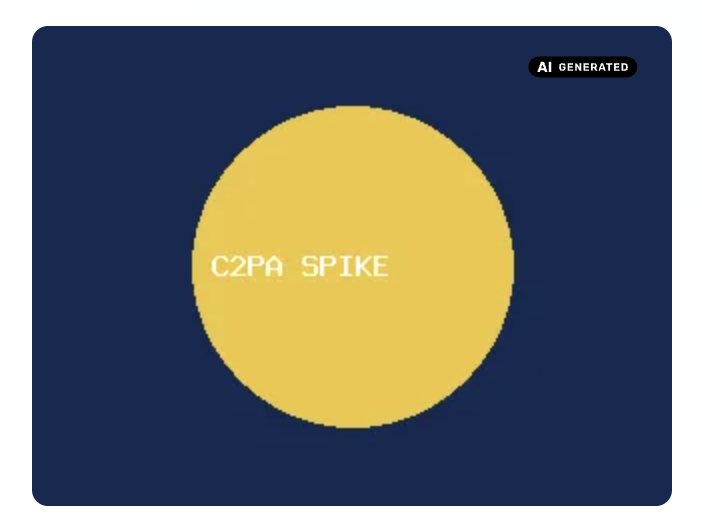
New installs have the overlay on for deep fakes. A site that updates from an earlier version gets it switched off, so nothing new shows until the site sets "Images with the icon" on the Media tab.
Article 50(4): a deep fake image must stay disclosed
With "Images with the icon" set to "None", a deep fake image is disclosed only by its card. If the image media display also uses "Show only the mark on the media", a deep fake embedded in other content shows no disclosure. Article 50(4) does not allow that for a deep fake. See Two paragraphs, not one rule and Media inside other content.
The position of a single image
On some images the corner hides a face, a logo or a caption. An editor can choose another corner for that one image, on the media form, in the AI disclosure panel under the widget (see The panel on a media form). The "Icon position" section has a select with the same four corners as the settings, and a "Default" option to follow them. A preview of the icon on a sample picture sits in the panel, and the icon moves as you change the select.
Under the select a line says which corner the image gets and why, for example "Effective: Top right, from the image style Large", "from the site setting" or "set on this file". It follows the select before you save. An image style counts when the image gets the burned-in label; when several styles have the effect, the first by name stands for them.
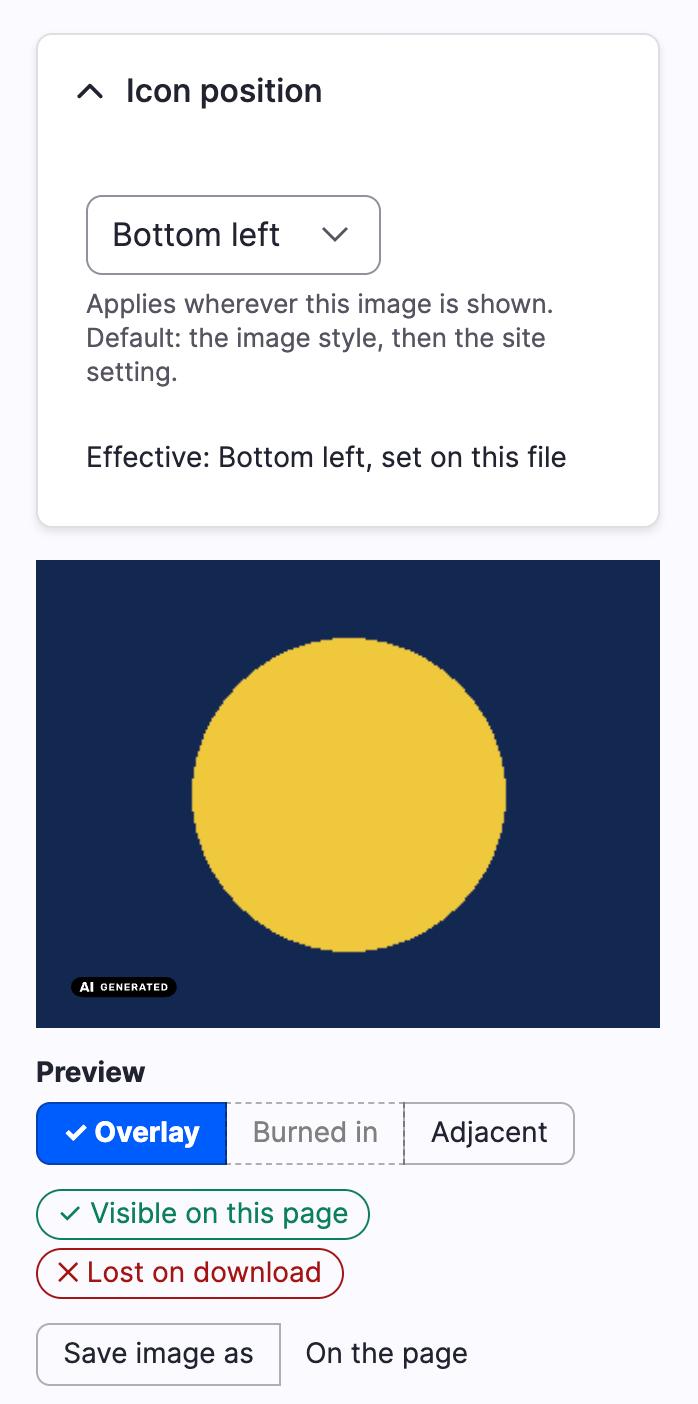
The position belongs to the file, not to the content item. A burned-in label lives in the derivative, which every item showing the same file with the same image style shares, so the position cannot differ per item. The label on the page reads the same value, so one image never shows the icon in two corners. Where the position comes from, first match wins:
- The position chosen for the file.
- The position of the image style, for a burned-in label only.
- The site setting above.
The image style or the site always supplies the size, the margin and the variant.
The section shows only when the file resolves to a disclosure that shows an icon, or when a position is already stored for it, so it can be removed. It needs the same permission as the disclosure field, "Set AI disclosures on content". On a media item that has no saved image yet it shows too, and applies once the image is saved and labelled.
When the file is used elsewhere, the form says so before you save: "This position also applies to N other items that show this image", with links to up to ten of them, and every one is counted. They come from three sources:
- Core's file usage: other media that use the same file, and entities with an image or file field that holds it.
- Entity reference fields that point at this media item, which is the common case of one media item shown by several articles.
- The Entity Usage module, when it is installed, which also sees media embedded in text.
Without Entity Usage, a media item embedded in a text field is not counted, because the module does not parse text.
The position is stored in its own table, ai_disclosure_icon_position, keyed
by file ID, and removed with the file. The disclosure field is not changed.
Saving a new position flushes the derivatives of that file, see
Burning the icon into images.
Artistic works
A deep fake that is part of an evidently artistic, creative, satirical or fictional work is labelled in a way that does not hamper its display. The icon then sits next to the image, outside the image box, instead of on it.
How was AI used?
Where the grade has a description and shows it, a "How was AI used?" section
follows the image. It is a native details element and needs no script. It
does not cover the image, and the icon does not depend on it.
An image inside a text, as the CKEditor filter below produces, gets the icon and the hidden sentence but not this section, because it sits in running text.
Download links
A link to the original file does not show the overlay. Turn on "Label download links of AI files" on the Media tab to add a short label, such as "AI generated", after the link text. The label follows the files that carry the icon under "Images with the icon". When that is set to "None", deep fakes are still labelled. It covers the links of the Generic file formatter and the file of a media document. New installs have it on. A site that updates from an earlier version gets it off.
What a screen reader gets
The icon has the alt text of the official icon, and the grade's disclosure sentence follows as visually hidden text.
Where it applies
The label covers three places where an image can appear on a site, and each one has its own route.
- Image fields shown with the Image or the Responsive image formatter.
- Media: the media entity renders its image through the image formatter, so media thumbnails and media embedded in text are covered too.
- Images inserted in CKEditor. These are plain markup in a text field, so a text filter handles them.
The CKEditor filter
Enable "Label AI images" on a text format, in Configuration, Text formats and
editors. The filter looks for img elements that carry data-entity-type="file"
and data-entity-uuid. It loads the file and gives the image the same label.
The filter is opt-in: nothing changes on a text format until you enable it. Put it after the filters that change images. It follows the scope and the position of the Media tab.
Contrast
The background of an image is unknown, so the icon always uses the solid variant, black or white, that matches the site's "Icon color": a variant with no background becomes its solid counterpart, and "Automatic" becomes black. The solid icon carries its own background, so it stays legible on any picture.
Theming
The overlay markup comes from the ai_disclosure_media_overlay theme hook, and you can override it. Copy
ai-disclosure-media-overlay.html.twig into your theme to move the icon or
change the markup. The template lists its variables. The CSS custom properties
of .ai-disclosure-media-overlay set the margin, the icon sizes and the
display of the wrapper. The markup sets --ai-disclosure-media-overlay-size
when the size is not the default. A theme whose images are block-level and fill their
container can set --ai-disclosure-media-overlay-display to block.
Burning the icon into images
ai_disclosure_image adds an image effect, "AI disclosure icon", that draws
the EU AI Act icon into the pixels of an image style's derivatives. It is a
separate submodule: installing ai_disclosure does not enable it, and the
module itself gains no dependency.
The label on images, described above, is HTML. It does not travel
with og:image, an RSS feed, JSON:API, a download or a copy of the image.
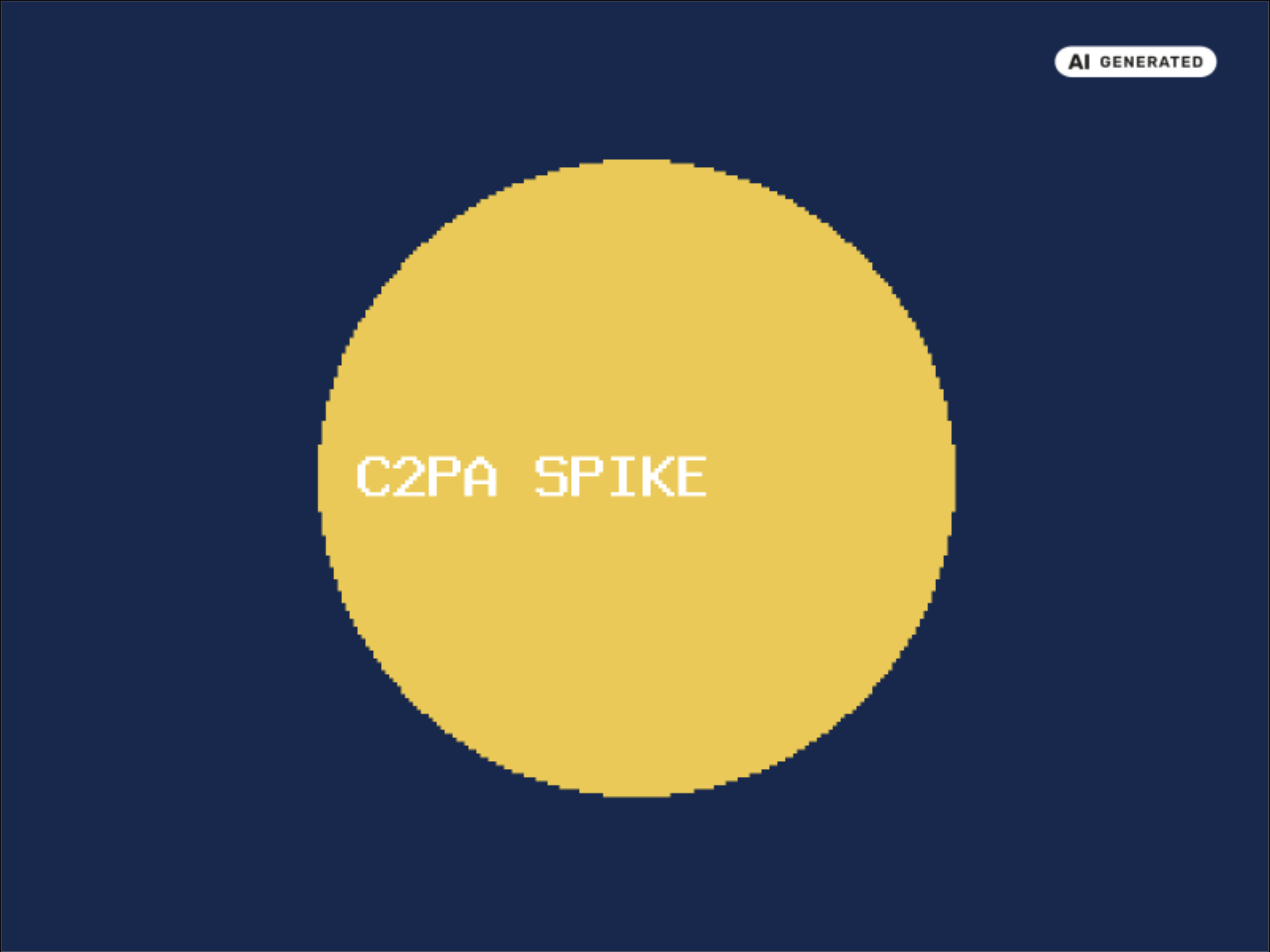
The effect puts the icon in the file that those get.
It needs core's image module and Image Effects,
which provides the toolkit operation that draws the icon. It works with the
GD toolkit and with the ImageMagick toolkit.
Deep fakes only
The effect draws the icon on a derivative only when the original file resolves, as described in Resolving disclosures for files, to a disclosure that requires a label and whose medium is "deep fake". For every other file it does nothing and the derivative comes out as if the effect were not in the style, so one style serves every image of the site.
An evidently artistic, creative, satirical or fictional work is not burned in either: its label sits next to the image, not on it.
The original file is never changed. Only derivatives get the icon.
Adding the effect
Enabling the submodule changes no image style, because that would change the images of the whole site. The status report shows a warning until a style has the effect.
- Open Configuration, Media, Image styles, and edit a style.
- Add the "AI disclosure icon" effect.
- Make it the last effect of the style. It reads the size of the image as it stands when it runs, so a scale or a crop that follows would move or cut the icon.
Saving the style regenerates its derivatives, so a change of the position or of the size shows on the next request. A CDN or a reverse proxy may keep serving the old copy until it is purged. A change of the disclosure of a file is handled separately, see below.
Settings
The "AI disclosure icon" effect has five settings, which you set on the effect form of the image style.
- Position: the corner of the icon, a select: top right (the default), top left, bottom right or bottom left.
- Icon size: the width of the icon as a percentage of the short edge of the image, 22 by default. It applies to the wide icons, "AI generated" and "AI modified". The square "AI" icon gets 9/22 of it, so that it is not taller than the others. The page overlay measures the image width instead, so the same number gives a smaller icon in the file. On an 800x600 image, 22 gives a 176 px icon as an overlay and a 132 px icon burned in.
- Margin: the distance from the edges, as a percentage of the short edge, 3 by default.
- Skip images smaller than: in pixels, 240 by default. A smaller image is left as it is, because the icon would not be legible on it. The label on the page covers it instead.
- Icon color: black, white, or automatic, the default. The black icon is a black badge with white letters, and the white icon is a white badge with black letters.
The position of the effect is the default for the style. An editor can choose another corner for a single file on the media form, see The position of a single image. That position wins over the one of the style, and the label on the page reads it too.
The icons are the PNG renditions of the module. The effect picks the smallest one that is at least as wide as the icon it draws, and scales it to the exact width.
The automatic variant
The effect measures the mean brightness of the area the icon will cover, before it draws. A dark area gets the white icon and a light one the black icon.
With the GD toolkit it reads the pixels of the image the style has produced so
far. The ImageMagick toolkit only builds a command line, so there the effect
reads the original file with the PHP gd extension and maps the area over in
proportion. A crop earlier in the style then makes the measure approximate,
because what lands in the corner is not what was in that corner of the
original. Without the gd extension the effect uses the black icon.
Handing over from the label on the page
A page must not show two icons for the same image, so the effect and the label on the page have to share the work. When an image is rendered through a style that has the effect, and the effect draws the icon for that file, the label on the page steps aside. It does so only when the derivative is at least as large as the minimum short edge of the effect. A smaller derivative gets no icon in its pixels, so the label on the page stays, in the corner the effect is set to.
This holds for an image style chosen in an image formatter. A responsive image style steps aside when every image style it uses has the effect. If one of them has not, the label on the page stays. The size of the derivatives is not checked for a responsive image style, so keep the minimum short edge of the effect below the smallest derivative.
Keeping derivatives in step with the disclosure
A derivative file is made once and kept on disk, and its URL does not say what is drawn in it. When the disclosure of a file changes, the submodule makes sure that the next request gets a new derivative.
What triggers a flush. When an entity with a disclosure field, or a media
entity, is saved, the submodule compares what the effect would draw on each
image file the entity uses, before and after the save. The files are found
through the file usage table and through the file and image fields of the
entity, which includes the source field of a media entity. What is compared
is the icon, the label requirement and the modality of the disclosure, in the
case that the effect draws at all. A change of the description, or of a grade
to another that gets the same label, is not a change. When it differs, the
derivatives of those files are deleted, in the image styles that have the
effect only, and the file:<id> cache tag of each file is invalidated. A
file that becomes a deep fake gets its label and a file that stops being one
loses it.
The position of a file. The position chosen for a file is part of what the
effect draws. When it changes, the module dispatches the
icon position changed event. The
submodule listens and deletes the derivatives of that file in the image styles
with the effect, and no other file is touched. The aid token below changes
with it, but only for a file that has a position: a file without one keeps the
token it had.
The XMP mark. The mark in the derivatives depends on the disclosure too, and every image style gets it, not only those with the effect. The submodule compares a second value on each save: the IPTC URI the mark would carry, which is empty for a grade without one and for a text disclosure, and the disclosure sentence. When it differs, the derivatives of the file are deleted in all image styles, so a derivative never keeps a claim that is no longer true. A file that stops being AI loses its mark, and one that becomes AI gets it. A change that touches the label only, such as an evidently artistic work, flushes the styles with the effect and leaves the others. Because the mark applies on every site with the submodule, the files of every entity with a disclosure field, and of media, are compared on save, with no early exit on the image styles.
Grades and profiles. Saving a grade whose icon, label requirement or severity changed, or a profile whose review, responsibility or scope answers changed, flushes every image style that has the effect. Saving a grade whose IPTC URI or sentence changed, or a profile whose grade or medium changed, and deleting either, flushes every image style. This regenerates the derivatives of the site on demand, which on a large site is a cost to expect when a grade is edited.
The token. The URL of a derivative made by a style with the effect gets an
aid query parameter next to core's itok, for instance
?itok=Ab12cd34&aid=3f2a91bc. It is eight characters of a hash of what the
effect would draw, so it changes with the disclosure, with the position chosen
for the file, and also when a label is removed. A browser or a CDN that caches by URL fetches the new file. The
token is added to images rendered through the image_style theme hook, which
is what the image formatters use, and to the responsive_image output: every
URL of a srcset that comes from a style with the effect, and the fallback
image, get it, for instance srcset="...?itok=Ab12cd34&aid=3f2a91bc 1x, ...".
This needs the core Responsive Image module and does nothing without it.
Styles without the effect keep their URLs. The rendered image also depends on
the cache tags of the file and of the image style.
CDN and cache. The invalidated cache tags are the ones core and any module that listens to them, Purge among them, already use, so a site with such an integration purges the pages and files without further setup. The submodule does not depend on Purge or on a CDN module. Copies that were already downloaded stay as they were.
Listening to derived images
Core has no hook or event after an image style has written a derivative.
Effects run before the file is saved, and the toolkit saves pixels only, so
anything that marks a finished file has to run after the save. The submodule
adds that moment as an event, ai_disclosure_image.derivative_saved
(AiDisclosureImageEvents::DERIVATIVE_SAVED). It carries the image style, the
URI of the original and the URI of the derivative.
To dispatch it, the submodule swaps the entity class of the image_style
entity type for a subclass whose createDerivative() calls core's and then
dispatches the event, only when the save succeeded. Nothing else changes: the
derivative, its path and URL, and the return value are core's. When the
Image Optimize module (imageapi_optimize) has replaced the class already,
the submodule extends that class instead. When any other module has replaced
it, the class is left alone, no event is dispatched, and the status report
says so.
Derivatives are built on the first request for the style URL, so listeners run inside that request. Keep them fast and queue slow work. See The derivative saved event for an example subscriber.
Machine-readable marks in derivatives
Providers mark what they generate, with C2PA and with the IPTC digital source type. An image style throws that away: the GD toolkit keeps no metadata, and the ImageMagick toolkit keeps only part of it. Platforms read the IPTC mark when an image is shared, so the submodule writes it back into the derivative.
This is not limited to deep fakes. Article 50(2) asks for a machine-readable mark on all AI generated or manipulated media, so every file whose resolved disclosure has a grade with an IPTC URI gets the mark. That means every AI grade of the module, with a fresh install, and not the grades without an IPTC URI such as "Human only". A file whose disclosure is about text is left alone, because a text disclosure does not mark the photos next to the text. This is the rule of the label on images. No image effect is needed: the mark is written to the derivatives of every image style.
What is written. Into the XMP packet of the derivative:
Iptc4xmpExt:DigitalSourceType, the IPTC URI of the grade.dc:description, the disclosure sentence of the grade, as thex-defaultlanguage alternative.Iptc4xmpExt:AISystemUsedandIptc4xmpExt:AISystemVersionUsed(IPTC 2025.1), when the generator is known. No source in the module records it, so an integration supplies it, see below. The module does not invent a value.
Iptc4xmpExt:AIPromptInformation is never written, whatever an integration
asks for. A prompt can hold personal or confidential text.
One packet. Whatever the toolkit, the module removes all the original metadata from the derivative and writes one XMP packet: the properties above and what "Copy from the original" allows, see below. A packet in the original is not merged. If the packet cannot be written, the derivative stays as the toolkit made it and a warning goes to the log.
The description is the sentence of the grade, for example "This is synthetic media produced by AI.". A description in the original is never copied, because it can hold a prompt, so it is replaced. The mark is the digital source type, and the sentence is a courtesy for readers that show a description only. A change of the disclosure flushes the derivatives, so a changed sentence reaches them when they are built again, see Keeping derivatives in step.
Copying from the original. By default a derivative gets nothing from the original but the marks above. The setting "Copy from the original", in the "Image derivatives" section, changes that:
- Nothing, the default.
- AI properties:
Iptc4xmpExt:DigitalSourceTypeof the original, only when the module has none to write, andIptc4xmpExt:AISystemUsedandIptc4xmpExt:AISystemVersionUsed. - AI properties, creator and rights: the above, and
dc:creator,photoshop:Credit,dc:rights,xmpRights:UsageTermsandxmpRights:WebStatement. An original with EXIF and no XMP gives its Artist and Copyright, as creator and rights.
What the module writes always wins. GPS, camera serial numbers, dates, Make
and Model, IPTC fields and Iptc4xmpExt:AIPromptInformation are never
copied. Everything else in the original metadata is removed from the
derivatives of AI files, whatever the image toolkit. A JPEG keeps its ICC
profile and, when the original is rotated, a minimal EXIF block with the
Orientation only. The copy is done before
hook_ai_disclosure_image_xmp_alter(), so a site can still change it. It
applies to derivatives built after the setting is changed.
Formats. The format is told by the first bytes of the file, not by its extension. The writers are pure PHP, with no library to install:
| Format | Where the packet goes |
|---|---|
| JPEG | An APP1 segment with the Adobe XMP header, after SOI and the JFIF and Exif segments. A packet is limited to just under 64 KB. |
| PNG | An uncompressed iTXt chunk with the keyword XML:com.adobe.xmp, before the first IDAT, with its CRC. |
| WebP | An XMP chunk placed last. A simple file is converted to the extended format first: a VP8X chunk with the canvas size and the XMP flag is put in front, and the RIFF size is updated. |
| AVIF, HEIC | Through ExifTool, see below. Without it they are not marked. |
ExifTool. AVIF and HEIC keep the packet in a box of the HEIF container,
too much to rewrite in plain PHP. Enter the path of an ExifTool binary at
Configuration, Content, AI disclosure, Media, Images, in the "Image derivatives"
section (permission
"Administer AI disclosure"). The form runs the binary with -ver to check it.
The module runs it with each option passed on its own and without a shell, on a temporary
copy of the file. The path is empty by default. If a path is set and does not
run, one line under the field says so and links to the install guide. The field
stays editable. The status report says whether ExifTool is configured and
working, or that AVIF and HEIC derivatives are not marked.
Supplying the AI system. Implement hook_ai_disclosure_image_xmp_alter(),
documented in ai_disclosure_image.api.php, in a module that knows which
system made a file, for example one that calls a generator or reads a content
credential. It receives the properties, the original file and the resolved
disclosure.
function example_ai_disclosure_image_xmp_alter(array &$properties, FileInterface $file, ResolvedDisclosure $resolved): void {
  $properties['Iptc4xmpExt:AISystemUsed'] = 'Example Image';
  $properties['Iptc4xmpExt:AISystemVersionUsed'] = '2.1';
}
What does not change. The original file is never opened for writing. Only derivatives are, from the listener of the derivative saved event, and a failure there is logged and leaves the derivative as the toolkit made it. The file is replaced in one step, through a temporary file and a rename.
Out of scope. The mark is metadata, and anyone can strip it. It does not
prove where the file came from. Cryptographic provenance, C2PA signing, is
done by the c2pa_sign module, and
the two work side by side.
With C2PA Sign
When the C2PA Sign module signs a derivative, the icon effect is recorded as an "edited" action, and only on files where the icon was drawn. Without this module, C2PA Sign records the effect as unknown.
The IPTC digital source type of the resolved disclosure is added to the "created" action. C2PA Sign writes that action only when the original has no manifest of its own. For a derivative, it does so only when its setting to sign derivatives of such originals is on. A manifest the provider already signed keeps its own source type: the "opened" action is never changed.
C2PA Sign signs derivatives when they are served through the image style routes. Derivatives made in code or with Drush are not signed. On uploads it passes the content entity, not the file, so their manifests get nothing from this module.
Round trip with C2PA Sign
A derivative signed by C2PA Sign carries the digital source type of the disclosure. When that file is uploaded to another site that runs Content Credentials, the reader proposes a grade there from the digital source type. One source type stands for several grades: a deep fake comes back as autonomously AI generated, so the editor of that site raises it when the file shows real people. A file already disclosed with a stricter grade gets no lower proposal, and an older pending one from the same source is removed.
Uninstalling
Uninstalling ai_disclosure_image takes the effect out of every image style
and keeps the styles with their other effects. On a core version that lets
image effects be removed with their module, the confirmation page lists the
styles under the configuration that is updated. On older ones the page can
still list them as deleted, which they are not: the module removes the effect
before core deletes anything. When the module is uninstalled by a
configuration import, the module does nothing and core removes the effect where
it can, so export the styles without the effect before you import the removal
of the module.
Limits of the burned icon
- A copy of a derivative that was already downloaded stays as it was. The flush and the token below reach the server, the cache and the CDN, not the files that visitors saved.
- Only the derivatives made through the Drupal image style system are
covered. A file that is served by another route, or an image style URL built
in code and not rendered through the
image_styletheme hook, carries no token. - The effect is not a watermark in the sense of content credentials. It makes the label visible, and does not prove where the file came from.
Limits
The label on the page is HTML and not part of the image file, which sets its limits. It is not in the image file, so it does not survive a
download or a copy of the image. The optional ai_disclosure_image submodule
burns the icon into the derivatives of an image style:
Burning the icon into images. Where
an image style carries that effect, the label on the page steps aside.