Creating a test step by step
The guided test workflow takes you through three steps: AI, Examples, and Review. Start it from Create a test (guided) on the Dashboard. Use it when you want to create or edit the usual test settings without working through every field in the full target and dataset editors.
Step 1: AI
Use Must pass beside a selected grader to require its score to reach the question pass threshold; a measured failure also fails the run gate. The review step lists your required graders.
Give the test a label, choose agent or chat mode, select the agent or provider and model, and choose the graders and quality gate. A test that uses only deterministic graders does not need a site judge.
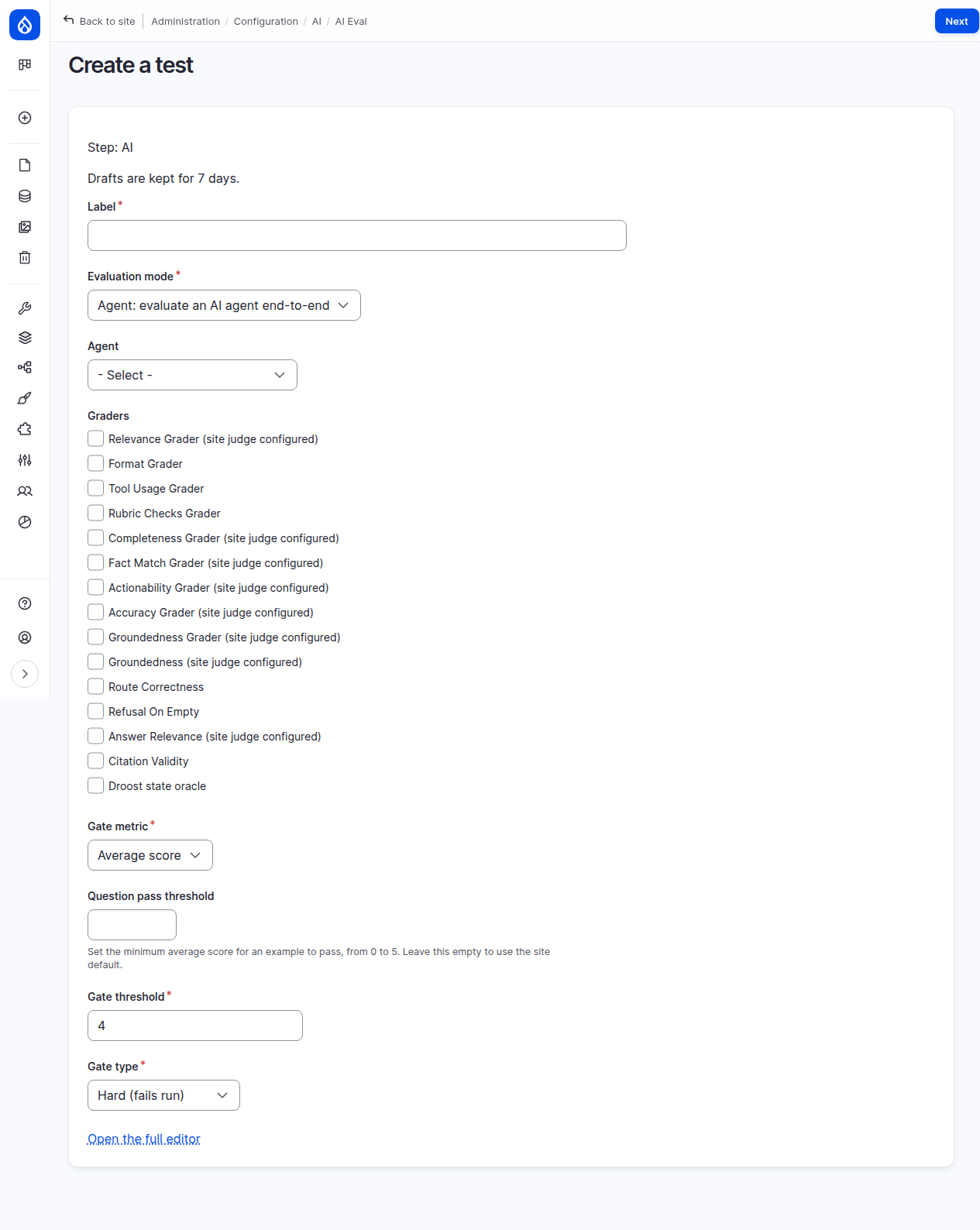
Each LLM judge uses its own model when one is set on its Edit prompt tab, otherwise the site judge. If a selected judge has neither, the Review step names it and links to Configure the site judge. Configure it (or set the judge's own model), then return to the draft. Your draft remains available while you take that detour.
Step 2: Examples
Choose an existing dataset or create an entity-backed dataset for this test. New datasets let you add examples in the guided workflow. Existing entity datasets are shown read-only here and link to the dataset editor.
Open the full editor when you need fields the guided workflow does not expose, need to edit a structured or multi-turn question, or want to manage a dataset independently of one test. File and config datasets are read-only, but you can create an editable entity copy while editing an existing test. See datasets shared by several tests.
Step 3: Review
Review the AI, graders, dataset, thresholds, and gate before the test is saved. The available actions are:
- Save test creates a new saved test.
- Save changes replaces the saved configuration of an existing test with the draft.
- Discard (on the Review step or via Discard draft on the workflow page) deletes the draft and removes editable dataset copies made by that draft when no saved test uses them.
- Save and run saves the draft, starts a run, and opens the test workflow, which shows the run's progress. The run scores every example once and may incur provider charges. If the test already has a run in progress, it is saved and no new run starts. The button is not offered while a selected judge has no model to run on.
Drafts and saved tests
Drafts are private to your Drupal user and Drupal keeps them for seven days. After that, an unsaved draft is no longer available. Saving or discarding removes the draft. If you make explicit saves from two browser tabs, the last save wins.
A pending edit draft never changes execution. The Run action always uses the saved test configuration, and the test workflow warns you when unsaved guided changes exist. Continue editing and save them, or discard the draft, before running if those changes should be included.