More ways to trust a judge
Check a judge against your own labels compared a judge with you. This tutorial asks two harder questions: how reliable are your labels, and is one model really a better judge than another?
It takes about an hour. You need a judge with gold labels from that tutorial, the Validate AI Eval judges permission, and a second model to try. That permission also lets you save labels in the blind second pass. The second validation calls the model once per labeled answer.
You will learn to
- measure your self-agreement with a blind second labeling pass;
- read Cohen's kappa and what it tells you about your labels;
- give a judge another model and validate it;
- compare two judges with Judge against judge and decide whether the evidence supports ranking them.
Terms with a dotted underline are defined in the Glossary. Point at one to see a short definition; click or tap it to read the full entry.
Why your own labels need checking
flowchart LR
    Y["Your labels"] -->|"how consistent?"| K["Self-agreement<br/>kappa"]
    J["Judge"] -->|"agrees with your labels"| R["TPR, TNR"]
    K -->|"bounds what R can mean"| R
A judge is measured against your labels. If you would label 1 answer in 10 differently on another day, a judge that "disagrees" with you on that answer may simply have picked the other side of your own doubt. As the re-label screen puts it, your agreement with yourself "bounds how much any judge validated against your labels can mean".
1. Label the same answers again, blind
Open the judge and its Label traces tab. Under the coverage line, click Re-label for self-agreement. The screen explains: "Blind second pass: your earlier verdicts are hidden." A counter shows how many you have done, for example Re-labeled 0 of 23.
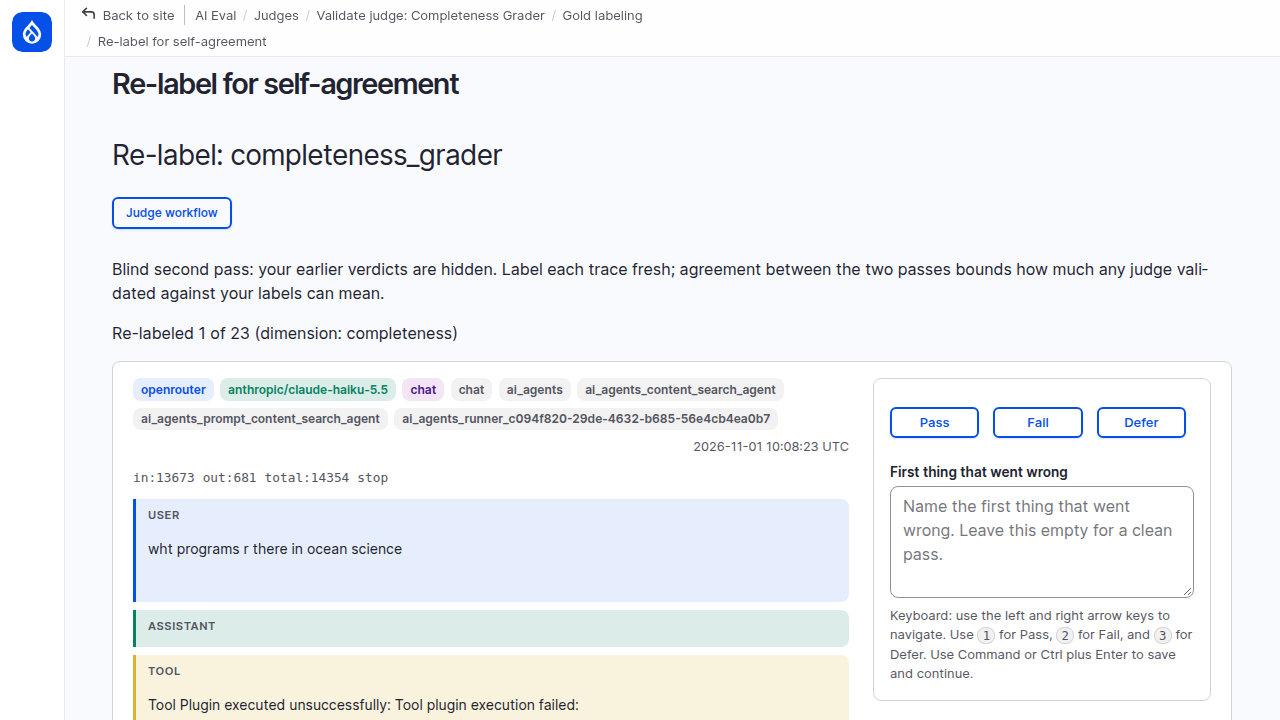
Label each answer again with the same written rule, as if for the first time. Do not try to remember what you said before.
Each verdict saves and moves to the next answer, and the counter goes up by one. The order of the answers stays the same during the pass, so Next and Previous go where you expect. Next unlabeled jumps to an answer you have not labeled again yet.
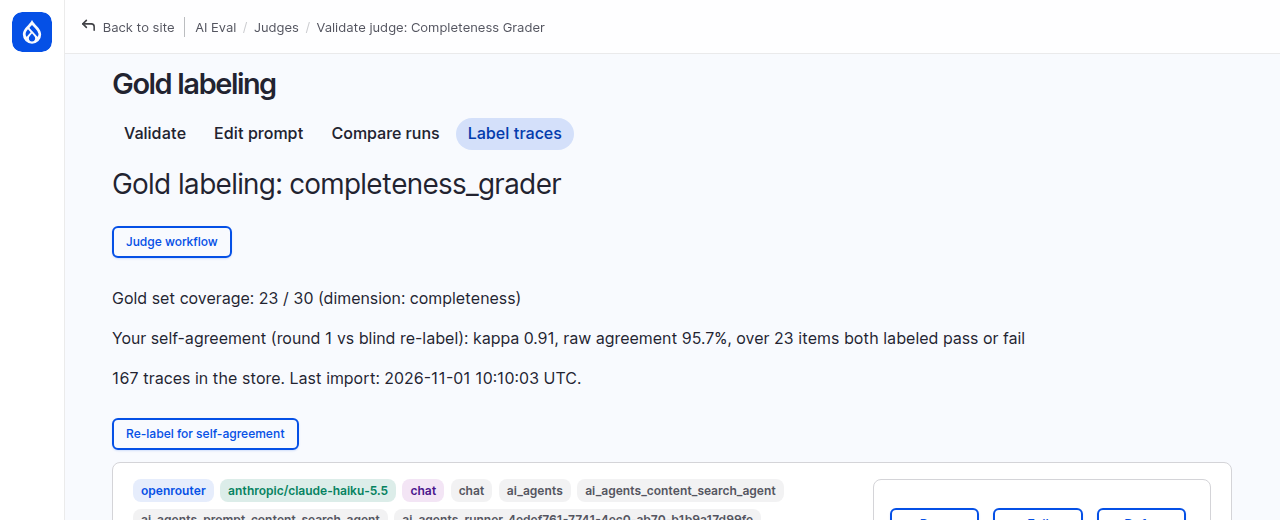
When the counter reads Re-labeled 23 of 23, go back to Label traces. A new line reports your agreement with yourself. On the demo site: "kappa 0.91, raw agreement 95.7%, over 23 items both labeled pass or fail". The Judges list shows the same figure in Gold-set agreement.
On the Judges list the figure is in the Gold-set agreement column, at the right end of the table; scroll the table sideways if you do not see it.
Under the hood: what kappa adds to raw agreement
Raw agreement is the share of answers you labeled the same both times: 22 of 23 here, 95.7%. Kappa corrects for luck. If almost every label were Pass, you would agree with yourself often just by saying Pass, and raw agreement would flatter you. Kappa 0.91 means your labels are consistent well beyond chance.
The one answer that changed was the open day question: passed the first time, failed the second, which is what the written rule says. The blind pass found the labeling mistake the judge had pointed at.
The second-pass labels are stored separately and never feed a validation. They only measure you.
2. Try another model as the judge
Click Edit prompt. Under Judge model, Provider / model for this judge chooses the model for this judge alone; Use the site judge model is the default. Choose another model (the demo site used MiniMax M3.1 Flash) and click Save override. The message warns: "Validate it again before relying on its trust verdict."
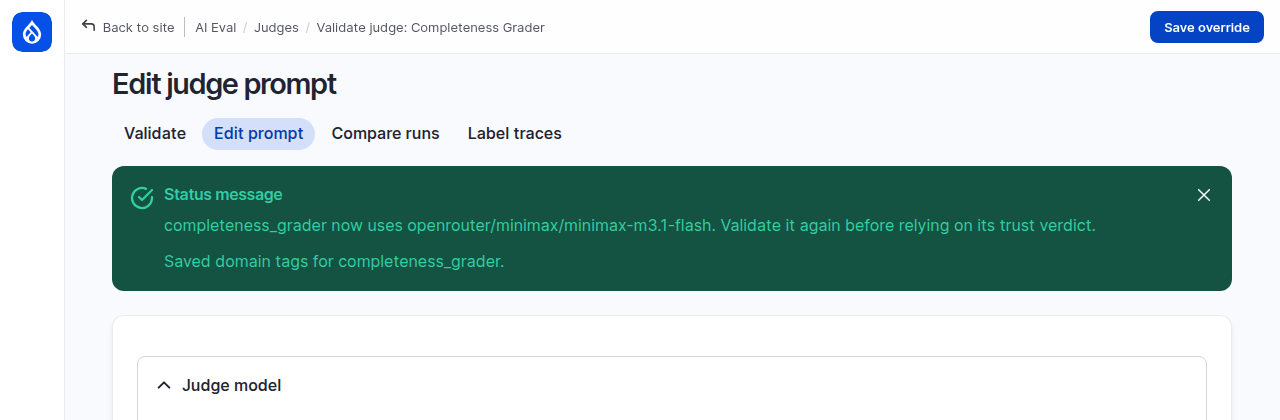
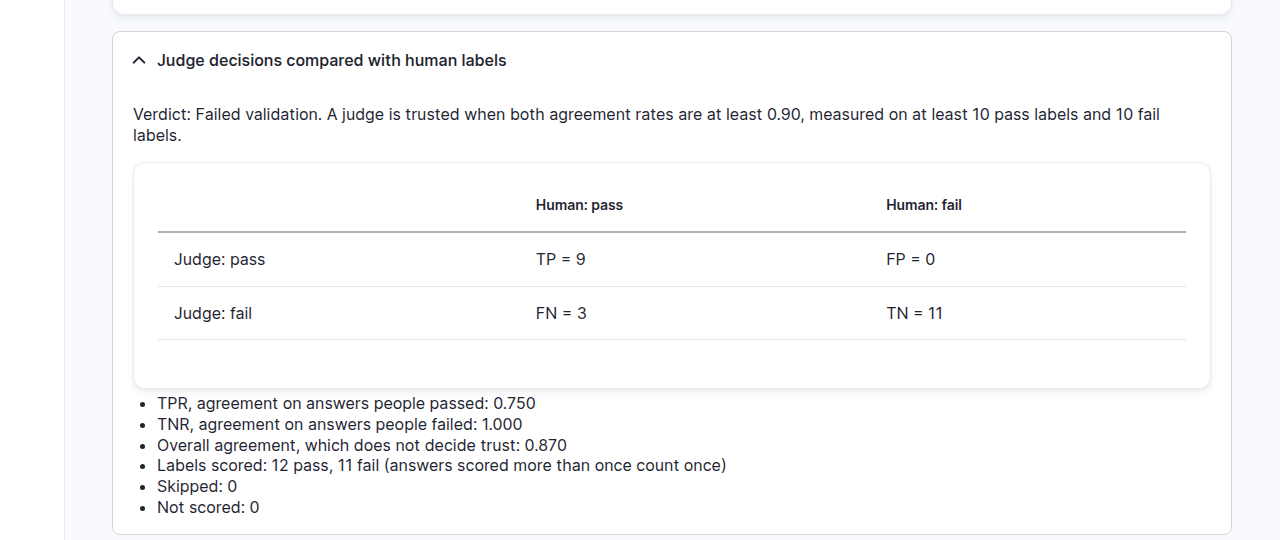
Then click Validate and run a validation with the same settings as before. Keep the page open until the report appears. On the demo site the new model failed validation: TPR 0.750, TNR 1.000. It never let a bad answer through, but it failed 3 of the 12 good ones.
3. Judge against judge
Open Manage > Judges and click + Compare two judges at the top. Choose the two validation runs to compare: the earlier run with the site model as the First judge, the new run as the Second judge. Both must be scored on the same gold labels. Click Compare.
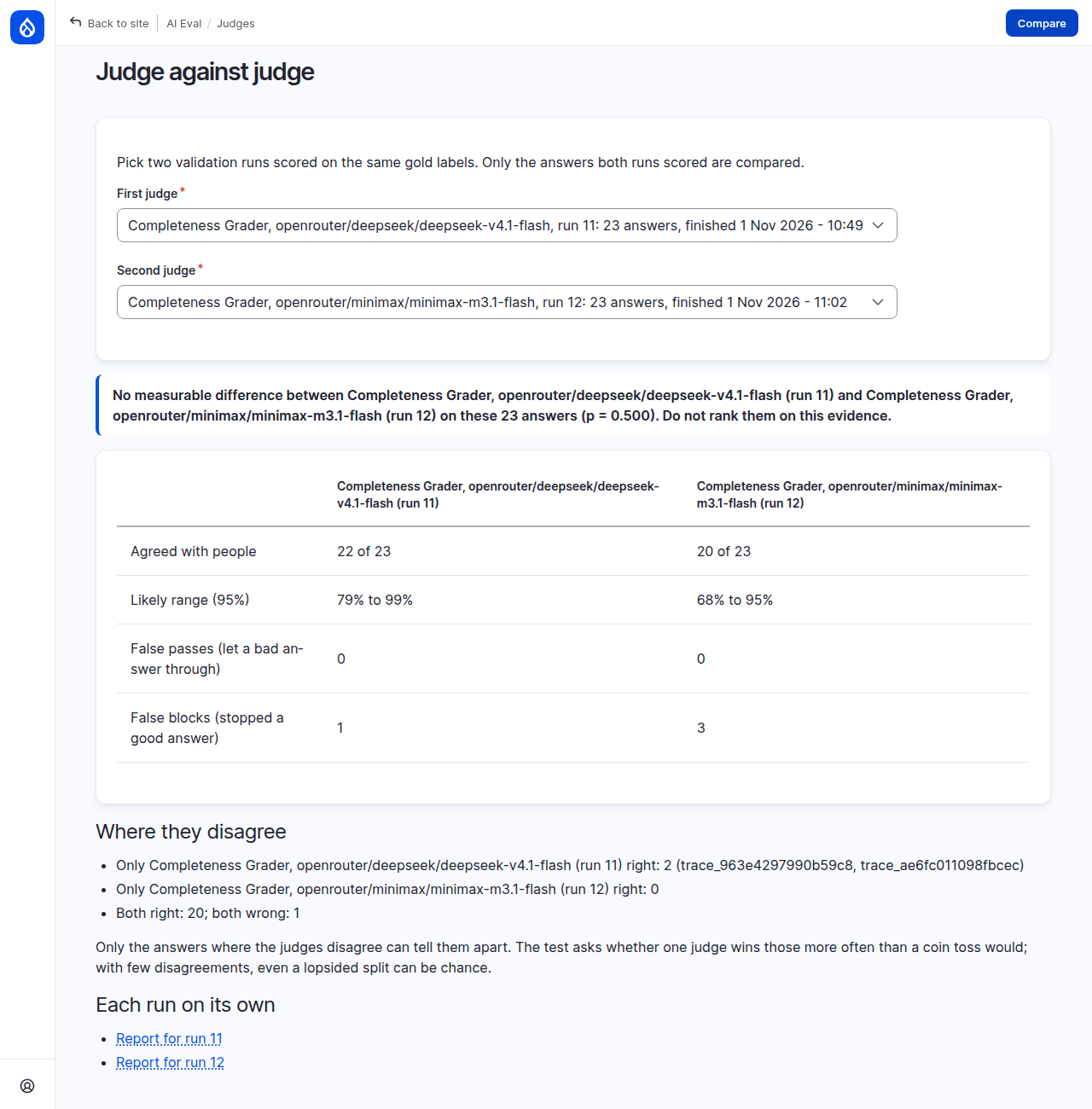
On the demo site the verdict was: "No measurable difference ... on these 23 answers (p = 0.500). Do not rank them on this evidence." Even though the first judge agreed with people on 22 of 23 answers and the second on 20 of 23.
Under the hood: why 22 against 20 does not establish a difference
Answers both judges got right, or both got wrong, say nothing about which is better. Only the answers they disagree on count, and the page tests them with a two-sided exact McNemar test: if both judges were equally good, each disagreement would be a coin toss. Here there were two, and the site model won both. Two out of two, one way or the other, happens by chance half the time: p = 0.500. The page ranks two judges only when that chance is below 5%.
A result like this does not say the judges are equal; it says these labels cannot tell them apart. To decide, you need more answers they disagree on, which means more labels.
The page also lists, per judge, the false passes and false blocks, and which answers each one alone got right. Report for run 11 and Report for run 12 open the full report of each run.
4. Decide, and check the trust state
There is no measurable difference, and the site model was trusted, so go back to it: on Edit prompt, choose Use the site judge model and save.
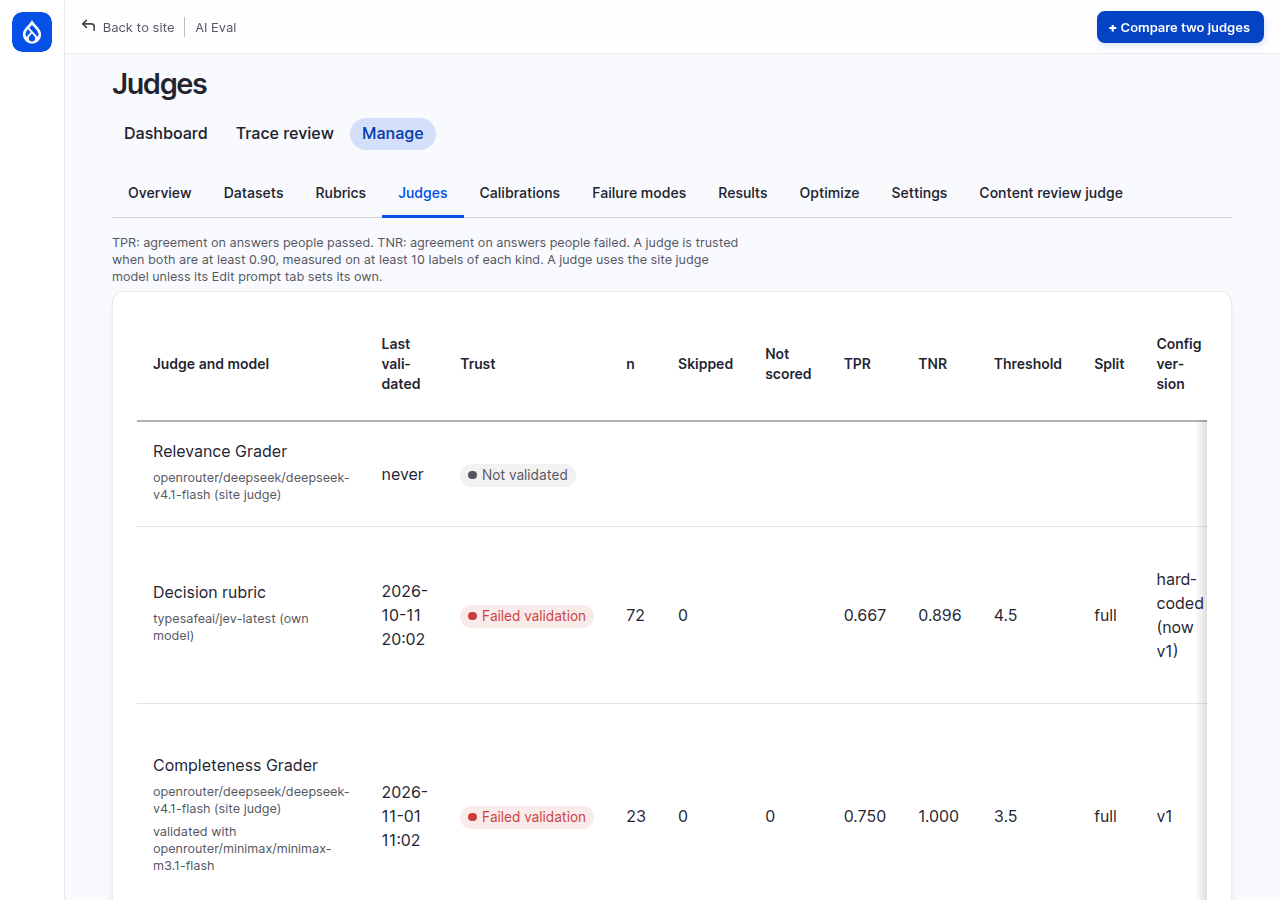
The Judges list now shows the judge as Failed validation, "validated with openrouter/minimax/minimax-m3.1-flash". Trust always reflects the latest validation, not the best one: switching the model back does not bring the old Trusted verdict back. Validate the judge again with the site model before you rely on it.
Common mistakes
- Re-labeling with your first verdicts in mind. The pass is only useful if it is honest; take a break first if you remember too much.
- Ranking judges on raw agreement. 22 against 20 looked like a winner; the evidence did not support it.
- Forgetting that trust follows the latest validation. After any change of model or prompt, validate again.
Check yourself
Your self-agreement is kappa 0.70. A judge reports TPR 0.95 and TNR 0.93 on your labels. What do you conclude?
Read the judge's figures with care: your labels are not very consistent, so some of its agreement and disagreement may be about your doubts, not its mistakes. Tighten your rule, look at the answers you labeled differently, and re-label before you rely on the judge's numbers.
Two judges agree with people on 90 and 85 of 100 answers. They disagree on 5 answers, and the first wins all 5. Is the difference real?
Not yet. All 5 disagreements going one way, in either direction, happens by chance about 6% of the time (twice 1 in 32, p = 0.0625). That is above the page's 5% cutoff, so it reports no measurable difference. A few more disagreements going the same way would settle it.
You switch a trusted judge to a new model, validate, then switch back. Is it trusted?
No. Trust shows the latest validation, which used the new model. Validate again with the original model.
Done when
- Every gold label has a blind second label, and you can read your kappa.
- A second model has a validation on the same labels.
- You can say, from Judge against judge, whether the evidence supports ranking the two models.
Next steps
- The full reference on gold-set reliability, validation and comparisons: Trusting your judges.
- Calibrate a decision judge's scores into probabilities: Calibrating a decision judge.