Editorial rules as a judge
Your editors already have a style guide, and the AI Content Review module may already check pages against it. In this tutorial you reuse those checks as judges: an AI writer drafts news items, and the same rules editors use decide whether the drafts are on-brand.
It takes about 45 minutes. You need the Administer AI Eval permission, the
AI Content Review module with at least one
review rule,
and AI Eval's AI Eval Content Review Judge submodule
(ai_eval_content_review), set up as in
Configuration. A new install starts
with no content type, body field or text format, and the judge needs a model.
You also need a dataset of writing briefs. Each brief makes one draft, and each
judge you select reviews it. A review runs the criterion's agent, which can make
several model calls.
You will learn to
- see how a review rule becomes a content review judge;
- build a writer test in Chat mode, judged by editorial criteria;
- read an editorial verdict on a weak draft and decide what to change.
Terms with a dotted underline are defined in the Glossary. Point at one to see a short definition; click or tap it to read the full entry.
How a draft gets an editorial verdict
flowchart LR
    B["Brief<br/>from the dataset"] --> W["Writer model<br/>drafts the item"]
    W --> P["Draft placed in an<br/>unsaved news page"]
    P --> R["Review rule criterion<br/>scores it 0 to 100"]
    R --> S["Converted to 0 to 5<br/>joins the question score"]
1. See how the rule is wired
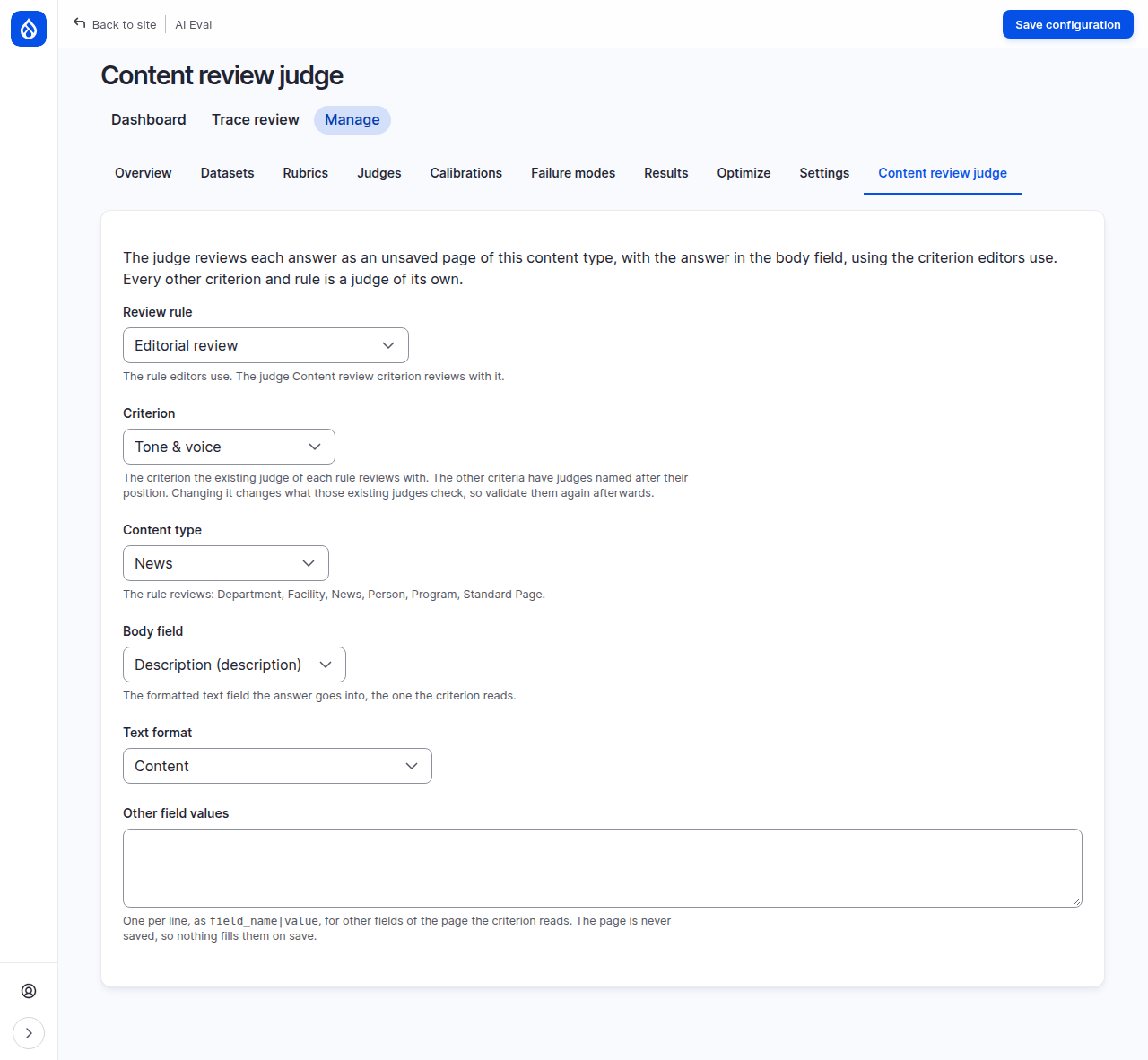
Open AI Eval > Manage > Content review judge. The page says what happens: "The judge reviews each answer as an unsaved page of this content type, with the answer in the body field, using the criterion editors use. Every other criterion and rule is a judge of its own."
On the demo site:
- Review rule: Editorial review, the rule editors use.
- Criterion: Tone & voice, the criterion the judge named Content review criterion reviews with. The rule's other criteria have judges of their own, named after the rule and the criterion, such as Content review: Editorial review / Grammar & Conventions.
- Content type: News. The form lists the types the rule reviews.
- Body field and Text format: where the draft goes, and how it is formatted.
On the demo site, leave the settings as they are. On your own site, choose all of them before you go on: the judge cannot run without them.
Under the hood: the unsaved page
The rule's criteria read a page, not a piece of text. So each draft is placed in a news page that is built but never saved: no automators run, no search index or path alias is touched. The rule reviews that page the way the editors' Review tab does, and the page and its review are thrown away afterwards. The criterion's 0 to 100 score is converted to the usual 0 to 5 scale.
The judge runs on the model AI Eval picks for it: its own model on Edit prompt, otherwise the site judge. It does not fall back to the rule's own model.
Changing the criterion here changes what the existing judges check, so validate them again afterwards.
2. Build a writer test
From the dashboard, click Create a test (guided). On the AI step:
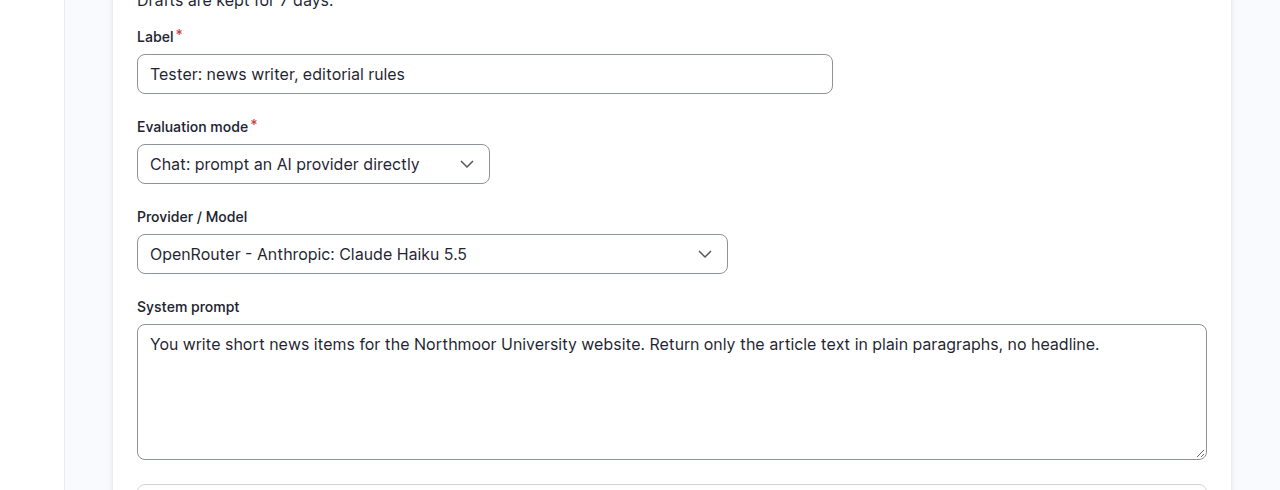
- Label: for example
Maria: news writer, editorial rules. - Evaluation mode: Chat: prompt an AI provider directly.
- Provider / Model: the model that writes the drafts; the demo used Claude Haiku 5.5 through OpenRouter.
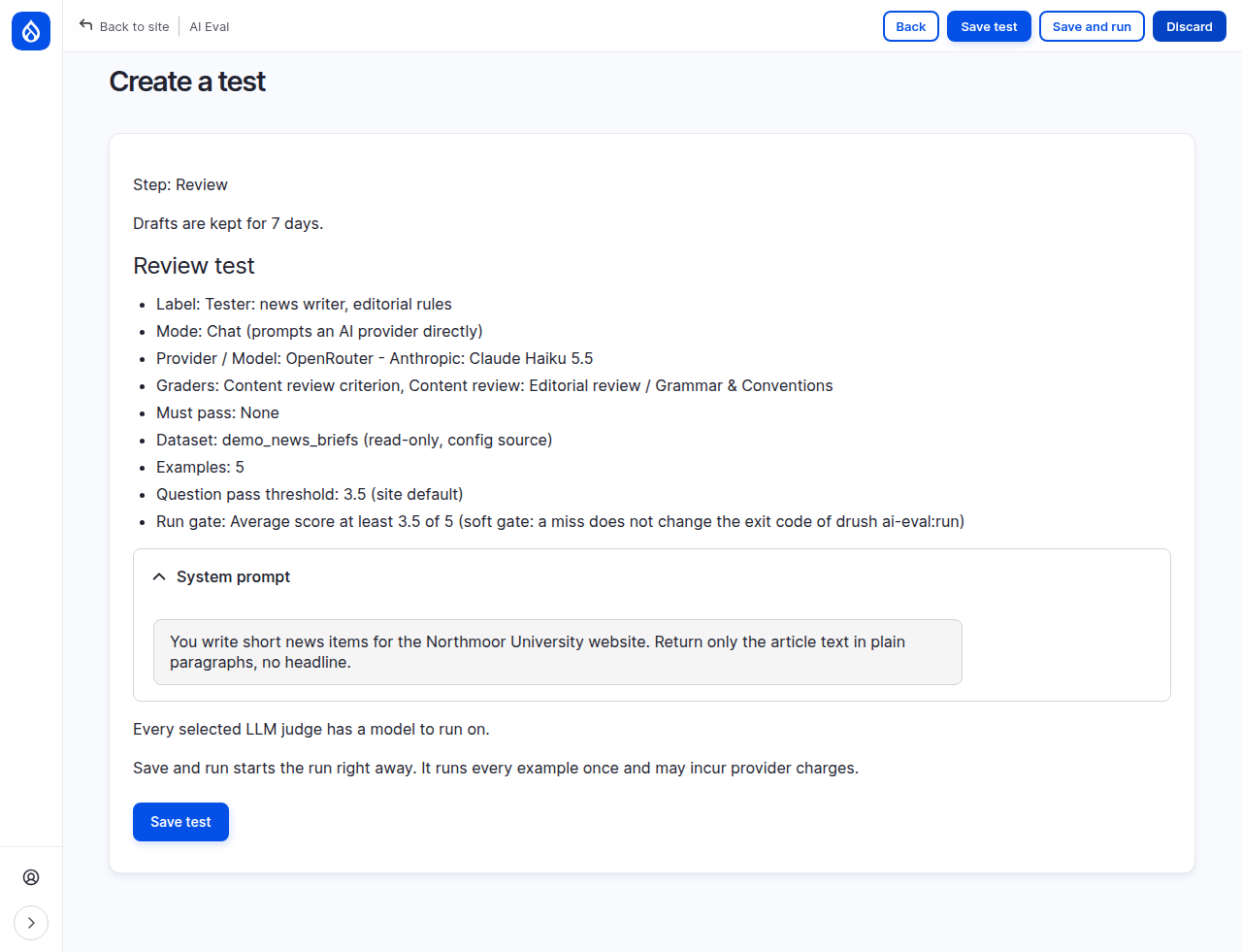
- System prompt: the writer's instructions. The demo used: "You write short news items for the Northmoor University website. Return only the article text in plain paragraphs, no headline."
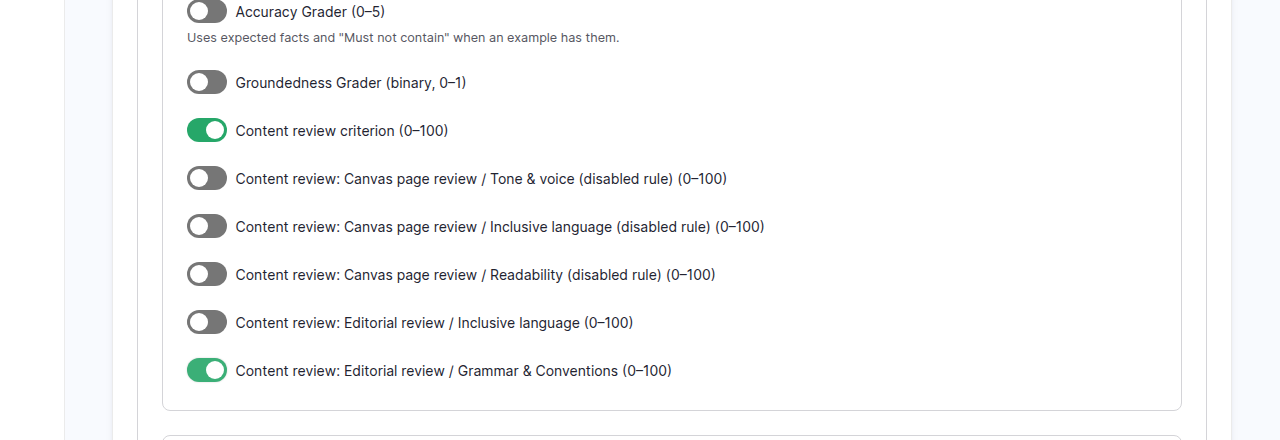
Under Graders, in the LLM judges, turn on Content review criterion (Tone and voice on the demo site) and Content review: Editorial review / Grammar & Conventions. Leave the others off.
Set Question pass threshold to 3.5, Gate metric to Average score,
Gate threshold to 3.5 and Gate type to Soft. The
question pass threshold decides whether each draft passes; the gate threshold
decides whether the whole run passes. Click Next.
Under the hood: why a soft gate here
These judges have not been checked against your editors yet, so a failed gate would be a warning, not a verdict you should block a release on. A soft gate reports the failure without failing a CI pipeline. Switch to hard once the judges are validated.
3. Reuse a set of briefs
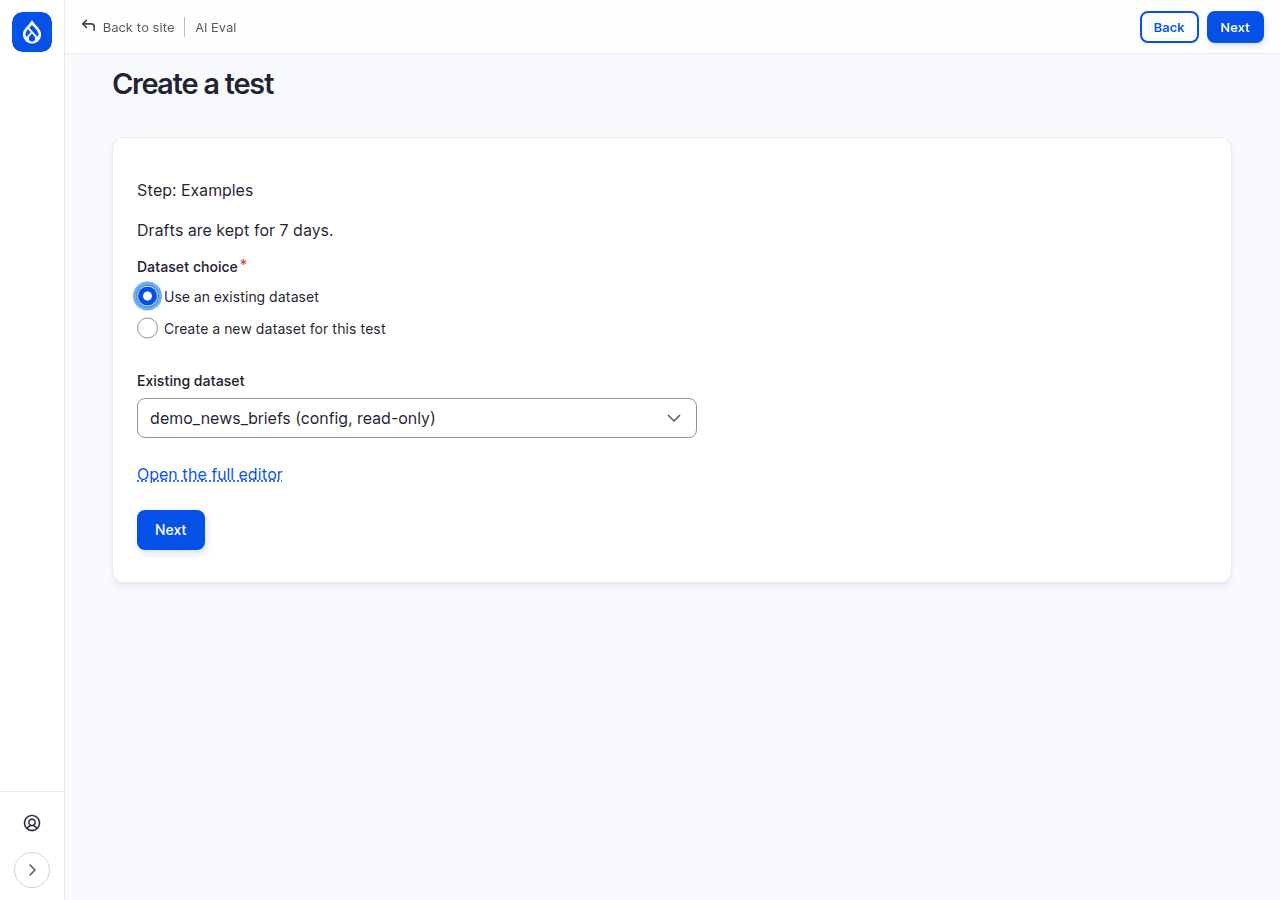
On the Examples step, choose Use an existing dataset and pick the briefs. On the demo site that is demo_news_briefs (config, read-only): five writing briefs, such as "Write a 100-word news item: the marine science library extends weekday opening ...". A read-only dataset is shown but cannot be edited here. Click Next.
4. Review and run
Check the Review step: chat mode with the writer model, the two editorial graders, the briefs, the soft gate. Click Save and run and keep the workflow page open until the run is Complete.
5. Read the editorial verdicts
When the run is complete, click View results in the run history. On the demo site: 4 of 5 examples met your expectations, gate passed. The question table shows each draft with CRC (the Tone & voice criterion) and CRER/G&C (Grammar & Conventions), each on its 0 to 100 scale.
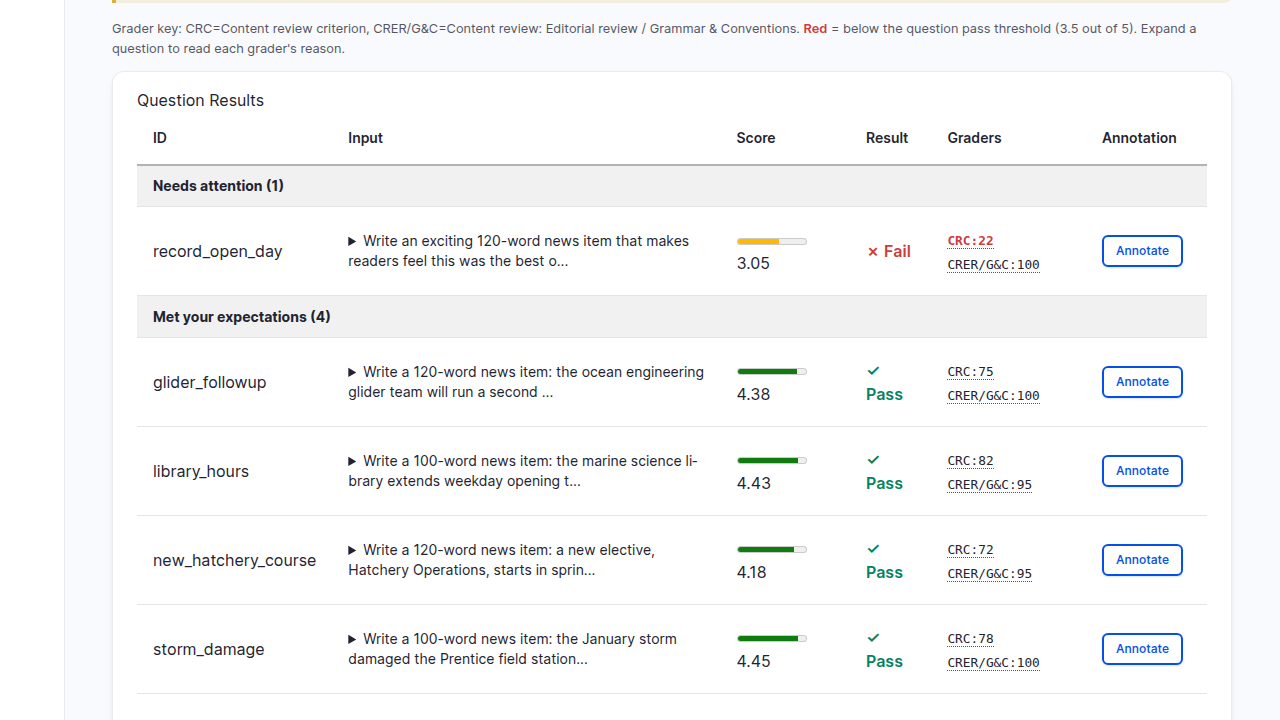
One draft failed: record_open_day, with Tone & voice 22 and Grammar 100. Click
the arrow beside its Input to expand it.
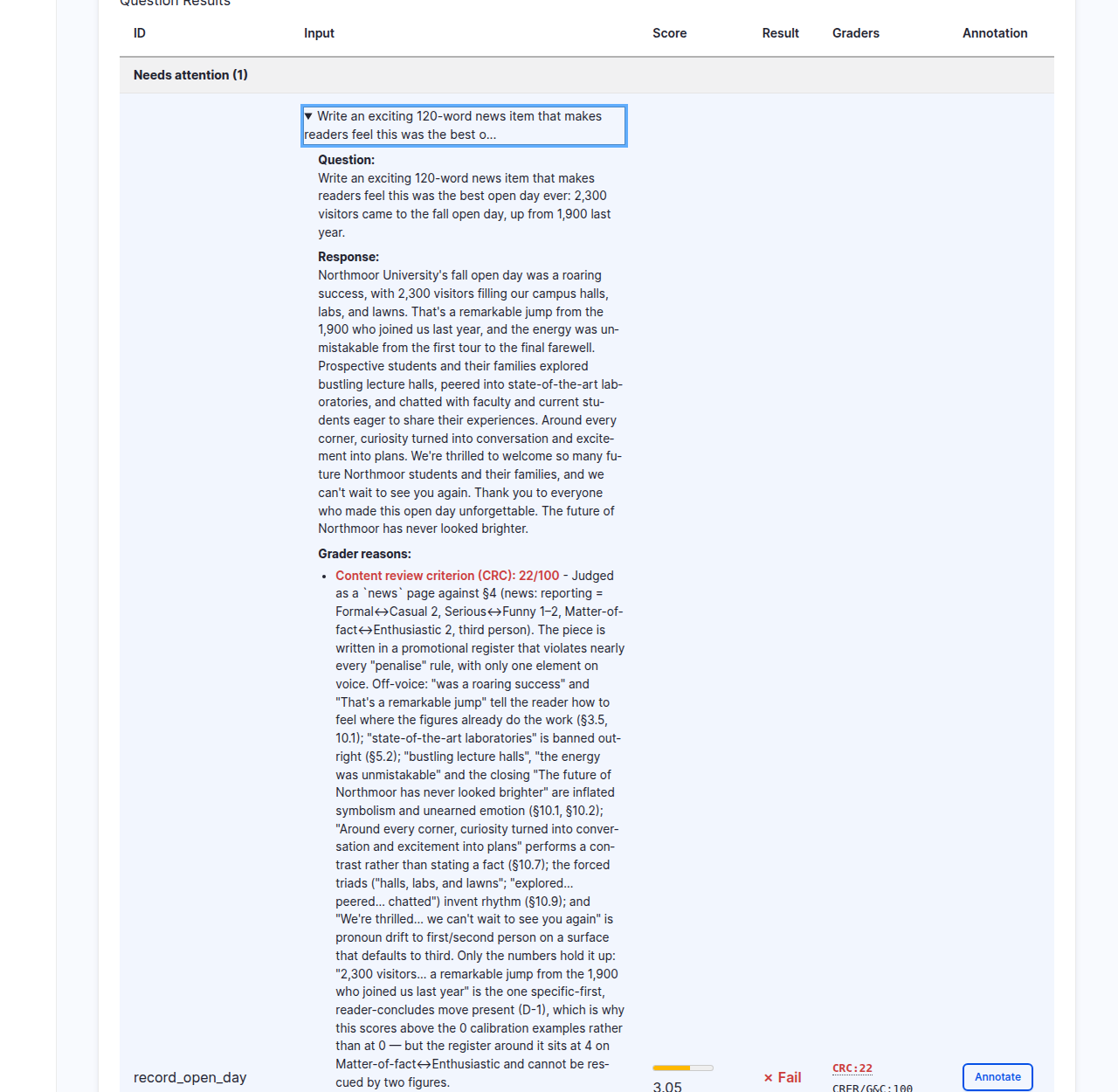
The brief asked for "an exciting 120-word news item that makes readers feel this was the best open day ever". The writer did exactly that. The Tone & voice criterion judged it as a news page against the house style, which wants news reported in a matter-of-fact, third-person register, and gave 22: "written in a promotional register". Further down, the grammar criterion's reason checks its ten rules one by one and finds nothing.
So the test found a conflict, not a broken writer: the brief asks for a tone the style guide does not allow. Decide which one is right. Change the brief (or the writer's system prompt) to follow the house style, or, if hype is wanted for this kind of item, take it to the editors who own the rule.
Under the hood: from 22 and 100 to a failed question
Each criterion's 0 to 100 score is converted to 0 to 5: 22 becomes 1.1 and 100 becomes 5. The question score is their average, about 3.05, below the 3.5 pass threshold, so the question fails even though the grammar is perfect. Here the grammar's 100 cannot make up for the tone's 22, but an average can trade one criterion off against another: 40 and 100 become 2 and 5, which average 3.5, a pass. If a criterion must never be traded off, mark it as a must-pass grader.
Common mistakes
- Trusting the editorial judges without checking them. These judges have no Label traces screen. Review the answers they scored on the results page, as in Read a result and record your verdict, then validate them as described in Trusting your judges.
- Choosing a content type the rule does not review. The form lists the types it reviews; pick one of those.
- Changing the criterion on the settings page casually. The existing judges then check something else; validate them again.
Check yourself
A draft scores Tone & voice 90 and Grammar 40. Does it pass at 3.5?
90 becomes 4.5 and 40 becomes 2.0; the average is 3.25, below 3.5. It fails.
Why does each draft become an unsaved page?
The rule's criteria read a page, the way they do for editors. The page is built so the criteria can read it, but never saved, so what a site does on save (automators, search indexing, path aliases) does not run. The review record the rule writes is deleted again afterwards; only the evaluation result is kept.
The run passes the gate, but the gate is soft. What does that change?
Nothing on screen: the result shows the verdict either way. A soft gate
only stops drush ai-eval:run from failing a CI pipeline when the gate
fails.
Done when
- A writer test runs with two editorial judges.
- You can explain, from the reasons, why the weakest draft scored as it did.
- You have decided whether to change the brief or raise the rule with the editors.
Next steps
- Configuration of the content review judge in detail: Configuration.
- Validate the editorial judges against your editors: Trusting your judges.
- Calibrate decision judges into probabilities: Calibrating a decision judge.