Read a result and record your verdict
A result tells you what the graders decided. This tutorial is about what you decide: read a failed answer, check it against the source, write down your own verdict, and keep the failure so later runs check it again.
It takes about 45 minutes. You need a finished result with at least one failed question, for example the second run from Improve your test, and the Operate AI Eval and Annotate AI Eval results permissions, or Administer AI Eval.
You will learn to
- read a failed answer and the judges' reasons, and check them against the source;
- record your own verdict as an annotation;
- promote a real failure into a dataset of failures;
- find where your annotations lead next.
Terms with a dotted underline are defined in the Glossary. Point at one to see a short definition; click or tap it to read the full entry.
Two verdicts on every answer
flowchart LR
    A["Answer"] --> J["Graders' verdict<br/>scores, reasons, pass or fail"]
    A --> H["Your verdict<br/>annotation: pass, fail or defer, plus a note"]
    J --> R["Result and gate<br/>(unchanged by annotations)"]
    H --> F["Failure modes and<br/>datasets of failures"]
The graders' verdict decides the result. Your verdict is the one you trust; it is how you find out whether the graders are right and what actually goes wrong.
1. Open the result
Open the test's workflow page and click View results on the latest run in Run history. On the demo site the latest result reads 4 of 5 examples met your expectations.
2. Read the failed answer
Failed questions are listed first, under Needs attention. Click the question text (or the triangle in front of it) to open it. You see four things in order:
- Question: what the test asked.
- Criteria (what a good answer says): what you said a good answer contains.
- Response: what the AI feature answered.
- Grader reasons: each grader's score and one-line reason.
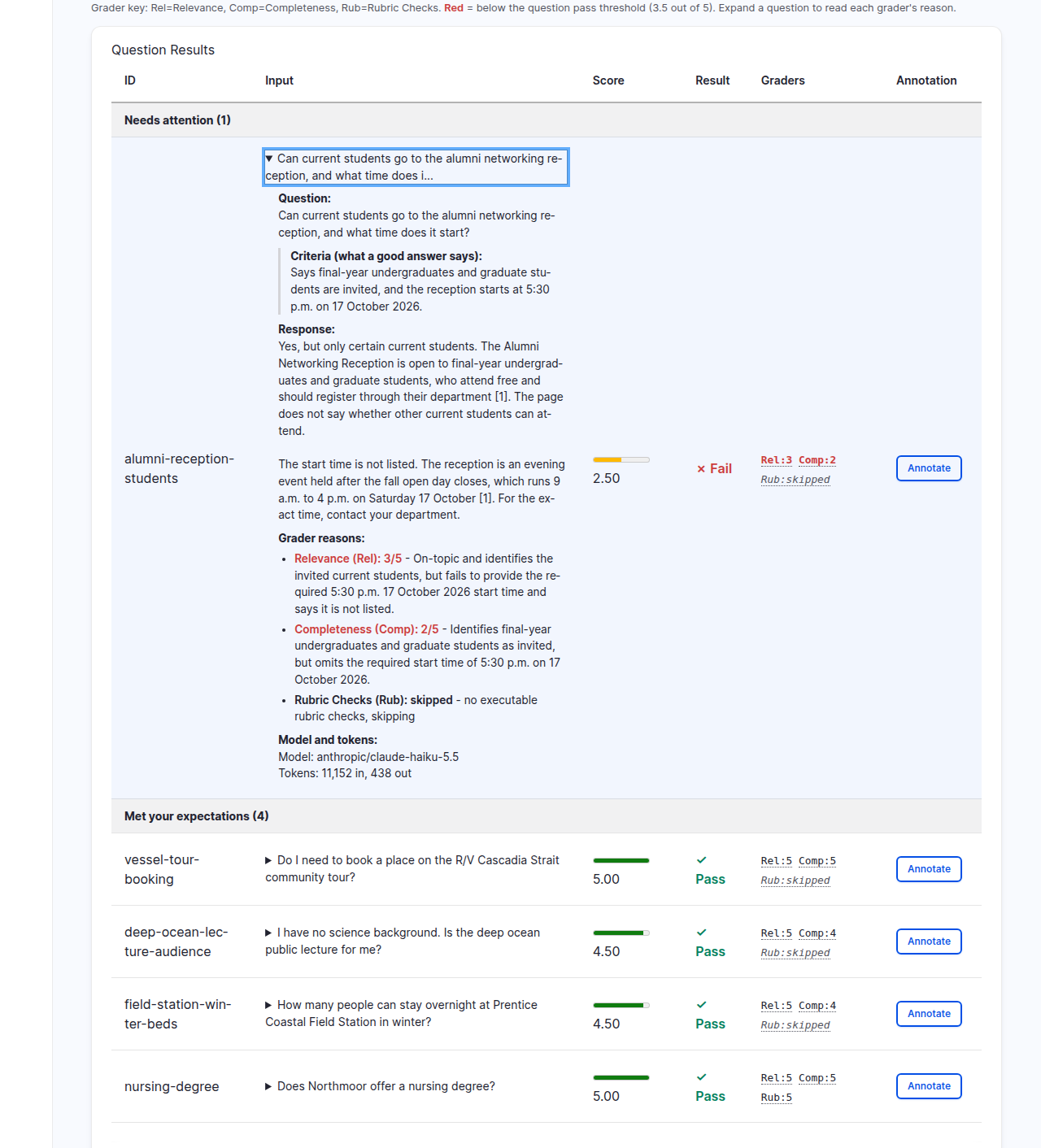
On the demo site the assistant said the right students are invited, then said the start time is not listed. Both judges marked it down for the missing 5:30 p.m. Before you agree with them, check the source: open the Alumni Networking Reception event on the site (search the site or the events list for it). Its header reads "17 Oct 2026 · 5:30 pm to 8:00 pm". So the judges are right, and the answer is wrong.
Under the hood: why check the source yourself
A judge reads the question, your criteria and the answer. It does not check your site. If the criteria were wrong, its verdict would be misleading and it would sound just as sure. Checking the source is how you catch a wrong criterion, a wrong answer, or a judge that misread the answer. Only you can tell which one it is.
3. Record your verdict
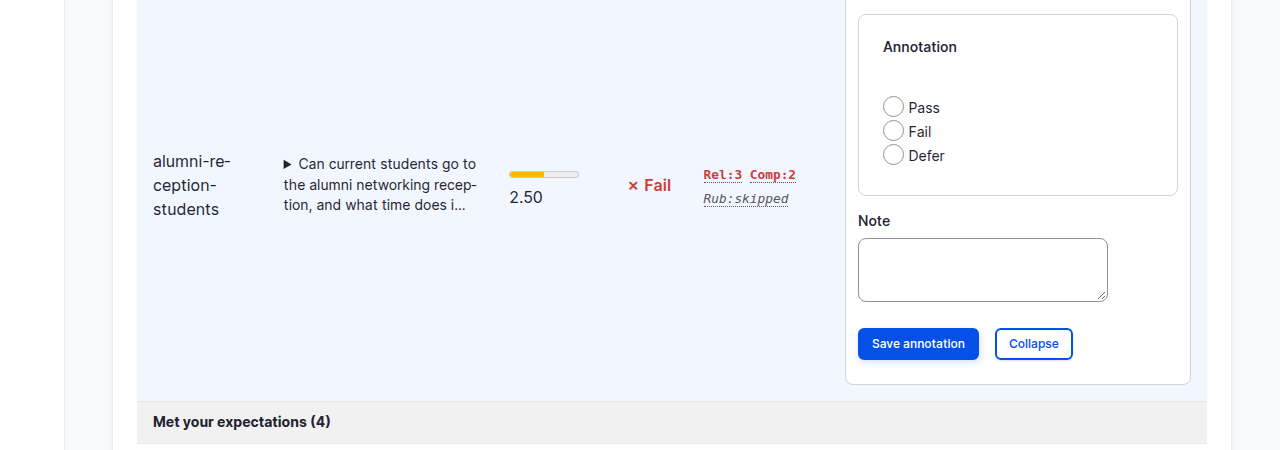
Click Annotate at the end of the row. A small form opens with three choices and a note:
- Pass: the answer is good enough.
- Fail: it is not.
- Defer: you cannot decide yet, for example because you need to ask someone who knows the subject.
Choose Fail and write a short Note that says what went wrong, in your own words: "Says the start time is not listed. The event page shows 5:30 p.m." Click Save annotation.
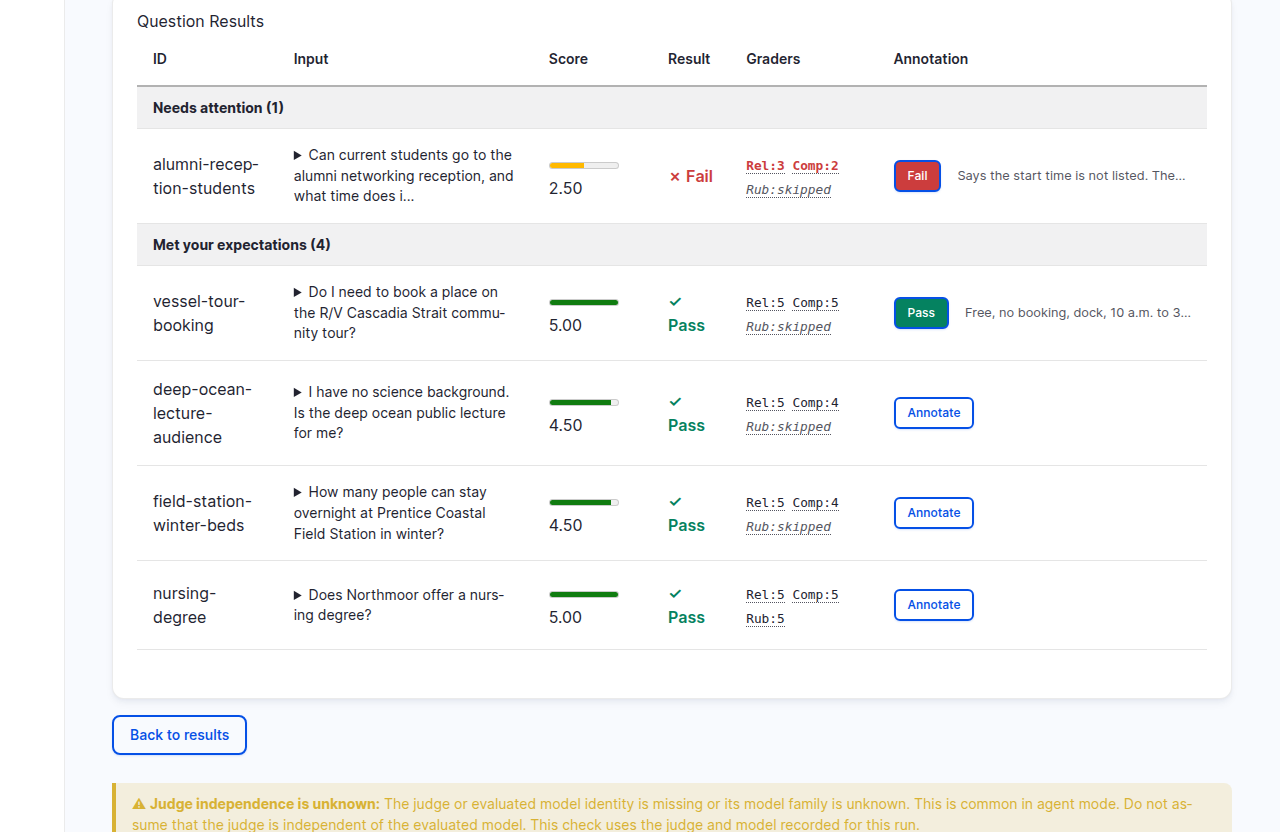
Then annotate an answer that passed. Open vessel-tour-booking, read it, click
Annotate, choose Pass, note why ("Free, no booking, dock, 10 a.m. to
3 p.m.: all there.") and click Save annotation. Agreeing with the judges is worth recording too: a
reviewed pass is as much a finding as a reviewed failure.
The row now shows your verdict as a chip next to the start of your note. Click the chip to open the annotation again.
Under the hood: what an annotation changes, and what it does not
An annotation is stored next to the result, under your user. It never changes the scores, the pass rate or the gate: the result keeps what the graders decided. What annotations feed is the error analysis that comes after: grouping failures into kinds and measuring how often each kind happens.
The note is the important part. Write what you saw, not a category you made up in advance. Reading answers one by one and writing such notes is called open coding.
4. Keep the failure
A real failure is worth more than an invented one. Keep it in a dataset of failures; once a test uses that dataset, every run of it checks whether the failure is fixed.
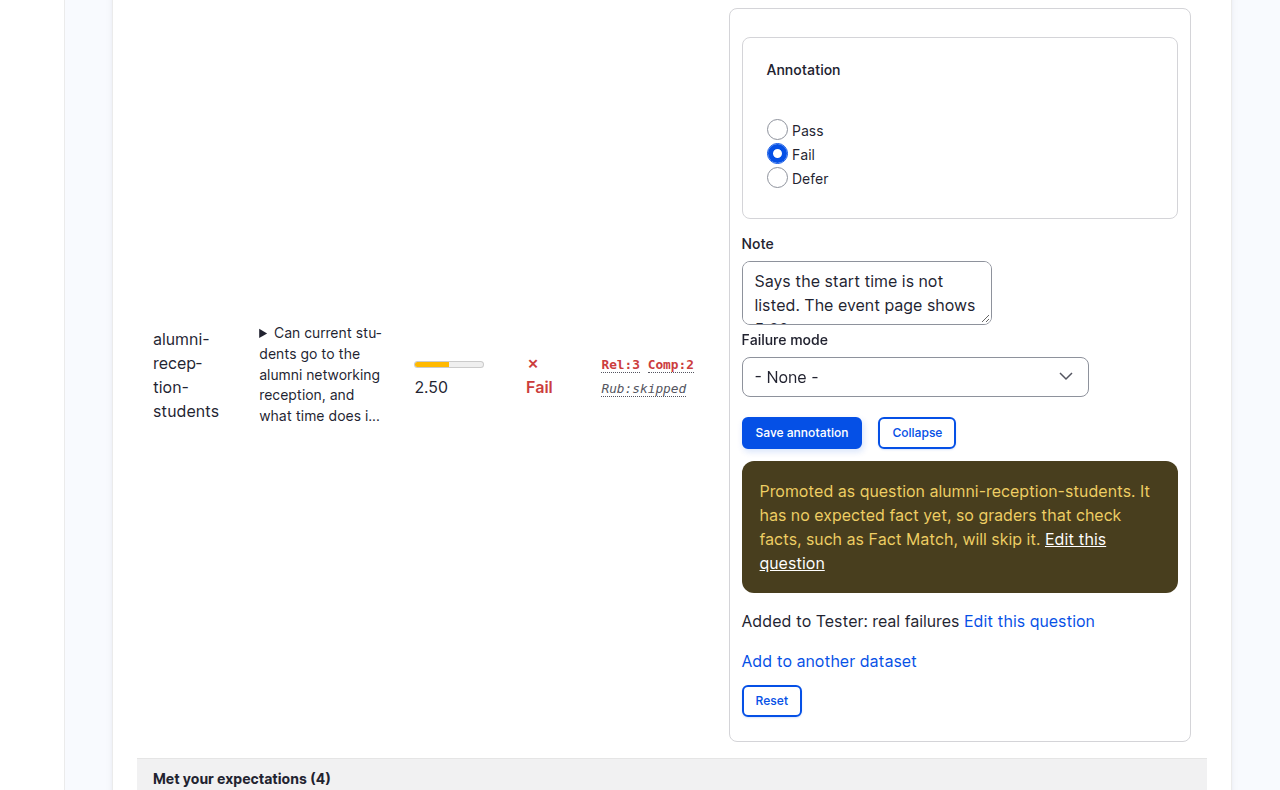
Click the Fail chip on the failed question to open its annotation again. Under the note there is a section to add it to a dataset:
- Add to dataset: an existing dataset, or
- or new dataset: a name for a new one. On the demo site:
Tester: real failures. - What makes an answer good (optional): the criteria, filled in from the question. Change them here if the failure taught you something.
Click Add to dataset. A message confirms it: "Promoted as question alumni-reception-students." It adds that the question has no expected fact yet, so graders that check facts will skip it; that is fine for the two judges this test uses. The copy keeps the question's other expectations and settings, such as a rubric reference or a caller, and your verdict and note travel with it.
The promote form then gives way to a done state: Added to Tester: real failures, a link Edit this question, and a link Add to another dataset that brings the form back if you want a copy somewhere else.
5. See where annotations lead
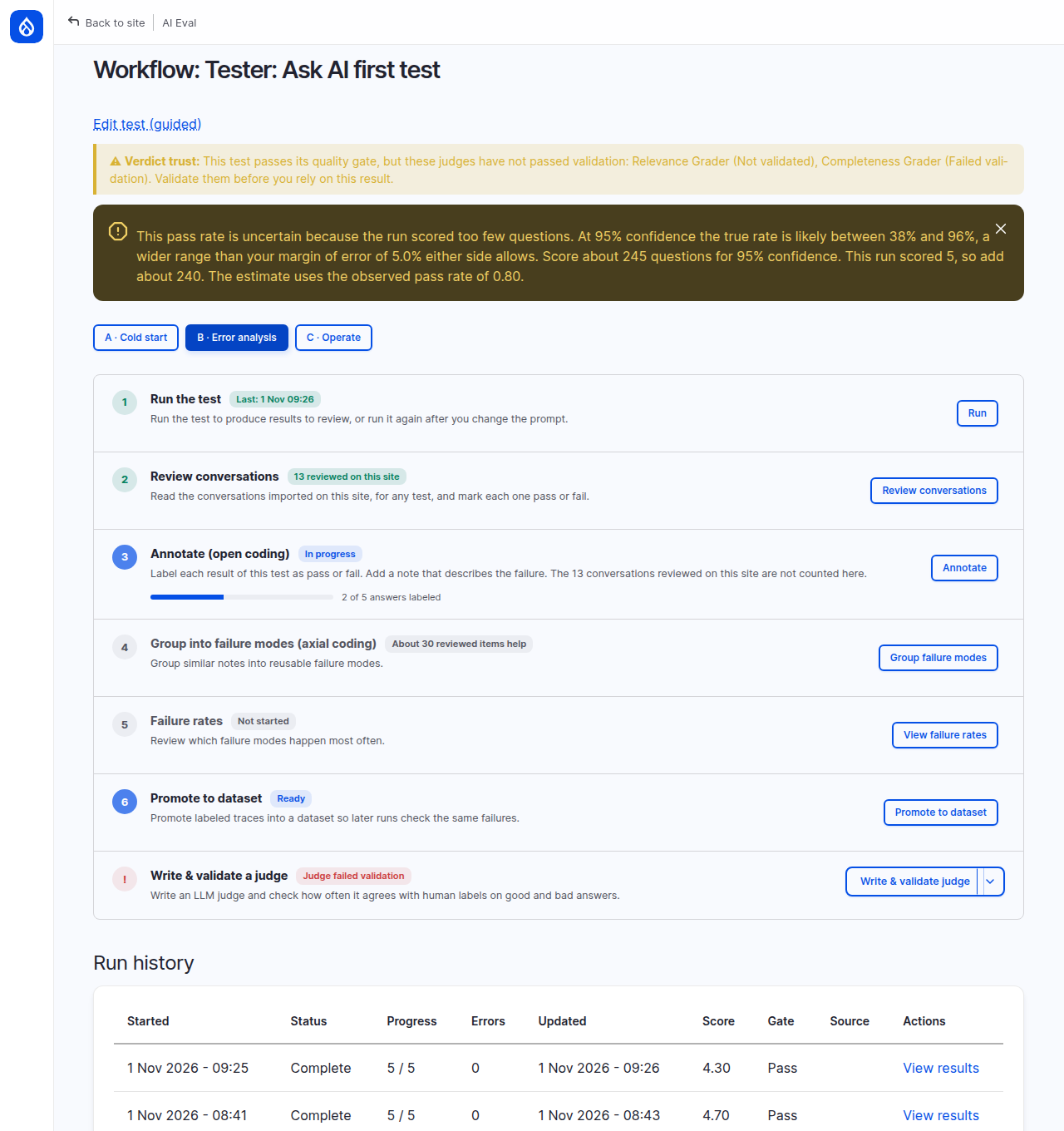
Go back to the test's workflow page and click B · Error analysis. The steps of error analysis are listed in order; Annotate (open coding) now says In progress.
Under the hood: the numbers on this page
2 of 5 answers labeled counts the answers in the test's latest result that carry your verdict, against the number of questions in that run. When you run the test again, the new result starts at 0 of 5. Conversations reviewed on the site, such as the ones in Real traffic, are counted separately and are not part of this bar. About 30 reviewed items help on the next step says when grouping your notes into failure modes starts to pay off. Two annotations are a start; patterns show up after dozens.
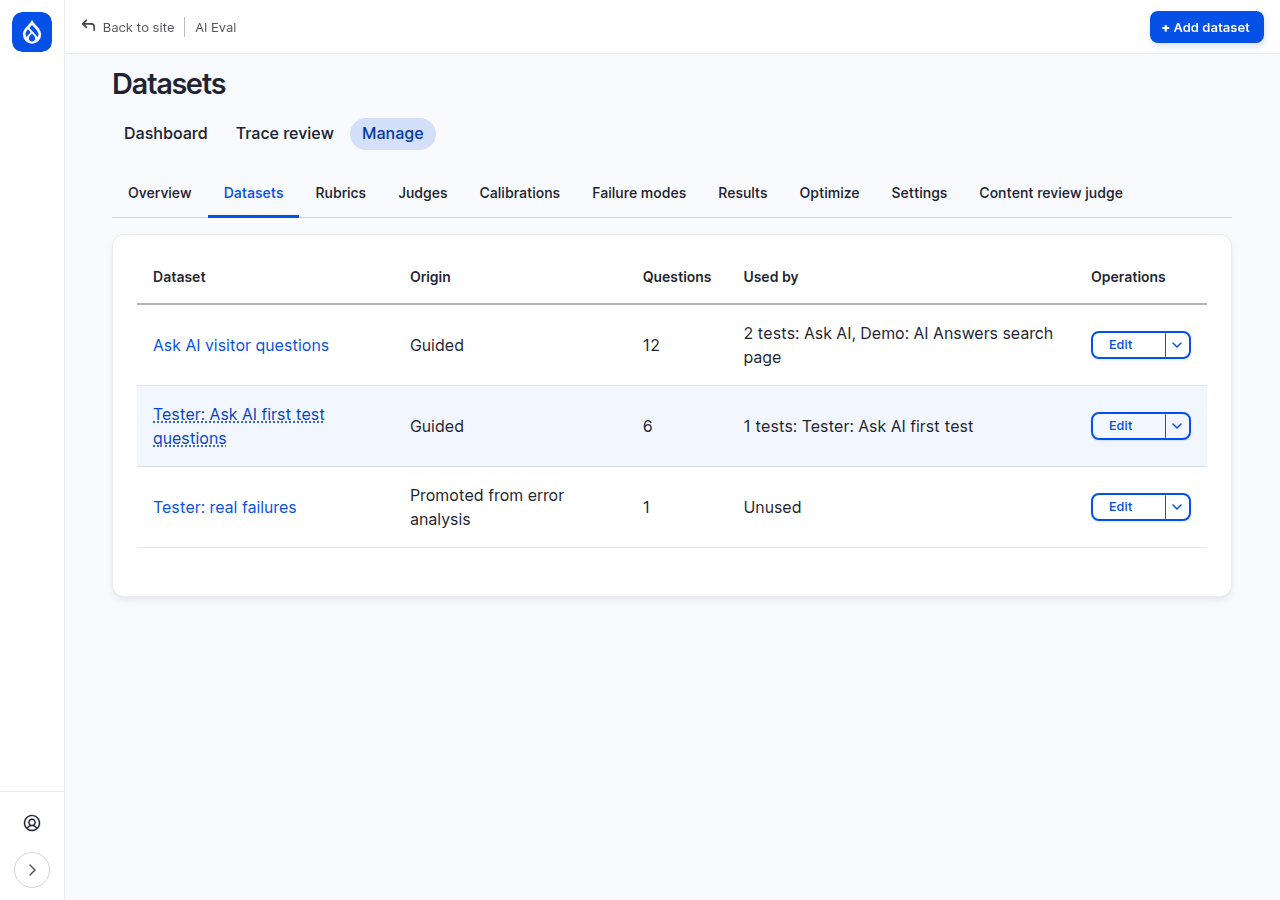
Finally open Manage > Datasets. The new dataset is there, with origin Promoted from error analysis, one question, and Unused: no test runs it yet.
Common mistakes
- Trusting a judge's reason without checking the source. The judge reads your criteria and the answer, not your site.
- Writing the category instead of the observation. "Hallucination" says less than "says the time is not listed when the page shows it".
- Annotating only failures. Without the passes you cannot tell how often the feature gets things right.
- Promoting into the wrong dataset. The done state names the dataset the question went to. Add to another dataset opens the form again, so read the name before you use it.
Check yourself
You annotate a failed question as Pass. Does the result's pass rate change?
No. Annotations never change scores, the pass rate or the gate. The disagreement is recorded, and it is a sign that the judge or the criteria need a closer look.
When should you choose Defer?
When you cannot decide yet: the answer depends on facts you need to check or on someone else's judgment. Come back to it; a deferred answer is not a verdict.
Why keep a real failure in its own dataset?
So the tests that use that dataset ask it on every run. Once the feature is fixed, the question should pass; if it fails again later, you know something broke.
Done when
- Two answers in the result carry your annotations: one Fail, one Pass, each with a note.
- A dataset of real failures exists with the failed question in it.
- You can say what the error analysis steps after annotation are for.
Next steps
- Group your notes into failure modes: Failure modes.
- Check whether a judge agrees with you: Trusting your judges.
- Run the failures dataset on its own test: Datasets.