PHP
The Site Agent PHP submodule lets the agent write PHP and run it in the site, the way a coding agent runs shell commands, and adds a PHP console beside the chat where a person runs PHP themself. The agent uses its other tools where they do the job, and writes PHP when they fall short: when no tool does it, when it would take many calls, or when a tool failed.
Turning it on
All of these must hold:
- The module is installed. It needs PsySH, which Drush requires; the status report says when it is missing.
- settings.php turns PHP on. Nothing in the UI can, so an account that may grant permissions can't turn on code execution where settings.php doesn't:
Rebuild caches after changing it. The tool checks the setting again each
time it runs.
- The account has "Run PHP with Site Agent" (execute site_agent php), a
restricted permission. Code runs past every access check, so grant it only
to roles trusted with the site's code.
- For the agent: the account may use a toolset that offers a PHP tool. The
module installs a Developer toolset with Read with PHP and Run PHP,
use developer toolset.
- For Read with PHP: PHP-Parser, which
PsySH requires.
PHP runs where configuration is locked too, such as a production site; there a configuration write fails (see below). Leave the setting off on sites where nobody should run code.
The agent's PHP tool
site_agent_php:eval, "Run PHP", takes PHP code and runs it through PsySH,
as drush php:cli does:
- The value of the last expression is returned without a
return. exit()anddie()end the run, not the request.- Some fatal errors, such as a call to an undefined function, are refused before the code runs.
- Each run starts afresh: no variables carry over.
The result names what the code printed, its last value as PsySH presents it,
with Drush's casters for entities and configuration, the exception it threw
with its trace, and how long it ran. It goes to the model in full, up to
50,000 bytes, and the call's record keeps it. A run may take 60 seconds;
$settings['site_agent_php_time_limit'] changes that.
Code runs as the thread's owner, in the thread's staging workspace where
content is staged. The tool is classified code (see
Extend Site Agent): it is offered where
configuration is locked, and it follows its toolset entry's approval mode.
The Developer toolset ships it asking before every call; an administrator may
set the entry to "once" or "pre-approved".
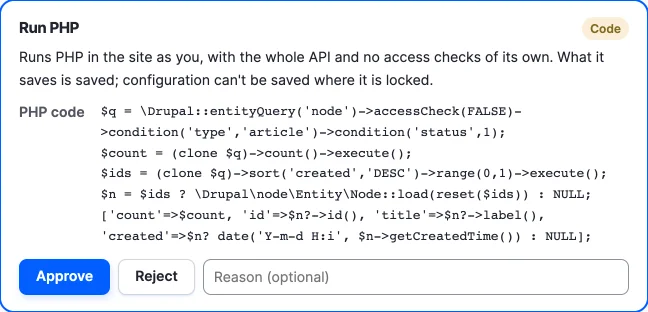
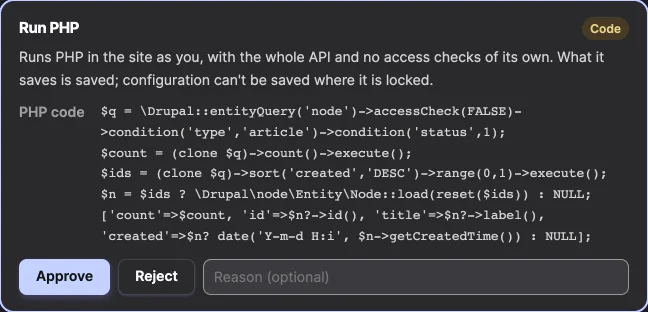
The approval card shows the code as the model wrote it. The result card shows the code, what it gave back, and the content entities it saved, each with its comparison, View, and Publish where it left a draft, as a write of several entities lists them. The preview loads what it saved. Configuration it saved is listed under "Configuration changes".
Read with PHP
site_agent_php:read, "Read with PHP", runs PHP the way Run PHP does, but
only code that a check shows only reads, so the Developer toolset offers it
pre-approved: the agent reads paragraph field values, counts and reports
without asking. It has the same permission and settings.php gate as Run PHP.
The prompt section tells the agent to use it for reads that no content tool
covers, and Run PHP only for code that writes.
Code runs in Drupal's own process, with the whole API in reach, so nothing can guarantee that it only reads. Two safeguards stand between the code and a write:
- The read check. Before the code runs, PHP-Parser parses it, and the
check refuses it unless every call in it is on the read allowlist: known
read methods, such as
load,getQuery,condition,execute,get,getValue,label,referencedEntitiesandtoUrl; pure PHP functions, such ascount,implode,sprintfand the array and string functions;\Drupal::entityTypeManager()and a few other static methods of\Drupal;\Drupal::service()with a service on the list; andload()andloadMultiple()of entity classes. It also refuses: - methods and functions called by a computed name, and variable functions
such as
$callable(); new;eval,includeandrequire, backticks, andexitanddie;$GLOBALS,global, and variable variables;- assignment to properties, static or not, such as
$node->title = …, and passing a property to a function that changes its argument; - declaring functions, classes or constants;
- callbacks, such as
array_map()'s, that aren't closures, arrow functions or first-class callables, whose calls the check reads too.
The refusal names each line and what it refused, and tells the agent to use Run PHP, which asks the user, when the code must write.
- The rollback. The code runs in a database transaction that is rolled back however the run ends, so a database write that gets past the check is undone, and the entities and configuration the run loaded are forgotten. The log entry of the run is written before the transaction starts; entries the code logs itself are rolled back with it.
What neither covers:
- The allowlist names methods without knowing the objects' classes: an
object whose
get()orexecute()writes would get past the check. - The rollback undoes only the default database connection. Files written, mail sent, HTTP requests, queues outside the database, and caches outside it, such as Redis or Memcache, are not rolled back.
- A statement that commits implicitly, such as a schema change on MySQL, ends the transaction; the run then fails, saying what it wrote may be saved.
Treat it as a safeguard against mistakes, not a sandbox: grant
execute site_agent php only to roles trusted with the site's code.
Extending the allowlist
The allowlist is ReadCheck::ALLOWLIST
(modules/site_agent_php/src/Read/ReadCheck.php), with a key for each kind of
call: functions, callbacks, methods, drupal (static methods of
\Drupal), services and entity_statics. A module adds to it with
hook_site_agent_php_read_allowlist_alter(), documented in
site_agent_php.api.php:
#[Hook('site_agent_php_read_allowlist_alter')]
public function readAllowlistAlter(array &$allowlist): void {
  $allowlist['services'][] = 'my_module.report_builder';
  $allowlist['methods'][] = 'buildReport';
}
Add only what reads: the check trusts every name on the list, on any object.
The result card shows the code and what it returned, as Run PHP's does.
When the agent writes PHP
The Developer toolset's prompt tells the agent when to write PHP and how: investigate first, fix the code when a run fails, save content as drafts unless the user asks for it live, return values rather than whole entities, and never print secrets. A site edits the prompt with the toolset.
A prompt section adds the facts code depends on: the Drupal and PHP versions, the themes, the languages, the installed modules, whether configuration is writable, and whether content is staged.
Configuration where it is locked
Where configuration is locked, a configuration write the code makes throws, and the run fails with the reason configuration is locked. With Config Read-only active, its storage throws; without it, the submodule decorates the configuration storage so that writes throw while PHP runs. Outside a run, configuration saves as it otherwise would.
What the code did before the write stays: content it saved, mail it sent. No transaction wraps a run of Run PHP, since what a run touches outside the database can't be rolled back with it; only Read with PHP's runs are rolled back.
The console
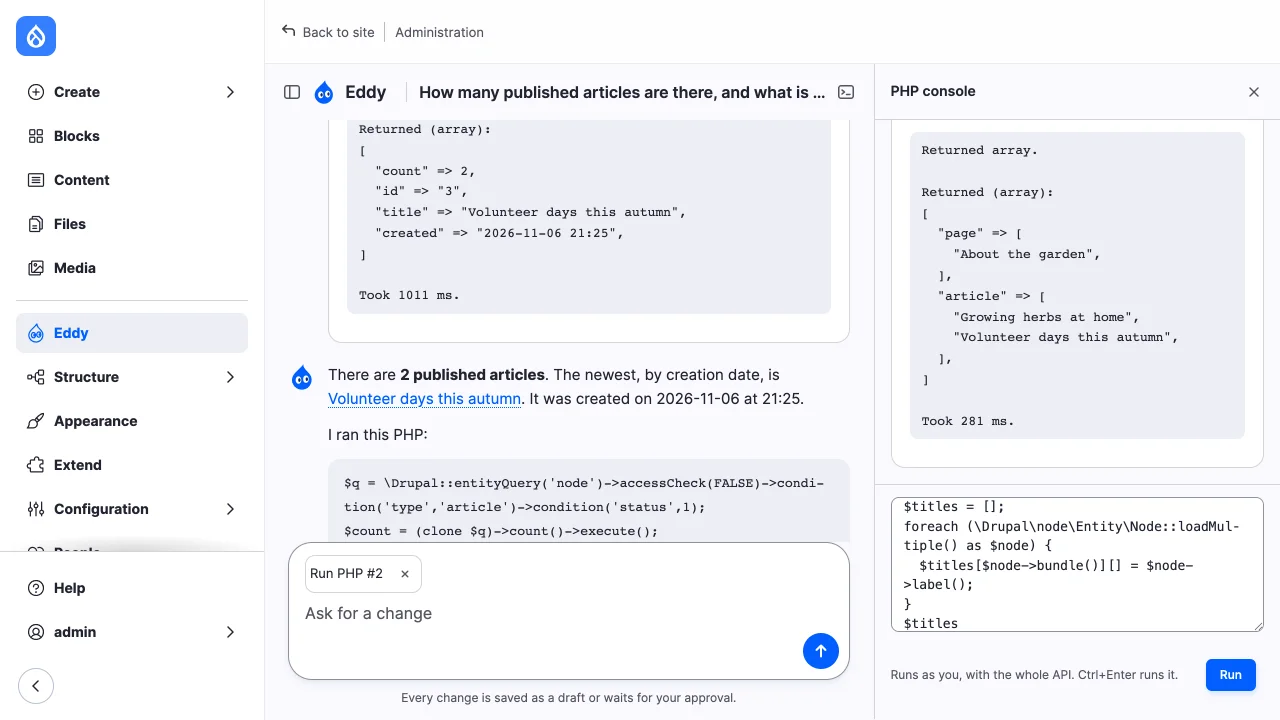
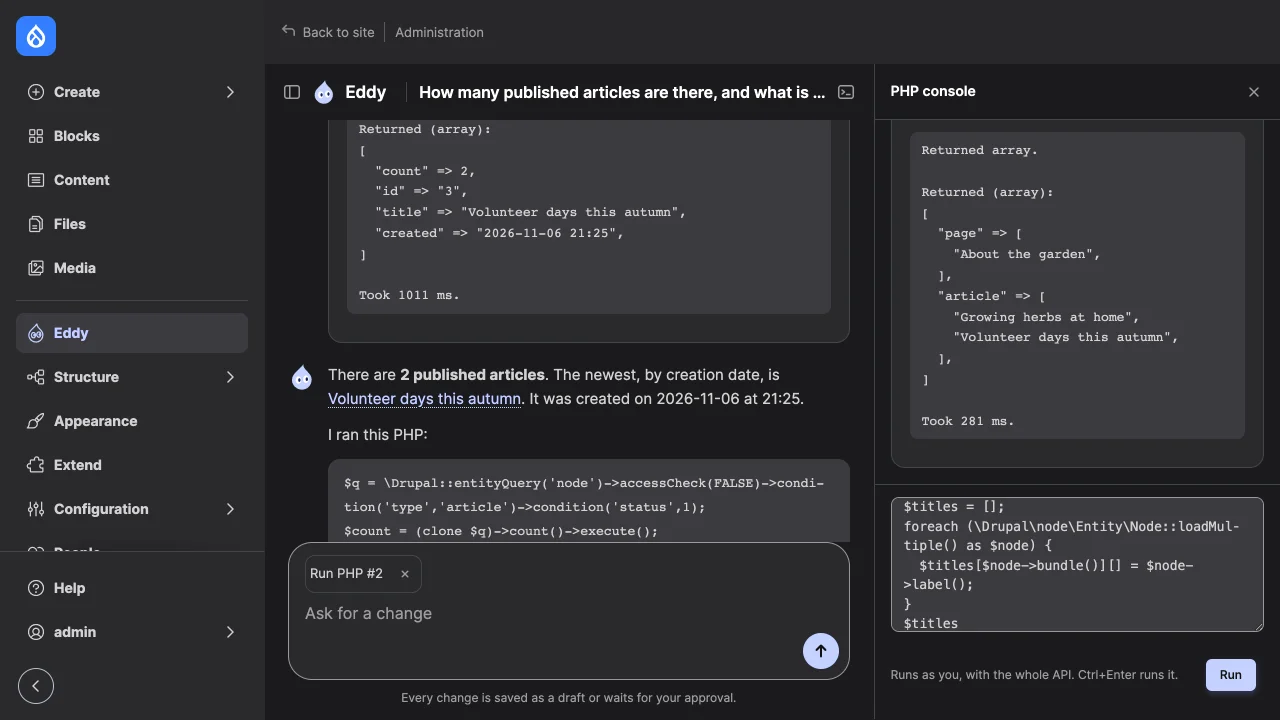
The PHP console is a pane beside the chat, shown to accounts that may run PHP where settings.php turns it on. Type PHP and run it with the button or Ctrl+Enter; it runs at once, as you, through the same checks, workspace and record as the agent's calls, without a toolset. The console lists the thread's PHP runs, yours and the agent's, each as its result card.
Each run you make goes on your next message as a chip beside the images, so the agent learns what you ran and what came back; remove the chip to leave a run out.
| Route | Method | Does |
|---|---|---|
/site-agent/threads/{thread}/php |
POST | Runs PHP as the thread's owner. Body: {"code": TEXT}. Returns the run's record, name, outcome, summary, result card and the entities it saved. |
/site-agent/threads/{thread}/php |
GET | Lists the thread's latest 50 PHP runs, oldest first. |
Remote clients
Remote clients get the PHP tool through toolsets, as they get every other tool: Claude Code asks by elicitation where the entry asks, and runs it at once where it is pre-approved. The console is the chat's.
What to know
- Code runs past every access check, with the whole API. What it prints and returns goes to the model's provider; the prompt tells the agent never to print secrets, but nothing stops code that does.
- Every run is logged on the
site_agent_phpchannel with the account and the code, before it runs, and leaves a tool-call record. - A run that ends the request, by running out of memory or time, is answered as failed when the thread is next read, and never run again: it may have done part of its work. This holds for every tool.
- The AI module's hostname filter parses the strings of a tool call as HTML,
which would turn
->into->. In a chat that offers a code tool, or Read with PHP, it is off, so code reaches the tool as the model wrote it; the chat still renders replies itself, with their HTML escaped and no images.