Extend Site Agent
Site Agent runs Tool API tools. A module adds what the chat can do by providing a Tool API tool, which agents, MCP, ECA and PHP can also use, and two Site Agent files: a classification that says what the tool changes, and optionally a section for the system prompt.
Extension points
| Extension point | Where | Status |
|---|---|---|
| Tool API tool plugin | src/Plugin/tool/Tool in your module, with the #[Tool] attribute |
Tool API's contract. Site Agent consumes any tool. |
| Tool classification | MODULE.site_agent_tools.yml |
Documented in site_agent.api.php |
| Classification alter hook | hook_site_agent_tools_alter() |
Documented in site_agent.api.php |
| Prompt section | A service implementing PromptSectionInterface, tagged site_agent.prompt_section |
Documented in site_agent.api.php |
| Runner | RunnerInterface and the site_agent.runner_plugin container parameter |
Replaceable; see Runner |
| Policy services | ClassificationRegistryInterface and StructureGateInterface, aliased to their services |
Interfaces |
| Everything else | Site Agent's services, plugins and entities | Not an API. The classes are final. |
An example module
The site_agent_example module, in
tests/modules/site_agent_example,
adds a read-only tool that counts a content type's pages and a prompt
section with a house style. ExampleModuleTest checks that it works as this
page says. It is in tests/modules, so a site finds it only with
$settings['extension_discovery_scan_tests'] = TRUE.
name: 'Site Agent example'
type: module
core_version_requirement: ^11.3 || ^12
dependencies:
  - drupal:node
  - site_agent:site_agent
  - tool:tool
Write the tool
A Tool API tool declares its inputs, its outputs and its access. Site Agent offers the model its inputs as JSON Schema and checks its access before every call.
#[Tool(
  id: 'site_agent_example:content_count',
  label: new TranslatableMarkup('Count content'),
  description: new TranslatableMarkup('Counts the pages of a content type that the current user may see.'),
  operation: ToolOperation::Read,
  input_definitions: [
    'type' => new InputDefinition(
      data_type: 'string',
      label: new TranslatableMarkup('Content type'),
      description: new TranslatableMarkup('The content type\'s machine name, such as "page".'),
    ),
  ],
  output_definitions: [
    'count' => new OutputDefinition(
      data_type: 'integer',
      label: new TranslatableMarkup('Count'),
      description: new TranslatableMarkup('The number of pages.'),
    ),
  ],
  permission: 'access content overview',
)]
final class ContentCount extends ToolBase {

  protected EntityTypeManagerInterface $entityTypeManager;

  public static function create(ContainerInterface $container, array $configuration, $plugin_id, $plugin_definition) {
    $instance = parent::create($container, $configuration, $plugin_id, $plugin_definition);
    $instance->entityTypeManager = $container->get('entity_type.manager');
    return $instance;
  }

  protected function doExecute(array $values): ExecutableResult {
    if ($this->entityTypeManager->getStorage('node_type')->load($values['type']) === NULL) {
      return ExecutableResult::failure(new TranslatableMarkup('There is no content type @type.', ['@type' => $values['type']]));
    }
    // The query checks access, so it counts only what the account may see.
    $count = (int) $this->entityTypeManager->getStorage('node')->getQuery()
      ->accessCheck(TRUE)
      ->condition('type', $values['type'])
      ->count()
      ->execute();
    return ExecutableResult::success(new TranslatableMarkup('Counted @count pages of @type.', [
      '@count' => $count,
      '@type' => $values['type'],
    ]), ['count' => $count]);
  }

}
permissionis checked before the tool is offered and before it runs. A tool without one must overridecheckAccess(), which gets the call's values, so its access can depend on them; Tool API refuses a tool with neither.- The tool's success message is the line the chat shows under the call, and the model gets it with the outputs. Keep it short and free of anything the account may not see.
- The tool must not depend on the chat. It runs as the account that owns the thread, and from MCP or PHP the same way.
Classify the tool
MODULE.site_agent_tools.yml, in the module's root, says what each tool
changes:
| Key | Means |
|---|---|
kind |
Required: read, content_write or config_write. |
destructive |
The tool deletes or can't be undone. Its calls always ask. The tool's own destructive flag makes it so too. |
drafts |
A content write whose writes land as unpublished revisions. Other content writes ask on every call. |
publishes |
A drafting tool's input that, when true, publishes at once; such a call asks. |
changes |
Where a content write's call names its entity and values, for the approval card: entity_type, id, bundle, fields, state, created; or spec, written and whole for a content spec. |
log_input |
An input for the revision log message. Site Agent hides it from the model and fills it with the thread's reference. |
card_description |
The approval card's description of the tool, in place of the one written for the model. |
access |
An access hint: the permissions, one of which the account needs for the tool to be offered, with {input} placeholders and when conditions. Use it for a tool that declares no permission of its own. |
A tool with no classification counts as a destructive configuration write:
every call asks, and it isn't offered where configuration is locked. An
invalid entry is logged on the site_agent channel and ignored, so its tool
counts as unclassified. site_agent.site_agent_tools.yml classifies Tool
Belt's and Content Deployment's tools, and is the reference for every key.
hook_site_agent_tools_alter(array &$definitions) changes the classifications
after every module's file is read. The definitions are normalized, with access
sets expanded. They are cached in the discovery cache bin, which drush cr
and installing or uninstalling a module clear.
#[Hook('site_agent_tools_alter')]
public function toolsAlter(array &$definitions): void {
  $definitions['tool_belt:log_message']['destructive'] = TRUE;
}
Add the tool to a toolset
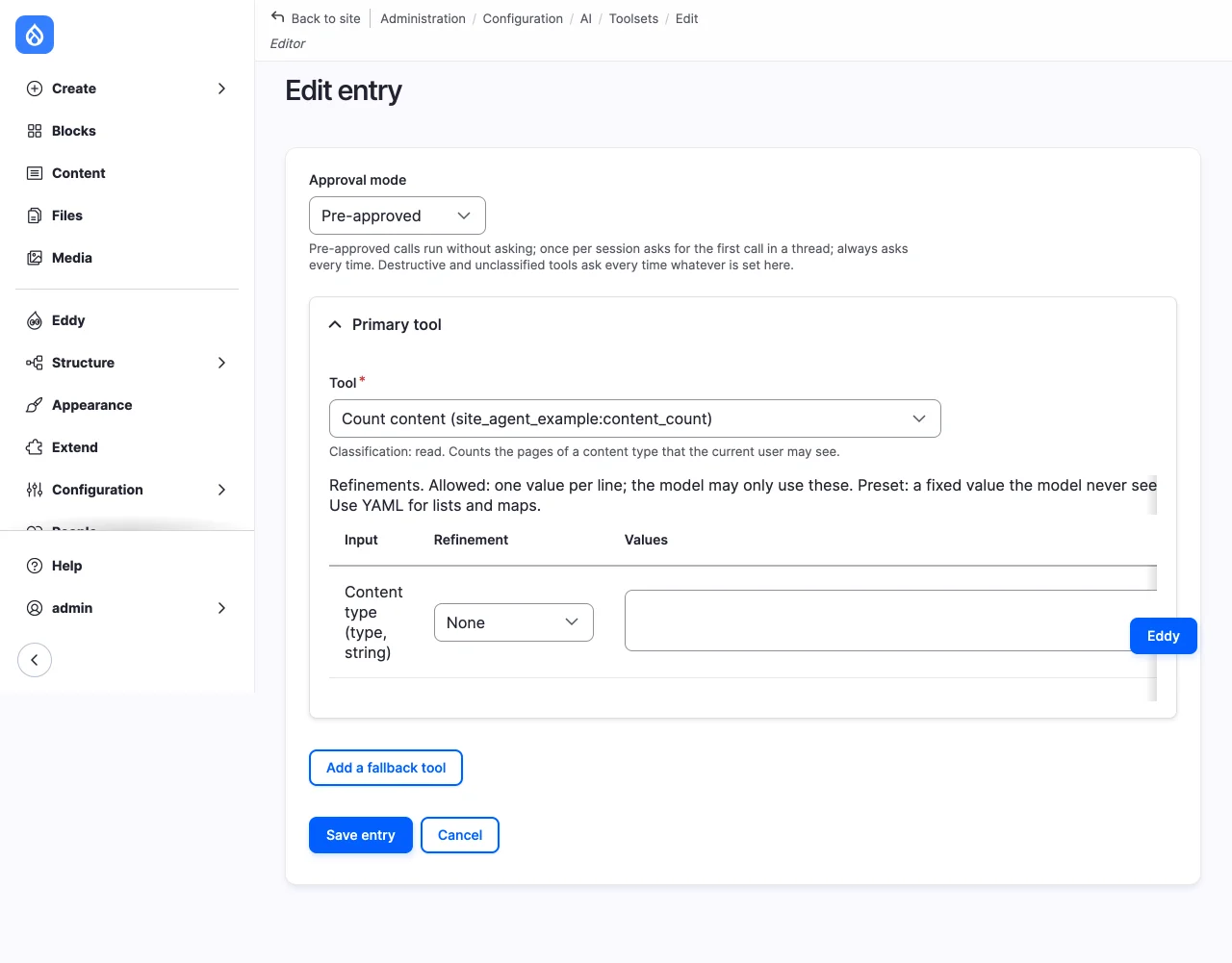
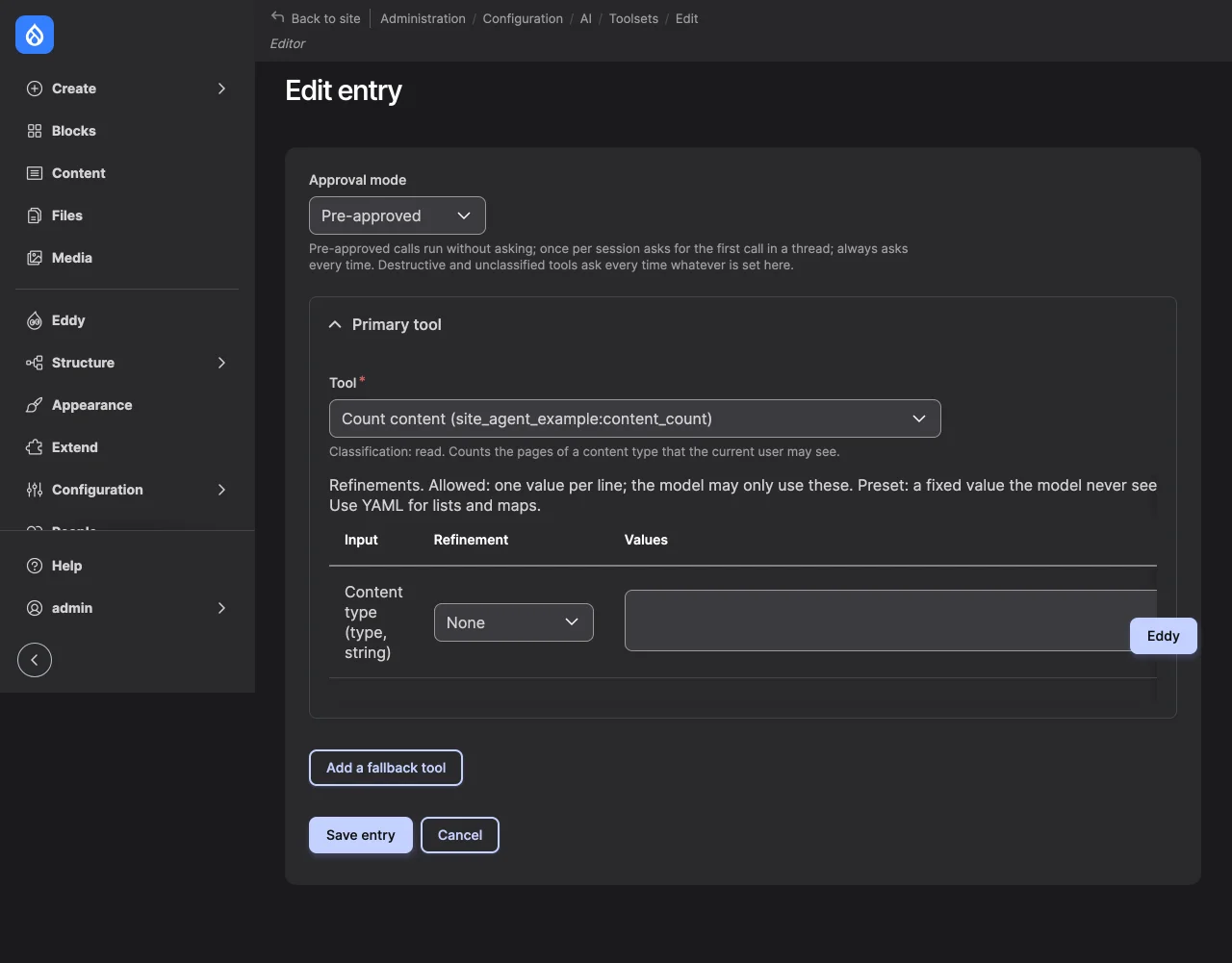
At /admin/config/ai/site-agent/toolsets, edit a toolset and add an entry:
the tool, its approval mode, and refinements that limit or fix its inputs.
The form shows the tool's classification.
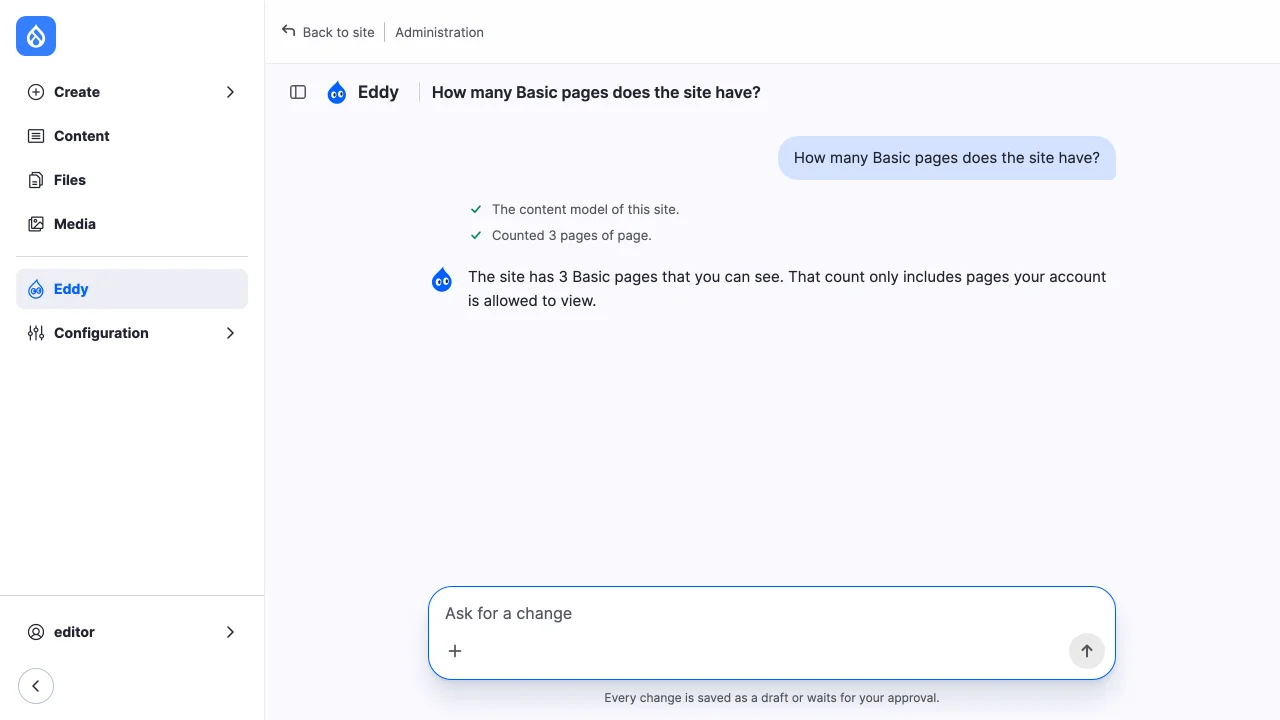
drush site-agent:tools shows whether an account gets it. The function name
is the tool id with : replaced by __:
An account without "Access the Content overview page" doesn't get the tool, and the model can't call it: a call to a function the account wasn't offered is refused when it runs.
Add a prompt section
A section adds guidance to the system prompt, after the site's conventions, the toolsets' sections and the configuration note.
services:
  site_agent_example.house_style:
    class: Drupal\site_agent_example\Prompt\HouseStyleSection
    arguments: ['@site_agent.classification']
    tags:
      - { name: site_agent.prompt_section, priority: 0 }
final class HouseStyleSection implements PromptSectionInterface {

  public function __construct(
    private readonly ClassificationRegistryInterface $classifications,
  ) {}

  public function build(array $toolsets, array $route_context, string $task): string {
    foreach ($toolsets as $toolset) {
      foreach ($toolset->getEntries() as $entry) {
        foreach ($entry->getToolIds() as $tool_id) {
          if ($this->classifications->getClassification($tool_id)->kind === ToolKind::ContentWrite) {
            return "## House style\n\nWrite dates as \"5 October 2026\" and times as \"9am\".";
          }
        }
      }
    }
    return '';
  }

}
build()returns the section with its##heading, or an empty string for none.$toolsetsare the toolsets the thread's owner may use, or a remote client's account, in the order of the toolset list. A chat has the tools of all of them, so a section that applies to some kinds of work checks whether any toolset is of that kind, as this one does with the classification of its tools.$route_contextis the checked page the chat was opened from: itsentity_type,bundle,id,labelandroute.$taskis the user's latest message. A remote client's instructions get the sections too, with both empty.- Sections are ordered by the tag's priority, highest first.
- The prompt is built before every model call, and each round of tool calls is its own call, so a section that is expensive to build caches it.
Content writes
A tool that writes content is classified content_write. With drafts:
true, its writes are expected to land as drafts that visitors don't see, so
its entry's approval mode applies, and the result card offers Publish. Without
it, every call asks. changes tells the approval card which entity and fields
the call changes, so it can show them before and after.
Site Agent checks a drafting tool's calls: a call that publishes, through the
publishes input, or that writes an entity type without revisions or a
published status, asks whatever the entry says. The tool itself must still
save a new, unpublished revision; see
Approvals and publishing for what Publish does
with it.
Compatibility
Site Agent is at its first release candidate and has no stable API yet. The
points documented in site_agent.api.php, the classification format, its
alter hook and prompt sections, are the ones meant for other modules.
RunnerInterfaceis what a replacement runner implements: an AI ChatProcessor plugin whose id thesite_agent.runner_pluginparameter names, set from a service provider.ClassificationRegistryInterfaceandStructureGateInterfaceare the services' interfaces, for decorating them. The services behind them, and every other class, arefinal.- The Site Agent AI Context submodule calls two of AI Context's internal services. Check it after updating AI Context.