Toolsets
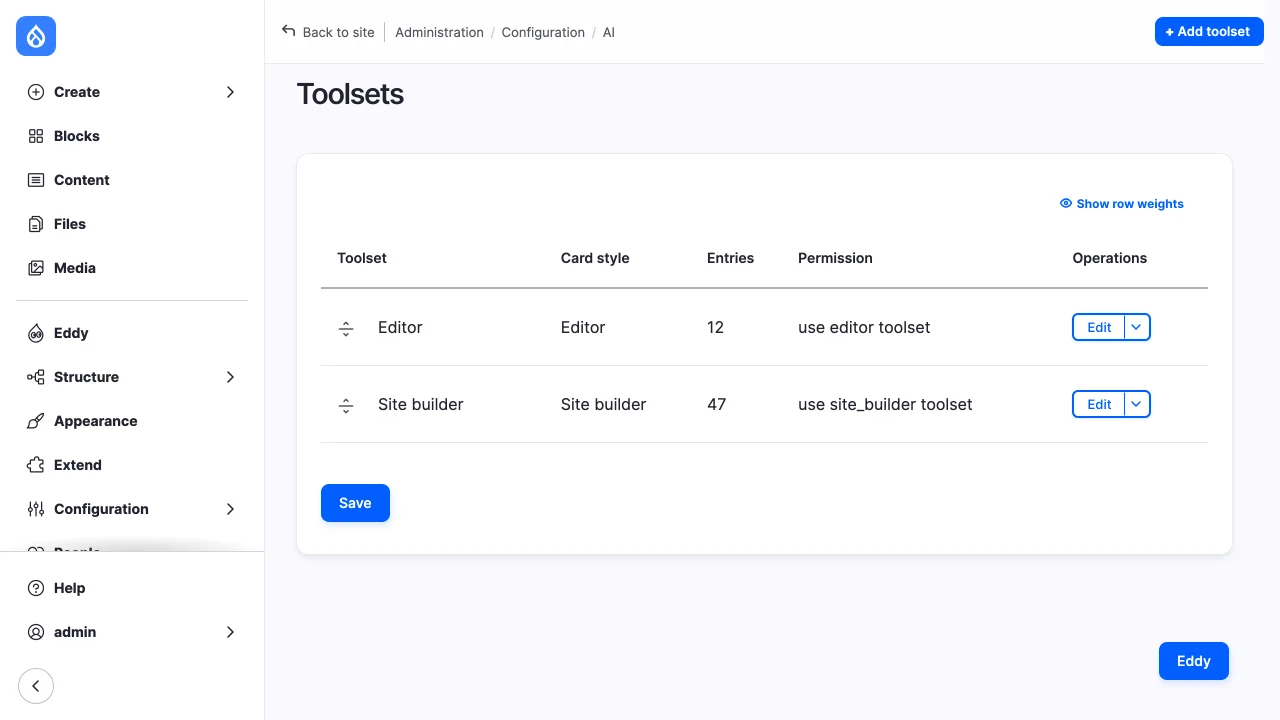
A toolset (site_agent_toolset config entity, at
/admin/config/ai/site-agent/toolsets) holds:
- entries, each with a primary tool, optional fallbacks and an approval mode. The runner offers the first tool of an entry that is installed and whose refinements still apply;
- refinements per tool:
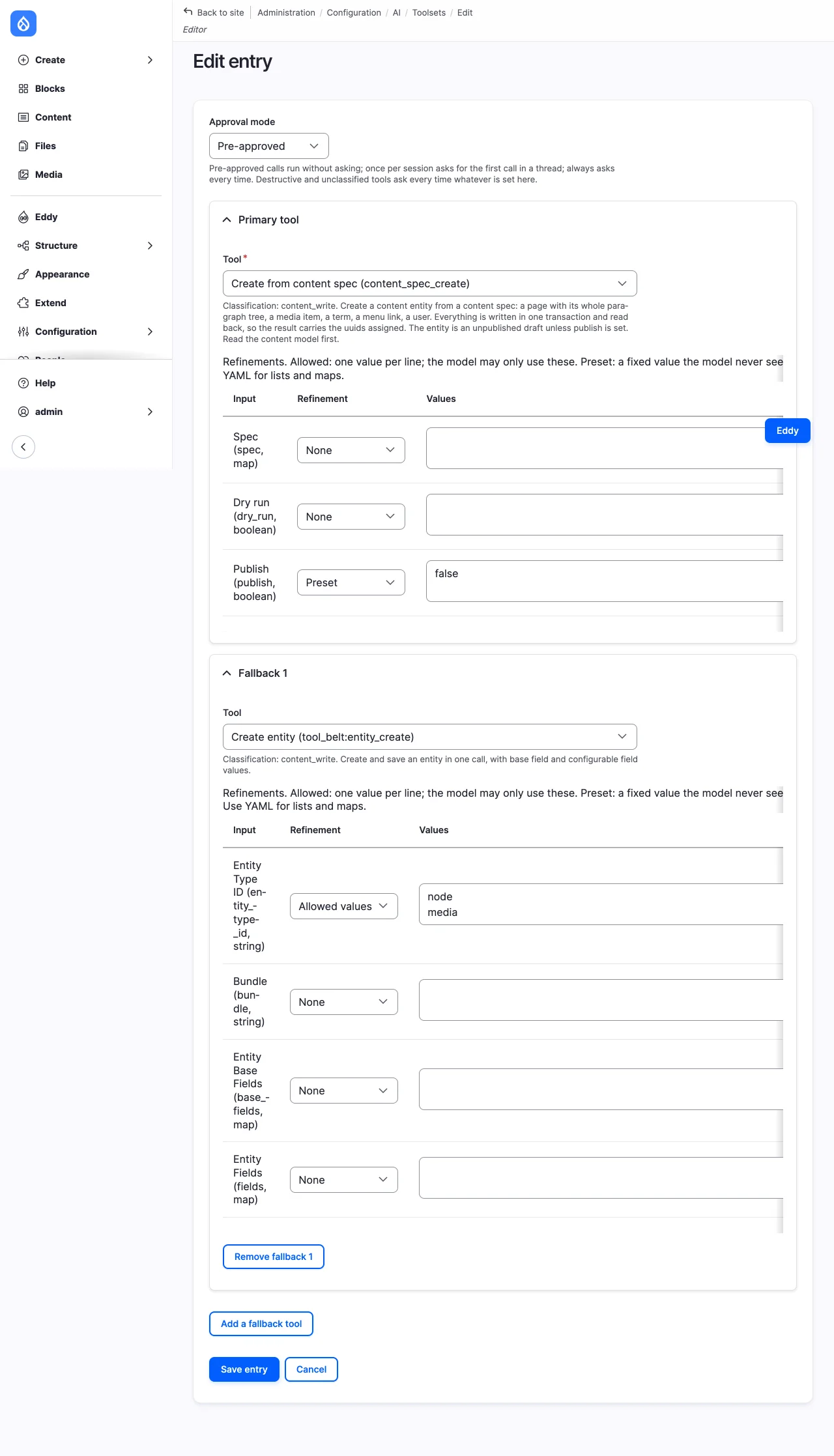
allowedlimits an input to a list of values, andpresetfixes an input's value and hides the input from the model. Both are applied to the schema the model sees and checked before a call runs; a call outside an allowlist is refused. An allowed value the tool rejects, such as the entity type of a module that isn't installed, is left out. A tool whose refinements no longer apply, or whose allowed values are all left out, is dropped, never offered unrefined; - a system prompt fragment.
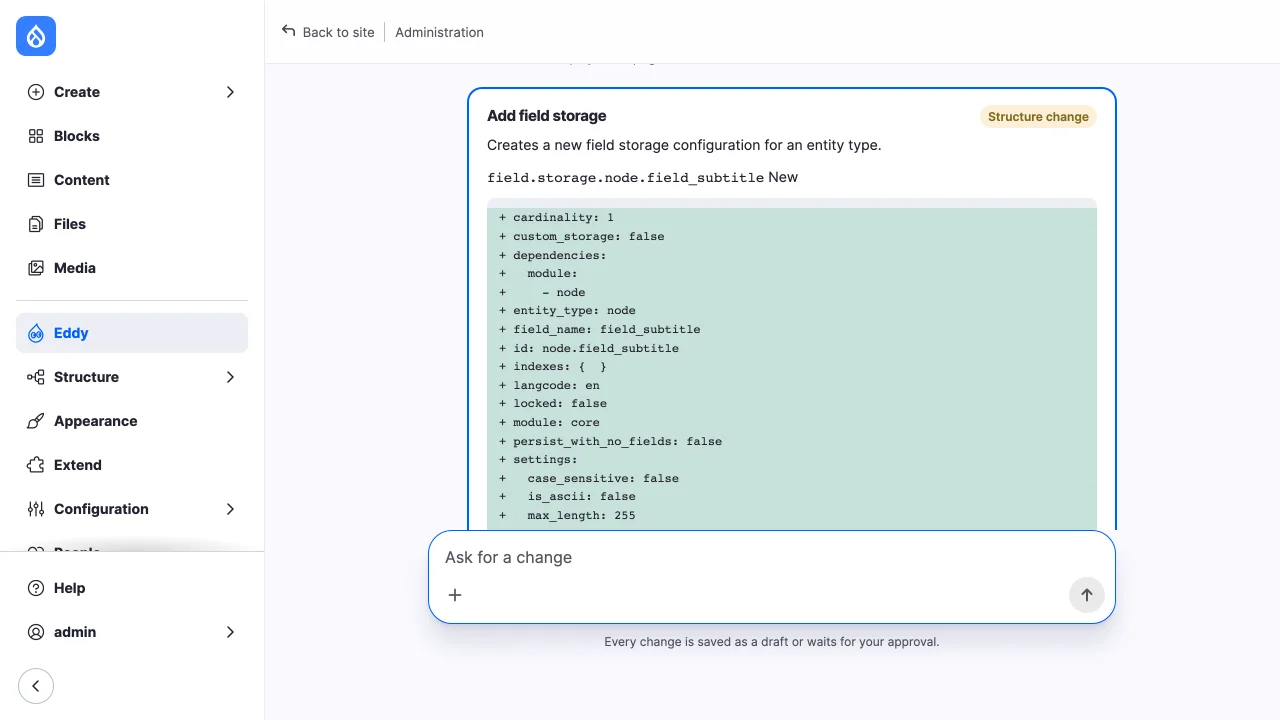
Cards look the same in every chat, whichever toolsets it has.
Approval modes are pre_approved, once (per thread) and always, the
default. Destructive and unclassified tools, and content writes that don't
land as drafts, prompt on every call whatever the entry says. So does a call
of a drafting tool that publishes at once, or writes an entity type without
revisions or without a published state, such as a redirect or an account.
Two entries naming the same tool offer it once: the first wins, and the later entry offers nothing.
Many toolsets in one chat
A chat has the tools of every toolset its account may use: enabled, with the
use ID toolset permission, in the order of the toolset list. Nobody picks a
toolset. The list is worked out again on every turn and at every approval
decision, so granting or revoking a toolset's permission changes what an open
chat offers from its next turn. An account that may use no toolset can't
continue its chats, and is told to ask an administrator.
The toolsets' tool lists are merged in that order. Each entry still offers its first tool that may be offered, and a function's name comes from the tool id alone, so a tool two toolsets offer is one function. When two toolsets offer the same tool:
- with the same approval mode and refinements, it is offered once;
- with different approval modes, the strictest applies:
always, thenonce, thenpre_approved. Merging never removes a prompt; - with different refinements, the entry of the toolset higher in the list applies. A warning naming both toolsets is logged, and the toolset list shows the conflict so an administrator can line the refinements up.
The order of the toolset list also orders the toolsets' sections in the system prompt: under "What you can do", each toolset's label heads its prompt fragment, and the model is told it may use the tools of any section.
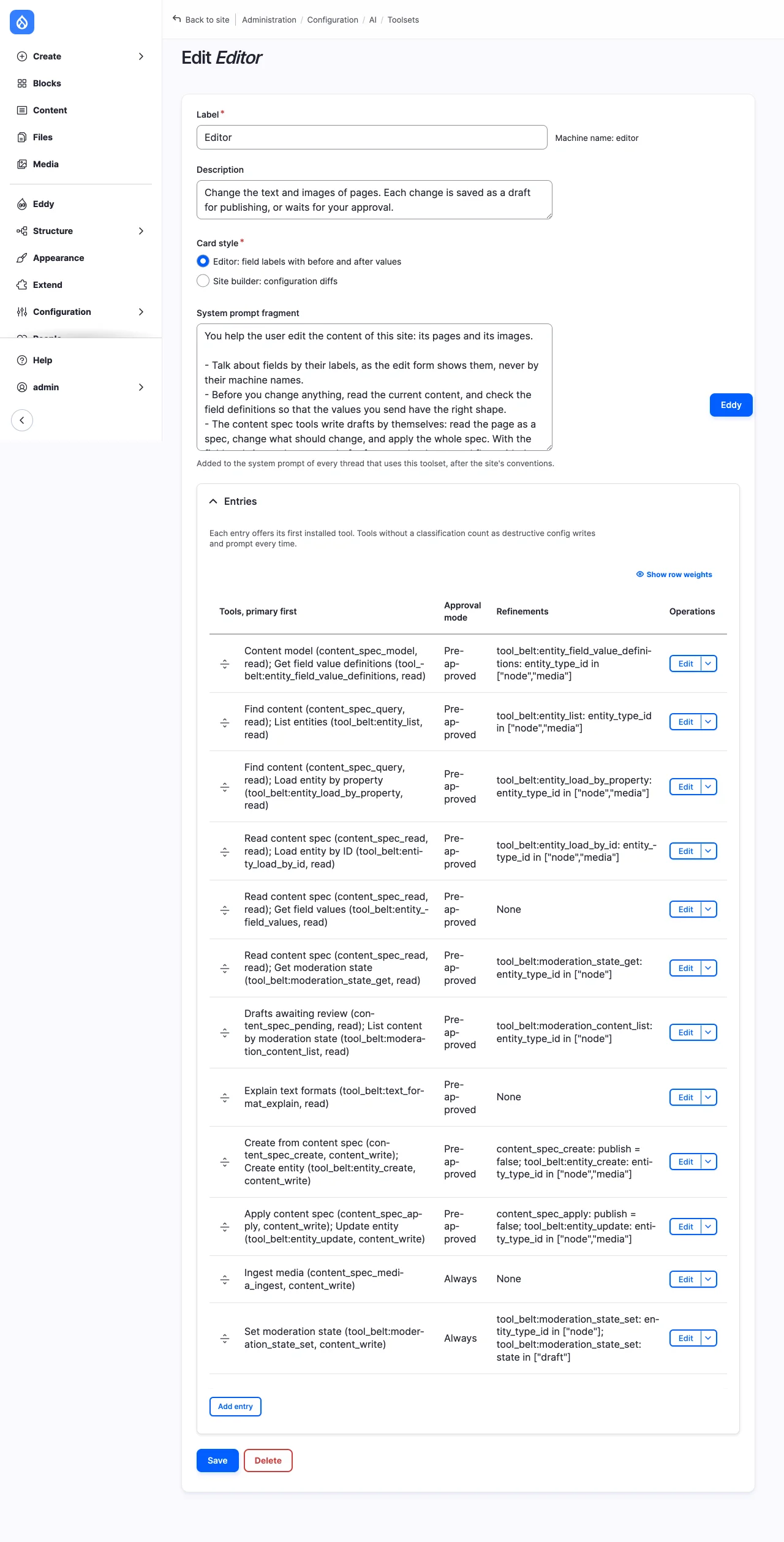
Editor
The module ships an Editor toolset. Each entry lists Content Deployment's tool first and Tool Belt's as the fallback:
| Entry | Tools | Refinements | Approval |
|---|---|---|---|
| Field definitions | content_spec_model, tool_belt:entity_field_value_definitions |
Tool Belt's entity_type_id: node, media, taxonomy_term |
pre-approved |
| Listing | content_spec_query, tool_belt:entity_list |
Tool Belt's entity_type_id: node, media, taxonomy_term |
pre-approved |
| Vocabulary tree | site_agent_tool_belt:term_tree |
pre-approved | |
| Find by property | content_spec_query, tool_belt:entity_load_by_property |
Tool Belt's entity_type_id: node, media, taxonomy_term |
pre-approved |
| Load | content_spec_read, tool_belt:entity_load_by_id |
Tool Belt's entity_type_id: node, media, taxonomy_term |
pre-approved |
| Field values | content_spec_read, tool_belt:entity_field_values |
pre-approved | |
| Moderation state | content_spec_read, tool_belt:moderation_state_get |
Tool Belt's entity_type_id: node |
pre-approved |
| Drafts awaiting review | content_spec_pending, tool_belt:moderation_content_list |
Tool Belt's entity_type_id: node |
pre-approved |
| Revisions | site_agent_tool_belt:entity_revision_list |
entity_type_id: node, media |
pre-approved |
| Compare revisions | site_agent_tool_belt:entity_revision_diff |
entity_type_id: node, media |
pre-approved |
| Revert to a revision | site_agent_tool_belt:entity_revision_revert |
entity_type_id: node, media |
pre-approved |
| Text formats | tool_belt:text_format_explain |
pre-approved | |
| Create, including media | content_spec_create, tool_belt:entity_create |
publish: preset FALSE; Tool Belt's entity_type_id: node, media, taxonomy_term |
pre-approved |
| Update | content_spec_apply, tool_belt:entity_update |
publish: preset FALSE; Tool Belt's entity_type_id: node, media, taxonomy_term |
pre-approved |
| Create in bulk | site_agent_tool_belt:entity_bulk_create |
entity_type_id: node, media |
pre-approved |
| Change in bulk | site_agent_tool_belt:entity_bulk_update |
entity_type_id: node, media |
pre-approved |
| Languages | site_agent_tool_belt:language_list |
pre-approved | |
| Translate | site_agent_tool_belt:entity_translation_set |
entity_type_id: node, media |
pre-approved |
| Media ingest | content_spec_media_ingest |
always | |
| Start a draft | tool_belt:moderation_state_set |
entity_type_id: node; state: draft |
always |
| Move a term | site_agent_tool_belt:term_move |
always |
With the Site Agent AI Context submodule, the toolset also gets a page context
entry, site_agent_ai_context:page_context, and a learning entry,
site_agent_ai_context:propose_learning, both pre-approved; see
Site context.
It holds no configuration, workspace, email or delete tool. The model can't
publish: publishing is the user's, from the card, and a call that passes
publish is refused.
With Content Deployment, a page edit is a spec applied as a pending revision, and a new entity is created unpublished, so both run without a prompt; an account or redirect spec, which can't wait as a draft, prompts. Media ingest publishes the new media item, so it prompts. The content spec tools check access themselves, with the call's arguments: create or update access, edit access to each field changed, and the use of each text format. A spec names its entity type itself, so create and apply aren't limited to nodes and media.
With Tool Belt alone, every write prompts, since Tool Belt's writes save default revisions; on a page under a workflow, a write to a draft started with the moderation tool stays a draft until it is published.
Terms are content too. A term spec is a draft like a page's: a new term is
created unpublished, and a change to a published one is a pending revision, so
both run without a prompt. Drupal keeps a published term's place in its
vocabulary, its parent and its weight, with the published version: core
refuses a new parent in a pending revision, and a new weight would be lost.
So the runner refuses a spec that moves a published term as a draft, and the
term move tool moves it live, prompting every time. The move is refused for a
term with a draft waiting, whose draft would bring the old place back on
publishing, for a parent under the term itself, and where core refuses it
because a term above has a draft. The vocabulary tree lists a vocabulary's
terms in the overview's order, with ids and uuids, leaving out the terms the
account may neither view nor edit. Both tools are hidden without Taxonomy, and
chats then leave taxonomy_term out of Tool Belt's allowlists.
With the Site Agent Tool Belt submodule, the revision tools read an entity's history from Drupal's revisions: the list, newest first, and a comparison of two revisions, or of one with the default revision, field by field. A revert saves an earlier revision's values as a pending revision, in the workflow's draft state under a workflow, so it runs without a prompt and the user publishes it from the card. Its log message is the thread reference and names the revision copied.
With Content Translation, the translation tool adds or changes one
translation as a pending revision of its language, a draft under a workflow,
so it runs without a prompt; the other languages stay as visitors see them.
Its card shows each translated field labelled with the language. Both tools
are hidden without Language and Content Translation. A content spec's
translations carry translations too, one pending revision per language.
The bulk tools create or change up to 25 entities of one type in a call, each saved as a draft: under a workflow, in its "draft" state; without one, a new entity unpublished and a change to a published one as a pending revision. So they run without a prompt. Each item is checked for create or update access, and for edit access to each field it sets; an item refused refuses the whole call before it runs, naming the item, so nobody is asked to approve a call they couldn't make. Every item is validated before any is saved, so an item that isn't valid saves nothing. A save that fails stops the call: the items saved before it stay as drafts, and the result names the failed item and the items not attempted. A bulk write runs in the request, like every call; neither the Batch API nor a queue is used, since both would run it apart from its approval and its card, and a queue as another account. An item may not set the published flag or the moderation state.
Site builder
The module also ships a Site builder toolset, installed where the Editor toolset is. It holds every Editor entry, and:
- reads: Tool Belt's entity type, bundle, field and image style definitions, and this project's display, role permission, block, recent log, menu, basic site settings, view, Views handler and URL alias pattern reads, pre-approved;
- writes, each always prompting: Tool Belt's bundle, field storage, field and image style tools, including their delete tools, which are destructive; and this project's display placement, role permission, block placement, menu, menu link, basic site settings, view display edit, view clone, view creation and URL alias pattern tools.
Tool Belt's bundle tools manage vocabularies too, as the bundles of
taxonomy_term; deleting a vocabulary is refused while it has terms.
With the Site Agent AI Context submodule, it gets the page context and learning entries too.
Where configuration is locked, the configuration writes leave the tool list, so the toolset offers what Editor offers, plus its reads and menu links, which are content. Its section stays in the system prompt, which then also says the site's structure can't change there, and the chat shows no "Configuration changes" button. Its prompt fragment carries the field rules: read the schema before adding a field, reuse a field storage of the same type and cardinality, and check that a new field has a widget and a formatter.
Permissions
| Permission | Grants |
|---|---|
use TOOLSET toolset |
Chatting with that toolset's tools, alongside the other toolsets the account may use; one is generated per toolset. |
administer site_agent toolsets |
Editing toolsets, and the refused-calls report. |
view any site_agent thread |
Reading other accounts' threads and tool calls, and the refused-calls report. |
Tool classifications
Every tool is classified as read, content_write or config_write,
optionally destructive and, for content writes, as drafting or not, by
MODULE.site_agent_tools.yml files and
hook_site_agent_tools_alter(); see site_agent.api.php. A tool with no
classification counts as a destructive config write. This module ships the
classifications of Tool Belt's tools, with interim access hints used to keep
tools an account can't run out of the model's tool list, and of Content
Deployment's tools, whose payload is a content spec (changes.spec).
Drush
drush site-agent:tools --uid=UID lists the tools a chat of that account
offers the model, merged from every toolset it may use: function name, tool,
classification, the approval mode that applies and the toolset the tool comes
from. drush site-agent:tools TOOLSET --uid=UID lists one toolset's tools
alone, whether or not the account may use it. Both say whether configuration
is writable on the site. --format takes Drush's output formats, such as
json and csv, and --fields picks the columns. The command needs Drush
13.7 or later.