Convert a Custom Field to a compound
The converter rebuilds a Custom Field host field as a compound under the same machine name, across every bundle sharing its storage. Each source column becomes a single-value sub-field of the corresponding Drupal field type; the field keeps its cardinality, outer deltas and mapped values.
Mappings
| Source type | Destination |
|---|---|
| String, long string, telephone, email, boolean, integer, float, decimal, link, entity reference, image | Corresponding Drupal field type |
| File | Drupal File, adding default display and description properties |
| Datetime, date range | Review timezone and duration properties with no equivalent |
| Color, duration, time, UUID, URI, time range | No automatic equivalent preserving complete behavior |
| Map, map string, Viewfield | Unsupported |
Resolve reported setting disagreements between bundles and unmapped columns; no acknowledgment flag accepts an unresolved mapping.
Prepare and inspect
The example: unlimited field_sessions on Conference with string columns
title and room, holding Opening keynote in Main hall.
drush en compound_field_custom_field -y
drush compound-field:custom-field-preflight node.field_sessions --compound-id=conference_session
drush compound-field:custom-field-convert node.field_sessions --compound-id=conference_session --dry-run
Omit the field name from preflight to inspect every Custom Field, and add
--yaml for machine-readable output. Preflight checks configuration; the dry
run also checks stored values. Choose an unused compound ID.
Convert
Back up the database, export configuration, and stop content writers and cron. Conversion deletes and recreates storage, so the field reads as empty for part of the rebuild, and cron could purge the retained source tables before recovery decisions finish. Choose an empty, private, writable capture directory outside the webroot and the configuration sync directory:
drush compound-field:custom-field-convert node.field_sessions \
  --compound-id=conference_session \
  --capture-dir=/private/backups/conference-custom-field \
  --acknowledge -y
| Option | Purpose |
|---|---|
--compound-id |
Unused compound ID; defaults to the field name without field_. |
--dry-run |
Check without writing. |
--acknowledge |
Accept the destructive rebuild; -y also answers the confirmation. |
--chunk-size |
Rows per batch. |
--capture-dir |
Export affected configuration; also works with --status and --abandon. |
--status |
Show progress and retained source tables. |
--abandon --acknowledge |
Forget the conversion record after recovery; restores nothing. |
Verify
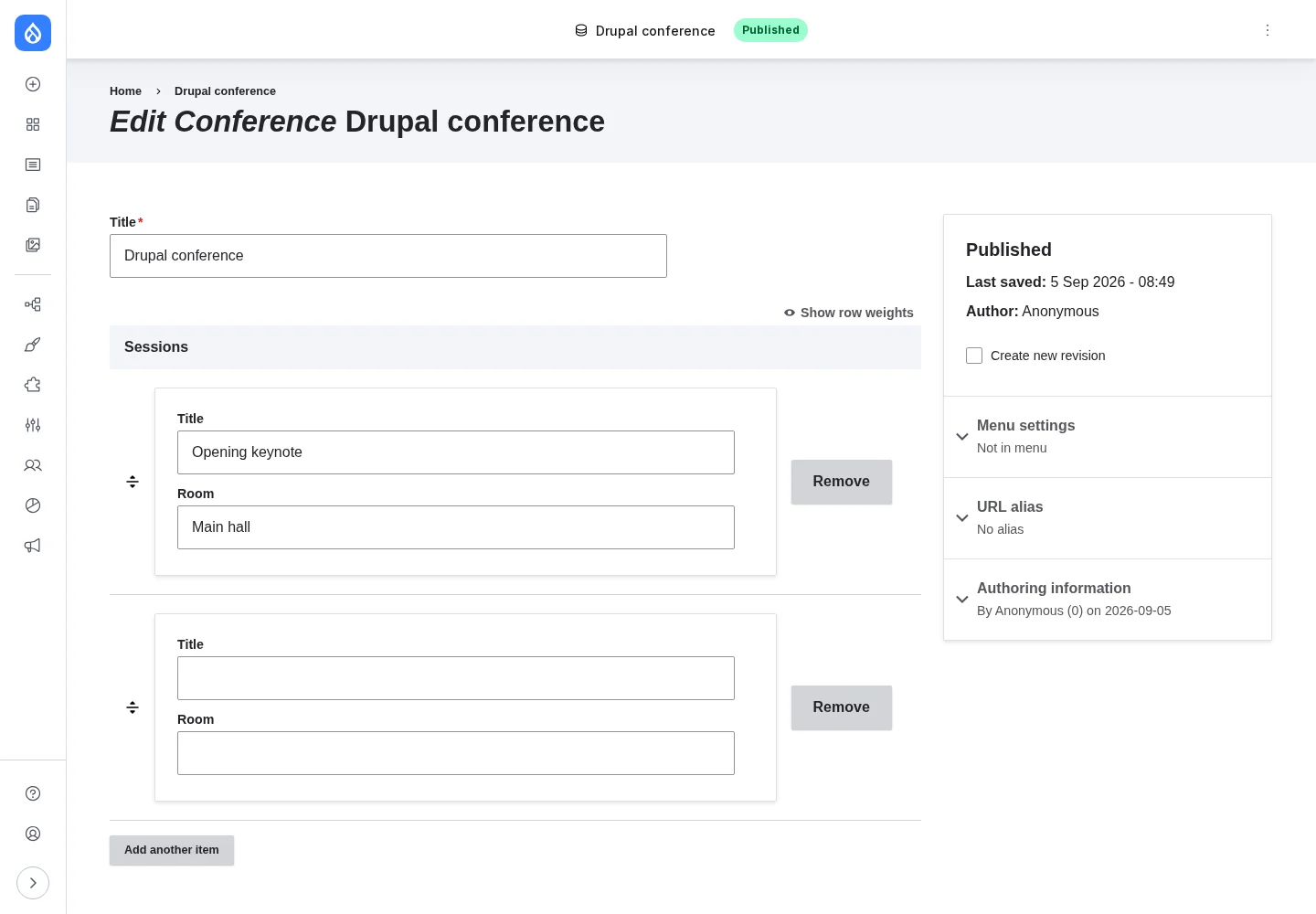
Check Manage fields, saved values and rendering. The compound label comes from the host field. Widget and formatter settings need reconfiguration; repair Views, search indexes and the other consumers of old columns that the dependent-configuration report lists. Current and revision rows keep their mapped values and language coordinates, and the conversion verifies them through the field API; rehearse translations, pending drafts and custom hooks on a site copy.
Keep Custom Field installed and cron stopped until recovery is complete. Resume cron only after verifying the result and the backup, then let purge finish before uninstalling Custom Field.
Recover
Inspect --status, fix the cause and rerun the original command; it resumes
from the saved cursor. Only one process can convert a field. A killed worker
keeps its lease for up to ten minutes after its last progress; a rerun then
discards unfinished chunk rows. If verification fails repeatedly, restore the
pre-conversion backup.
Retrieve captured configuration after an interruption:
drush compound-field:custom-field-convert node.field_sessions --status \
  --capture-dir=/private/backups/conference-custom-field
Adapt objects reported as deleted before restoring them, compare repaired
objects with live configuration, and leave untouched objects alone. A
name-only capture needs the earlier export. Captures contain old columns, so
never import the whole directory. --capture-dir-holds-other-config bypasses
the directory checks, including for configuration sync, and can expose
obsolete settings to a later import.
Deleted-field purge removes retained source tables. Resume refuses missing or
shortened tables that originally held rows; restore the backup. A missing table is accepted only when the conversion record establishes that it was empty. Manual recovery needs the original
storage, instances, configuration and both current and revision rows, so keep
every table --status names. After manual recovery, export the recovery
information first; --abandon --acknowledge then forgets the conversion record
and restores nothing. Recovery after purge requires the backup.