Images
LibreOffice writes the images of a document as separate files next to the HTML, and the HTML points to them with a relative path. A path like that is broken once the HTML is in a node. DOC to HTML fixes this after each conversion.
What the module does
For every img element whose src is relative and points to a file in the working folder:
- A managed file is created in the Image upload directory of the widget.
- The
srcbecomes a URL relative to the site root. - The attributes
data-entity-type="file"anddata-entity-uuidare added.
The managed file is temporary at first. The attributes let the Editor module record the usage when the node is saved, and the file becomes permanent. This is why the Editor module is a dependency. An image of a text that is never saved is removed by the cron of core, with the other temporary files.
The rewrite works on the HTML as a document tree, not with regular expressions.
Allowed types
The extracted images must be png, jpg, jpeg, gif or webp. For any other type the img element is removed and the result has a warning. The same happens when the file is not in the conversion output or cannot be stored, and when the src uses a protocol that is not allowed.
LibreOffice leaves old attributes on the image, such as align, border and name. The module keeps them. The rule in Suggested DOM regex rules removes them.
Upload directory
The setting Image upload directory is part of the widget settings. The default is public://inline-images. Tokens are allowed, for example public://inline-images/[date:custom:Y-m].
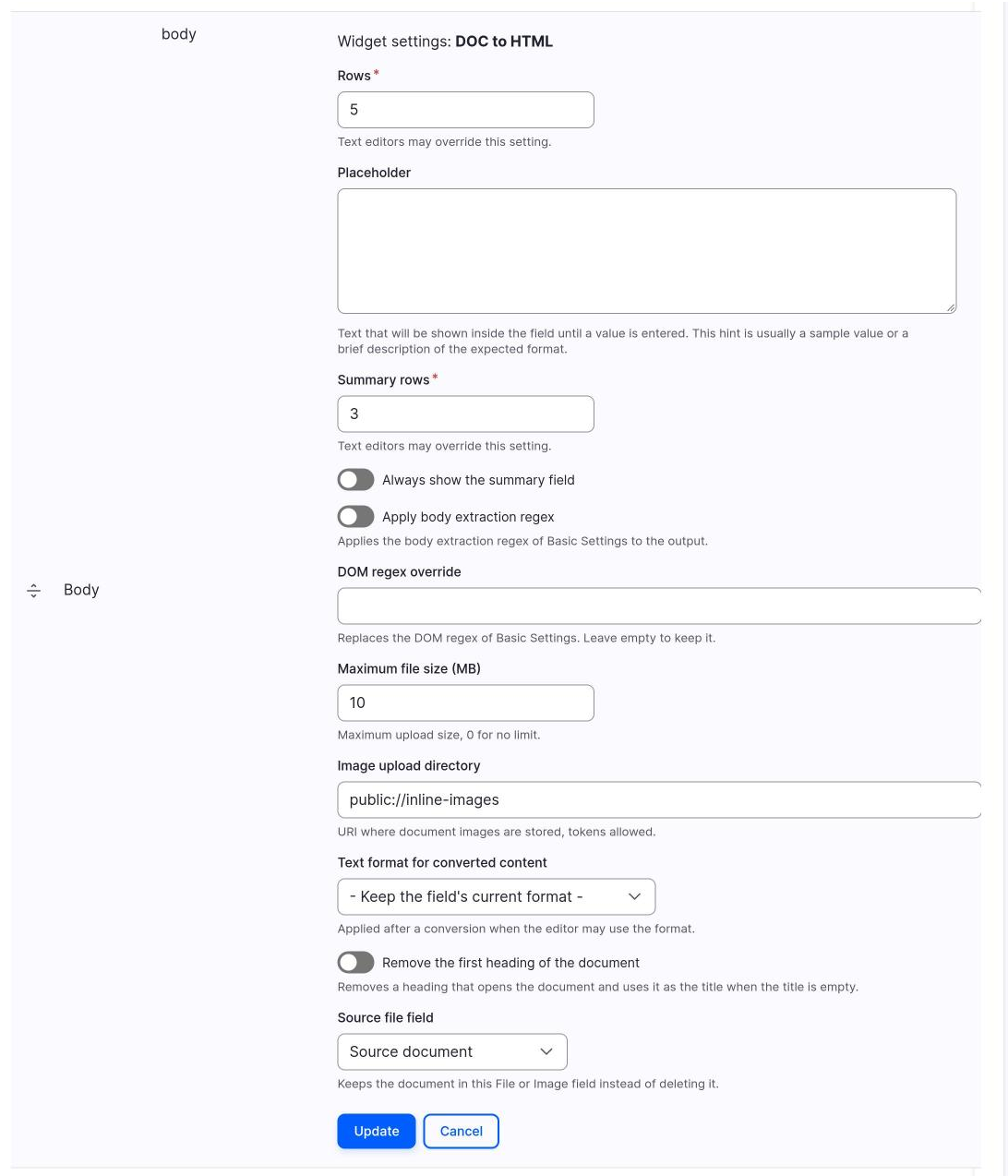
The Test Wizard and drush dth:convert store images in the default directory. Nothing uses them, so the cron of core removes them later.
Since 2.1.0
In 2.0.x the images keep the relative paths of LibreOffice and are broken in the node. See Versions.
Images that are not used
Images that do not appear in the final HTML are deleted together with the working folder of the conversion.
Text format
The text format you use must allow the img tag and the data-entity-type and data-entity-uuid attributes.