Configuration
The module has three admin pages under Configuration > Content authoring > DOC to HTML. All need the permission administer doc to html settings.
LibreOffice Settings
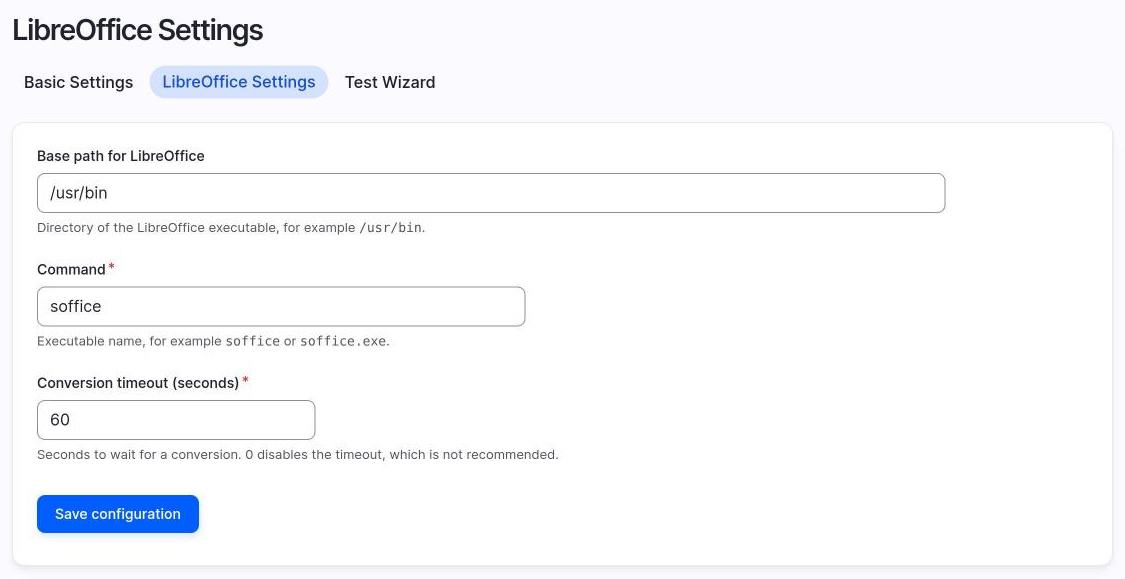
Path: /admin/config/content/doc_to_html/libreoffice-settings.
| Setting | Meaning |
|---|---|
| Base path for LibreOffice | Directory that contains the executable, for example /usr/bin. |
| Command | The executable name only, for example soffice. Path separators are rejected. |
| Conversion timeout (seconds) | Time after which the LibreOffice process is stopped. Default 60. 0 disables the timeout, which is not recommended. |
At install time the module sets the base path and command from the operating system. The values are /usr/bin and soffice on Linux, the application bundle path on macOS, and C:\Program Files\LibreOffice\program and soffice.exe on Windows.
Basic Settings
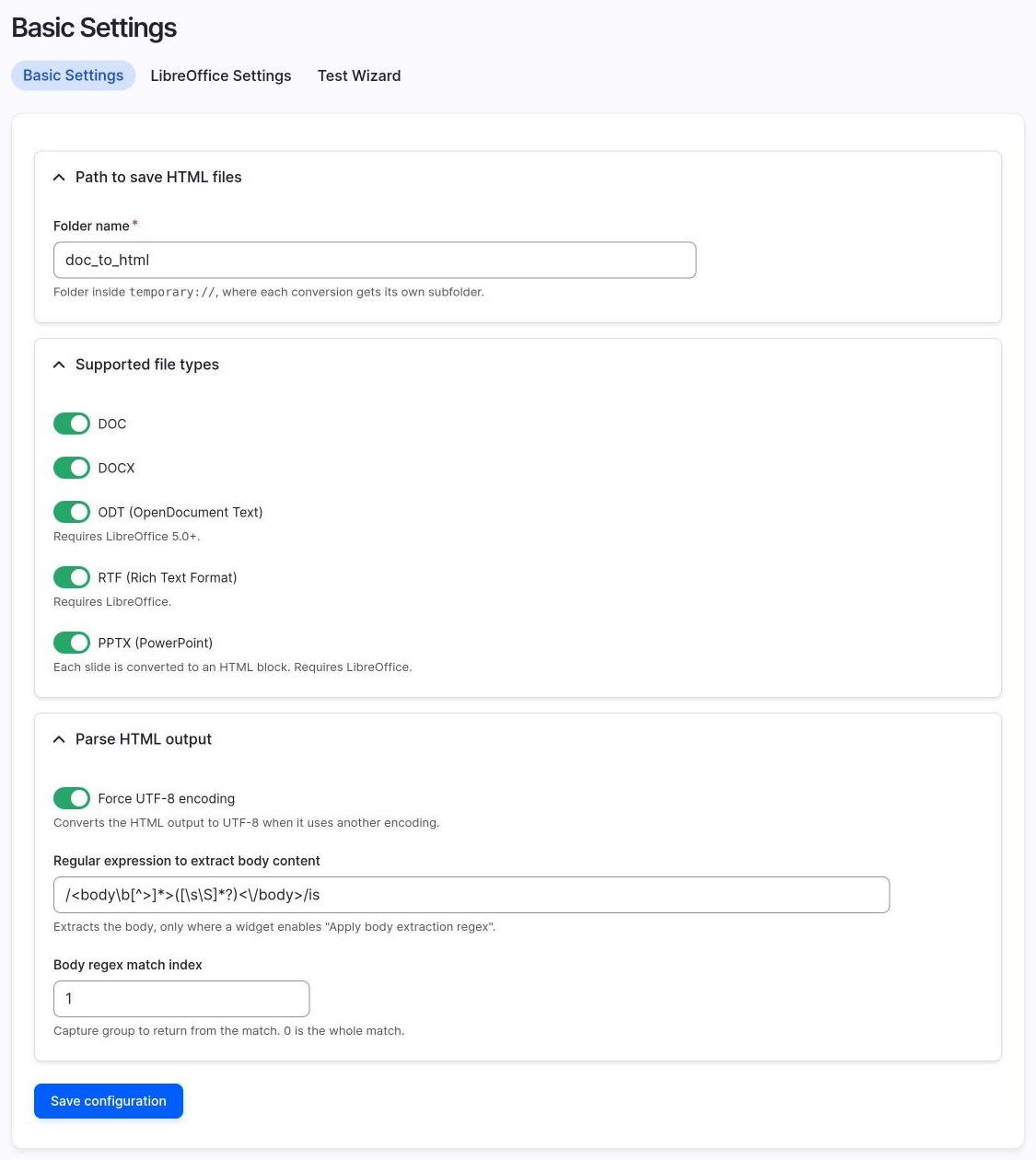
Path: /admin/config/content/doc_to_html/basic-settings.
| Setting | Meaning |
|---|---|
| Folder name | Name of the working folder, relative to temporary://. Each conversion gets its own folder inside it. Default doc_to_html. |
| Supported file types | DOC, DOCX, ODT, RTF, PPTX. At least one must be enabled. DOC and DOCX are on by default. ODT, RTF and PPTX are off and you must enable them here. They convert for real from 2.1.0. See Versions. |
| Force UTF-8 encoding | Converts the LibreOffice output to UTF-8 when it is not. Default on. |
| Regular expression to extract body content | Optional preg_match expression with delimiters. The default is /<body\b[^>]*>([\s\S]*?)<\/body>/is. |
| Body regex match index | Which capture group to return. 0 is the whole match, 1 is the first group. With the default expression, use 1. |
Note
The body regular expression is applied by the widget only when Apply body extraction regex is enabled in the widget settings. See The widget.
The module also stores an optional DOM regex, applied with preg_replace to remove unwanted markup. Basic Settings has no field for it. Set the default from the Test Wizard with Save settings, or set it for one widget in the field DOM regex override. See Suggested DOM regex rules.
Test Wizard
Path: /admin/config/content/doc_to_html/test-wizard.
Use the wizard to try a document and see each stage of the conversion without touching any content.
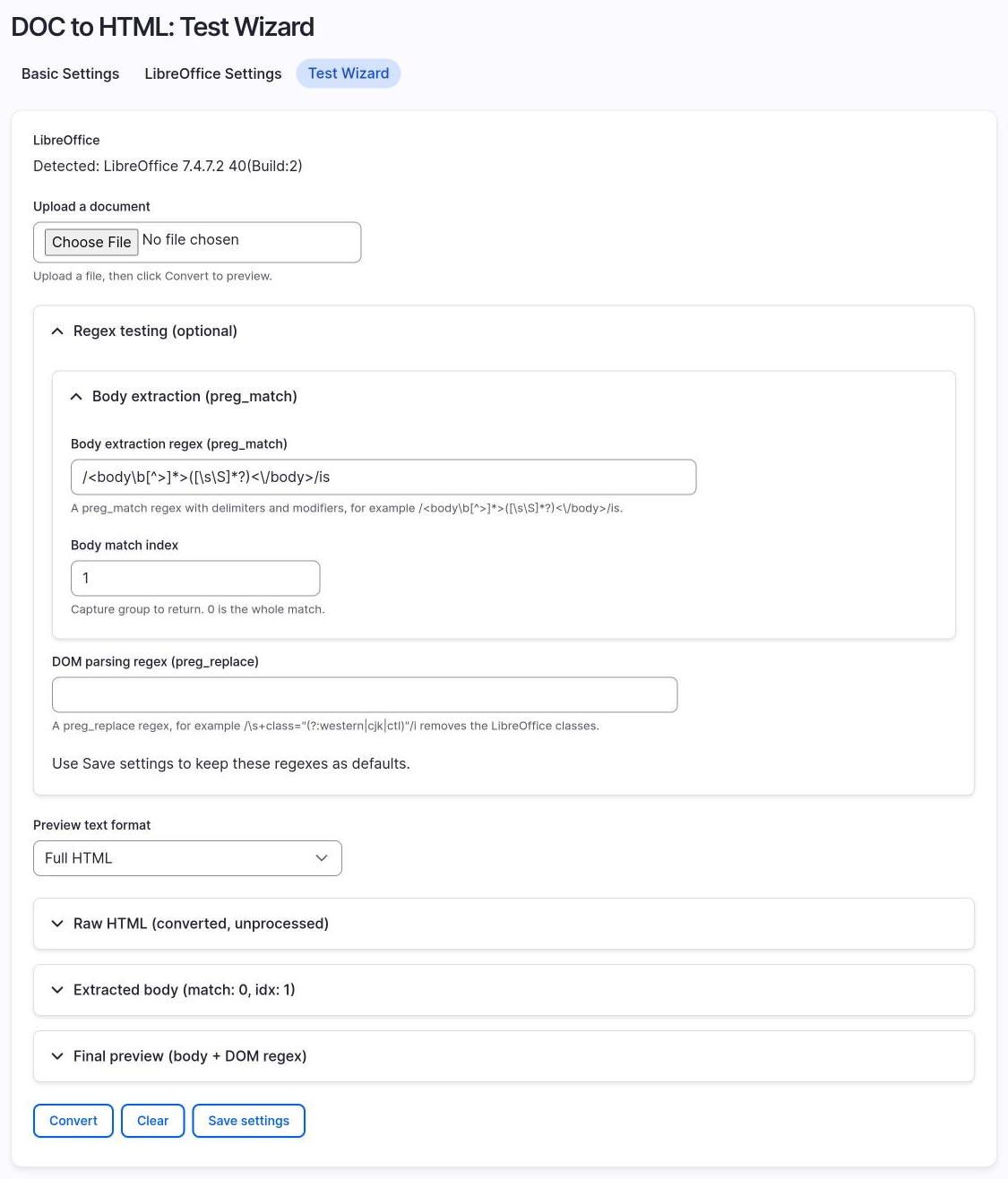
- Upload a sample document and click Convert.
- Compare the raw HTML from LibreOffice, the extracted body and the final preview.
- Change the body regex, the match index or the DOM regex and watch the preview update.
- Click Save settings to keep the expressions as defaults.
The wizard has a text format selector for the preview. It uses the site fallback format if Full HTML does not exist.
Suggested DOM regex rules
The DOM regex is a preg_replace expression, with delimiters and modifiers. Every match is replaced with nothing. It runs on the HTML after the module has sanitized it and after the first heading was removed. Paste a rule in the DOM regex of the Test Wizard, or in DOM regex override in the widget settings.
Each rule below was tried on the output of LibreOffice 7.4 for a real document, with these results.
| Purpose | Pattern | What it removes |
|---|---|---|
| Inline styles | /\s+style="[^"]*"/i |
Every style="..." attribute, such as line-height: 115% and the table borders. It also removes column-count, so use it only if you do not want columns. |
| LibreOffice classes | /\s+class="(?:western|cjk|ctl)"/i |
The classes western, cjk and ctl that LibreOffice puts on paragraphs and headings. Other classes stay. |
The font tag |
/<\/?font\b[^>]*>/i |
The tags <font ...> and </font>. The text inside stays. |
| Empty paragraphs | /<p\b[^>]*>(?:\s| |\x{00A0}|<br\s*\/?>)*<\/p>\s*/iu |
Paragraphs with nothing, only spaces, or <br>. |
| Old image attributes | /(?:<img\b|\G(?!\A))[^>]*?\K\s+(?:align|border|name|hspace|vspace)="[^"]*"/i |
The attributes align, border, name, hspace and vspace of img tags. width, height and the data-entity attributes stay. |
| First heading | /\A\s*<h[1-6]\b[^>]*>[\s\S]*?<\/h[1-6]>\s*/i |
The first heading, if the text starts with it. An alternative to the widget setting Remove the first heading of the document, which also fills the title. |
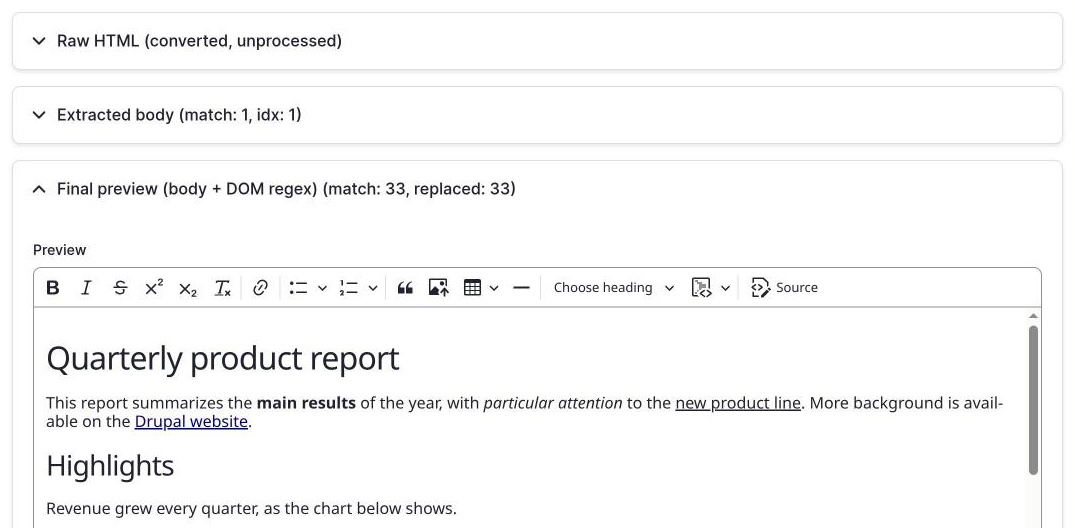
The measured effect on two documents. The first is tests/fixtures/simple.docx from the repository, a heading and a sentence. The second is a quarterly report with lists, a table, a link and a picture. A third test document with , <br> and a font tag covers the last two rules.
| Rule | Matches in the simple document | Matches in the report |
|---|---|---|
| Inline styles | 1 | 37 |
| LibreOffice classes | 2 | 33 |
The font tag |
0 | 2 |
| Old image attributes | 0 | 3 (one image) |
| First heading | 1 | 1 |
On the extra document with empty paragraphs, the rule for empty paragraphs removed the two paragraphs that held and <br>. The rule for the font tag removed the opening and the closing tag and kept the text.
Several rules
The field takes one expression. To use several rules, join them with an alternation, a|b, as in this one for styles, LibreOffice classes and font tags:
/\s+style="[^"]*"|\s+class="(?:western|cjk|ctl)"|<\/?font\b[^>]*>/i
On the simple document it removes 3 matches, and the result is:
<h1 align="left">
Fixture heading</h1>
<p align="left">DOC to HTML
fixture sentence.</p>
On the report it removes 72 matches. Rules that need different modifiers, such as the one for empty paragraphs with u, do not combine with the others in a clean way. For those, use a handler of hook_doc_to_html_post_convert, which can run any number of preg_replace calls, see Hooks and events.
Try a rule first
Open the Test Wizard at /admin/config/content/doc_to_html/test-wizard, upload a document and paste the rule in DOM parsing regex (preg_replace). The wizard shows the raw HTML, the extracted body and the final result, with the number of matches and replacements. Click Save settings only when the result is what you want.
Widget settings
Each use of the widget has its own settings, set in Manage form display. See The widget.