Settings reference
All settings live at Configuration → Frontend Editing (/admin/config/frontend-editing) and are
stored in frontend_editing.settings.
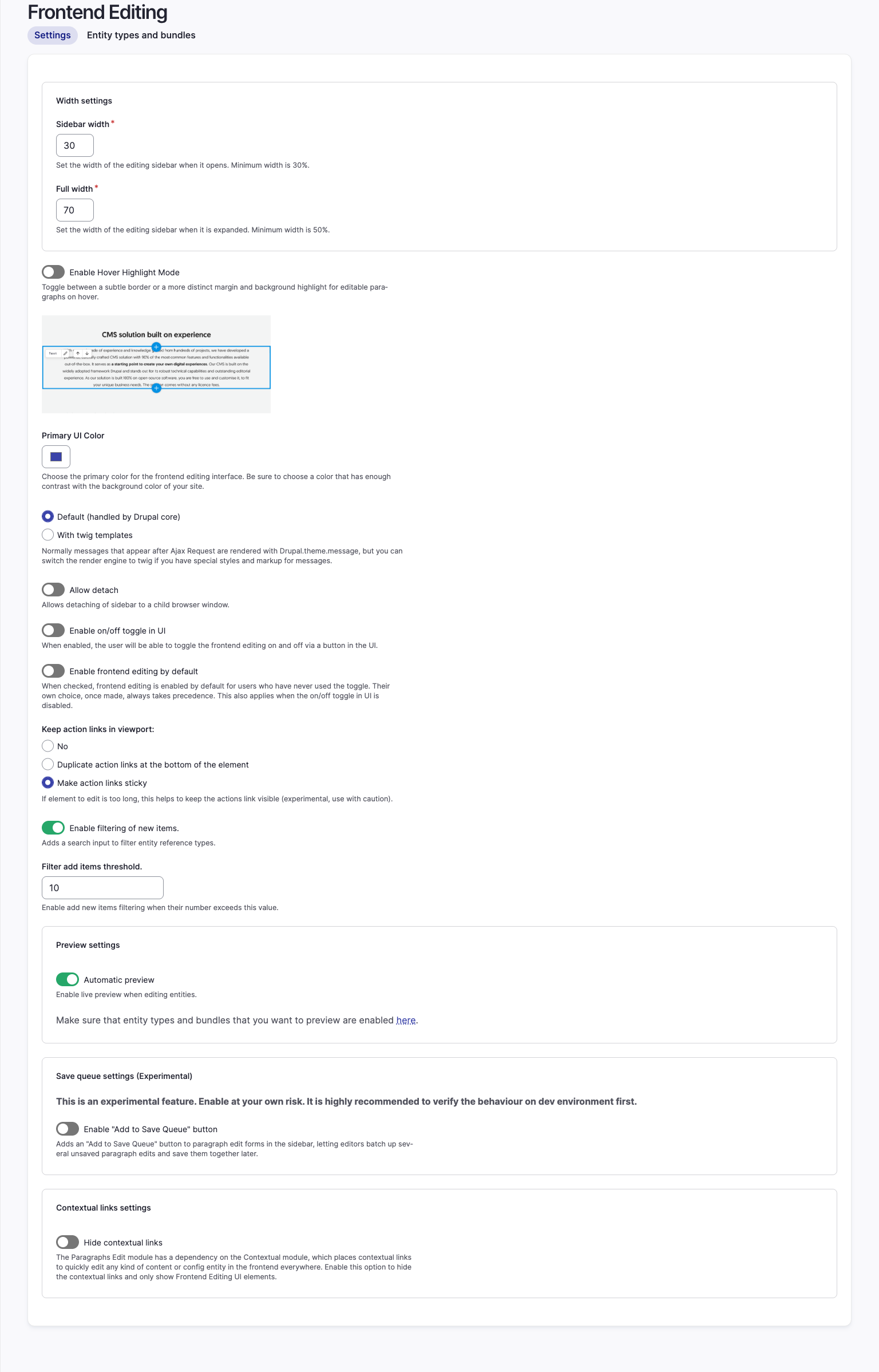
Width settings
| Field | Key | Default | Notes |
|---|---|---|---|
| Sidebar width | sidebar_width |
30 | Percentage of the window the sidebar takes when it opens. Minimum 30. |
| Full width | full_width |
70 | Percentage it takes when expanded with the arrow in the sidebar header. Minimum 50. |
Interface
| Field | Key | Default | Notes |
|---|---|---|---|
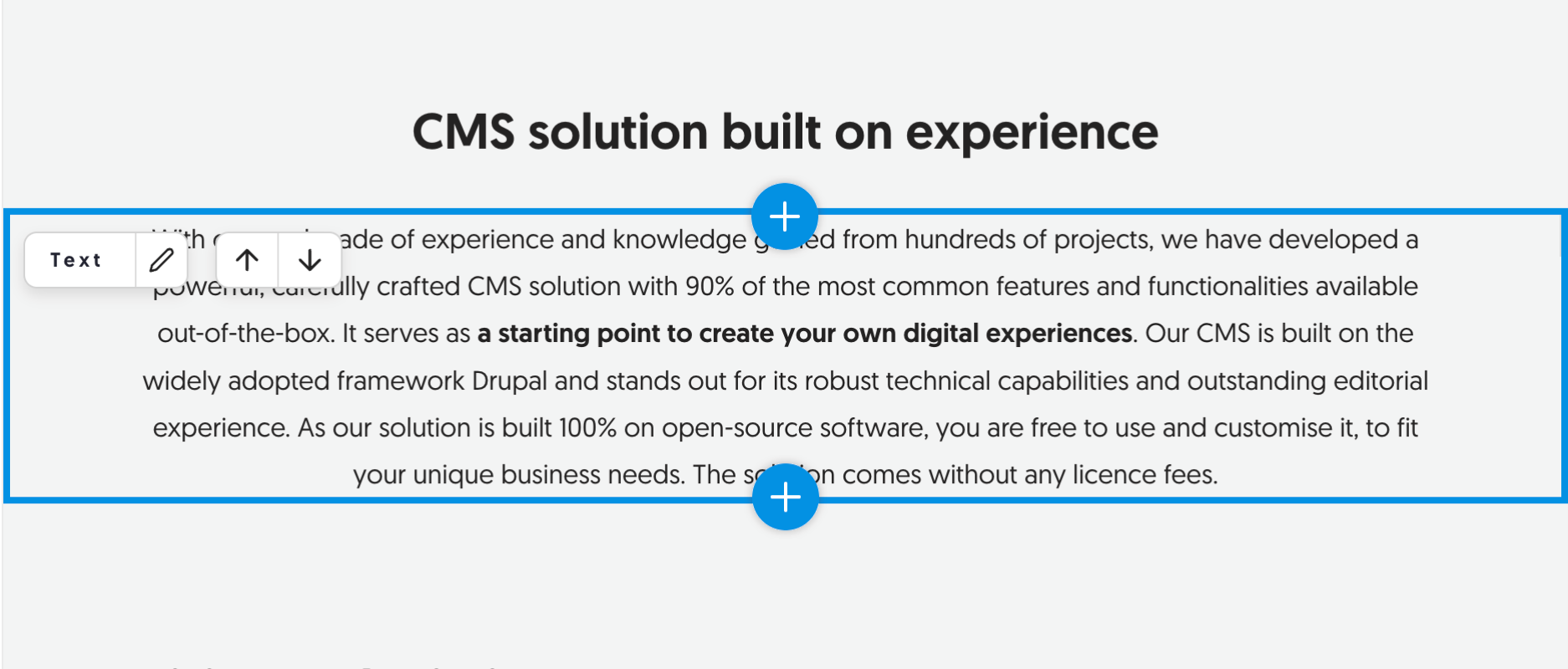
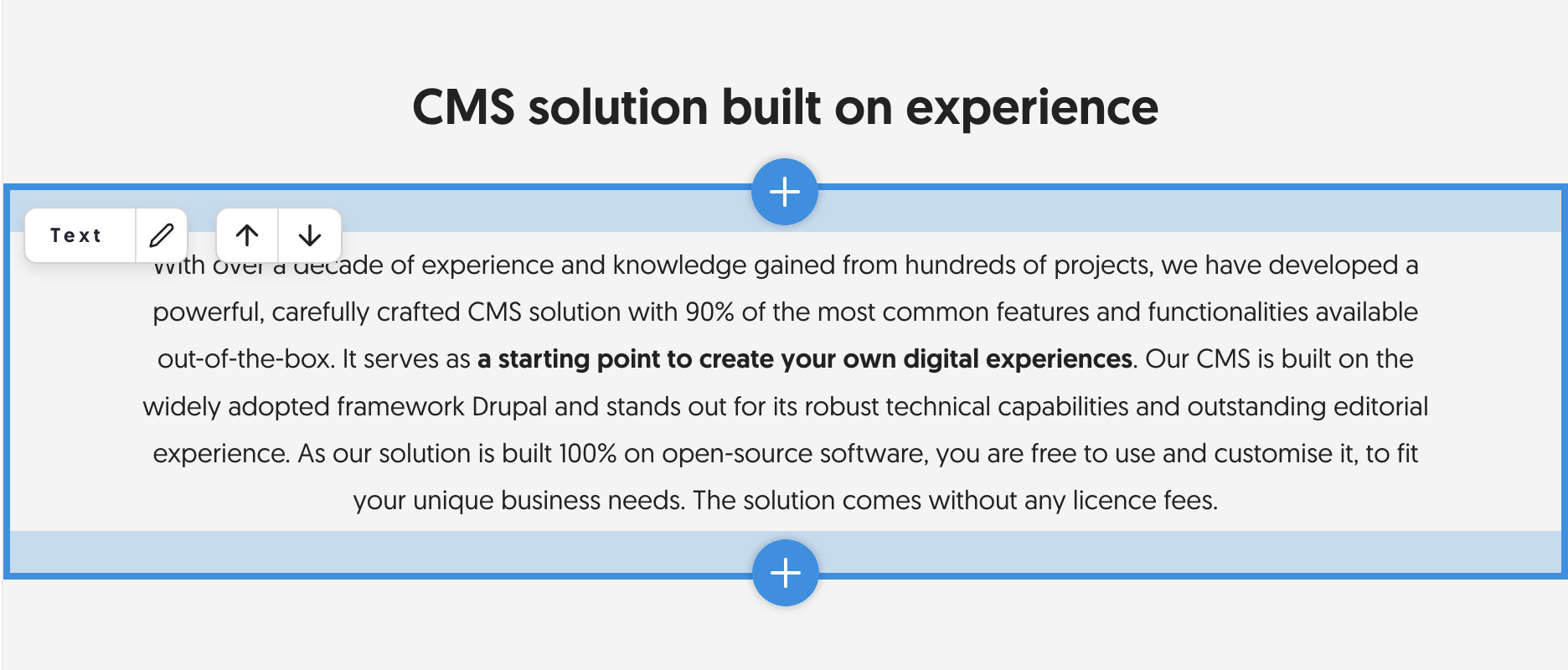
| Enable Hover Highlight Mode | hover_highlight |
off | Off draws a subtle border around the editable entity on hover. On adds a margin and background highlight. |
| Primary UI Color | primary_color |
#a9a9a9 |
Colour of the action links and highlights. Pick one with enough contrast against your site. |
| Status messages | render_status_messages |
default |
default renders AJAX messages with Drupal.theme.message. twig renders them through your Twig templates instead. |
| Allow detach | allow_detach |
off | Lets the editor pop the sidebar out into a child browser window. |
| Enable on/off toggle in UI | ui_toggle |
on | Shows a floating toggle button on frontend pages. With it off, the toggle lives in the toolbar instead. |
| Enable frontend editing by default | ui_toggle_default_state |
off | Whether users who have never touched the toggle start with editing on. A user's own choice always wins once made, and this applies even when the toggle button is hidden. |
Hover highlight off, then on:
UI toggle settings
Shown when the toggle button is enabled. Each offset is in pixels, and positions the floating button from that edge.
| Field | Key | Default |
|---|---|---|
| Offset top | ui_toggle_settings.offset_top |
empty |
| Offset bottom | ui_toggle_settings.offset_bottom |
50 |
| Offset right | ui_toggle_settings.offset_right |
50 |
| Offset left | ui_toggle_settings.offset_left |
empty |
Keeping action links in view
| Field | Key | Default | Notes |
|---|---|---|---|
| Keep action links in viewport | action_links_in_viewport |
_none |
_none leaves links at the top of the element. duplicate repeats them at the bottom of tall elements. floating makes them sticky. Both alternatives are experimental. |
| Height | duplicate_action_links.height |
300 | Only for the duplicate mode: the element height, in pixels, above which the second set of links appears. Minimum 300. |
Adding items
| Field | Key | Default | Notes |
|---|---|---|---|
| Enable filtering of new items | filter_add_items |
on | Adds a search box to the list of types you can add. |
| Filter add items threshold | filter_add_items_threshold |
10 | The search box appears once the list is longer than this. |
Preview settings
| Field | Key | Default | Notes |
|---|---|---|---|
| Automatic preview | automatic_preview |
off | Renders unsaved values on the page while editing. Needs the preview module (All Entity Preview), and the previewed types and bundles enabled under Entity types and bundles. |
The section is hidden when All Entity Preview is not installed.
Save queue settings (experimental)
| Field | Key | Default | Notes |
|---|---|---|---|
| Enable "Add to Save Queue" button | save_queue |
off | Adds a button to paragraph edit forms so several unsaved paragraph edits can be saved together. |
| "Save All" button position | save_queue_button_position |
before |
Where the floating Save All button sits relative to the frontend editing toggle. |
This is experimental. Test it on a development environment first. See Paragraphs.
Contextual links settings
| Field | Key | Default | Notes |
|---|---|---|---|
| Hide contextual links | hide_contextual_links |
off | Paragraphs Edit depends on core's Contextual module, which puts its own links on everything. Turn this on to leave only the Frontend Editing UI. |
| How to hide them | hide_contextual_links_mode |
php |
php removes the links server-side, so no .contextual element reaches the DOM. css leaves them in the DOM and hides them while frontend editing is active, so they come back when the editor switches editing off. |
Entity types and bundles
entity_types is edited on its own tab rather than this form. See
Setting it up.