Suggestions and the improvement plan
A completed review can return suggestions. Each one is stored as its own append-only Suggestion entity referenced from the Review Record.
Suggestion types
| Plugin | ID | What it does |
|---|---|---|
| Text replacement | text_replace |
Replaces the passage the suggestion quotes in a text field with the suggested text. The rest of the field is left as it was. Needs a target field name. |
| Text removal | text_remove |
Removes the passage the suggestion quotes from a text field. |
| General recommendation | general_recommendation |
Free text not tied to one field, for structural or cross-field findings. |
Other modules can add types. See Suggestion plugins.
Applying a suggestion
A text replacement or removal suggestion carries an Apply button. Applying changes only the quoted passage, saves the content (as a new revision, where the content type has revisions) and stamps the suggestion with who applied it and when.
Apply is refused, with the reason, and nothing is changed when:
- the quoted text is no longer in the field, or occurs more than once, because the content was edited after the review;
- the AI did not copy the quoted text as it is stored, so it cannot be found;
- the change would break the formatting around it, or drop a link, an image or embedded media;
- the target is not a text field.
In those cases make the change by hand. For a field with several values, the suggestion may name
the item (field_notes:1) so that a sentence repeated in two items can still be applied.
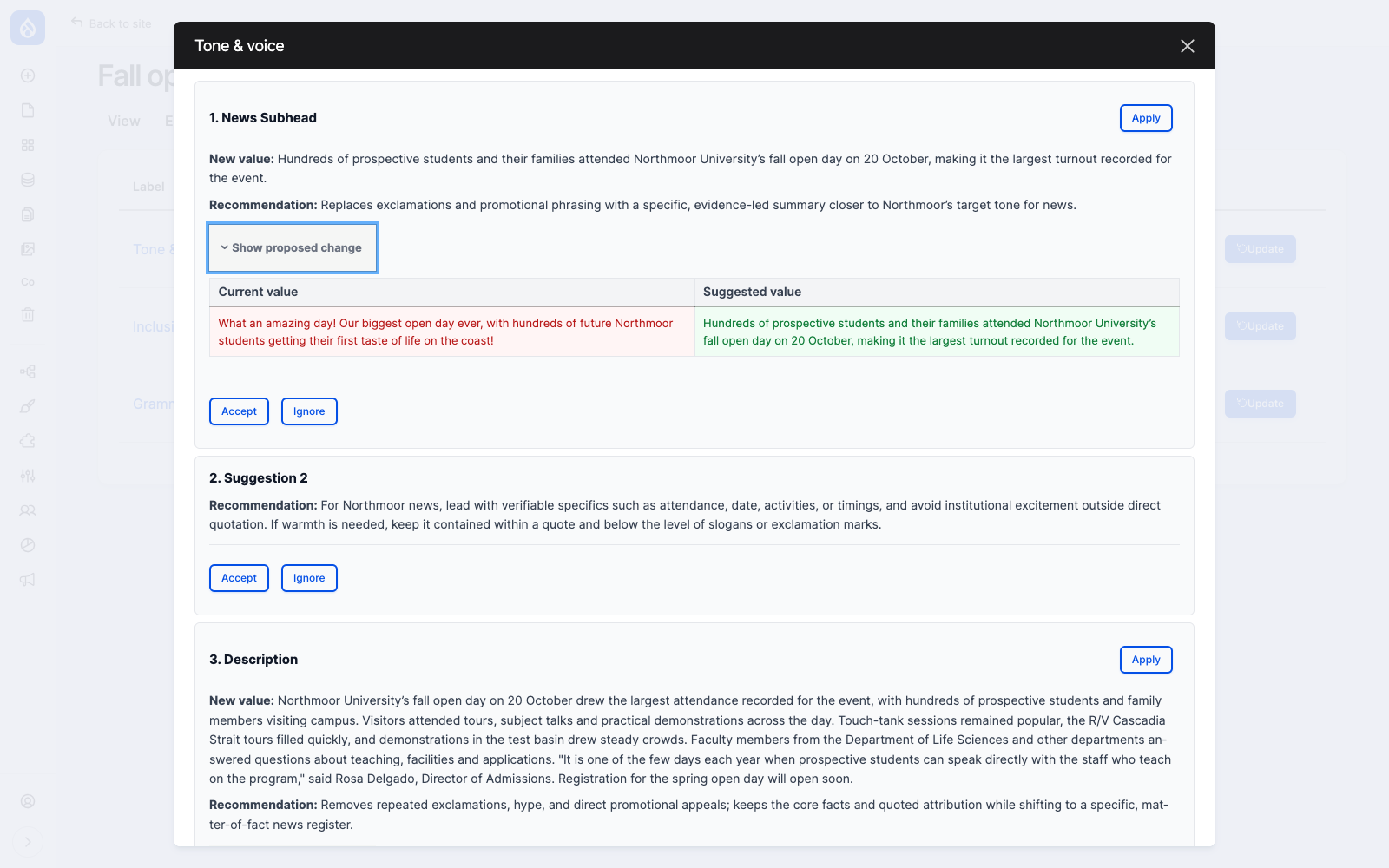
Show proposed change opens a side-by-side diff of the current and suggested values.
General recommendations have no Apply button. They describe something to do by hand.
Triage
Every suggestion also carries a decision, independent of whether it was applied:
| Action | Result |
|---|---|
| Accept | The suggestion joins the improvement plan for that entity. |
| Ignore | The suggestion is marked decided and stays out of the plan. |
| Undo | Clears the decision, and clears any tick on the plan item. |
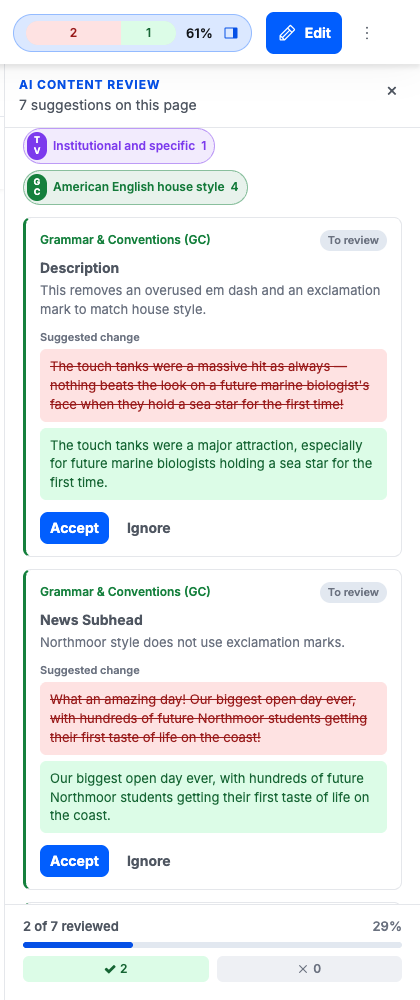
Triage is available in the result dialog on the review tab and in the suggestion cards of the top bar panel. Both need the Run AI content reviews permission.
The top bar panel gathers every suggestion on the page into one triage tray, with a chip per criterion and a progress footer.
The improvement plan
The improvement plan is the read side of triage: for one entity, every suggestion accepted across all of its criteria, taking only the newest record per criterion. It renders as a checklist in the AI Review section of the entity edit form sidebar.
flowchart LR
    Result[Review result] --> Decide{Decision}
    Decide -->|Accept| Plan[Improvement plan]
    Decide -->|Ignore| Out[Left off the plan]
    Plan --> Tick[Ticked off]
    Tick -->|stays on the list| Plan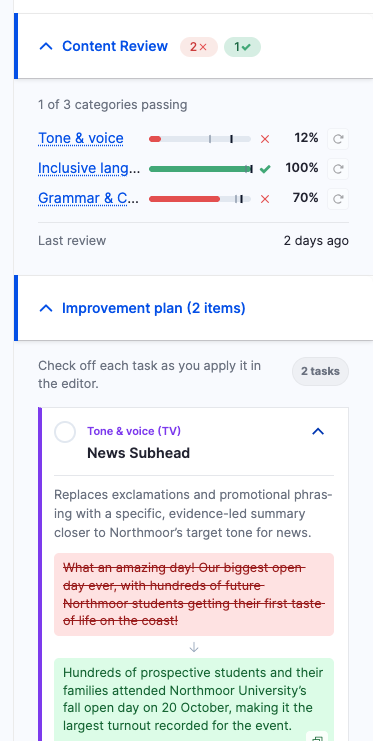
Ticking an item off marks it done and keeps it on the list, so you can see what you already carried out and untick an item if you got ahead of yourself. The section title reports how many items are still open rather than how long the list is.
The plan refreshes in place when a suggestion is accepted in a result dialog opened over the same edit form, so the checklist stays current without a reload.
The plan lives on the edit form only. Working through it means editing fields, so the top bar panel deliberately does not carry a second copy.
Append-only, with one exception
Review Records and Suggestions cannot be edited or deleted. This is enforced both by their access
control handlers and by hook_entity_access().
Append-only governs what a user may rewrite: nothing the AI produced is ever changed or removed.
The system still records what the editor did with a suggestion, on the suggestion itself:
applied_at and applied_by, and the triage fields decision, decided_at, decided_by,
checked_off_at and checked_off_by. Those writes go through the entity's own setters from a
controller, never through an entity form.
All state-changing endpoints (run, poll, pause, heartbeat, apply, decide, check off) are POST routes requiring a CSRF token minted server-side. A review costs provider budget, so none of them is reachable by a GET.