Bulk and scheduled reviews
Reviews can run with nobody watching. Three triggers fill one queue, and a queue worker drains it.
flowchart LR
    Action[Bulk operation on a content listing] --> Enq[BatchEnqueuer]
    Rule[Queue reviews on a rule] --> Enq
    Cron[Cron, for scheduled rules] --> Enq
    Enq --> Q[(ai_content_review_batch_review)]
    Q --> Worker[Queue worker]
    Worker --> Rec[Review Records]
One queue item is one subject and one criterion, which is exactly one Review Record. A criterion whose provider call fails therefore does not take the subject's other criteria down with it, and a retry can never half-write a record.
Queueing content requires the Queue AI reviews in bulk permission. It is separate from Run AI content reviews because one click here can spend a large amount of provider budget.
Trigger 1: the bulk operation
The Queue AI review action appears in the action select of content listings, including the core content view and the dedicated AI review listing. Select rows, pick the action, apply.
The whole selection is queued as one run rather than one run per row, so forty selected rows are one thing to watch rather than forty results to correlate by hand.
The action is derived for every content entity type, but only the Content (node) action ships as
configuration, since config cannot be written for entity types that may not exist. For another
entity type, create the action at /admin/config/system/actions. A views bulk form builds its
dropdown from action config entities rather than from plugin definitions, so without one the action
is invisible.
Trigger 2: a pass over a rule
The rules listing offers a Queue reviews operation on every enabled internal rule. It queues up to 10 items the rule covers, resuming where the last pass stopped, and returns immediately.
The resume cursor is per rule and stored in state. Without it every pass would re-query the same first page of content, and everything past it would never be reviewed.
Trigger 3: cron
Turn on Scheduled re-review on a rule and pick an interval: hour, 6 hours, 12 hours, day or week. Cron then queues one pass over that rule's content whenever the interval has elapsed.
Cron only ever fills the queue. It never runs a review itself, so a slow provider delays reviews rather than the whole cron run. Scheduled passes are off by default, because each one spends provider budget.
Scheduling applies to internal rules only. An external rule reviews a URL, and nothing tells cron which URLs exist.
What gets skipped
A pass skips content already reviewed in its current state: same revision, same criterion configuration hash. Queueing a rule twice in a row therefore queues nothing the second time unless the content or the criteria changed.
The review queue page
/admin/config/ai/content-review/queue lists what is waiting and since when, 50 rows to a page. A
queued review gets its record when the work is asked for rather than when a worker picks it up,
which is what makes it listable.
| Permission | What the page gives you |
|---|---|
| View the AI review queue | The table, read-only. |
| Queue AI reviews in bulk | The table, plus cancelling. |
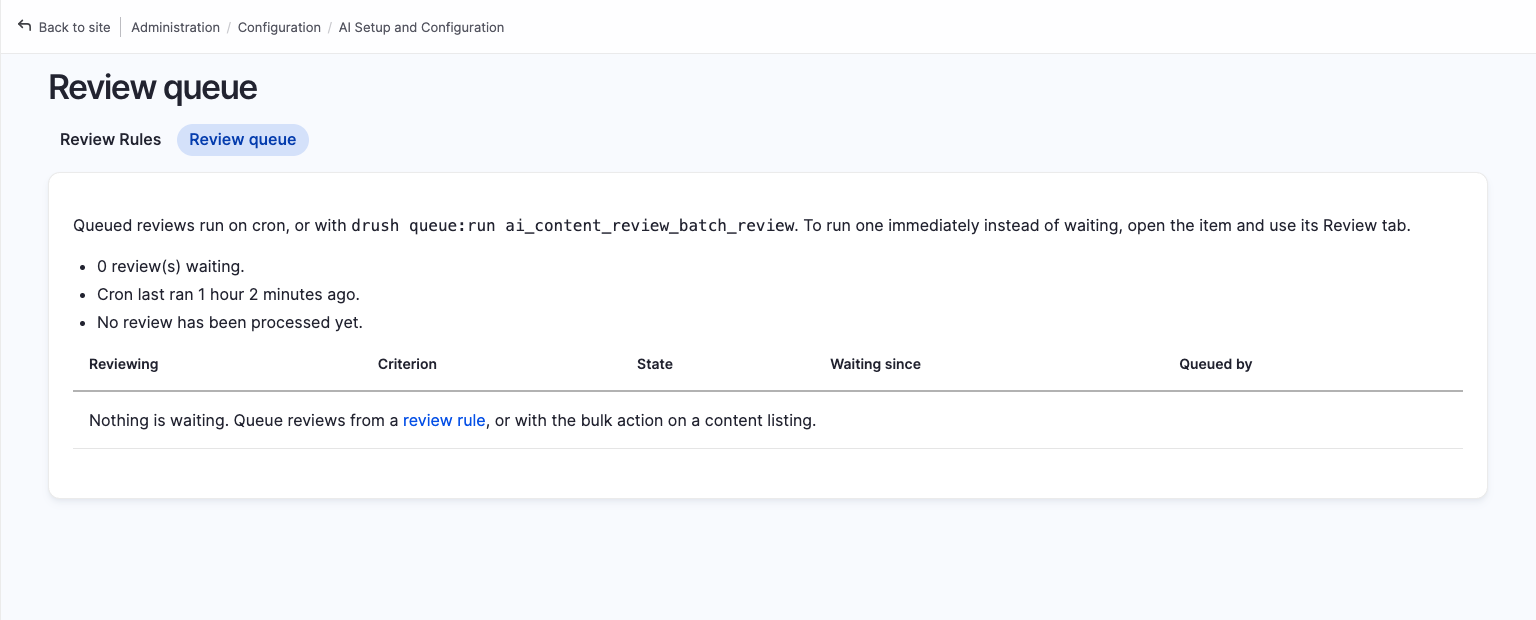
Cancelling deletes the record and the queue item pointing at it. Building the page also sweeps items whose record is already finished or gone, so the reported depth matches the table beneath it.
Draining the queue
The worker plugin runs on cron with a 300 second budget. That number is also used as the claim
lease by core's cron and by drush queue:run, and it has to outlast a single review, which commonly
takes tens of seconds and sometimes minutes. A shorter lease would expire mid-review and let a
second runner claim the same item and pay for it twice.
To drain the queue outside cron:
drush queue:run ai_content_review_batch_review
Monitoring
The status report at /admin/reports/status reports how much work is waiting, and whether anything
is taking it:
- A backlog over 500 items warns. A large batch is supposed to look like this for a while.
- A queue nothing has drained for two hours warns as well. This is the failure worth watching: a queue nobody drains looks identical to a healthy one from every other surface, since the trigger still reports success and no error appears anywhere.
Batch failures are logged to the ai_content_review channel, so they can be filtered in dblog.
Uninstalling
Uninstalling the module deletes the queue and the per-rule cursors. Left behind, the queue would hold work for a module that is gone, and the cursors would silently resume mid-content if the module came back.