The review tab
Every entity matching at least one Review Rule gets an AI Review local task. It lists every criterion from every matching rule, with the latest result for the current revision.
Running a review requires the Run AI content reviews permission. Reading one requires View AI review records plus view access to the entity itself.
Running criteria
Each row carries one button, and its label says what that row will do:
| Button | Meaning |
|---|---|
| Review | No record exists yet for this criterion and this content state. Runs it. |
| Update | A result exists. Runs the criterion again on the current revision. |
| Updating | The run is in flight. The row is driven from the browser and refreshes itself. |
| Resume | A stepped run stopped partway with work already persisted. Continues from where it stopped instead of starting over. |
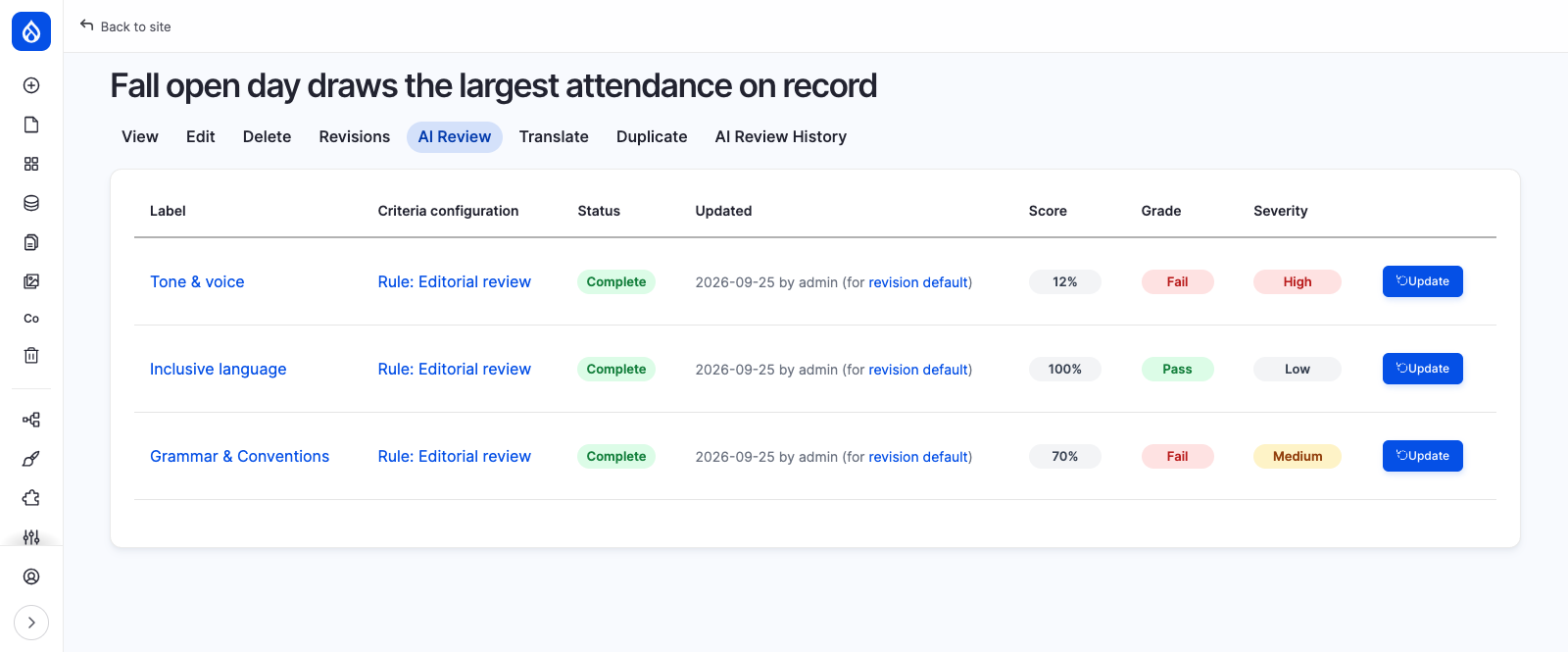
Criteria run independently, one row at a time. Results appear inline as they land, with no page reload. There is no run-everything button yet.
Direct and polling runs
A criterion's Execution mode decides how a run is driven.
sequenceDiagram
    participant B as Browser
    participant D as Drupal
    participant A as AI agent
    B->>D: POST run
    alt Direct
        D->>A: whole review in one request
        A-->>D: result
        D-->>B: final record
    else Polling
        D->>A: first turn
        D-->>B: not done
        loop until done
            B->>D: POST poll
            D->>A: one more turn
            D-->>B: progress
        end
        D-->>B: final record
    end
Direct is the simplest and can hit PHP or gateway timeouts on a long review. Polling keeps each request short and shows progress while the reviewer waits.
A polling run is driven by the browser, so closing the tab stops it. Nothing is lost: the turns already paid for are persisted, the row becomes Resume, and the record shows as paused. The browser sends a heartbeat while it drives a run, so an abandoned run stops counting as live within about 30 seconds instead of looking stuck.
A direct run is one server-side request, so leaving the page does not stop it.
Reading a result
Each row shows:
- Score, 0 to 100.
- Grade, derived from the score and the criterion's thresholds: pass, warn or fail. A criterion with no passing score configured is ungraded.
- Severity, shown as Low, Medium or High. These are the stored
info,warningandcriticalseverities under their UI labels. - Explanation in plain language, with a Read more toggle when it runs long.
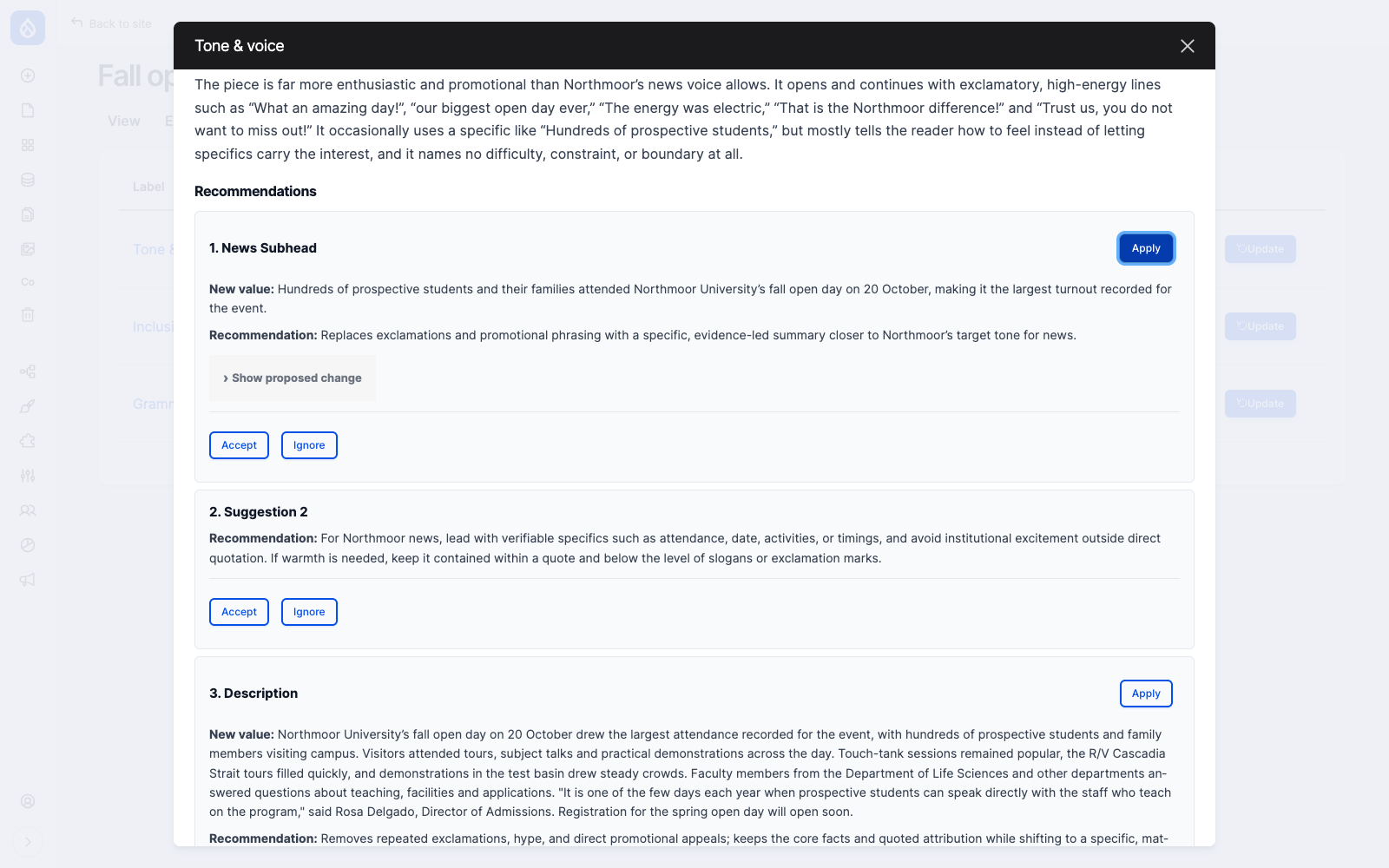
- Suggestions, each with its target field, the proposed change as a side-by-side diff, and the rationale. See Suggestions and the improvement plan.
Click a criterion's name to open its full result, with the explanation and every suggestion it produced.
Outcomes
| Status | Meaning |
|---|---|
| Complete | The review ran. Score, severity, explanation and suggestions are populated. |
| Skipped | The agent ran but could not judge, usually for lack of content, for example no body text for a brand voice criterion. Score is null and the explanation says why. This is a valid outcome. |
| Failed | The agent returned something that could not be read as a result. The raw detail is stored on the record for debugging. Check the agent's configuration and instructions. |
Failed records are kept, never discarded.
Re-running and freshness
A record is tied to the revision it reviewed and to a hash of the criterion's configuration. Editing the content or changing what a criterion asks makes existing records stale, and the row offers a fresh run. Changing a threshold, a name, an acronym, a colour or a short description does not: those are stored outside the hashed configuration, so an existing record is simply reinterpreted.
Each run creates a new record. Nothing is overwritten. The tab always shows the latest result per
criterion for the current revision, and /node/1/ai-review/history shows everything ever produced.