Appearance
Endpoint settings
The endpoint settings apply to every page that searches the endpoint: the page sizes, the sort options, the listing layouts, and the element that renders each result. They are on the endpoint's edit form, under Configuration › Search and metadata › Search API › Endpoints. A component can override the list it shows with its own: search-sort the sort options, search-results-per-page the page sizes, search-results-switcher the listing layouts, and search-results the result elements, in Layout Builder, Drupal Canvas, and Twig.
Page sizes
Items per page options are the page sizes visitors can pick with search-results-per-page, e.g., 10 and 25.
- Size is the number of results on a page.
- Label is optional. A size without a label shows the number.
A search page starts with the size in the layout's Default results per page. It must be one of the Items per page options. A size the endpoint does not offer is ignored, and the search starts with the endpoint's Limit instead.
A request that names no size, e.g., from an API client, gets the endpoint's Limit.
Listing layouts
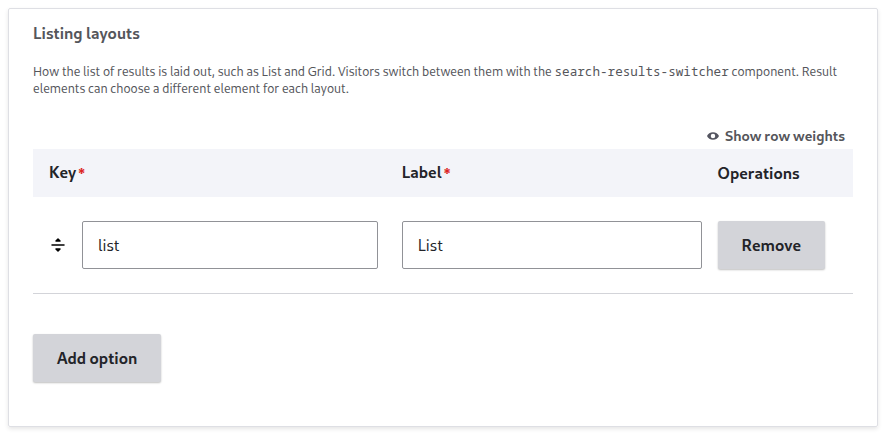
Listing layouts are the ways the results list can be laid out, e.g., List and Grid. Visitors switch between them with search-results-switcher.
- Key is the class added to the results list, e.g.,
grid, for styling the layout with CSS. A result element row can also name it to render results differently in that layout. - Label is what the visitor sees on the switcher button, e.g., Grid.
The layout's Default result display names the Key of the listing layout a search page starts with. The visitor's choice is not stored in the page URL.
Sort options
Sort options are what search-sort offers. A sort option has:
- Label: the text the visitor sees, e.g., A-Z.
- Field and Direction: what the option sorts by, e.g., Title, Ascending. For a field the list does not have, pick Other and type its machine name in Other field.
- Alias: the option's name in the page URL, e.g.,
newest. An option left without an alias gets its field and direction, e.g.,title-asc. - Then sort by: further fields and directions, for results with the same value in Field. These are not stored in the page URL.
- Default sort option: the sort used until a visitor picks one.
A search-sort that overrides the sort options with its own has the same rows, without Then sort by and Default sort option. Its alias must be the alias of one of the endpoint's sort options. An option without an alias is requested by its field and direction.
Sort options need Expose sort checked in the endpoint's Page group. With it checked, the sort options replace the endpoint's own Default sort field, Default sort order, and Sorting rules: every search is sorted by a sort option, and a search that names none is sorted by the default sort option.
A sort in the page URL looks like one of these:
?sort=newest: the option with the aliasnewest.?sort=title&order=asc: Title, ascending, whether or not an option has that field and direction.- no
sort: the default sort option, which is left out of the page URL.
For the page URL parameters, see URL state.
Result elements
Result elements decide which result element renders each result. Match on field is the field a result is matched by, e.g., Content type (type). That field and the field to render must not be checked under the endpoint's Excluded fields.
Each row has:
- Matches: one or more lines. A result matches the row when it matches any of the lines.
- Value: a value of the match field, e.g.,
recipe, or All values, stored asdefault. - When results are shown as: a specific listing layout, or All of them.
- Value: a value of the match field, e.g.,
- Displayed with: the element that renders the result.
search-result-element-rendered (the HTML of a result field)prints the HTML in Field to render. For adding that field to the index, see Indexing the rendered result.search-result-element-default (the result as formatted JSON)shows the result as JSON, for testing.- Custom element renders the result in the browser, with an element of the site's own that builds its markup from the result's fields. It takes an Element tag, e.g.,
my-result-card, and Element settings as YAML, e.g.,showImage: true. For writing one, see Custom result elements.
A result is rendered by the first row that matches it, with the rows checked in this order:
| Checked | Value | When results are shown as |
|---|---|---|
| 1st | the result's value | the current listing layout |
| 2nd | any value | the current listing layout |
| 3rd | the result's value | any listing layout |
| 4th | any value | any listing layout |
For example, an endpoint has the listing layouts List and Grid and these three Result elements rows:
| Row | Matches | Displayed with |
|---|---|---|
| A | Content type is recipe, when results are shown as any listing layout | recipe-card |
| B | Content type is any value, when results are shown as Grid | grid-tile |
| C | Content type is any value, when results are shown as any listing layout | search-result-element-rendered |
Four results on that endpoint, and the row that renders each:
| Result | Shown as | Rendered by | Checked |
|---|---|---|---|
| A recipe | List | Row A | 3rd: the result's value, any listing layout |
| An article | List | Row C | 4th: any value, any listing layout |
| An article | Grid | Row B | 2nd: any value, the current listing layout |
| A recipe | Grid | Row B | 2nd comes before 3rd: a row for the current listing layout beats a row for the result's value in any layout |
To render recipes with recipe-card in Grid too, give row A a second line, recipe when results are shown as Grid.
A result that matches no row is not rendered. The result count still counts it.
A new endpoint starts with one row, All values displayed with search-result-element-default. Change that row before the search goes live.