Working with GitLab issues
GitLab work items are used to organise tasks, discuss approaches, record attendance and notes of meetings, and are used by developers to co-ordinate code. They are organised by project, often a LocalGov module. There are also projects for contribution, docs and the profiles (the LocalGov CMS and LocalGov Microsites bundles), which are used for product scoping and collecting groups of work that span projects.
We are early adopters of Drupal GitLab work items so we can help the community iron out any workflow issues. An example of a wrinkle for us to iron out: this docs project is one of the few projects still using the old way.
Finding work items
When a project's issues have been migrated to GitLab, you will find them under 'Work items' in the left sidebar of the project on git.drupalcode.org. For example:
https://git.drupalcode.org/project/localgov/-/work_items
Links to old drupal.org issue URLs redirect to the new location, and issue numbers are preserved, so an issue number you find in a commit message or a Slack thread still resolves to the same issue.
The work items list can be filtered and searched by text, label and author.
Creating a work item
From the 'Work items' list, click 'New item'. The form is just a title and a description. Labels and other metadata are added after the issue is created. If the project has issue templates set up, you can choose one from a dropdown.
GitLab has several work item types, such as 'Task' and 'Incident'. The drupal.org integrations all work against the 'Issue' type, so use 'Issue' unless a maintainer asks for something else.
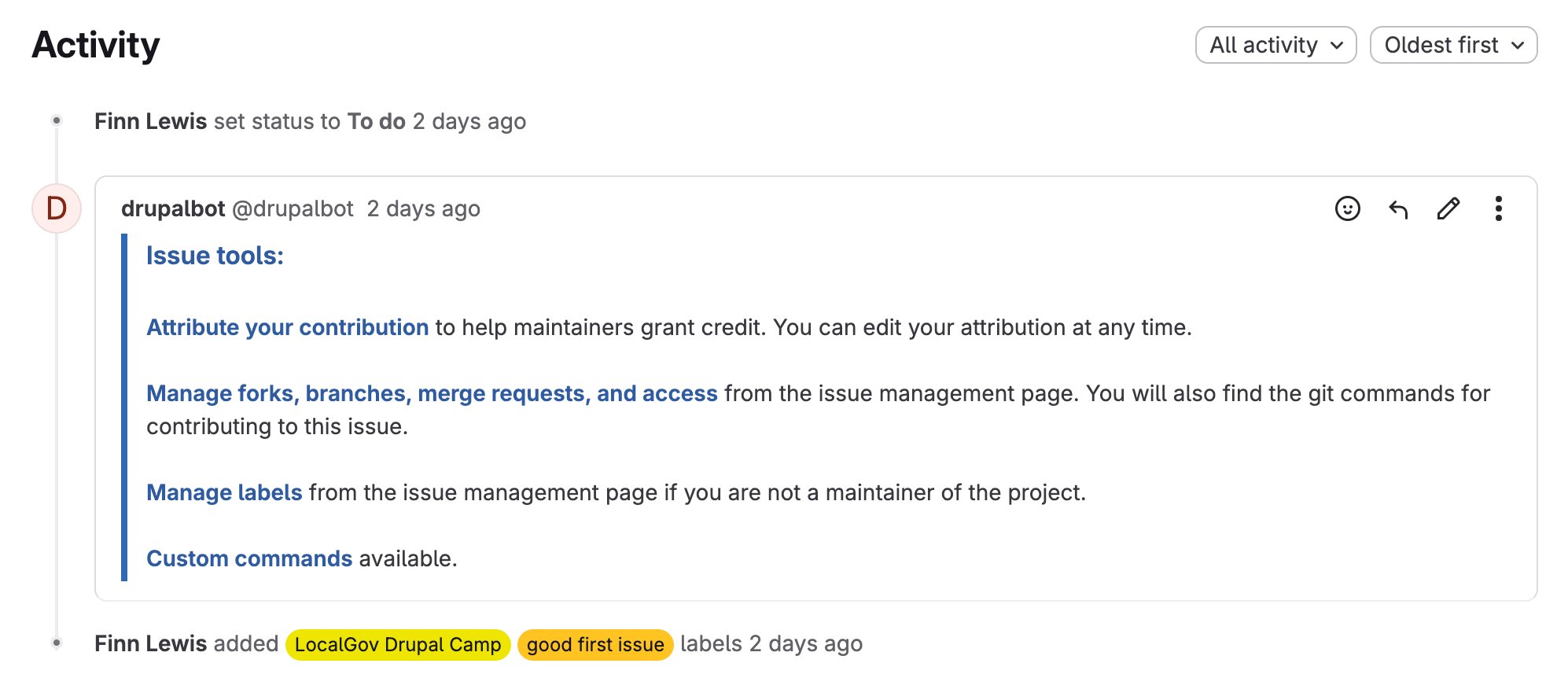
When you create an issue, DrupalBot will post a comment with links to the parts of the process that still live on drupal.org: the contribution record for the issue, where credit is tracked, the fork management page, where you can create or request access to a shared issue fork and open merge requests, and label management.
Working with labels and status
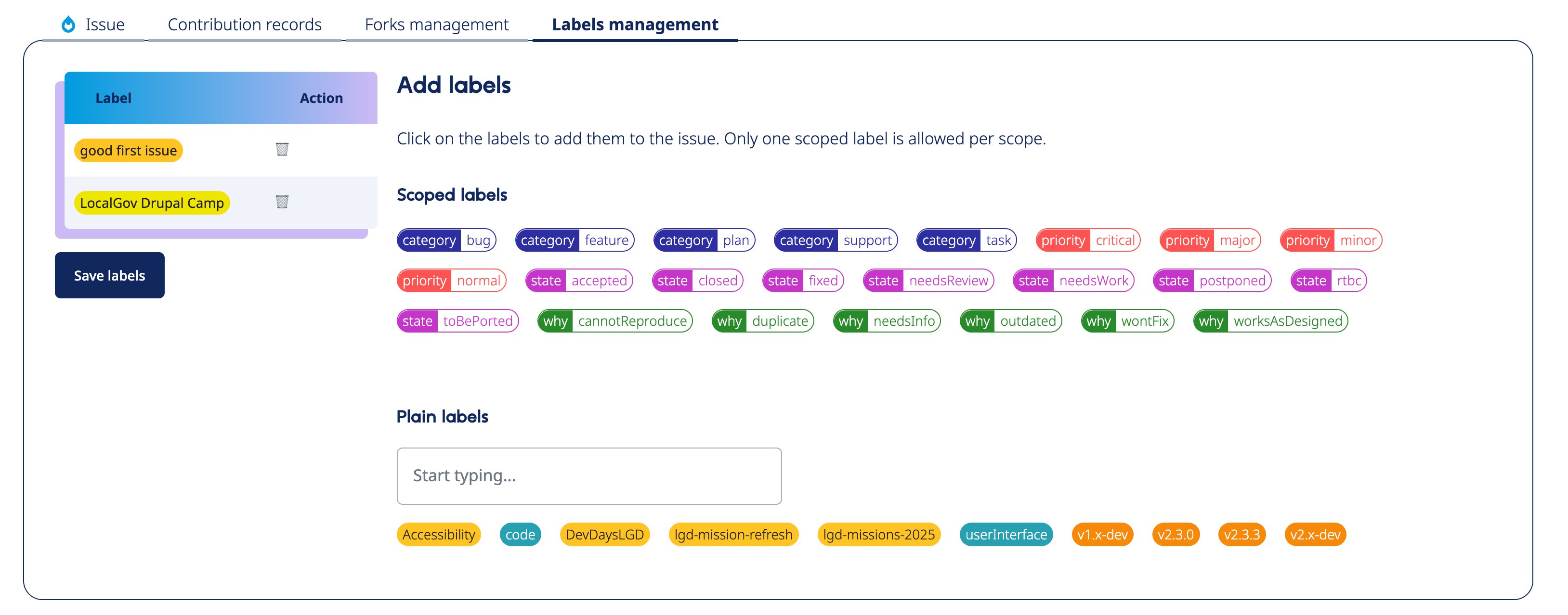
In GitLab, issue metadata such as status and priority is managed with labels.
To manage labels, follow the link in the DrupalBot comment on the issue. For example, when work is ready for review, set the label 'State::Needs Review'. You can @ the maintainers in a comment on the issue to let them know.
The old way: drupal.org issues
GitLab work items are a recent change, and projects are being migrated in batches. A few projects, like LocalGov Docs, are still using the old-style drupal.org issue queue.
You will notice that the interface is different but the principles are more or less the same: one issue per problem, discussion in the comments, a status to signal what is needed next, and credit recorded when the issue is fixed.
On old-style issues, the status, version and other meta fields are part of the issue itself rather than labels. To update them, expand the 'Issue metadata' section, set the values, optionally add a comment at the same time, and hit 'save'.