Code Components - Data fetching
SWR is provided as a native package and can be imported and used for general data fetching. Data returned will be shown in the “Data Fetch” pane under the component preview.
import useSWR from 'swr';
export default function Profile() {  const { data, error, isLoading } = useSWR(    'https://my-site.com/api/user',    fetcher,  );
  if (error) return <div>failed to load</div>;  if (isLoading) return <div>loading...</div>;  return <div>hello {data.name}!</div>;}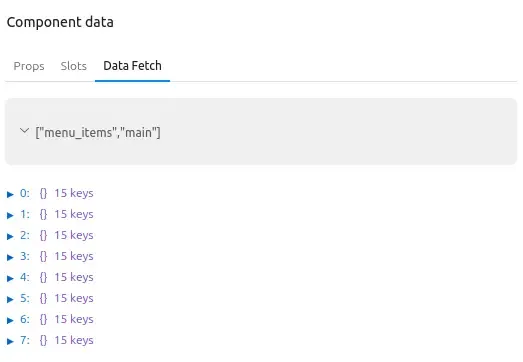
Drupal data
Section titled “Drupal data”Page and site data
Section titled “Page and site data”Read information about the current page with the usePageContext hook and
about the site with the useSiteContext hook. Both work in Drupal-rendered
Code Components, Canvas Workbench previews, and React-based headless
frontends. Results can be viewed in the Data Fetch pane below the component
preview.
import { usePageContext, useSiteContext } from 'drupal-canvas/react';
export default function PageHeader() {  const page = usePageContext();  const site = useSiteContext();  if (!page || !site) return null;  return (    <header>      <a href={site.branding.homeUrl}>{site.branding.siteName}</a>      <h1>{page.pageTitle}</h1>    </header>  );}
usePageContext() returns { pageTitle, breadcrumbs, mainEntity };
useSiteContext() returns { branding, baseUrl, themeAssets }. Call the hooks
unconditionally at the top level of a function component or custom hook
(React’s rules of hooks). They return null when the rendering integration
supplies no such data, for example a component rendered without a provider.
Main entity metadata
Section titled “Main entity metadata”The main entity is the primary Drupal entity (e.g. article, canvas_page, blog) associated with the current page.
Access main entity metadata of the page you are on with usePageContext.
This can be used to construct JSON:API parameters for requests.
ℹ️ Not every route has a main entity, in that case mainEntity will be null
(e.g. front page, /user/login, or inside the Canvas code editor).
If the Code Component is added to a region that may appear on all pages (including pages without a main entity),
ensure to check for the existence of mainEntity before trying to access its metadata to avoid JS errors. The example below
uses a wrapper component to check for the existence of mainEntity and also checks that mainEntity is an article node
before calling the useSWR hook that fetches related articles. If the Code Component will only be used
on pages with a main entity, then this check is not necessary.
Example usage that fetches a list of articles but excludes the current article being viewed:
import { useJsonApiClient, usePageContext } from 'drupal-canvas/react';import { DrupalJsonApiParams } from 'drupal-jsonapi-params';import useSWR from 'swr'
function RelatedArticles({ mainEntity }) {  const client = useJsonApiClient();  const { bundle, entityTypeId, uuid } = mainEntity;  const { data, error, isLoading } = useSWR(  client    ? [        'node--article',        {          queryString: new DrupalJsonApiParams()            .addFilter('id', uuid, '<>') // Exclude current article by uuid.            .getQueryString(),        },      ]    : null,  ([type, options]) => client.getCollection(type, options),  );
   return (...);}
// Wrapper component to check for mainEntity existence and type before calling a hook since// hooks cannot be called conditionally (React rules of hooks).function RelatedArticlesWrapper() {  const page = usePageContext();  const mainEntity = page?.mainEntity;
  // Return early if there is no mainEntity, or it is not an article node.   if (     !mainEntity ||     mainEntity.entityTypeId !== 'node' ||     mainEntity.bundle !== 'article'   ) {     return null;  }  return <RelatedArticles mainEntity={mainEntity} />;}
export default RelatedArticlesWrapper;
Translations and language switcher
Section titled “Translations and language switcher”mainEntity carries everything needed to build a language switcher:
requestedLanguage: the language code requested via the URL (e.g.fr).renderedLanguage: the language the content actually rendered in. It falls back to the default translation when the requested language has no translation, so it can differ fromrequestedLanguage.translations: every enabled site language, even when the entity itself is not translatable, so a language switcher is always complete. Empty when the site is monolingual. Each entry has:langcode: the language code (e.g.en,fr).name: the language name in the current display language (e.g.German).nativeName: the language’s own native name (e.g.Deutsch).url: URL to view the entity in this language, resolved according to the site’s configured language negotiation (path prefix, domain, etc.). When the translation is unavailable to the current user, this is the default translation’s URL in that language, so it never discloses anything about the translation itself (such as a translated path alias).translationAvailable: whether the entity has a translation in this language that the current user may view. Unpublished or otherwise inaccessible translations are reported astranslationAvailable: false(see note below), so this reflects viewable translations, not raw translation existence.current: whether this is the requested language, even when its content falls back to the default translation.
ℹ️ Languages the entity is not translated into (and translations the current
user cannot view, such as an unpublished draft) are still included, with
translationAvailable: false. Their url still points to that language’s URL
(for example a /fr/ path prefix or an fr.example.com domain, depending on
the site’s language negotiation), but the content falls back to the default
translation. Neither the list nor the URLs reveal the existence of a
translation the current user may not see, and both can vary per user (an
editor may see translationAvailable: true where an anonymous visitor sees
translationAvailable: false).
Example language switcher:
import { usePageContext } from 'drupal-canvas/react';
function LanguageSwitcher() {  const page = usePageContext();  const mainEntity = page?.mainEntity;  if (!mainEntity) {    return null;  }  const { requestedLanguage, renderedLanguage, translations } = mainEntity;
  return (    <nav>      {requestedLanguage !== renderedLanguage && (        <p>Not available in your language; showing {renderedLanguage}.</p>      )}      <ul>        {translations.map(          ({ langcode, nativeName, url, translationAvailable, current }) => (            <li key={langcode}>              {current ? (                <span lang={langcode} aria-current="true">                  {nativeName}                </span>              ) : (                <a href={url} lang={langcode} hrefLang={langcode}>                  {nativeName}                  {!translationAvailable && ' (not translated)'}                </a>              )}            </li>          ),        )}      </ul>    </nav>  );}
export default LanguageSwitcher;
You can also access site information with the useSiteContext hook:
import { useSiteContext } from 'drupal-canvas/react';
const site = useSiteContext();const siteName = site?.branding.siteName;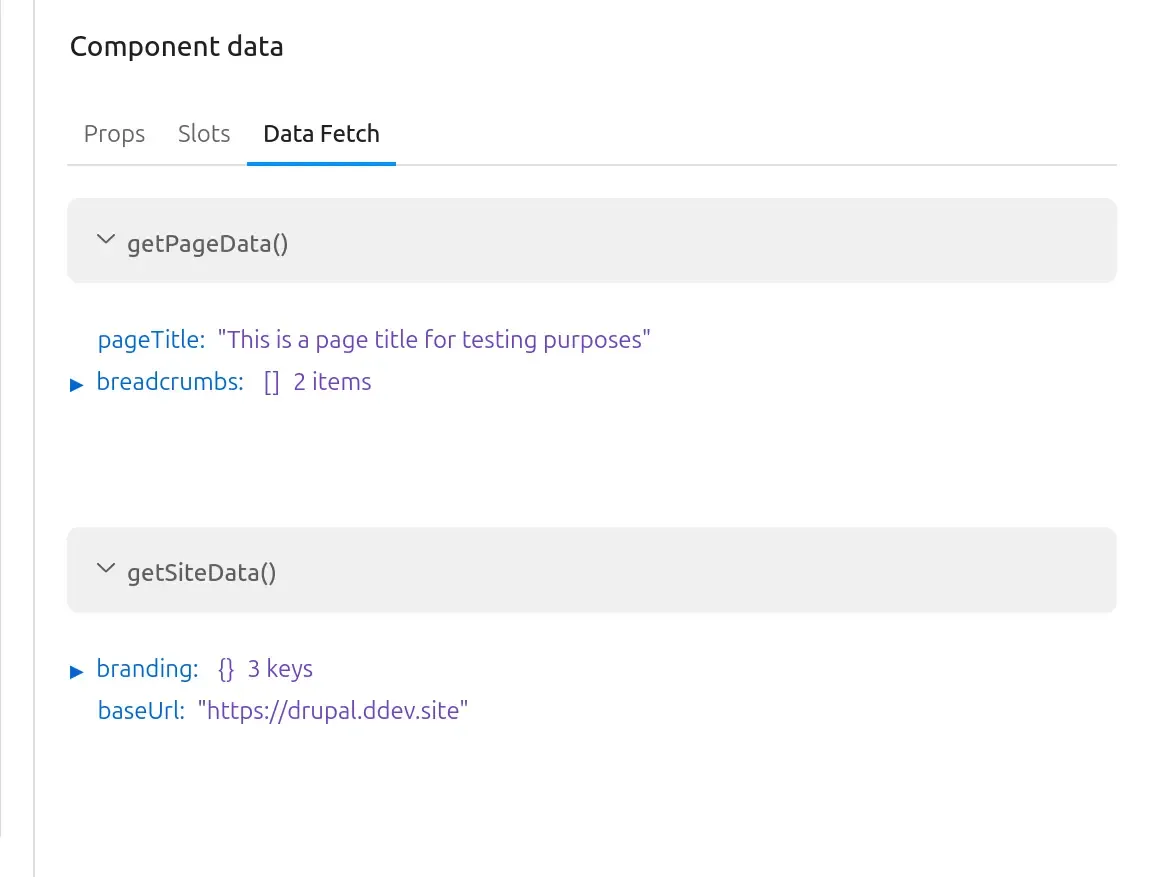
JSON:API
Section titled “JSON:API”drupal-canvas provides a
JSON:API client
through the useJsonApiClient hook. Rendering integrations supply the configured
client through a provider; the hook does not detect the environment or create a
client. The shared implementation uses
DefaultSerializer for
deserialization.
Drupal core’s JSON:API module
must be enabled to use this client.
The associated parameter helper package is also included as a native package.
Writing portable components
Section titled “Writing portable components”Use useJsonApiClient() to write the same component for Drupal, Workbench, and
React-based headless frontends. Each integration supplies the appropriate client
through a provider. Keep Drupal globals, backend URLs, authentication, proxy
configuration, and environment-specific branches out of the component. Outside a
Canvas tree, your integration must supply a JsonApiClientProvider.
Use a stable SWR key for the query and render data whenever it is available, including prefetched fallback data:
import { useJsonApiClient } from 'drupal-canvas/react';import useSWR from 'swr';
export default function List() {  const client = useJsonApiClient();  const { data, error } = useSWR(client ? 'articles' : null, () =>    client.getCollection('node--article'),  );
  if (error) return 'An error has occurred.';  if (!data) return 'Loading...';  return (    <ul>      {data.map((article) => (        <li key={article.id}>{article.title}</li>      ))}    </ul>  );}
The hook returns null when no client is provided, so pass null as the SWR
key in that case, as above. Do not hide available data just because SWR reports
isLoading during revalidation.
Helper utilities
Section titled “Helper utilities”Utility functions for working with JSON:API and core APIs are provided in the
drupal-canvas package.
Examples
Section titled “Examples”Fetching nodes with JSON:API
Section titled “Fetching nodes with JSON:API”The following example fetches nodes using a preconfigured version of the
JSON:API client from the Drupal API Client,
and outputs links to each of them using the getNodePath utility from the
drupal-canvas package, which will return the path alias if exists, or fall
back to the /node/[nid] path.
import { getNodePath } from 'drupal-canvas'; import { useJsonApiClient } from 'drupal-canvas/react';import { DrupalJsonApiParams } from 'drupal-jsonapi-params';import useSWR from 'swr';
const Articles = () => {  const client = useJsonApiClient();  const { data, error, isLoading } = useSWR(    client      ? [          'node--article',          {            queryString: new DrupalJsonApiParams()              .addSort('created', 'DESC')              .getQueryString(),          },        ]      : null,    ([type, options]) => client.getCollection(type, options),  );
  if (error) return 'An error has occurred.';  if (isLoading || !data) return 'Loading...';  return (    <ul>      {data.map((article) => (        <li key={article.id}>          <a href={getNodePath(article)}>{article.title}</a>        </li>      ))}    </ul>  );};
export default Articles;
Using the JSON:API Menu Items module
Section titled “Using the JSON:API Menu Items module”This example builds a navigation menu using the JSON:API Menu Items module:
import { sortMenu } from 'drupal-canvas'; import { useJsonApiClient } from 'drupal-canvas/react';import useSWR from 'swr';
const Navigation = () => {  const client = useJsonApiClient();  const { data, isLoading, error } = useSWR(    client ? ['menu_items', 'main'] : null,    ([type, resourceId]) => client.getResource(type, resourceId),  );  if (error) return 'An error has occurred.';  if (isLoading || !data) return 'Loading...';
  const menu = sortMenu(data);
  return (    <ul>      {menu.map((item) => (        <li key={item.id}>{item.title}</li>      ))}    </ul>  );};
export default Navigation;
Using Drupal core’s linkset endpoint
Section titled “Using Drupal core’s linkset endpoint”You can also build a navigation menu using Drupal core’s linkset endpoint.
import { sortLinksetMenu } from 'drupal-canvas';import useSWR from 'swr';
const Navigation = () => {  const { data, isLoading, error } = useSWR(    '/system/menu/main/linkset',    async (url) => {      const response = await fetch(url);      return response.json();    },  );  if (error) return 'An error has occurred.';  if (isLoading) return 'Loading...';
  const menu = sortLinksetMenu(data);
  return (    <ul>      {menu.map((item) => (        <li key={item.id}>{item.title}</li>      ))}    </ul>  );};
export default Navigation;