Usage
Automatic thumbnails
- Add a video media item at Content » Media » Add media » Video, or upload a video in the media library from a media field or the editor.
- Choose the video file. The browser loads it locally, draws the frame at two seconds into a canvas and sends it to the site as a JPEG. For videos shorter than four seconds it uses the frame halfway through.
- Save the media item. Media Thumbnails asks the plugin for a thumbnail, and the frame becomes the item's thumbnail, with the video's width and height.
The capture runs in the background while the file uploads. If the media item is saved before the frame arrives, or the browser cannot play the file, the item keeps Media's generic video icon. Pick a frame on the Regenerate Thumbnail tab afterwards.
Later saves
Saving the media item again keeps its thumbnail. Media Thumbnails normally rebuilds a thumbnail on every save, but for video it can only use a frame captured in the browser, so the module keeps the current thumbnail unless:
- the video file was replaced, so Media reset the thumbnail to its generic icon, and
- the browser captured a frame from the new file.
Choosing another frame
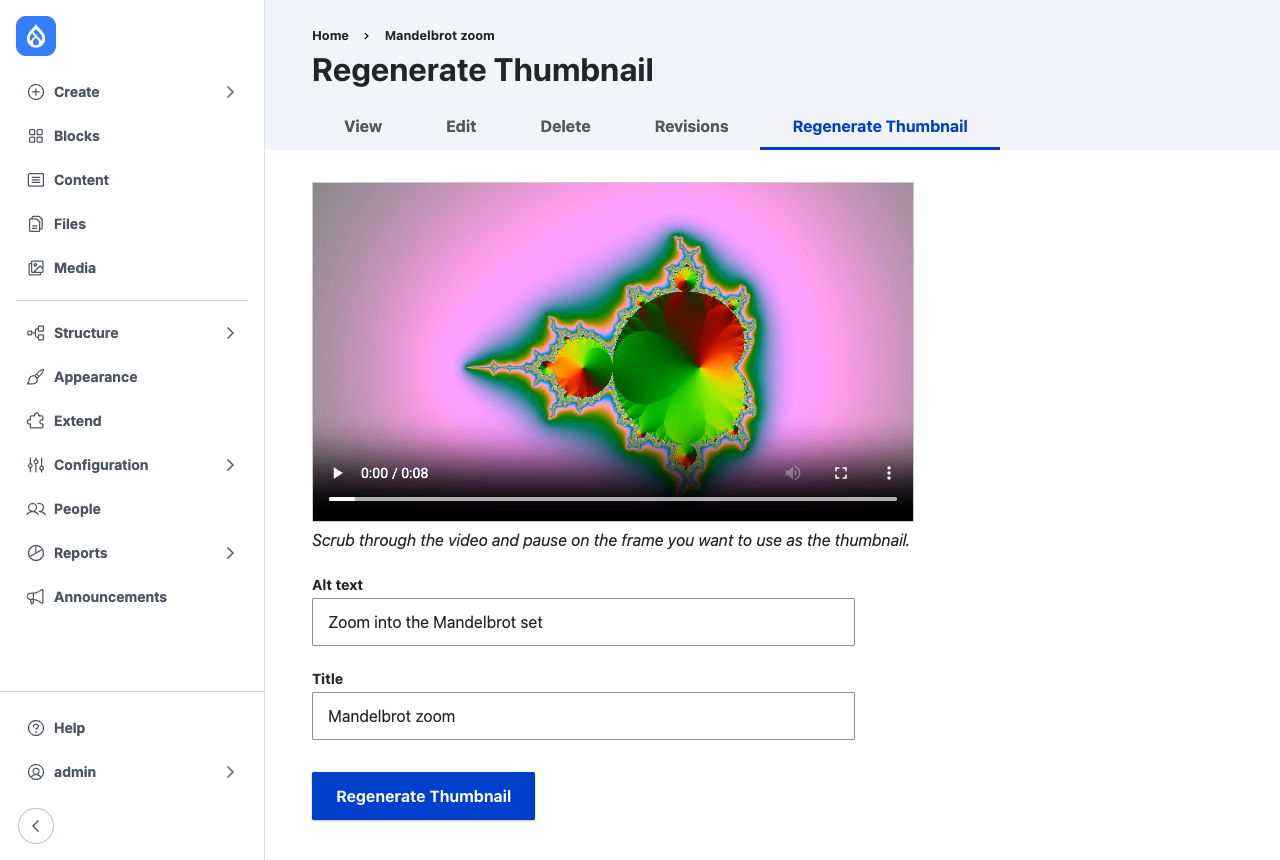
- Edit the media item and open the Regenerate Thumbnail tab (
/media/{id}/client-thumbnail-regenerate). - Play or scrub the video and pause on the frame you want.
- Set the Alt text and Title of the thumbnail. They default to the current values, or Video thumbnail.
- Click Regenerate Thumbnail.
The frame is saved as a new file, client-video-thumbs/media_{id}_thumbnail.jpg (with _0, _1 and so on added when that name exists), and set as the thumbnail. The previous thumbnail file is not changed, so other entities that use it, such as other media items showing Media's generic icon, are not affected.
Video posters
When a media item's source field is displayed with the Video formatter, the module sets the player's poster attribute to the item's thumbnail. Visitors see the chosen frame until the video plays.
Video files in file fields that are not media sources do not get a poster.