
Documentation
Home page
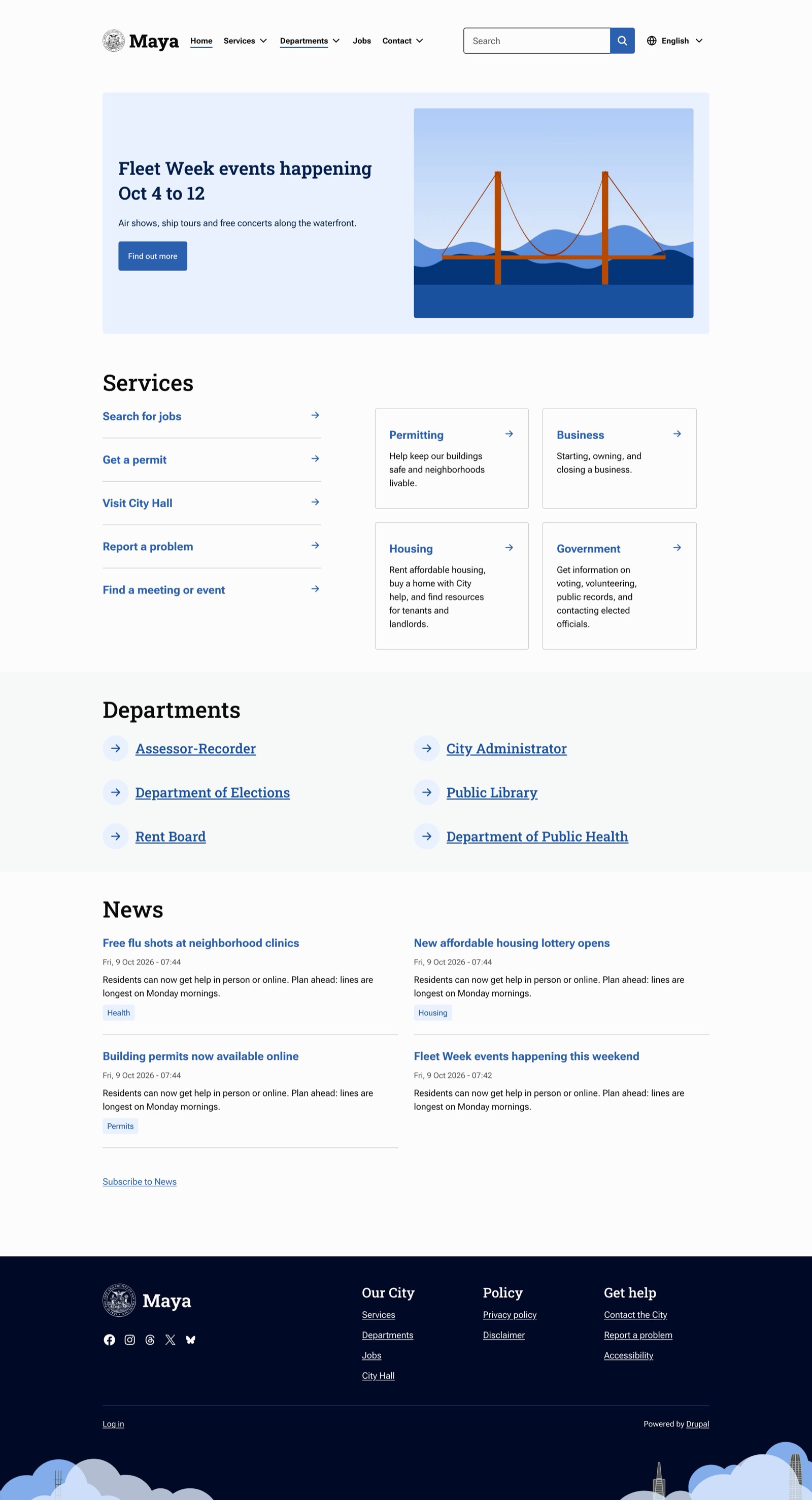
page--front.html.twig lays out the front page like SF.gov's:
- A visually hidden
h1: "Welcome to site name". - The Home spotlight region.
- Zebra-striped bands: one for each block in the Home sections region, then one for the page's main content. If the front page has a title, it becomes that last band's heading.
The browser title on the front page is the site name and slogan.
Spotlight
Any block placed in Home spotlight renders as a spotlight. For content blocks, Maya splits the fields:
- The first image or media field becomes the picture.
- The first link field becomes the button. The link text is the button label.
- Every other field shown in the block's Default display becomes the body.
- The block title, if set to display, is the heading.
To set it up:
- At Structure > Block types, add a block type (for example Spotlight) with an image field, a long text field and a link field.
- At Content > Blocks, add a Spotlight block.
- Place it in Home spotlight with Display title checked.
Sections
Each block in Home sections becomes a full-width band with the block title as its heading. Bands alternate between white and gray.
Menu blocks in this region render as tiles. The menu link Description field controls the style:
| Links in the menu | Result |
|---|---|
| Some with descriptions, some without | Links without descriptions in a narrow left column, links with descriptions as cards on the right. This is SF.gov's Services section. |
| All with descriptions | A grid of cards. |
| None with descriptions | Two columns of quick links, each with an arrow in a circle. |
To build SF.gov's Services section:
- At Structure > Menus, add a menu (for example Home: Services).
- Add links. Fill in Description for topics; leave it empty for single tasks.
- Place the menu block in Home sections, titled Services, with Display title checked.
Other block types (Views, custom blocks) render inside the band unchanged.
Main content
When the front page is /node, the promoted content list is the last band. Teasers display as tiles in two columns from 1024px up. To give the band a heading, set a title on the Frontpage view.