Configuration
All settings are per text format, on the format's edit page.
Filter settings
Open the Advanced Insert View vertical tab under the filter list.
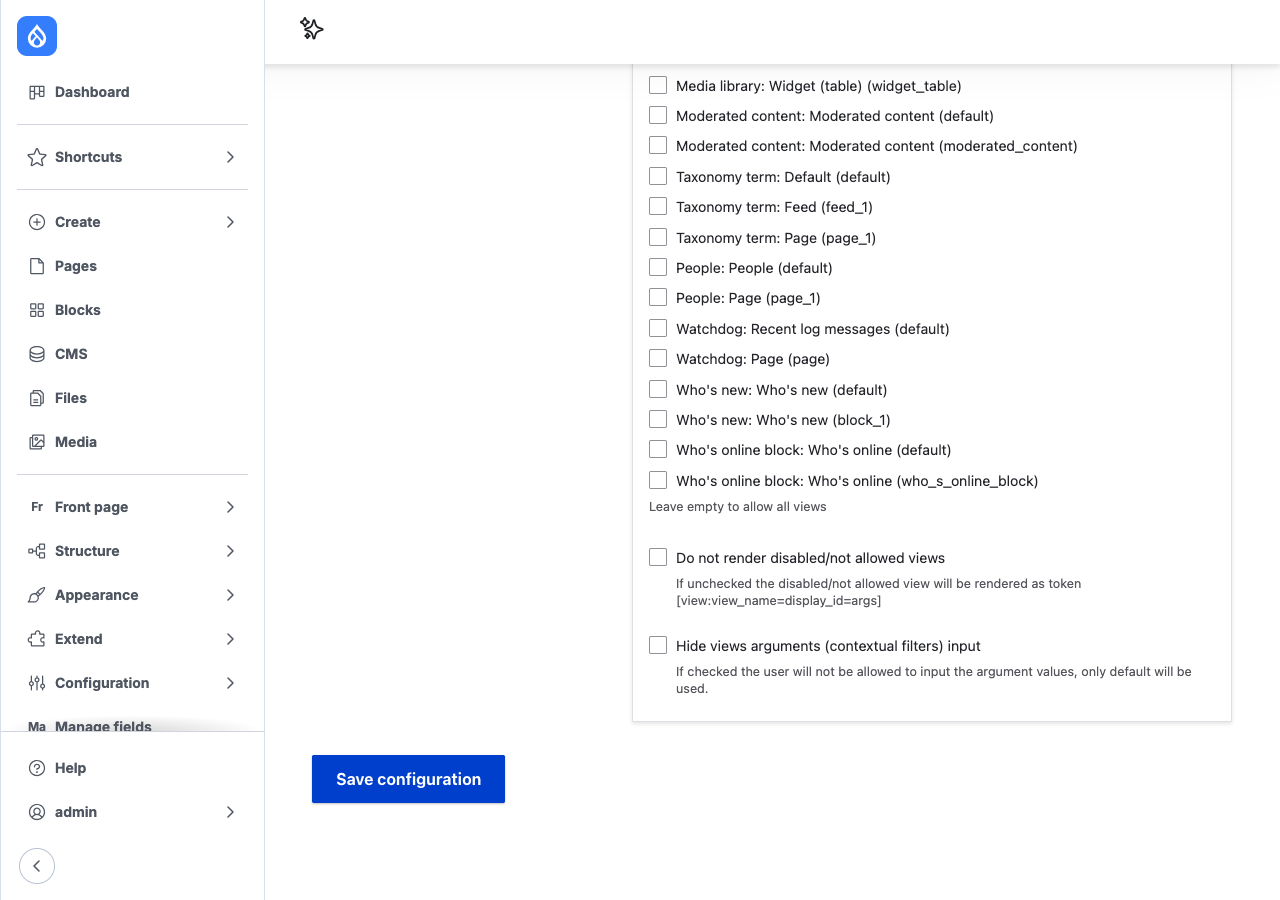
| Setting | Config key | Description |
|---|---|---|
| Allowed views to insert | allowed_views |
Checkboxes for every view display, labelled View: Display (display_id). When none are ticked, all views are allowed. Displays outside the selection are not rendered. |
| Do not render disabled/not allowed views | render_as_empty |
When ticked, a view that is disabled, not allowed or not accessible renders nothing. When unticked, the visitor sees the raw token [view:name=display=args]. |
| Hide views arguments (contextual filters) input | hide_argument_input |
When ticked, the dialog does not show the arguments section and any arguments in existing content are ignored. Views use their default argument values. |
CKEditor plugin settings
The CKEditor 5 plugin has no settings form. The CKEditor 4 plugin (Drupal 10 only) has one setting, Enable live preview of the view token (enable_live_preview, default on).
Permissions
The module defines no permissions of its own.
- Who can use the button: anyone with access to a text format that has the button. Access to the dialog and preview routes is
filter_format.usefor that format. - What a visitor sees: the filter checks
view->access($display_id)for the current user. A view the user cannot access renders as empty or as the raw token, depending on Do not render disabled/not allowed views.
Where views are rendered
The filter output contains placeholders. Drupal replaces them after the entity is cached, so each embedded view keeps its own cache metadata. With BigPipe enabled, views are streamed in. Nothing to configure.
Styling views in the editor
The live preview renders the view markup inside the editor. To apply your front-end styles there, add stylesheets to the active theme's .info.yml with the ckeditor_stylesheets key (CKEditor 4) or ckeditor5-stylesheets (CKEditor 5):
ckeditor5-stylesheets:
  - css/editor.css