Find images by shape.
Image Aspect Ratio Tagging stores the aspect ratio of each image media item in a field, so editors and Views can find wide banners, square thumbnails or portrait photos without opening each file.
For Drupal 9, 10, 11 and 12 · Requires core Media
What it does
The module adds an Aspect Ratio decimal field to the Image media type and fills it in whenever an image is uploaded or replaced. Because it is an ordinary numeric field, Views can filter and sort by it.
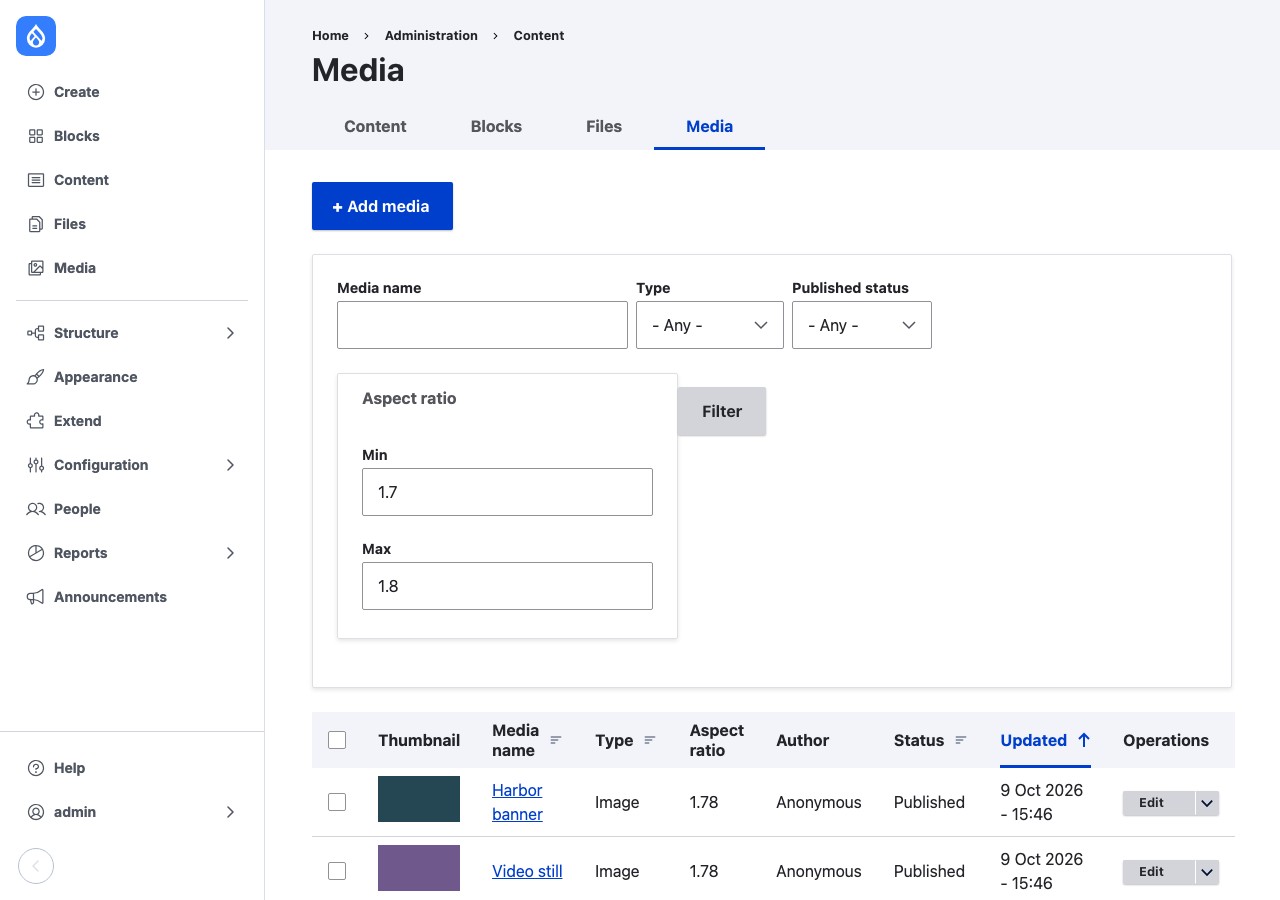
- Calculated on save. New images and replaced files get a ratio. Saving an item with the same file keeps the stored value, so remote file systems such as S3 are not read again.
- Any media type. Add the existing field to another media type with an image or file source, and it is calculated there too.
- Backfill in one batch. Configuration › Media › Calculate Aspect Ratios fills in the field for media that existed before the module.
Who it is for
Site builders who want a media library filter for "landscape only" or "16:9", and editors who pick images for slots with a fixed shape, such as hero banners, cards and social images.